
ຄຳອະທິບາຍ
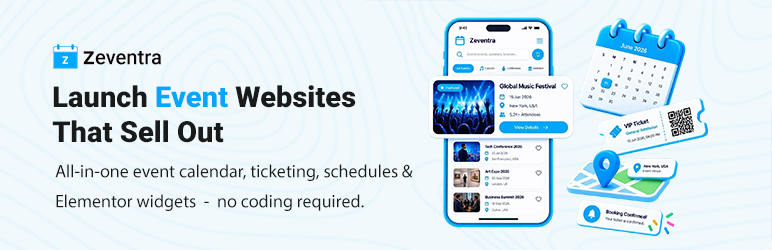
Zeventra helps you promote events, collect registrations, send RSVPs, sell tickets, and check in attendees — without locking core booking or payment features behind paid add-ons.
Create events in WordPress, display them with calendars and listing layouts, accept free or paid bookings, gather RSVP responses separately from tickets, and manage check-in with PDF tickets and QR codes. Optional Elementor widgets and shortcodes let you build the pages you need.
Key Features
– Interactive event calendar and multiple listing layouts (grid, list, masonry, slider, timetable, timeline, yearly, and more).
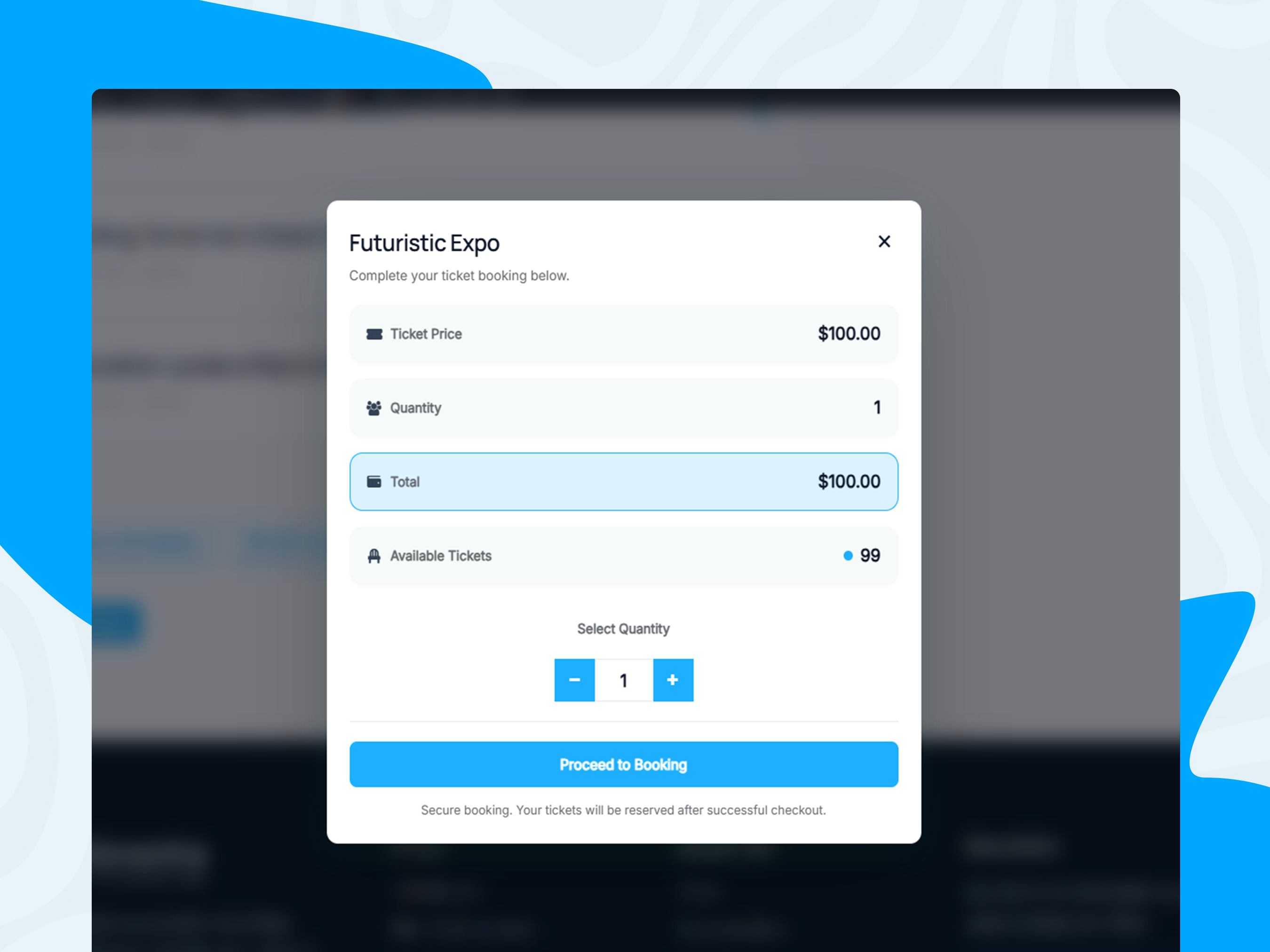
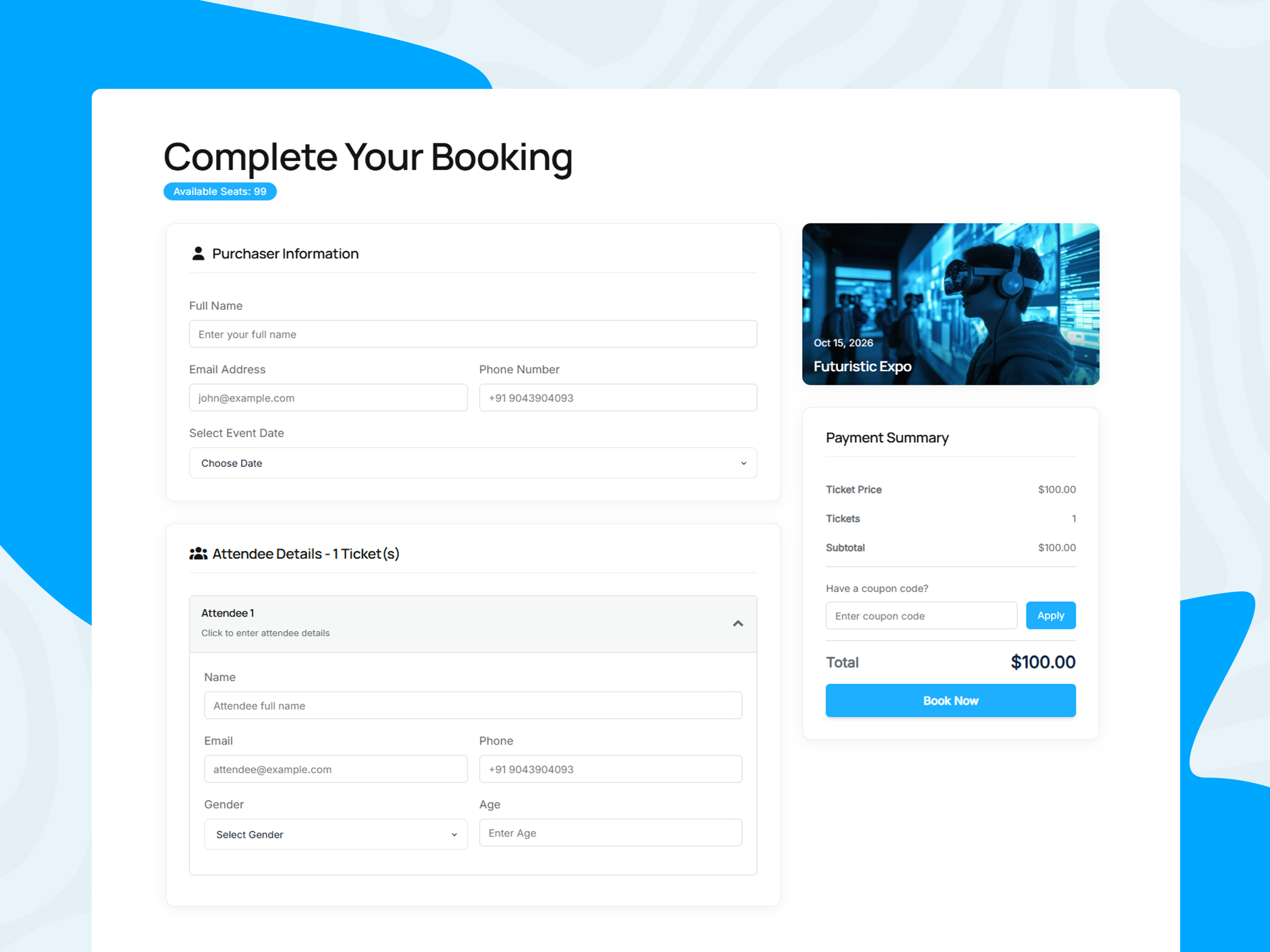
– Free and paid event bookings with attendee details, coupons, and admin booking management.
– RSVP forms with customizable response options (defaults include Yes, Maybe, and No) — separate from paid tickets.
– PDF tickets with QR codes, public token check-in, and an admin camera scanner.
– Built-in Stripe and PayPal payment gateways, plus manual/offline confirmation.
– Weekly, monthly, and yearly recurring events.
– Elementor widgets when Elementor is installed; shortcodes work without it.
– Booking, payment, ticket, refund, and RSVP email notifications where configured.
Event Management & Display
– Create and manage events from the WordPress dashboard.
– Set dates, times, capacity, ticket pricing, organizers, speakers, locations, schedules, categories, tags, and colored labels.
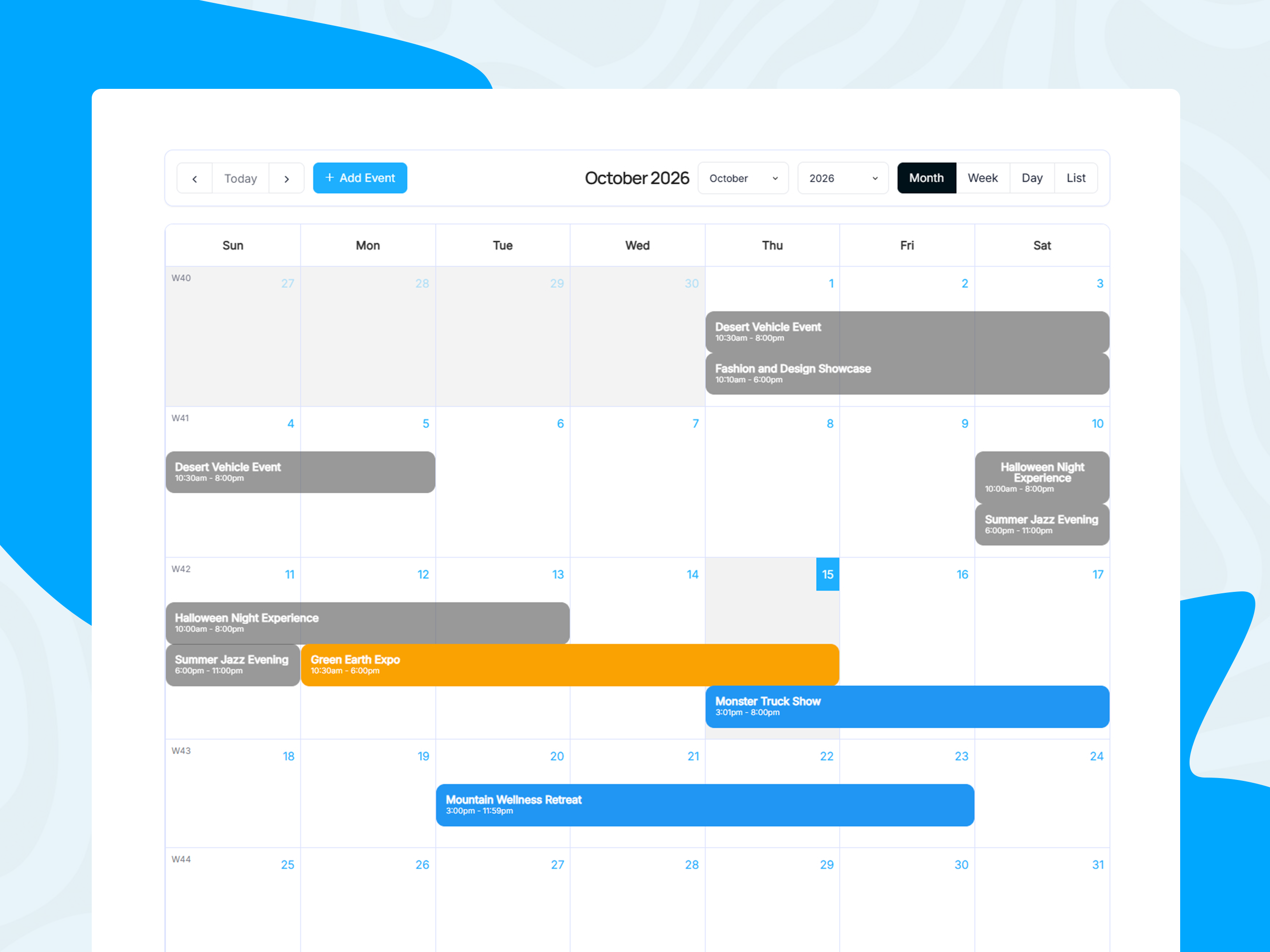
– Display events with an interactive FullCalendar (month, week, day, and list views).
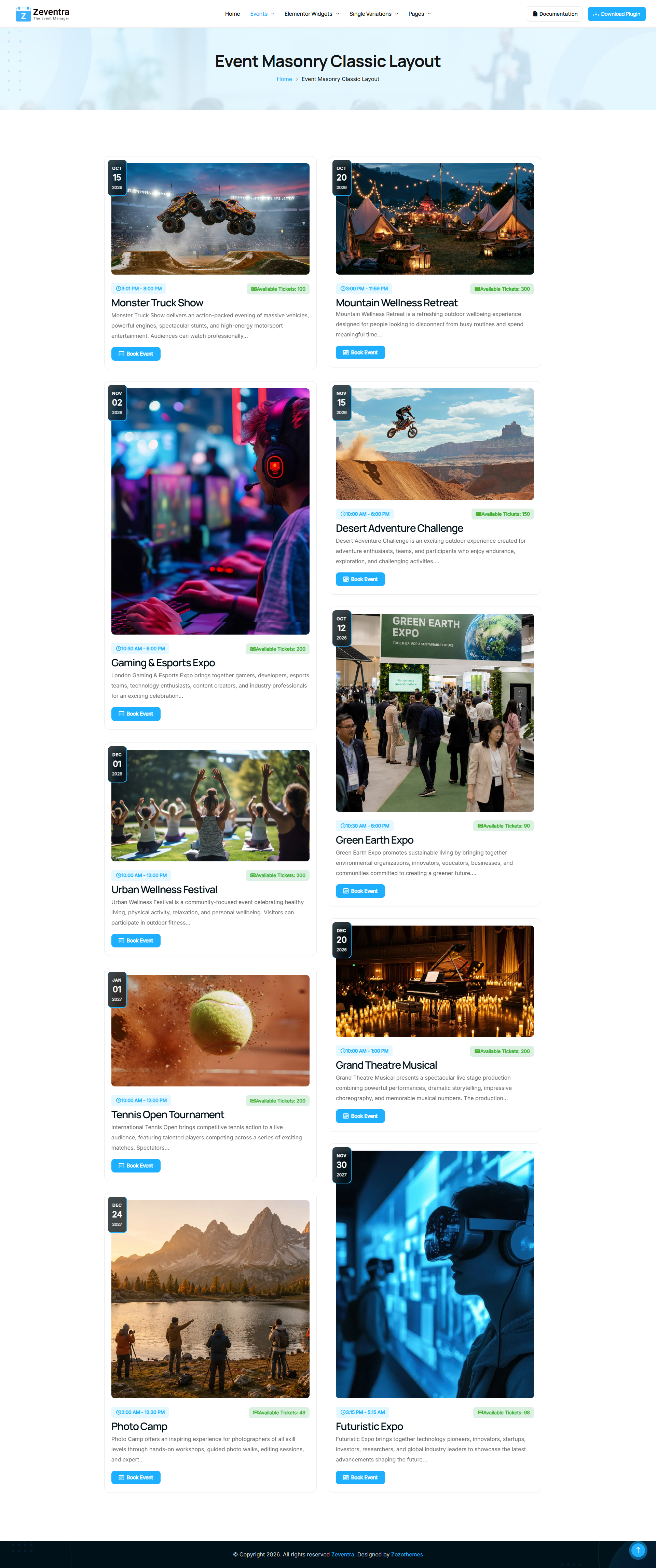
– Choose from grid, list, masonry, filtered masonry, slider, cover, countdown, timetable, timeline, and yearly layouts.
– Support weekly, monthly, and yearly recurring events (daily recurrence is not supported).
– Customize single-event pages, archives, related events, and section order.
– Filter and paginate listings; embed calendars, grids, lists, and maps with shortcodes.
– Optional Google Maps embeds and Add to Calendar / social sharing links when configured.
Booking, Registration & RSVP Forms
Event booking
– Enable free or paid bookings per event.
– Collect ticket quantities and attendee details on the booking form.
– Apply coupons where configured.
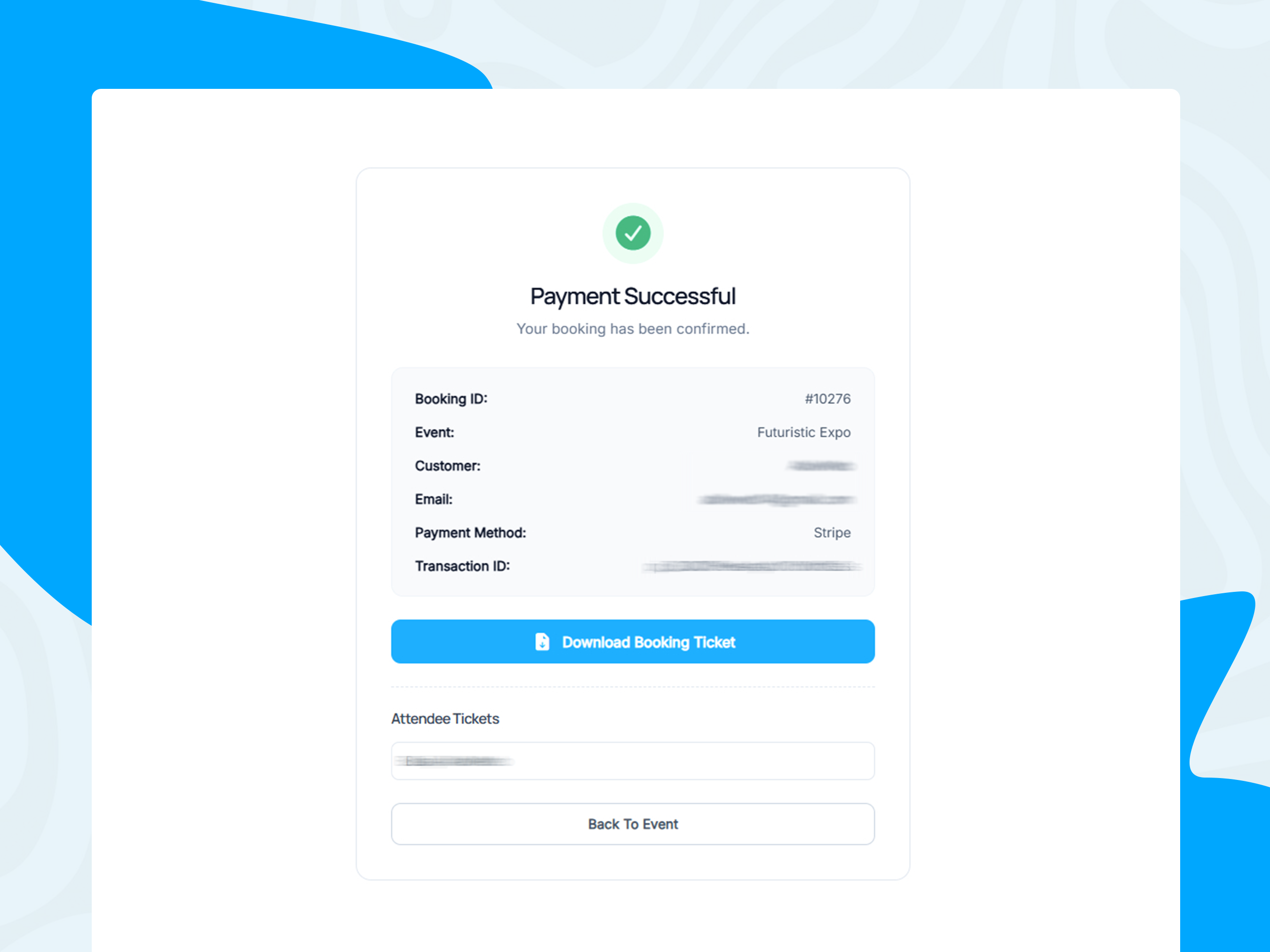
– Assign booking, payment, and success pages (or let the plugin discover pages that contain the required shortcodes).
– Track booking, attendee, and payment status in the admin dashboard.
– View revenue charts, export booking data to CSV, and clean up expired pending bookings.
RSVP forms
– Enable an RSVP form independently of booking and ticketing.
– Collect name, email, and a response (default options: Yes, Maybe, No; labels can be customized per event).
– Show the form in the single-event page layout or with the [zozo_event_rsvp_form] shortcode.
– Review RSVP responses in the admin (Events RSVPs and on the event edit screen).
– Send RSVP confirmation emails when a response is saved or updated.
An RSVP confirms interest or attendance preference only. It is not a paid booking, PDF ticket, or guaranteed entry, and it does not reserve ticket capacity.
Tickets, QR Check-In & Attendees
– Generate booking and attendee PDF tickets.
– Include QR codes for public token-based check-in URLs.
– Check in with secure ticket links or the admin QR camera scanner on booking screens.
– Check-in is allowed during the ticket’s event occurrence window (start inclusive, end exclusive) and is blocked for fully refunded bookings.
– Optional per-event Enable QR Code controls QR images on attendee tickets and public attendee check-in. Staff scanner tools and booking-level tickets are not turned off by this switch.
– Optional After Check-In responses for successful public attendee scans (URL, text, HTML, or file).
– Ticket Notes print a notes block on attendee ticket PDFs (separate from booking-form fields).
Payments & Refunds
– Stripe: Online payments when API keys (and webhook, when used) are configured. Stripe’s own processing fees apply.
– PayPal: Online payments when Client ID, Client Secret, and Webhook ID are configured (Sandbox or Live). Buyers approve on PayPal; the plugin captures and verifies the order on return using the booking token. Amounts come from server-side booking data.
– Manual / offline: Collect payment outside the gateways and confirm bookings in admin.
– Free / zero-total: Confirm without a payment gateway when the booking total is zero.
– Admin refunds: Stripe and PayPal refunds from the booking screen repay the remaining refundable balance. There is no admin field for entering an arbitrary partial-refund amount. Gateway-driven partial refunds (for example from the Stripe or PayPal dashboard) can sync when webhooks report them.
Notifications
– Booking confirmation and related booking emails.
– Full-refund customer notices when a booking is fully refunded.
– RSVP confirmation and update emails (with clear RSVP-only wording).
– Ticket and check-in related messaging as configured in the booking and QR workflows.
Elementor & Customization
When Elementor is installed and activated, Zeventra provides widgets such as:
– Event Grid, Event List, Event Masonry, Event Masonry Filter, Event Slider
– Event Countdown, Event Coming Soon, Event Schedules, Event Sponsors, Event Pricing
– Organizer Grid / List / Slider, Location Grid / List / Slider, Taxonomy Grid / List / Slider
Elementor is optional. Shortcodes and core event, booking, RSVP, and ticketing features work without it.
Additional customization:
– Single-event and archive settings, including drag-and-drop event page sections.
– Custom field types (text, email, URL, date, phone, textarea, checkbox, radio, select, file upload).
– Frontend login and registration forms; administrators can create events from the frontend calendar when permitted.
– PHP template overrides, hooks, and filters where supported.
Shortcodes
Calendars & listings
– [event_builder_full_calendar] – Interactive FullCalendar.
– [event_builder_full_calendar2 view="grid|list|cover|countdown|timetable|yearly|timeline"] – Alternate listing layouts.
– [zeventra_grid_view] / [zeventra_list_view] – Grid and list views.
– [zozo_events_map] – Events map (when maps are configured).
Booking & payments
– [zozo_event_booking_form] – Booking form.
– [zozo_event_payment] – Payment step.
– [zozo_payment_success] – Payment / booking success content.
RSVP
– [zozo_event_rsvp_form] – RSVP form (optional event_id; uses the current event on single event pages).
Accounts
– [zozo_login_form], [zozo_register_form], [zozo_user_button]
Shortcode behavior may depend on plugin settings and page assignment.
Who Can Use Zeventra?
– Conferences, workshops, concerts, community events, and meetups
– Seminars, exhibitions, corporate meetings, and networking events
– Recurring activities and free or paid ticketed events
– Events that need both ticket sales and lightweight RSVP responses
External Services
Depending on configuration, Zeventra may connect to:
– Stripe and PayPal for payments (each provider’s terms and fees apply).
– Google Maps for map embeds when an API key / map content is configured.
– YouTube and Vimeo when administrators embed supported video content.
– External social sharing or calendar services via Add to Calendar / share links.
Third-party services are optional.
Live Demos
Explore selected demos on the official Zeventra site. More layouts are available from the demo homepage.
Event listings & calendars
– Interactive Full Calendar
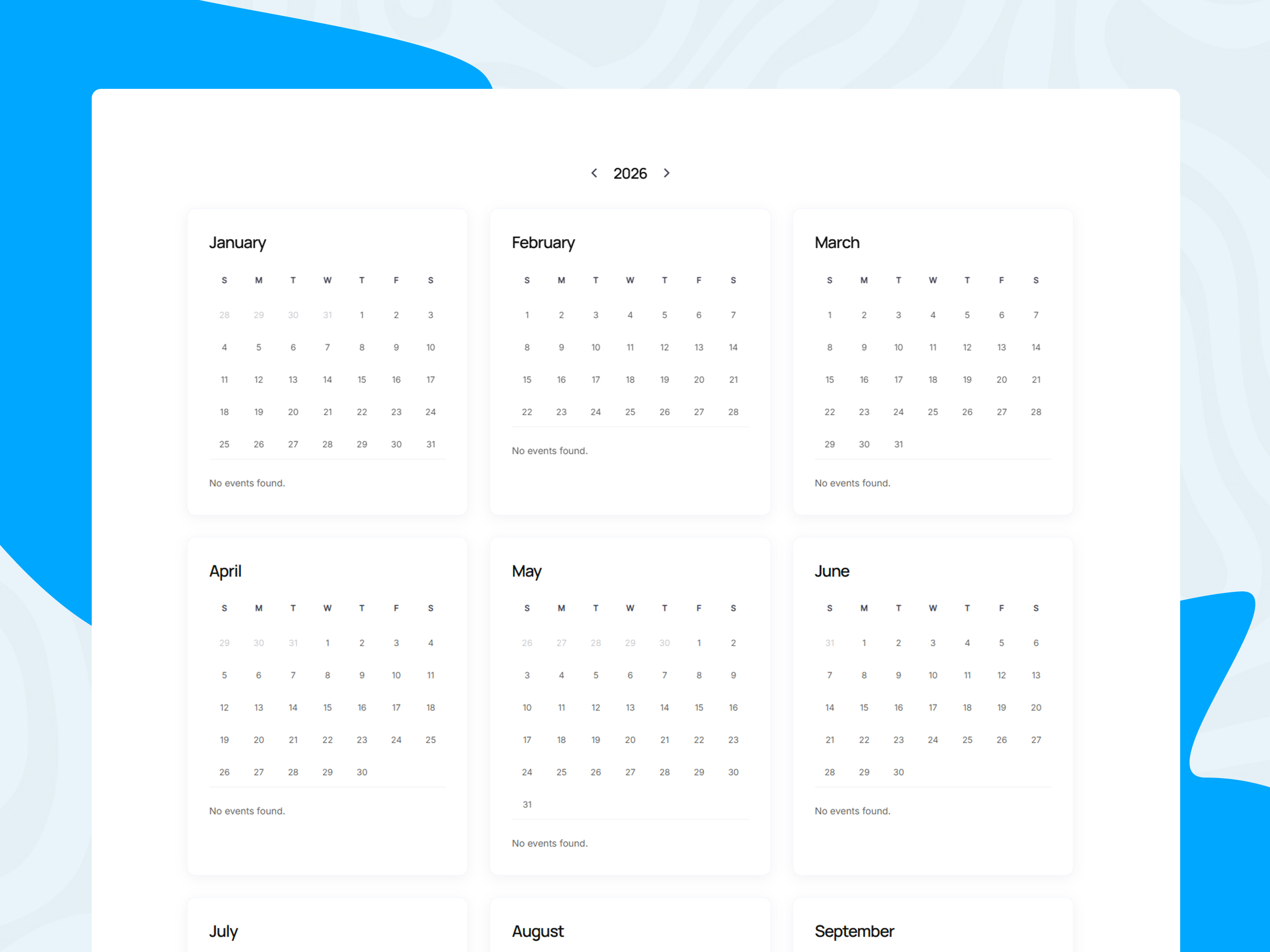
– Yearly Calendar
– Timetable Calendar
– Event Grid
– Event List
– Event Masonry
– Event Masonry with Filter
– Event Slider
– Countdown Listing
– Events Archive
Single-event pages
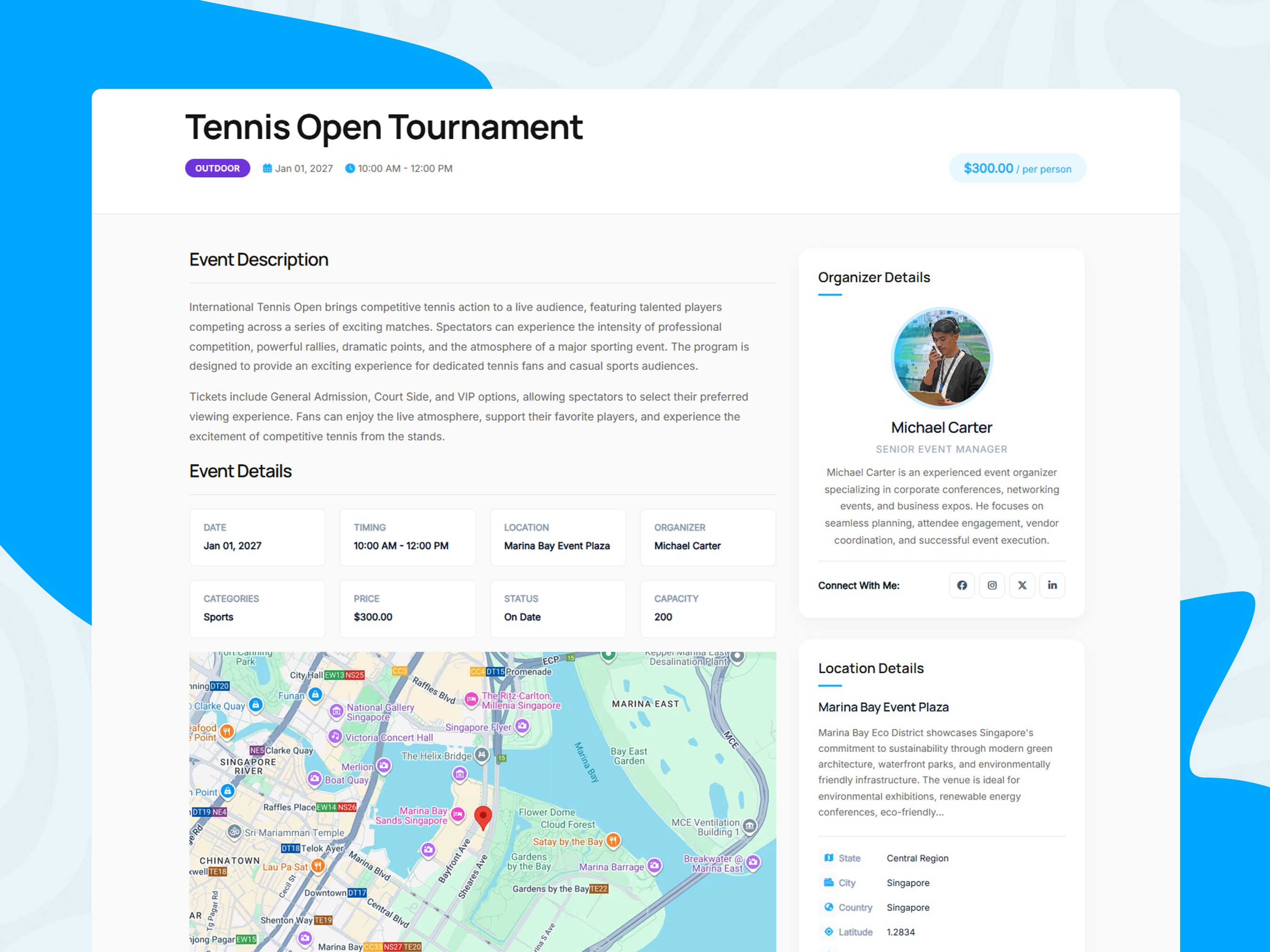
– Single Event – Tennis Open
– Single Event – Gallery Header
– Single Event – Map Header
– Single Event – Right Sidebar
Related content
– Organizer Grid
– Location Grid
License
Zeventra is licensed under the GNU General Public License, version 2 or later.
License: GPLv2 or later
License URI: https://www.gnu.org/licenses/gpl-2.0.html
Third-party libraries and services may have their own licenses or terms. Review the relevant license and service documentation when distributing or configuring the plugin.
ພາບໜ້າຈໍ
ການຕິດຕັ້ງ
- Upload the
zeventraplugin folder to/wp-content/plugins/, or install the ZIP from the WordPress Plugins screen. - Activate Zeventra under Plugins.
- Configure event, booking, payment, and display settings.
- Create events from the WordPress dashboard.
- Assign or create booking / payment / success pages as needed, or add the matching shortcodes to your pages.
- Enable booking and/or RSVP on each event as required.
- Install Elementor only if you want Elementor widgets.
- Configure Stripe and/or PayPal if you accept online payments.
- Test booking, RSVP, ticket, and check-in flows before going live.
Requirements
– WordPress 6.0 or later. – PHP 7.4 or later. – Elementor optional (widgets only). – Stripe and/or PayPal credentials required only for those gateways.
ຄຳຖາມທີ່ພົບເລື້ອຍ
-
Can I create and manage events with Zeventra?
-
Yes. Manage events, schedules, organizers, speakers, locations, booking settings, and RSVP settings from the WordPress dashboard.
-
Can I display events in different layouts?
-
Yes. Options include grid, list, masonry, masonry filter, slider, cover, countdown, timetable, timeline, yearly layouts, and an interactive FullCalendar.
-
Does Zeventra include RSVP forms?
-
Yes. Enable RSVP per event, customize response labels (defaults include Yes, Maybe, and No), embed the form on the event page or with
[zozo_event_rsvp_form], track responses in admin, and send confirmation emails. An RSVP is not a paid ticket or guaranteed entry. -
Can I accept free and paid bookings?
-
Yes. Free and paid workflows are supported. Paid bookings can use Stripe, PayPal, or manual offline confirmation.
-
Can I manage attendees and check-in?
-
Yes. Track bookings and attendees in admin, issue PDF tickets with QR codes, and check in via secure ticket URLs or the admin QR scanner during the event time window.
-
Does Zeventra support PDF tickets and QR codes?
-
Yes. PDF tickets and QR check-in are included. The event Enable QR Code setting controls attendee-ticket QR images and public attendee check-in; staff scanner and booking-level tickets are not turned off by that switch.
-
Can I create recurring events?
-
Yes. Weekly, monthly, and yearly options are available. Daily recurrence is not supported.
-
Does Zeventra support Elementor?
-
Yes. Event listing and related Elementor widgets are included. Elementor is optional for core calendar, booking, RSVP, and ticketing features.
-
Can I use shortcodes without Elementor?
-
Yes. Core display, booking, RSVP, payment, and account shortcodes work without Elementor.
-
Can I customize event pages?
-
Yes. Configure single-event sections, archives, related events, and other display settings. Developers can use hooks, filters, and supported template overrides.
-
Where can I see a demo?
-
Visit the Zeventra demo website, or use the Live Demos links in the Description section above.
ການຣີວິວ
ບໍ່ມີການຣີວິວສຳລັບປລັກອິນນີ້.
ຜູ້ຮ່ວມພັດທະນາ ແລະ ຜູ້ພັດທະນາ
“Zeventra – Event Calendar, Ticketing & Booking Manager with Elementor” ແມ່ນຊອຟແວໂອເພັນຊອດ (Open Source). ບຸກຄົນຕໍ່ໄປນີ້ໄດ້ມີສ່ວນຮ່ວມໃນການພັດທະນາປລັກອິນນີ້.
ຜູ້ຮ່ວມພັດທະນາ
ແປ “Zeventra – Event Calendar, Ticketing & Booking Manager with Elementor” ເປັນພາສາຂອງເຈົ້າ.
ສົນໃຈຮ່ວມພັດທະນາບໍ່?
ເບິ່ງລະຫັດ, ກວດເບິ່ງ ຄັງເກັບ SVN, ຫຼື ຕິດຕາມ ບັນທຶກການພັດທະນາ ຜ່ານ RSS.
ບັນທຶກການປ່ຽນແປງ
1.1.1
- Updated – README feature descriptions for RSVP forms, event management, booking, tickets, QR check-in, payments, and notifications.
- Updated – Organized verified live demo links for calendars, listings, single events, booking, and related layouts.
- Updated – Clarified outdated or misleading README claims (including RSVP vs paid tickets, QR setting scope, and recurring event types).
1.1.0
- Improved – QR check-in respects the event occurrence time window and shows clearer public check-in results.
- Improved – Attendee ticket PDF layout and booking email notification consistency.
- Improved – Timetable calendar layout, including a visible time axis and clearer concurrent-event stacking.
- Improved – PayPal checkout redirect host allowlisting and return capture with booking-token validation.
- Improved – PayPal refund API handling: capture-id resolution, completed-only refund sync, and safer admin refund confirmation.
- Improved – Free / zero-total booking confirmation lifecycle (idempotent confirm without a gateway).
- Fixed – Frontend FullCalendar Add Event and drag-select creation are limited to users who can create events.
- Updated – Recurring events documentation (weekly, monthly, yearly). Daily recurrence is not supported.
- Updated – Enable QR Code and ticket-settings descriptions to match current behavior.
- Updated – Readme documentation highlighting RSVP forms, bookings, tickets, payments, and major features.
- Removed – Postponed Gutenberg Event Grid block implementation (use shortcodes or Elementor widgets).
1.0.2
- Fixed – Full Calendar listing ordering
- Fixed – Full Calender event colors
- Updated readme documentation.
1.0.1
- Fixed reported issues and improved plugin stability.
- Updated plugin functionality and PHP implementation.
- Updated readme documentation.
1.0.0
- Initial release.
- Event creation and management.
- Event categories, tags, organizers, speakers, and locations.
- Event grid, list, masonry, slider, calendar, and schedule display options.
- Elementor widget integration.
- Booking and attendee management.
- Free and paid booking workflows.
- Stripe and manual offline payment options.
- PDF tickets and QR code check-in.
- Frontend login, registration, and event submission functionality.
- Event display and booking shortcodes.