
ຄຳອະທິບາຍ
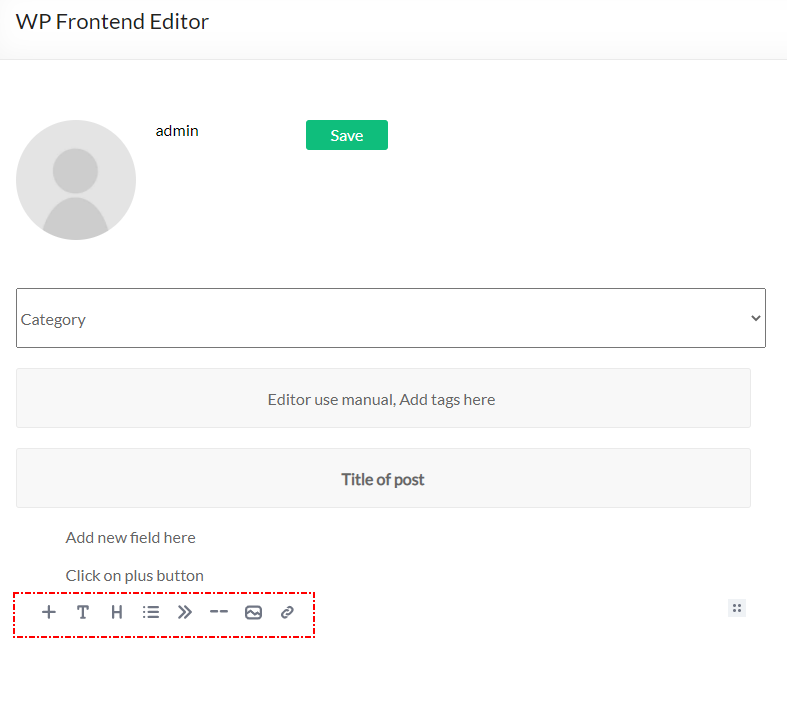
This plugin add frontend editor to your web-site. The plugin is easy to use. Please create empty page for editor, put shortcode [alshc_post_editor] on the created page.
Click to “WP FRONTEND PUBLISH EDITOR” menu in admin console. Follow to the instructions: set users capabilities and select the created page.
ພາບໜ້າຈໍ



ການຕິດຕັ້ງ
- Upload plugin folder to the
/wp-content/plugins/directory - Activate the plugin through the ‘Plugins’ menu in WordPress
- Create a page for Editor
- Put shortcode [alshc_post_editor] on the created page
- Open setting page in admin console – “WP FRONTEND PUBLISH EDITOR”
- Follow to instructions: 6.1. Select the created page as Editor page 6.2. Cet users capabilities
- Enjoy!
ຄຳຖາມທີ່ພົບເລື້ອຍ
-
What is Editor the plugin based on?
-
The plugin based on EditorJS (https://editorjs.io/). Based on documentation of the Editor this software is Open Source project. If you are interested in the Editor you can donate for the project.
-
How can I add blocks to the Editor
-
The Editor team develope new features for their project so you can update the editor from the project sources (https://editorjs.io/)
-
If I need any special features
-
Contact to author of this plugin for commercial support.
ການຣີວິວ
ບໍ່ມີການຣີວິວສຳລັບປລັກອິນນີ້.
ຜູ້ຮ່ວມພັດທະນາ ແລະ ຜູ້ພັດທະນາ
“AL Frontend Publish Editor” ແມ່ນຊອຟແວໂອເພັນຊອດ (Open Source). ບຸກຄົນຕໍ່ໄປນີ້ໄດ້ມີສ່ວນຮ່ວມໃນການພັດທະນາປລັກອິນນີ້.
ຜູ້ຮ່ວມພັດທະນາ
“AL Frontend Publish Editor” ໄດ້ຖືກແປເປັນ 1 ພາສາທ້ອງຖິ່ນ. ຂໍຂອບໃຈ ທີມງານຜູ້ແປ ສຳລັບການປະກອບສ່ວນຂອງເຂົາເຈົ້າ.
ແປ “AL Frontend Publish Editor” ເປັນພາສາຂອງເຈົ້າ.
ສົນໃຈຮ່ວມພັດທະນາບໍ່?
ເບິ່ງລະຫັດ, ກວດເບິ່ງ ຄັງເກັບ SVN, ຫຼື ຕິດຕາມ ບັນທຶກການພັດທະນາ ຜ່ານ RSS.
ບັນທຶກການປ່ຽນແປງ
1.0 Initial version.