
ຄຳອະທິບາຍ
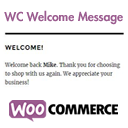
WC Welcome Message allows you to personally interact with your WooCommerce store visitors. Included with this plugin are two new fields in the WooCommerce general settings section which allow you to create unique personalized messages for both returning customers and guests. These messages are then easy to include in your posts, pages, and widgets using a shortcode.
ພາບໜ້າຈໍ

WC Welcome Message fields in the WooCommerce settings. 
WC Welcome Message shortcode in action in a widget! 
A sample message for returning visitors. 
A sample message for a guest.
ການຕິດຕັ້ງ
- Upload
wc-welcome-messageto the/wp-content/plugins/wc-welcome-messagedirectory or install the plugin through the WordPress plugins screen. - Activate the plugin through the ‘Plugins’ screen in WordPress.
- Create your messages in the WooCommerce general settings page under the section for WC Welcome Message.
- Add the shortcode [wc_welcome_message] into a post, page, or widget.
- Done!
ຄຳຖາມທີ່ພົບເລື້ອຍ
- How do I style the message?
-
The message is wrapped in a paragraph tag with the id of wc-welcome-message which can be used for css styles.
- How do I use this within a template file?
-
Add the following code to your template file:
- What happens if I forget to add the message?
-
By default, each message has a fallback which will display if a message isn’t saved in the settings.
ການຣີວິວ

ຜູ້ຮ່ວມພັດທະນາ ແລະ ຜູ້ພັດທະນາ
“WC Welcome Message” ແມ່ນຊອຟແວໂອເພັນຊອດ (Open Source). ບຸກຄົນຕໍ່ໄປນີ້ໄດ້ມີສ່ວນຮ່ວມໃນການພັດທະນາປລັກອິນນີ້.
ຜູ້ຮ່ວມພັດທະນາ
ແປ “WC Welcome Message” ເປັນພາສາຂອງເຈົ້າ.
ສົນໃຈຮ່ວມພັດທະນາບໍ່?
ເບິ່ງລະຫັດ, ກວດເບິ່ງ ຄັງເກັບ SVN, ຫຼື ຕິດຕາມ ບັນທຶກການພັດທະນາ ຜ່ານ RSS.
ບັນທຶກການປ່ຽນແປງ
1.0
Initial release