

ຄຳອະທິບາຍ
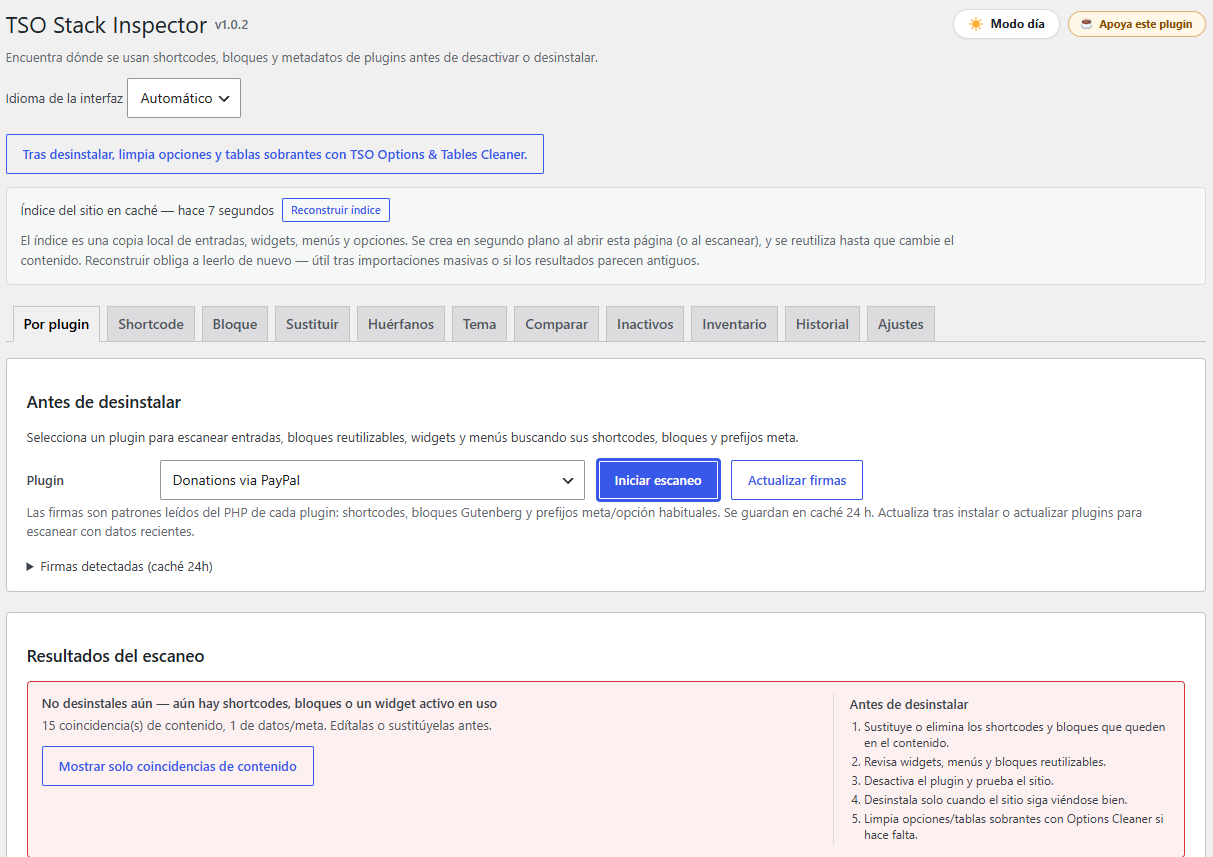
TSO Stack Inspector helps agencies and site owners answer a critical question before removing a plugin: where is it still used?
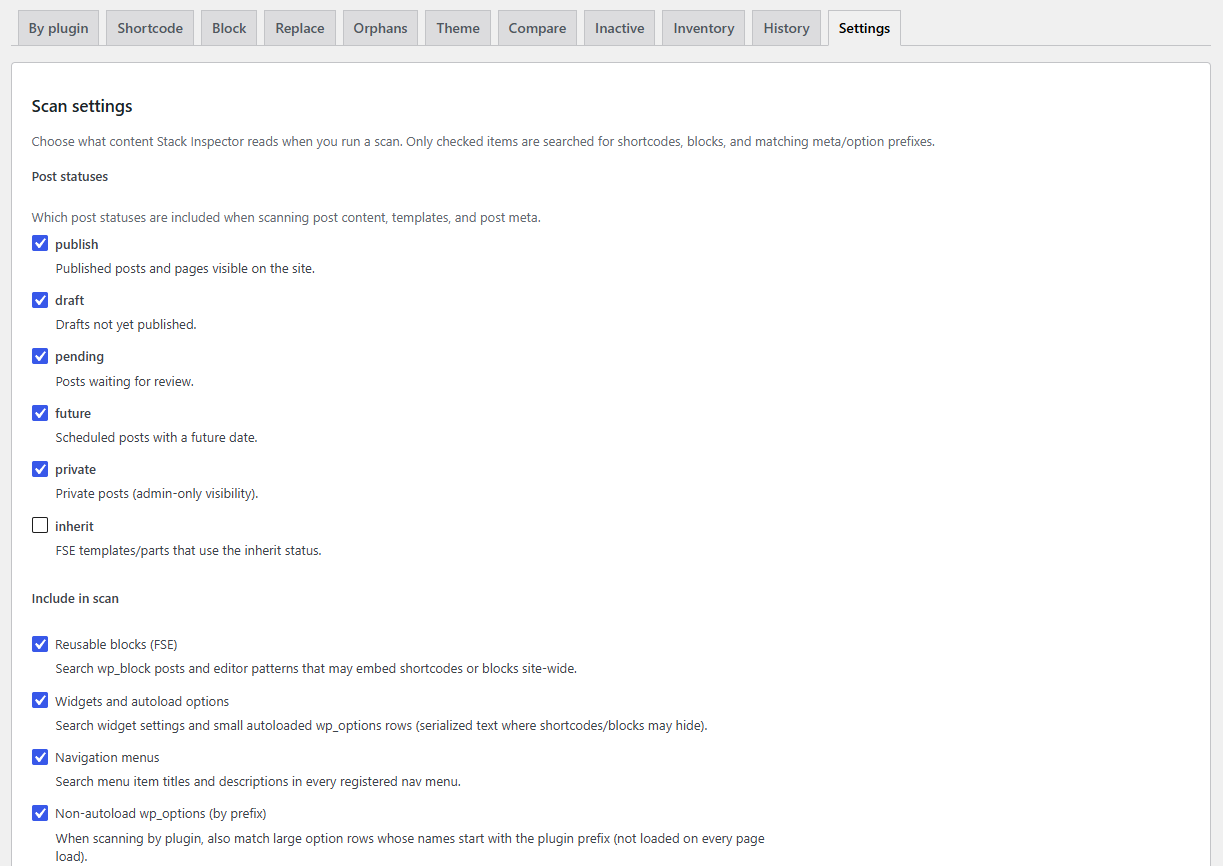
Scan posts, pages, custom post types, reusable blocks, Site Editor templates, widgets, navigation menus, and wp_options for:
- Shortcodes registered by a plugin or entered manually
- Gutenberg blocks declared by a plugin
- Post meta prefixes inferred from plugin code (including page-builder JSON meta)
Features
- By plugin — pick an installed plugin and run a batched scan before uninstall
- Risk verdict — after each scan, a clear safe / review / risk summary for uninstall decisions
- Replace (dry-run) — preview and apply shortcode/block renames in post content (batched, with confirmation and undo backups)
- Orphans — find shortcodes/blocks still in content but no longer registered
- History diff — compare two saved scans
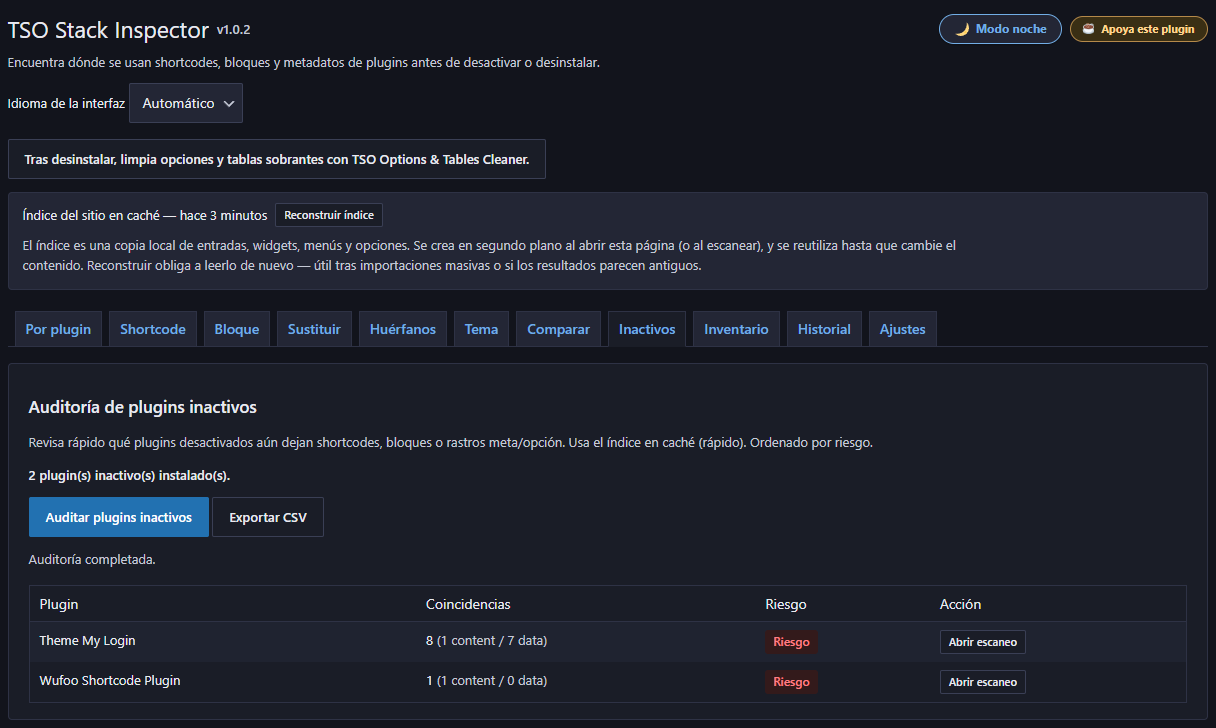
- Inactive plugins audit — quickly see which deactivated plugins still leave traces (uses the site index)
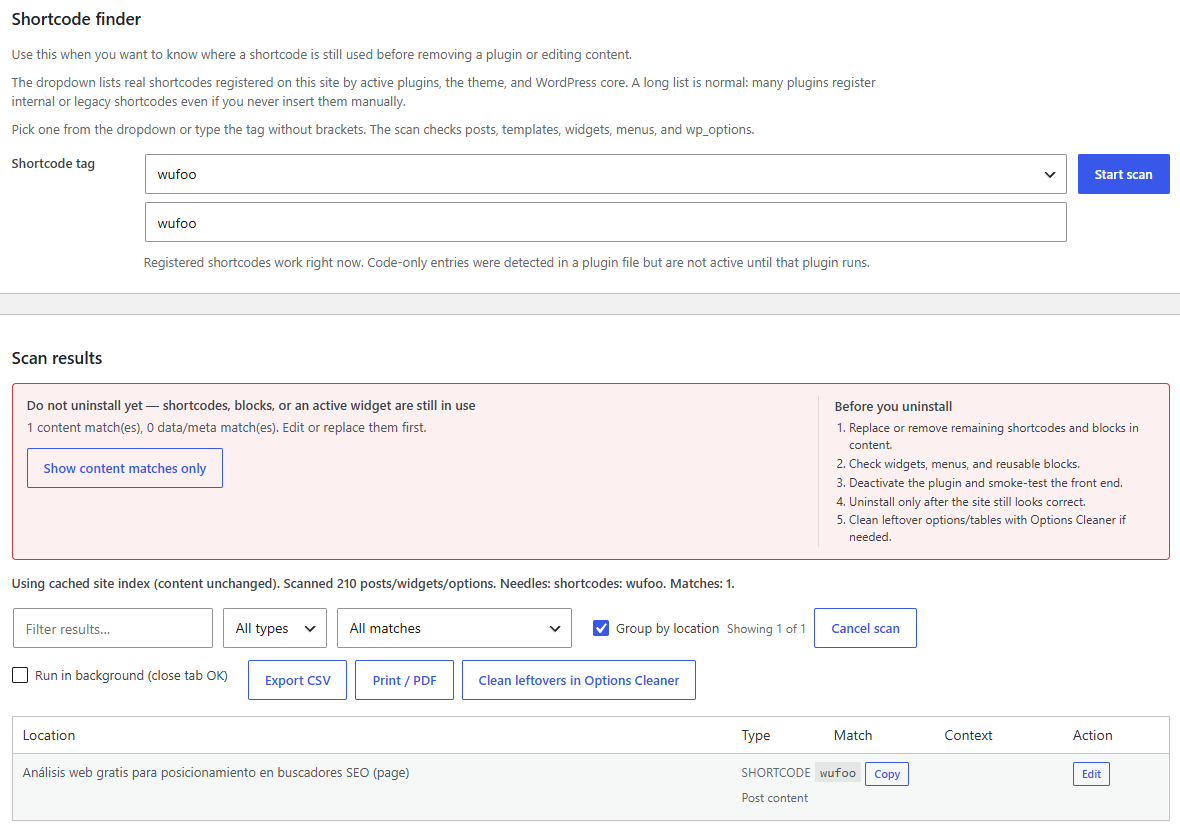
- Shortcode finder — search any shortcode tag across the site
- Block finder — search a block namespace (e.g.
contact-form-7/contact-form-selector) - Theme scan — active or inactive themes
- Compare plugins — shared vs exclusive signatures before migrations
- Inventory — list registered shortcodes and discovered plugin signatures
- Scan history — limited, auto-pruned, with delete/clear
- Export CSV / Print PDF — download scan results, orphans, or inactive-plugin audits as CSV, or open a printable report after a scan
- Refresh signatures — rebuild the cached plugin profile without waiting 24 hours
- Options Cleaner link — jump to TSO Options & Tables Cleaner when installed to remove leftover options and tables after uninstall
- Site index — built in the background when you open the admin screen (or when you scan); reused for faster scans and audits
- Background scan — optional checkbox to keep a large scan running via WP-Cron after you close the admin tab; reopen the screen later to see the finished results
- Ignore list — hide noisy shortcodes, blocks, or meta/option keys from results
- Grouped results — scan hits grouped by location, with copy-tag and a pre-uninstall checklist
- Orphans Replace — jump from an orphan tag to the Replace tab already filled in
- Admin UI languages — English, Spanish, and Catalan in the admin screen; community translations via translate.wordpress.org after publication
How it works
The plugin reads your content and widget options locally. It does not send data to external services. To see what visitors really get, a plugin scan also requests a sample of pages from your own site (loopback requests, nothing leaves your server): your home page, the latest posts and page, shop pages, one entry and archive of each public content type and one page per custom template, up to 12 in all. It looks for files and markup of the scanned plugin in them. For sitemap, SEO and feed plugins it also reads robots.txt, the sitemaps it declares and your feed. The pages read are reused for two minutes while nothing that changes them has changed, and a page that answered 404 is skipped for a week, so scans do not fill your 404 log. Plugin signatures (shortcodes, blocks, meta prefixes) are discovered by scanning plugin PHP sources and cached for 24 hours. The site content index is stored under uploads and rebuilt when content or settings change.
Multisite
Works on WordPress Multisite: scans, caches, and settings are per-site. Uninstalling from the network admin cleans up every site in the network, not just the main site.
Limitations
- Static code scan may miss dynamically registered shortcodes or blocks
- Meta prefix detection is heuristic; always review results before uninstalling
- Very large sites run scans in batches; tick Background scan to let a long scan keep going via WP-Cron after you close the tab, or keep the tab open otherwise
Privacy Policy
TSO Stack Inspector stores only:
- Your admin UI language preference in user meta (
tso_stack_inspector_ui_lang) - Optional scan settings in
wp_options(tso_stack_inspector_scan_settings), including history size limit - A short index of recent completed scans in
wp_options(tso_stack_inspector_scan_history) - Temporary scan job data in transients (auto-expire)
- Optional site-index cache, scan-history JSON, and replace-backup JSON under
wp-content/uploads/tso-stack-inspector/(local disk only; directory is denied via.htaccess/web.config+ emptyindex.html; removed on uninstall when possible) - Replace backup index in
wp_options(tso_stack_inspector_replace_backups, ~48h retention) - A short list of your own public URLs that answered 404 when sampled, in a transient (one week)
- The last read of your own public pages, as compressed JSON under
wp-content/uploads/tso-stack-inspector/(reused for two minutes, removed on uninstall)
No data is transmitted to external servers: the only requests the plugin makes go to your own site. Scans run only when an administrator starts them from TSO Plugins Stack Inspector.
ພາບໜ້າຈໍ
ການຕິດຕັ້ງ
- Upload the plugin folder to
/wp-content/plugins/ - Activate through the Plugins screen
- Open TSO Plugins Stack Inspector (or click Open inspector under the plugin on the Plugins screen)
ຄຳຖາມທີ່ພົບເລື້ອຍ
-
Go to TSO Plugins Stack Inspector (below Settings). Administrators also see Open inspector under the plugin name on Plugins Installed Plugins.
-
Does this delete anything?
-
Scans, orphans, and audits are read-only. The optional Replace tab can edit
post_content(shortcode/block renames) after a dry-run preview, with short-lived undo backups — always keep your own site backup. Stack Inspector does not delete plugins, options, or database tables; use TSO Options & Tables Cleaner for leftover options/tables after uninstall. -
Does it work with Elementor or other page builders?
-
Yes, partially. The scanner also inspects common builder meta keys such as
_elementor_datafor embedded shortcodes and blocks. -
Will a scan slow down my site?
-
Scans run in the admin in small batches and only when you start them. Front-end visitors are not affected.
ການຣີວິວ
ບໍ່ມີການຣີວິວສຳລັບປລັກອິນນີ້.
ຜູ້ຮ່ວມພັດທະນາ ແລະ ຜູ້ພັດທະນາ
“TSO Stack Inspector” ແມ່ນຊອຟແວໂອເພັນຊອດ (Open Source). ບຸກຄົນຕໍ່ໄປນີ້ໄດ້ມີສ່ວນຮ່ວມໃນການພັດທະນາປລັກອິນນີ້.
ຜູ້ຮ່ວມພັດທະນາ
ແປ “TSO Stack Inspector” ເປັນພາສາຂອງເຈົ້າ.
ສົນໃຈຮ່ວມພັດທະນາບໍ່?
ເບິ່ງລະຫັດ, ກວດເບິ່ງ ຄັງເກັບ SVN, ຫຼື ຕິດຕາມ ບັນທຶກການພັດທະນາ ຜ່ານ RSS.
ບັນທຶກການປ່ຽນແປງ
1.0.8
- Fix: Night mode paints the admin canvas dark under TSO Plugins (no light frame around the page).
- Fix: FileOrganizer, SweepPress and other plugins’ notices stay hidden on Stack Inspector, the same way as on TSO Plugins. Messages from Stack Inspector itself stay visible.
- Admin menu: Stack Inspector moves under the shared TSO Plugins menu (below Settings); Tools entry removed with redirect from the old URL
- Short submenu title Stack Inspector with a distinctive teal stack icon; Network Admin registration unchanged
1.0.7
- New: shortcode lists show which plugin, theme or WordPress registers each tag
- Fix: shortcode/block searches show their matches; filters reset per scan; results return with their tab; language change keeps tab and context and shows the search results again; the page no longer reloads by itself while you are using it; short Options Cleaner link opens its WP-OPTIONS tab
- Internal code cleanup: type annotations and unused code removed
1.0.6
- Verdict: scripts/styles a plugin merely loads on every page, internal non-public data (such as saved forms) and shortcode tags that another plugin renders no longer trigger “do not uninstall”; they are shown as “review”; libraries shared between plugins (Composer, Jetpack packages, bundled vendor folders) and cache drop-ins redefining core functions no longer cause a false “do not uninstall”
- All interface texts now use WordPress translations (gettext), so language packs work; Catalan and Spanish are bundled and every text follows the language chosen in the plugin, including the cache age
- Mobile admin without horizontal overflow; scan options fall back to defaults when saved empty; “#” comments in the ignore list
- Exports: CSV files share one naming scheme, translated headers and the same columns as WP-CLI
- Blocks of modern plugins are recognised by their editor script handles; removed unused code and strings
See changelog.txt in the plugin folder for older versions.