
ຄຳອະທິບາຍ
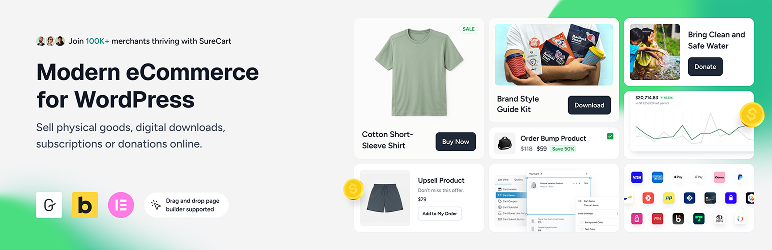
ວິທີໃໝ່ໃນການຂາຍທຸກຢ່າງເທິງ WordPress!
★★★★★
eCommerce on WordPress has evolved and so have the tools.
SureCart brings a modern, intuitive approach to selling online. It’s lightweight, flexible, and built to work seamlessly with your existing WordPress setup.
Whether you’re selling digital products, subscriptions, services, or physical goods, you can launch a fully functional store without complexity.
What’s New | Blog | Docs | Video Tutorials | Get Help | Community
Start With a Completely Free Store
With SureCart’s free plan, you can create a store with full core functionalities: unlimited products, flexible checkout customization, subscription support, and powerful built-in features, without needing a stack of add-ons.
Scale when you’re ready. No forced upgrades. No unnecessary bloat.
What Makes SureCart Different?
SureCart was built to give WordPress users a modern alternative to traditional ecommerce plugins.
Most WordPress ecommerce solutions run entirely inside your website. As stores grow, this can introduce performance issues, database bloat, plugin conflicts, and caching complications.
SureCart takes a fundamentally different approach.
SureCart consists of two parts: the plugin and the platform. The plugin connects your WordPress site to the SureCart platform — a cloud-based ecommerce engine designed specifically to handle payments, subscriptions, taxes, and checkout processing at scale.
Instead of placing all ecommerce processing load on your website, SureCart handles heavy operations on its own infrastructure. This reduces strain on your server, improves reliability, and minimizes conflicts with themes, caching systems, or other plugins.
Because of this architecture, you get:
- A lighter WordPress footprint
- Reduced database bloat
- Fewer plugin conflicts
- Compatibility with caching systems
- Built-in security, backups, and infrastructure handling
The result is a smoother ecommerce experience with less technical overhead and fewer moving parts to manage.
SureCart ເໝາະສຳລັບໃຜ?
Each year we send all of our users a survey, so here are the 2025-26 results of who is using SureCart.
- Subscription-Based Businesses: SureCart is ideal for coaches, course creators, membership sites, and SaaS companies that rely on recurring revenue and need powerful subscription management with built-in retention tools.
- Service-Based Businesses: Perfect for web agencies, legal firms, and local businesses that charge through subscriptions, installment plans, or one-time setup fees with flexible billing built right into the checkout.
- Digital Product Creators & Developers: Built for selling ebooks, printables, creative assets, and digital downloads and increasingly trusted by WordPress software developers who leverage SureCart’s built-in licensing system.
- Physical Product Stores: Great for merchants who want a simple way to launch an online store, manage orders and fulfillment, and increase average order value with built-in cart abandonment recovery, order bumps, and post-purchase upsells.
- Agencies & Freelancers: Instead of turning down eCommerce projects due to complexity, agencies are confidently taking on more online store clients. SureCart makes setup and ongoing management simple and their clients love the experience.
- Nonprofits & Fundraisers: Ideal for charities and causes that need flexible donation forms while also having the ability to sell merchandise, event tickets, or other products, all from one streamlined checkout experience.
ໜ້າຮ້ານຄ້າແບບດັ້ງເດີມ
ຕ້ອງການເພີ່ມຮ້ານຄ້າອອນໄລນ໌ແບບດັ້ງເດີມເຂົ້າໃນເວັບໄຊຂອງທ່ານບໍ່?
ນີ້ຄືຮູບແບບທີ່ມີໜ້າຮ້ານຄ້າເພື່ອສະແດງສິນຄ້າທັງໝົດ, ໜ້າສິນຄ້າ, ກະຕ່າສິນຄ້າ ແລະ ການຊຳລະເງິນ.
SureCart ມີຟີເຈີຄົບຖ້ວນສຳລັບການຂາຍສິນຄ້າ ເຊັ່ນ: ສິນຄ້າທີ່ມີຕົວເລືອກຫຼາກຫຼາຍ, ການຈັດໝວດໝູ່ສິນຄ້າ, ຄູປອງ, ການຕິດຕາມສະຕັອກ, ການຄິດໄລ່ຄ່າສົ່ງ, ການຈັດການຄຳສັ່ງຊື້, ການຄືນສິນຄ້າ ແລະ ເຂດຈັດການສຳລັບລູກຄ້າ.
Product Pricing Options (Now with Dynamic Pricing)
SureCart gives you flexible, conversion-focused pricing control without duplicating products or creating complex checkout flows.
Instead of being limited to one price per product, you can attach multiple pricing options to a single product and let customers choose what works best for them.
You can offer:
- One-time payments
- Subscription payments (daily, weekly, monthly, yearly, etc.)
- Installment plans
- Free trials
- Paid trials
- Setup fees
- Setup discounts
- “Name your own price”
Dynamic Pricing (New)
SureCart also includes built-in Dynamic Pricing, allowing prices to automatically adjust at checkout based on real conditions.
You can:
- Apply discounts when cart subtotal exceeds a threshold
- Add conditional fees based on user role or customer type
- Offer bulk/quantity discounts
- Reward logged-in customers with special pricing
- Run BOGO-style offers without duplicating products
Pricing updates instantly at checkout exactly where buying decisions happen.
This makes it easier to increase average order value (AOV), reward loyal customers, and run smarter promotions without adding extra plugins.
Advanced Subscription Management & Retention for WordPress
Selling a subscription is the easy part. Managing renewals, reducing churn, and maximizing lifetime value is where subscription businesses actually grow.
SureCart goes beyond basic recurring payments by giving you built-in tools to actively manage and retain subscribers and not just collect payments.
Flexible Subscription Setup
With SureCart, you can:
- Create flexible billing intervals (daily, weekly, monthly, yearly, or custom)
- Offer free trials and paid trials
- Add setup fees or setup discounts
- Create installment-style subscription payments
- Apply Dynamic Pricing rules to subscription products
- Offer multiple pricing options on a single subscription product
Reduce Churn From Failed Payments
One of the biggest causes of subscription churn is failed payments. SureCart includes built-in dunning management that:
- Automatically retries failed payments
- Sends advanced pre-payment reminders
- Notifies customers about payment issues
- Helps recover revenue that would otherwise be lost
This helps keep subscribers active without requiring third-party add-ons.
Reduce Voluntary Cancellations
The second major source of churn is subscribers choosing to cancel. SureCart’s Subscription Saver feature helps reduce cancellations and gives you insights into why customers leave.
You can:
- Offer upgrade or downgrade paths with automatic proration
- Allow customers to pause subscriptions instead of cancelling
- Reactivate cancelled subscriptions
- Let customers change payment methods
- Allow changes to billing dates
- Provide self-service management via customer dashboards
Instead of forcing cancellations, you give customers flexible options that keep revenue flowing.
Built-In Management Without Extra Extensions
Many WordPress setups require multiple add-ons to manage subscriptions effectively. SureCart includes subscription logic, retention tools, and email notifications natively.
Because SureCart is cloud-based and API-driven, subscription processing is handled reliably without adding heavy processing load to your WordPress site.
This gives you greater control over subscriber experience, retention, and recurring revenue, all from a single platform.
ທາງເລືອກທີ່ດີທີ່ສຸດແທນ WooCommerce
SureCart ແມ່ນ ທາງເລືອກໃໝ່ແທນ WooCommerce ທີ່ຜູ້ໃຊ້ WordPress ຖາມຫາ!
ພວກເຮົານັບຖື WooCommerce ທີ່ເປັນຜູ້ບຸກເບີກການເຮັດຮ້ານຄ້າອອນໄລນ໌ເທິງ WordPress ແຕ່ມັນອາດຈະບໍ່ແມ່ນທາງເລືອກທີ່ດີທີ່ສຸດສຳລັບທຸກຄົນ.
ທ່ານອາດຈະຕ້ອງຈ່າຍເງິນເຖິງ $2,849 ຕໍ່ປີ ຕໍ່ຮ້ານ ສຳລັບສ່ວນເສີມຂອງ WooCommerce ເພື່ອໃຫ້ໄດ້ຟີເຈີຄືກັນກັບທີ່ SureCart ມີໃຫ້ແລ້ວ! ນອກຈາກນີ້, ເວັບໄຊຂອງທ່ານຍັງສ່ຽງຕໍ່ບັນຫາປັກອິນຕີກັນ, ຊ່ອງໂຫວ່ດ້ານຄວາມປອດໄພ, ຕ້ອງຄອຍອັບເດດປັກອິນຕະຫຼອດ ແລະ ເຮັດໃຫ້ເວັບໄຊຊ້າລົງ.
(ນີ້ແມ່ນເຫດຜົນຈາກເຈົ້າຂອງຮ້ານທີ່ຍ້າຍມາຈາກ WooCommerce ມາໃຊ້ SureCart)
ມີບາງກໍລະນີທີ່ການໃຊ້ WooCommerce ອາດເປັນທາງເລືອກດຽວສຳລັບຮ້ານຄ້າຂອງເຈົ້າ ເນື່ອງຈາກລະບົບນິເວດຂອງສ່ວນເສີມແບບເສຍເງິນ ແລະ ຊ່ອງທາງການຊຳລະເງິນທີ່ກວ້າງຂວາງ ຫາກເຈົ້າມີຄວາມຕ້ອງການທີ່ສະເພາະເຈາະຈົງຫຼາຍ.
ຈຸດທີ່ SureCart ແຕກຕ່າງກໍຄື: ທຸກຢ່າງມີມາໃຫ້ພ້ອມໃນຕົວ ໂດຍບໍ່ຕ້ອງມີສ່ວນເສີມ. ທຸກຢ່າງຖືກອອກແບບມາໃຫ້ງ່າຍຂຶ້ນ, ເວັບໄຊຂອງທ່ານຈະໄວຂຶ້ນ ແລະ ພວກເຮົາມີທີມງານຄອຍຊ່ວຍເຫຼືອທ່ານສະເໝີ.
ຟີເຈີຂອງ SureCart
ນີ້ແມ່ນພຽງແຕ່ບາງຟີເຈີຫຼັກທີ່ຜູ້ໃຊ້ SureCart ມັກທີ່ສຸດ.
-
Multiple Payment Processors, Express Checkout ApplePay & GooglePay:
Easily connect to Stripe, PayPal, Razorpay, and Mollie with support for 135+ currencies, 45+ countries, and dozens of payment methods including cards, wallets, bank debits, and more. You can use multiple processors on a single checkout form. Also, you can optionally accept ApplePay or GooglePay express checkout options. -
ທາງເລືອກການຊຳລະເງິນທີ່ຊົງພະລັງ:
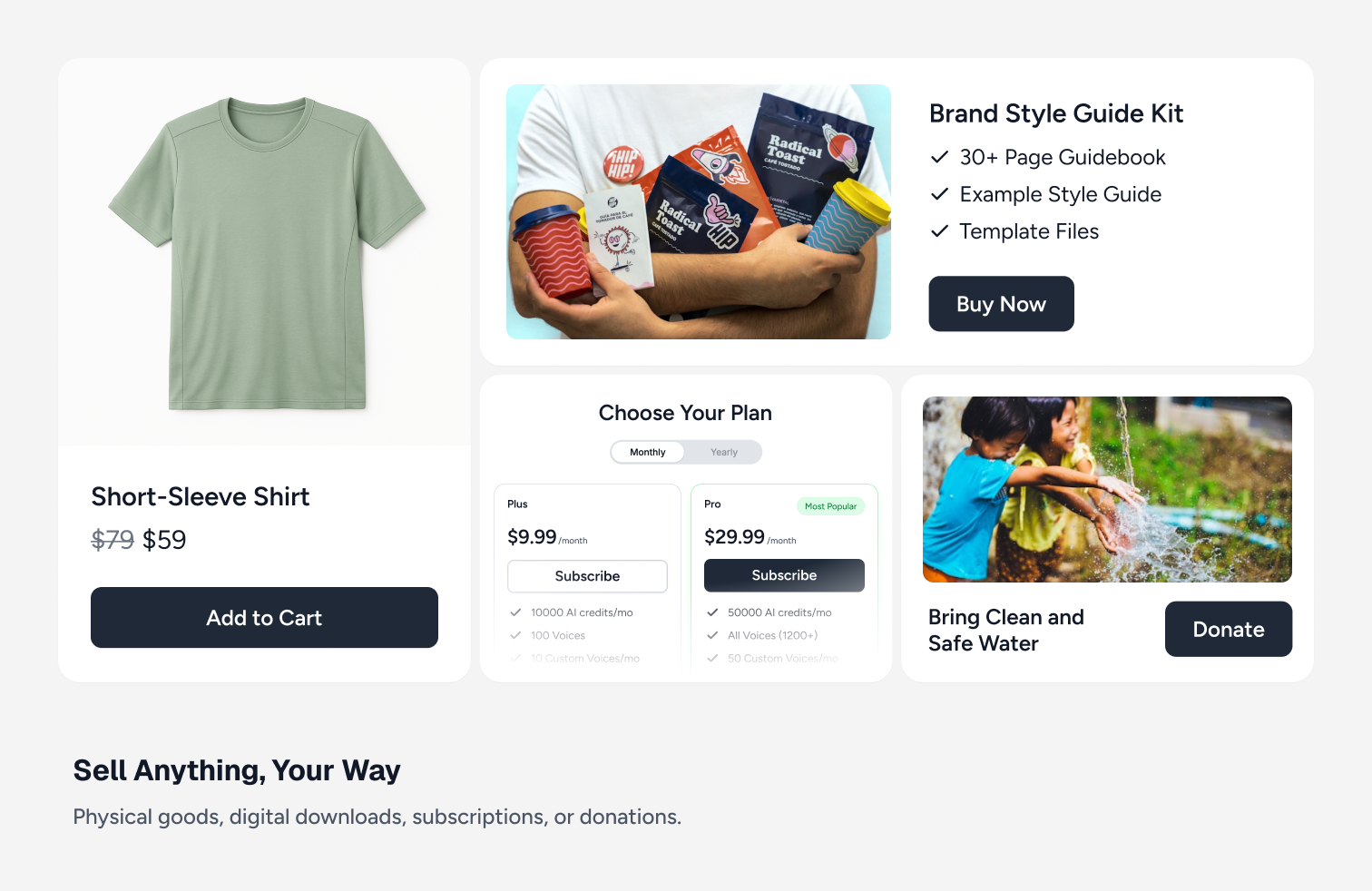
ການຊຳລະຄັ້ງດຽວ, ລະບົບສະມາຊິກ, ທົດລອງໃຊ້ຟຣີ, ຄ່າທຳນຽມທຳອິດ, ການຜ່ອນຊຳລະ, ການໃຫ້ລູກຄ້າກຳນົດລາຄາເອງ ແລະ ການບໍລິຈາກ. SureCart ຮອງຮັບທຸກຮູບແບບທີ່ທ່ານຕ້ອງການ ໂດຍມີໃຫ້ໃຊ້ງານໄດ້ຟຣີ. -
ລະບົບຊຳລະເງິນແບບສະມາຊິກທີ່ຄົບຖ້ວນທີ່ສຸດ:
ລະບົບສະມາຊິກຂອງ SureCart ມີຫຍັງຫຼາຍກວ່າການເກັບເງິນຕາມຮອບວຽນ. ພວກເຮົາມີທາງເລືອກທີ່ຫຼາກຫຼາຍ ແລະ ຍັງຮອງຮັບການອັບເກຣດ ຫຼື ລົດລະດັບແບບຄິດໄລ່ສະເລ່ຍ (Proration) ເຮັດໃຫ້ການປ່ຽນແຜນຈາກລາຍເດືອນເປັນລາຍປີເປັນເລື່ອງງ່າຍ ແລະ ຍຸດຕິທຳ. -
Built-In Product Reviews
SureCart includes a native product review system so you can collect and display verified customer feedback without installing a separate reviews plugin. You can enable star ratings with written feedback, moderate and approve reviews, and display them directly on product and checkout pages. Reviews are managed inside your SureCart dashboard and work seamlessly with your products and pricing options, helping build trust at the point of purchase without adding extra plugins or complexity. -
Dynamic Pricing
SureCart includes built-in Dynamic Pricing so you can automatically adjust prices at checkout based on real conditions without duplicating products or creating complex coupon rules. You can apply discounts or fees based on cart subtotal, product quantity, customer type, user role, or other checkout conditions, and pricing updates instantly where purchase decisions happen. Dynamic Pricing works seamlessly with one-time payments and subscription products, giving you more flexibility to increase average order value and run smarter promotions without adding extra plugins. -
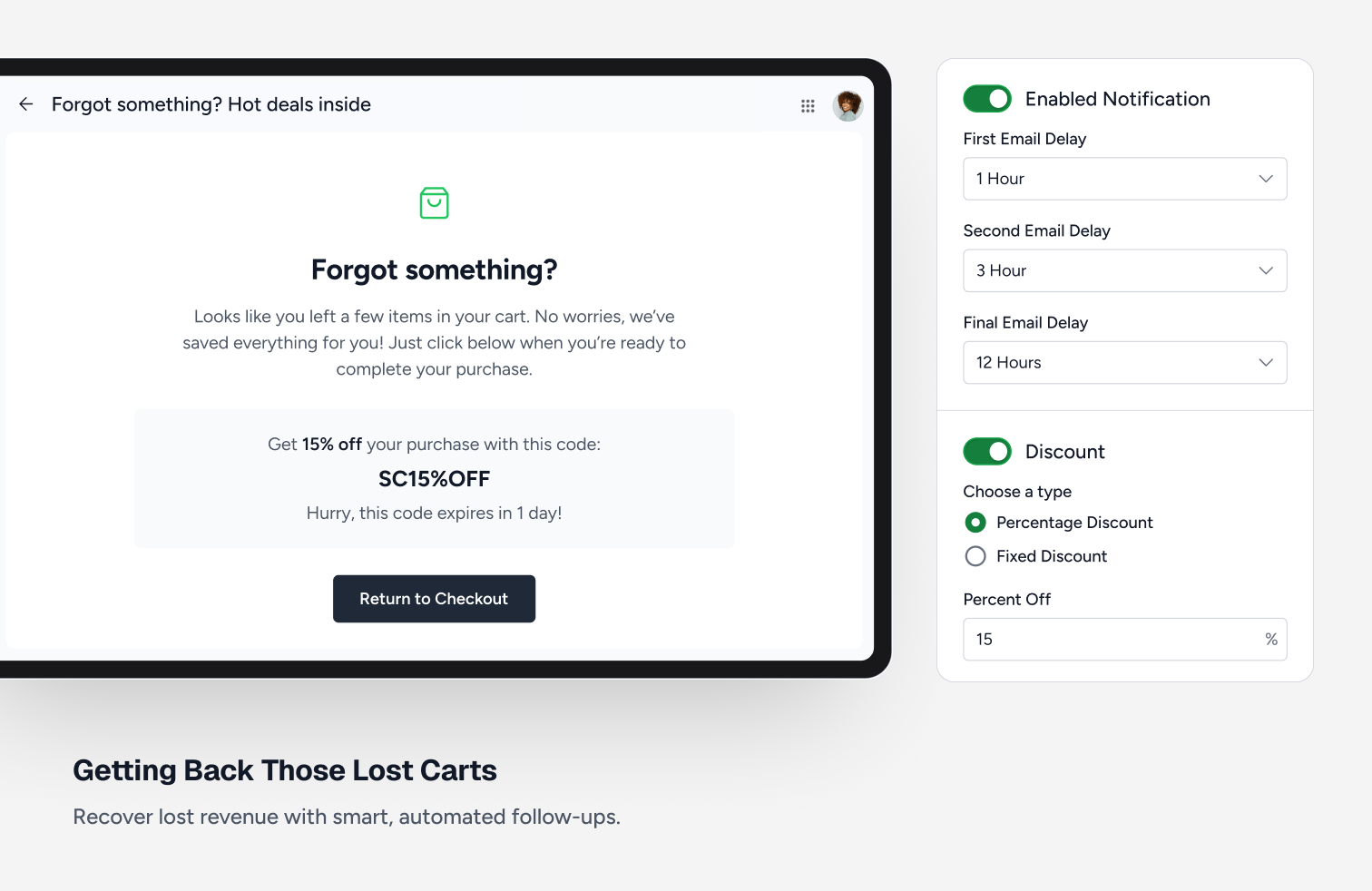
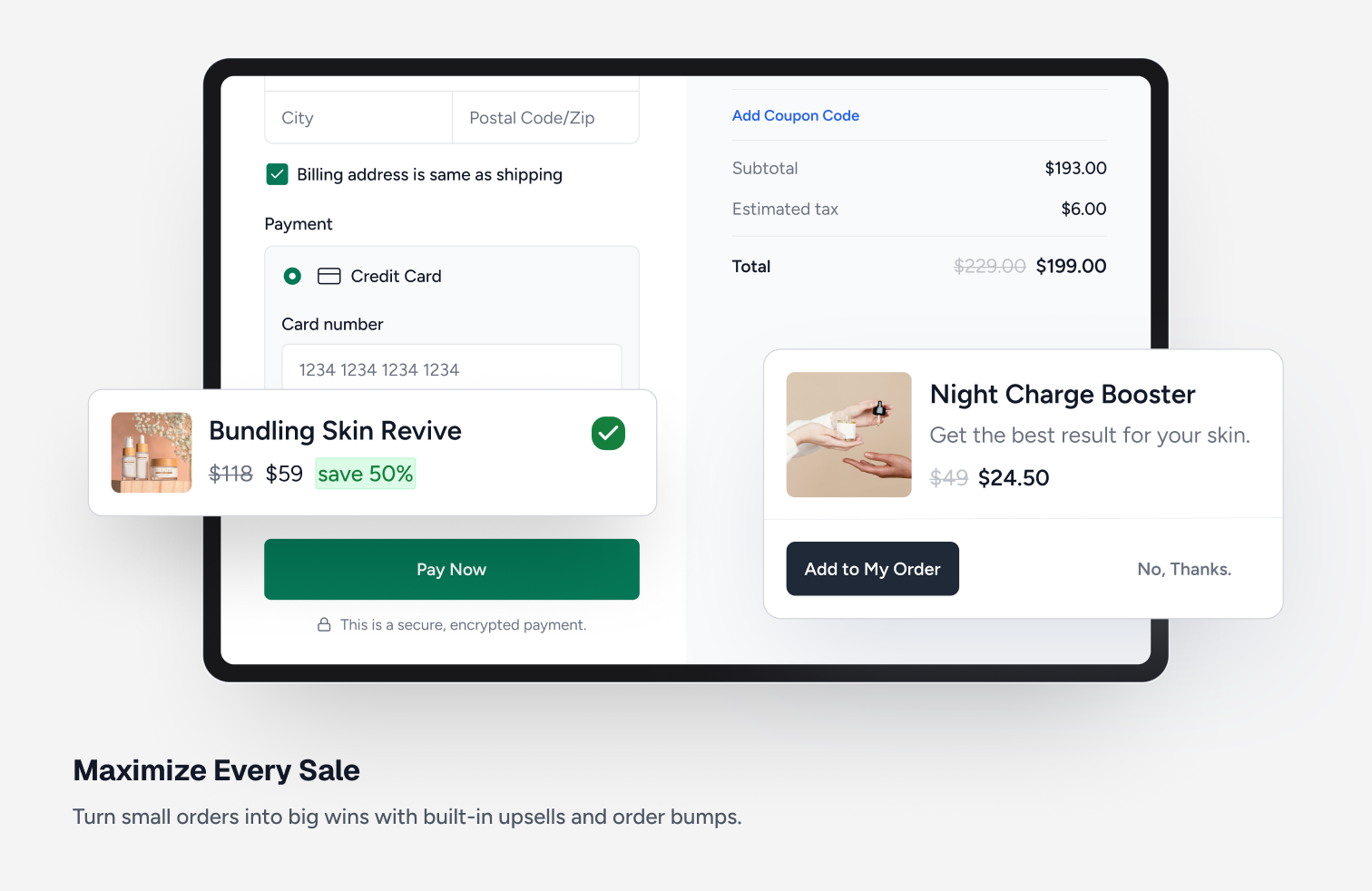
ການສະເໜີຂາຍເພີ່ມ ແລະ ຂະບວນການຂາຍເສີມ: ຜູ້ຂາຍໃນ SureCart ມີຮ້ານຄ້າທີ່ສ້າງກຳໄລໄດ້ຫຼາຍຂຶ້ນ ຍ້ອນມີຊຸດຄຸນສົມບັດການເພີ່ມປະສິດທິພາບລາຍຮັບແບບຄົບວົງຈອນ. ສ້າງລາຍຮັບໃຫ້ຫຼາຍຂຶ້ນດ້ວຍການສະເໜີຂາຍເພີ່ມພຽງຄລິກດຽວ, ການຂາຍເສີມຫຼັງການຊື້ພຽງຄລິກດຽວ, ແລະ ການກູ້ຄືນລາຍການທີ່ຄ້າງໃນກະຕ່າ.
-
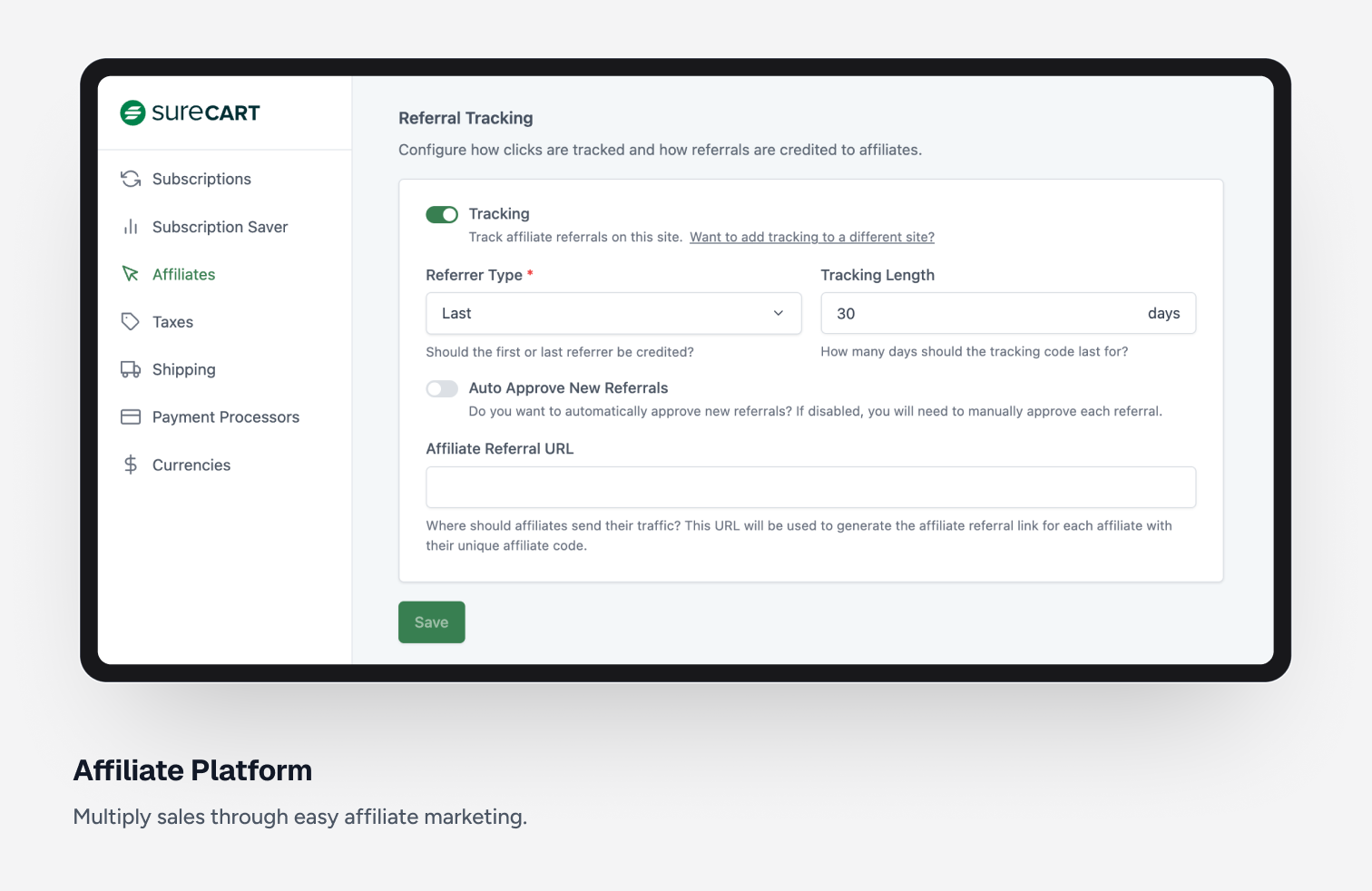
ລະບົບຕົວແທນຈຳໜ່າຍ (Affiliate Platform):
ເພີ່ມຍອດຂາຍດ້ວຍການສ້າງລະບົບຕົວແທນຈຳໜ່າຍ. ເປີດໃຊ້ງານໄດ້ງ່າຍພາຍໃນບໍ່ກີ່ນາທີ. ທ່ານສາມາດປັບແຕ່ງໄດ້ທຸກພາກສ່ວນ ເຊັ່ນ: ຄ່າຄອມມິດຊັນຕະຫຼອດຊີບ, ອັດຕາຄອມມິດຊັນສະເພາະຕົວ, ຄູປອງສຳລັບຕົວແທນ ແລະ ອື່ນໆ. -
ເຂດບໍລິການຕົນເອງສຳລັບລູກຄ້າ (ການອັບເກຣດ/ລົດລະດັບສະມາຊິກ):
ດ້ວຍ Customer Area ທີ່ປັບແຕ່ງໄດ້, ທ່ານສາມາດກຳນົດໄດ້ວ່າລູກຄ້າຈະເຫັນ ຫຼື ເຮັດຫຍັງໄດ້ແດ່ ເຊັ່ນ: ປ່ຽນຂໍ້ມູນສ່ວນຕົວ, ປ່ຽນລະຫັດຜ່ານ, ດາວໂຫຼດໄຟລ໌, ອັບເດດບັດເຄຣດິດ, ຫຼື ປ່ຽນແຜນສະມາຊິກ ເຊິ່ງທັງໝົດນີ້ມາພ້ອມກັບໜ້າຕາທີ່ທັນສະໄໝ. -
ປະສົບການການຊື້ເຄື່ອງທີ່ປັບແຕ່ງໄດ້:
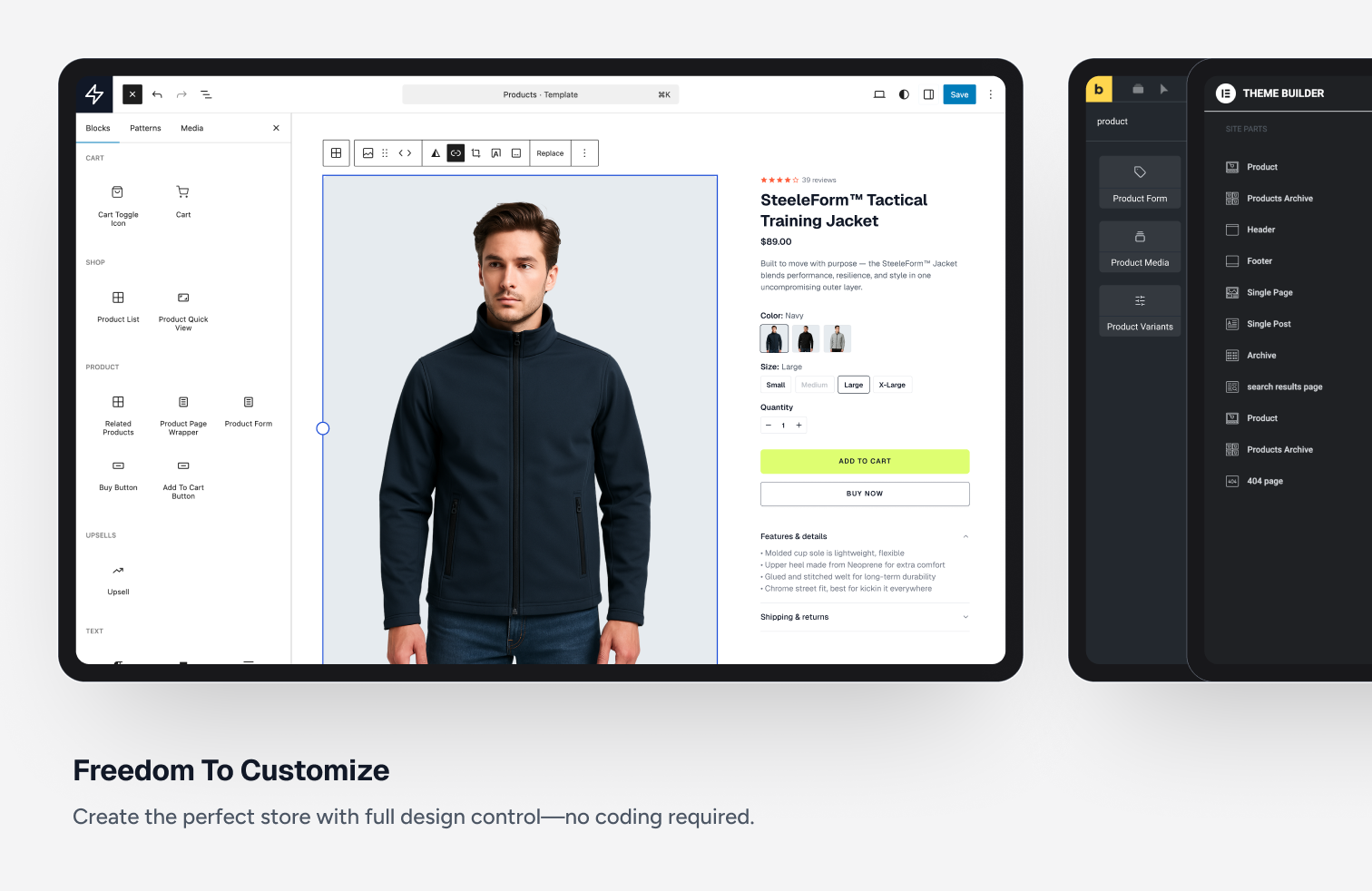
ປັບແຕ່ງໜ້າສິນຄ້າ, ໜ້າຮ້ານຄ້າ, ກະຕ່າສິນຄ້າ ແລະ ແຜງຈັດການຂອງລູກຄ້າ ດ້ວຍລະບົບລາກ ແລະ ວາງ ທີ່ເຮັດວຽກຮ່ວມກັບ WordPress block editor ໄດ້ຢ່າງມີປະສິດທິພາບ. -
ລະບົບສ້າງຟອມຊຳລະເງິນທີ່ຢືດຢຸ່ນ:
ສ້າງຟອມຊຳລະເງິນທີ່ປັບແຕ່ງໄດ້ເອງທັງໝົດ ແລະ ສາມາດສ້າງໄດ້ຫຼາຍຟອມຕາມທີ່ຕ້ອງການ. ທ່ານສາມາດລາກ ແລະ ວາງ ຊ່ອງຂໍ້ມູນ, ຕົວເລືອກລາຄາ, ຕົວເລືອກບໍລິຈາກ ແລະ ອື່ນໆ ເພື່ອສ້າງຟອມທີ່ສົມບູນແບບທີ່ສຸດ. -
ຄູປອງສ່ວນຫຼຸດ:
ການໃຊ້ຄູປອງເປັນວິທີທີ່ດີໃນການເພີ່ມຍອດຂາຍ. ທ່ານສາມາດສ້າງຄູປອງໄດ້ບໍ່ຈຳກັດ ແລະ ຍັງສາມາດຕັ້ງຄ່າໃຫ້ໃຊ້ຄູປອງອັດຕະໂນມັດຜ່ານ URL ໄດ້. -
ການສົ່ງໄຟລ໌ດິຈິຕອນຢ່າງປອດໄພ:
ຂາຍສິນຄ້າດິຈິຕອນບໍ່? ບໍ່ວ່າຈະເປັນຊອບແວ, ໄຟລ໌ພິມ, ຫຼື Ebooks, SureCart ສາມາດສົ່ງໄຟລ໌ໃຫ້ລູກຄ້າຂອງທ່ານໄດ້ຢ່າງປອດໄພ. -
ກະຕ່າສິນຄ້າແບບສະໄລ້ (Slide-out Cart):
ຫາກທ່ານຕ້ອງການຂາຍສິນຄ້າແບບມີກະຕ່າໃຫ້ລູກຄ້າເລືອກໃສ່ກ່ອນຊຳລະເງິນ, ທ່ານຈະມັກກະຕ່າສິນຄ້າທີ່ສວຍງາມ ແລະ ເຮັດວຽກໄດ້ໄວທີ່ສຸດຂອງ SureCart. -
ຮອງຮັບມາດຕະຖານ EU ຢ່າງຄົບຖ້ວນ:
ຫາກທ່ານຂາຍສິນຄ້າໃນສະຫະພາບເອີຣົບ, SureCart ຮອງຮັບກົດລະບຽບທີ່ເຂັ້ມງວດກ່ຽວກັບ VAT, ການສະແດງລາຄາລວມ VAT, ຂໍ້ມູນໃນໃບບິນ ແລະ ການລຽງລຳດັບເລກໃບບິນ ຢ່າງຄົບຖ້ວນ. -
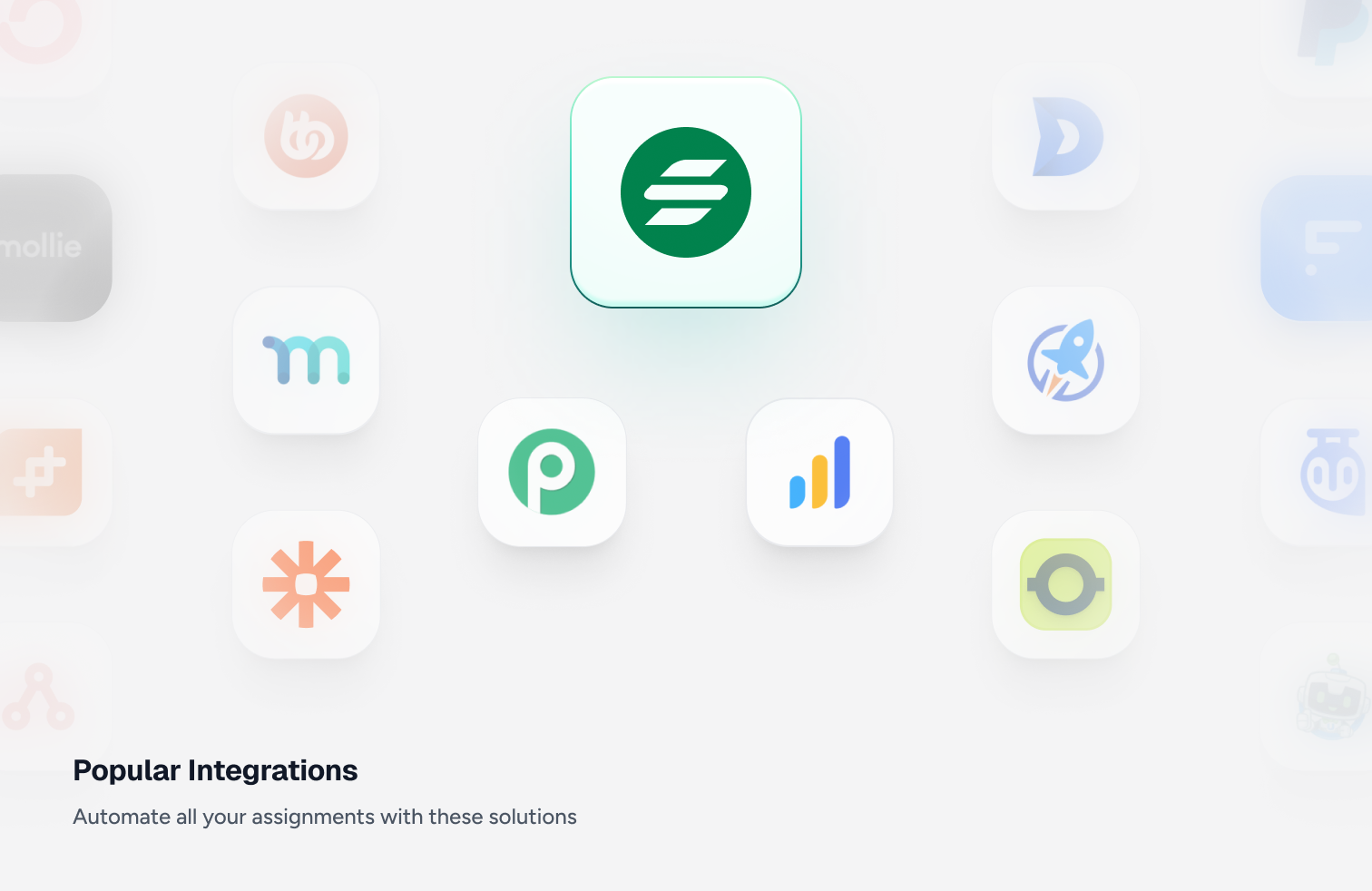
ການເຊື່ອມຕໍ່ ແລະ ລະບົບອັດຕະໂນມັດ:
ສ່ວນທີ່ສຳຄັນທີ່ສຸດຂອງແພລດຟອມອີຄອມເມີຊຄືການເຊື່ອມຕໍ່ກັບປັກອິນ ແລະ ແພລດຟອມພາຍນອກ. SureCart ຮອງຮັບການເຊື່ອມຕໍ່ກັບປັກອິນ WordPress ຫຼາກຫຼາຍ ເຮັດໃຫ້ທ່ານໃຊ້ SureCart ຈັດການທຸກຢ່າງໄດ້ຄົບໃນບ່ອນດຽວ. -
ການຮອງຮັບການຂະຫຍາຍຕົວ:
ຫາກມີລູກຄ້າເຂົ້າມາຊື້ເຄື່ອງເປັນຈຳນວນຫຼວງຫຼາຍໃນຊ່ວງໂປຣໂມຊັນ, ປັກອິນອື່ນອາດເຮັດໃຫ້ເວັບໄຊຊ້າ ຫຼື ລົ້ມ ຫາກທ່ານບໍ່ໄດ້ໃຊ້ໂຮດຕິງລາຄາແພງ. ແຕ່ຍ້ອນ SureCart ເປັນລະບົບແພລດຟອມ, ທ່ານຈຶ່ງບໍ່ຕ້ອງກັງວົນ ເພາະພວກເຮົາຈະຈັດການເລື່ອງການຮອງຮັບປະລິມານການໃຊ້ງານໃຫ້ທ່ານເອງ. -
ການຄິດໄລ່ພາສີ ແລະ VAT ແບບລຽວທາມ:
ແພລດຟອມອື່ນໆອາດໃຫ້ທ່ານໃຊ້ບໍລິການຄິດໄລ່ພາສີທີ່ມີລາຄາແພງ, ແຕ່ SureCart ໄດ້ເຊື່ອມຕໍ່ກັບ TaxJar ໄວ້ໃຫ້ແລ້ວ ແລະ ພວກເຮົາເປັນຜູ້ຈ່າຍຄ່າບໍລິການນັ້ນໃຫ້ທ່ານເອງ ເຮັດໃຫ້ການຕັ້ງຄ່າເປັນເລື່ອງງ່າຍໆ.
ການເຊື່ອມຕໍ່ຂອງ SureCart
Recommended
- OttoKit
- SureDash
- SureMembers
- Astra
- Starter Templates
Analytics
- Google Analytics
- Facebook Pixel
- Analytics WP
- Conversion Bridge
- Independent Analytics
- Kadence Insights
Automation
- OttoKit
- Bit Flows
- Zapier
- WPFusion
- Bit Integrations
- Flowmattic
- Integrately
- Omnisend
- Pabbly Connect
- Thrive Automator
- viaSocket
Booking & Events
- LatePoint
- Pie Calendar
Community / Network
- SureDash
- BuddyBoss
- GamiPress
- Omnisend
Courses & Online Learning
- SureDash
- LearnDash
- LifterLMS
- Masteriyo
- TutorLMS
Data Management
- WP Ultimate CSV Importer
Design & Theme
- Astra
- Bricks Builder
- Starter Templates
- Block Editor (Gutenberg)
- Kadence Cloud
- Meta Box
- Advanced Custom Fields
- JetEngine
- Elementor
- Spectra Website Builder
- Divi Builder
- Beaver Builder
- Thrive Architect
- Oxygen Builder
Themes
SureCart ໃຊ້ງານໄດ້ກັບທຸກໆທີມ, ລວມມີ:
- Astra Theme
- Avada
- Blocksy
- Divi Theme
- Flatsome
- GeneratePress
- Kadence Theme
- Neve
- OceanWP
- Spectra One Theme
Membership
- SureMembers
- MemberPress
Other Integrations
- Presto Player
- AffiliateWP
OttoKit Integrations
SureCart also integrates with OttoKit, which is like Zapier for WordPress. OttoKit integrates with over 500 apps and services. These will require you to add the OttoKit plugin to your website to integrate with:
- ActiveCampaign
- ConvertKit
- FluentCRM
- Google Sheets
- GoHighLevel
- Klaviyo
- MailChimp
- MailGun
- Restrict Content Pro
- SendinBlue
- Slack
- The Events Calendar
- Twilio
- Webhooks
- Zoom
- ເບິ່ງລາຍການທັງໝົດ
ເຂົ້າຮ່ວມກຸ່ມ Facebook ຂອງ SureCart
ເຂົ້າຮ່ວມ ຊຸມຊົນໃນກຸ່ມ Facebook: ສຶກສາເຄັດລັບ ແລະ ເຕັກນິກທີ່ຜູ້ໃຊ້ SureCart ຄົນອື່ນໆໃຊ້ເພື່ອຂະຫຍາຍທຸລະກິດ ແລະ ຮັບຂໍ້ມູນຂ່າວສານກ່ຽວກັບຟີເຈີໃໝ່ໆກ່ອນໃຜ.
ຕ້ອງການຮ່ວມພັດທະນາປັກອິນນີ້ບໍ່?
ຕອນນີ້ທ່ານສາມາດຮ່ວມພັດທະນາປັກອິນນີ້ໄດ້ທີ່ Github: SureCart WordPress Plugin on Github
ພາບໜ້າຈໍ
ບລັອກ
ປລັກອິນນີ້ມີ 170 ບລັອກ.
- Order Bump Title Display the order bump product title.
- Selected Price Scratch Amount Displays the currently selected price scratch amount.
- Star Rating Display the product average rating stars.
- Next Display the product pagination next.
- Sticky purchase Display the sticky purchase.
- Input Display the product quantity input
- Line item scratch amount Display the product line item scratch amount.
- Checkbox Display the filter checkbox.
- Filter (Dropdown) Display the product filter.
- Numbers Display the product pagination numbers.
- Image Display the product image.
- Line item variant Display the product line item variant, or the included items when the product is a bundle.
- Sort (Radio Group) Display the Product List Sort Radio Group.
- Order Bump Pagination Pagination controls for order bumps.
- Previous Display the product pagination previous.
- Sidebar Display the product list sidebar.
- Price Amount Displays amount of a price.
- Checkbox Display the product review filter checkbox.
- Icon Display an icon from the SureCart icon library.
- Decrease Quantity Display the product quantity input decrease
- Line Item Title Display the product line item title.
- Review Form Submit Button Provide a submit button for the product review form.
- Product Media A container to display the product media
- Selected Price Fees Displays the currently selected price fees.
- Cart Items The cart items
- Cart Toggle Icon The cart menu icon that shows your cart quantity.
- Order Bump Add Button Button to add the order bump to cart.
- Order Bump Next Navigate to the next page of order bumps.
- Product Note Allow customers to add a note to the product
- Label Display the product list filter tags label
- Review Title Displays the title of a product review.
- Applied Filters Display the applied filters.
- Applied Filters Display the product review applied filters.
- Template Display the sort radio group template.
- Cart Display SureCart slide out cart
- Product Review Form Display the product review form.
- Cart Subtotal Display the cart subtotal
- Selected Price Amount Displays the currently selected price or variant amount.
- Next Display the product review pagination next.
- Quick Add Button Display the product quick add to cart button.
- Label Display the product review list filter tags label
- Selected Variant Display Displays the currently selected variant of a product.
- Reviews Count Displays the total reviews count for the product.
- Order Bumps Display recommended order bumps in the cart.
- Tag Display the product review filter tag.
- Template Displays products list.
- Template Display the review filter checkboxes.
- Review Form Rating Provide a star rating input for product reviews.
- Product Title Display the product title.
- Tag Display the filter tag.
- Average Rating Displays the average product rating value.
- Cart Items The slide-out cart items
- Sale Badge Display a badge if the product is currently on sale
- Control Display the product quantity control
- Sidebar Toggle Button Display the product list sidebar toggle.
- Cart Bump Line Item Display the cart bump line item
- Cart Submit Button The cart submit button
- Product List Display a list of products.
- Cart Header Display a cart header
- Product Buy Button Display the product buy button.
- Review Breakdown Displays a breakdown of product reviews by star rating.
- Pagination Display the product pagination.
- Template Display the filter checkboxes.
- Review Content Displays the content of a product review.
- Review Content Display the product reviews content
- Line item interval Display the product line item interval.
- Close Cart Button Display the close cart button.
- Review Form Close Button Display the product review form close button.
- Product Template Container Display the Product Template Container.
- Radio Display the sort radio.
- Price Interval Displays the price interval.
- Sort (Dropdown) Display the product sort.
- Product Review Summary Display the product review summary.
- Floating Cart Icon The cart icon that shows your cart quantity.
- Price Displays the price of a product with a choice of options.
- Line item price name Display the product line item price name.
- Order Bump Description Display the order bump description.
- Product Quick Add Display the product quick add button.
- Filter Checkboxes Display the product list filter checkboxes.
- Template Display the filter tags.
- Product Selected Variant Image Shows the image for the currently selected product variant.
- Line item note Display the product line item note.
- Product Description Display the product description.
- Filter Checkboxes Display the product review list filter checkboxes.
- Cart Message Display a custom message in the cart
- Order Bump Amount Display the order bump price.
- Price Trial Displays trial of a price.
- Cart Submit Button The cart submit button
- Line item fees Display the product line item fees.
- Price Name Displays the name of a price.
- Review Date Displays the date of a product review.
- Price Scratch Amount Displays scratch amount of a price.
- Review Rating Stars Displays the rating given by the reviewer for a product review using stars.
- Tag A product collection tag for a product.
- Reviewer Name Displays the name of the reviewer for a product review.
- Price Display the static product price.
- Template Display the filter tags.
- Product Quantity Display the product quantity selector
- Pagination Display the product review pagination.
- Scratch Price Display the product scratch price.
- Numbers Display the product review pagination numbers.
- Product Form Display product form.
- Line Item Image Display the product line item image.
- Pill Displays a product variant choice as a pill.
- Label Display the product review list filter checkboxes label.
- Selected Price Custom Amount Displays the currently selected price custom amount.
- Variants Selector Display product variants as pills selector.
- Template Displays product review template
- Line item quantity Display the product line item quantity.
- Price Selector Displays possible choices for product prices.
- Cart Subtotal Display the cart subtotal
- Sidebar Toggle Button Display the product review list sidebar toggle.
- Cart Coupon Display a coupon form in the cart
- Line item details Collapsible container for the line item's extra details (variant, bundle items, note) shown under a cart line item.
- Order Bump Scratch Amount Display the order bump original price (strikethrough).
- Line item status Display the product line item status.
- Related Products Display a list of products related to the current product.
- Line item amount Display the product line item amount.
- Write a Review Button A button to open the product review form.
- Line item remove Display the product line item remove.
- Order Bump Previous Navigate to the previous page of order bumps.
- Collection Tags Displays collection selectors for a product.
- Selected Price Trial Displays the currently selected price trial.
- Label Display the product list filter checkboxes label.
- Product Review List Display a list of product reviews.
- Line item trial Display the product line item trial.
- Currency Switcher Display a currency switcher dropdown.
- Clear All Display the product list filter tags clear all link.
- Review Form Title Provide a title input field for product reviews.
- Review Verified Badge Displays a verified badge for a product review.
- Cart Items Count Display the number of items in the cart.
- Content Display the product list content.
- Label Display the product list sort radio group label
- Selected Price Interval Displays the currently selected price interval.
- Cart Subtotal Amount Display the cart subtotal amount
- No reviews Contains the block elements used to render content when no reviews are found.
- Order Bump Image Display the order bump product image.
- Previous Display the product review pagination previous.
- Buy Buttons Displays product buy and add to cart buttons
- Order Bump Discount Badge Display the order bump discount badge.
- Clear All Display the product review list filter tags clear all link.
- Content Display the product reviews.
- Increase Quantity Display the product quantity input increase
- Order Bump CTA Display the order bump call to action text.
- No products Contains the block elements used to render content when no products are found.
- Review Form Content Provide a content textarea field for product reviews.
- Close Display the product quick add close button.
- Cart Subtotal Scratch Amount Display the cart subtotal scratch amount (original price before discount).
- Sidebar Display the product review list sidebar with filters.
- Search Display the product search.
- Price Setup Fee Displays the setup fee of a price.
- Order Bump Template Template for rendering each order bump item.
- Customer Dashboard Button Display a button to link the user to their customer dashboard.
- Text Field Displays a form text input field. This is saved with the order as additional metadata.
- Cart Menu Icon The cart menu icon that shows your cart quantity.
- Coupon Display a coupon form.
- Logout Button Display a logout button.
- Divider Displays a divider.
- Buy Button Display a button to immediately redirect to the checkout page with the product in the cart.
- Cart Coupon Display a coupon form in the cart.
- Add To Cart Button Display a button to add a specific price to the cart.
- Product Cart Button Add a buy now or add to cart button.
- Session Info Display information for a specific session.
- Customer Dashboard Page Displays the users customer dashboard tab.
- Customer Dashboard Displays the users customer dashboard.
- Tabbed Customer Dashboard Displays the users customer dashboard.
- Button Display a checkout form button.
- Confirmation Template for the review confirmation content. Shown when editing the confirmation.
- Form Template for the review form content. Shown when editing the form.
- Form Displays a form.
ການຕິດຕັ້ງ
- ອັບໂຫຼດໂຟນເດີ SureCart ໄປຍັງໄດເຣັກທໍຣີ /wp-content/plugins/
- ເປີດໃຊ້ງານປັກອິນ SureCart ຜ່ານເມນູ ‘Plugins’ ໃນ WordPress
ຄຳຖາມທີ່ພົບເລື້ອຍ
-
ເປັນຫຍັງຂ້ອຍຈຶ່ງຕ້ອງມີບັນຊີ SureCart.com?
-
SureCart ມີ 2 ສ່ວນຄື: ແພລດຟອມ ແລະ ປັກອິນ. ເພື່ອໃຫ້ປັກອິນເຮັດວຽກໄດ້, ມັນຈຳເປັນຕ້ອງໄດ້ເຊື່ອມຕໍ່ກັບບັນຊີຂອງທ່ານເທິງແພລດຟອມ.
-
ຂ້ອຍສາມາດໃຊ້ຜູ້ໃຫ້ບໍລິການຊຳລະເງິນໃດໄດ້ແດ່?
-
SureCart currently supports payment processing via Stripe, PayPal, Razorpay, and Mollie with support for 135+ currencies, 45+ countries, and dozens of payment methods including cards, wallets, bank debits, and more.
-
SureCart ຈະເຮັດໃຫ້ເວັບໄຊຂອງຂ້ອຍຊ້າລົງບໍ່?
-
ຍ້ອນວິທີການຈັດການດ້ານປະສິດທິພາບຂອງ SureCart, ວຽກຕ່າງໆທີ່ມັກຈະເຮັດໃຫ້ເວັບໄຊຂອງທ່ານຊ້າລົງ ຈະຖືກຍ້າຍໄປປະມວນຜົນຢູ່ແພລດຟອມຂອງພວກເຮົາແທນ ເຮັດໃຫ້ເວັບໄຊຂອງທ່ານໂຫຼດໄດ້ໄວທີ່ສຸດ!
-
SureCart ສາມາດແປພາສາໄດ້ຄົບຖ້ວນບໍ່?
-
ແມ່ນແລ້ວ, ຂໍ້ຄວາມທັງໝົດໃນ SureCart ສາມາດແປໄດ້ ແລະ ພວກເຮົາຫວັງວ່າຈະມີການແປພາສາຕ່າງໆເພີ່ມເຕີມໃຫ້ພ້ອມໃຊ້ງານໃນອະນາຄົດ.
-
SureCart ຈະໃຊ້ງານກັບທີມຂອງຂ້ອຍໄດ້ບໍ່?
-
SureCart ສາມາດໃຊ້ງານໄດ້ກັບທຸກໆທີມ (Theme) ຂອງ WordPress. ເນື່ອງຈາກມີທີມຫຼາຍກວ່າ 10,000 ແບບ, ບາງຄັ້ງທ່ານອາດຈະຕ້ອງໄດ້ປັບແຕ່ງຮູບແບບປຸ່ມ ຫຼື ໄລຍະຫ່າງເລັກໜ້ອຍ. ພວກເຮົາໄດ້ທົດສອບໃຫ້ມີຄວາມສົມບູນແບບກັບທີມຍອດນິຍົມສ່ວນໃຫຍ່ແລ້ວ. ຫາກທ່ານພົບບັນຫາໃດໆ, ກະລຸນາຕິດຕໍ່ພວກເຮົາ.
-
ຂ້ອຍຈະສະເໜີຟີເຈີໃໝ່ຂອງ SureCart ໄດ້ຢູ່ໃສ?
-
ວິທີທີ່ດີທີ່ສຸດໃນການສະເໜີຟີເຈີໃໝ່ແມ່ນຜ່ານ ເວັບໄຊສະເພາະ ຂອງພວກເຮົາ. ທ່ານຍັງສາມາດຮ່ວມໂຫວດໃຫ້ກັບຟີເຈີທີ່ມີຄົນສະເໜີໄວ້ກ່ອນແລ້ວໄດ້ນຳອີກ.
-
ຄ່າທຳນຽມອີຄອມເມີຊມີຫຍັງແດ່?
-
SureCart ຮອງຮັບຜູ້ໃຫ້ບໍລິການຊຳລະເງິນຫຼາຍແຫ່ງ ເຊິ່ງແຕ່ລະແຫ່ງມີຄ່າທຳນຽມທີ່ແຕກຕ່າງກັນ. ໃນແຜນ Launch, ທ່ານສາມາດເຊື່ອມຕໍ່ກັບຜູ້ໃຫ້ບໍລິການຊຳລະເງິນຂອງທ່ານໄດ້, ໂດຍທາງຜູ້ໃຫ້ບໍລິການຈະເກັບຄ່າທຳນຽມຕາມປົກກະຕິ ແລະ ຈະມີຄ່າທຳນຽມທຸລະກຳຕື່ມອີກ 1.9%. ຄ່າທຳນຽມສ່ວນນີ້ແມ່ນນຳມາໃຊ້ເພື່ອສະໜັບສະໜູນການບໍລິການສຳລັບຜູ້ໃຊ້ຟຣີ. ທ່ານສາມາດອ່ານລາຍລະອຽດທັງໝົດໄດ້ທີ່ ຄູ່ມືກ່ຽວກັບຄ່າທຳນຽມ.
-
ຂ້ອຍຈະຊອກຫາຄູ່ມືການໃຊ້ງານທັງໝົດໄດ້ຈາກໃສ?
-
ພວກເຮົາຮວບຮວມຄູ່ມືການໃຊ້ງານຢ່າງລະອຽດໄວ້ທີ່ນີ້: https://surecart.com/docs/
-
ຂ້ອຍຈະຂໍຄວາມຊ່ວຍເຫຼືອກ່ຽວກັບຮ້ານຄ້າອອນໄລນ໌ໄດ້ຢູ່ໃສ?
-
ທ່ານສາມາດສົ່ງຄຳຮ້ອງຂໍຄວາມຊ່ວຍເຫຼືອໄດ້ທີ່ Support Forum ໄດ້ຕະຫຼອດເວລາ ຫຼື ຕິດຕໍ່ຜ່ານລະບົບຊ່ວຍເຫຼືອຂອງພວກເຮົາໂດຍກົງ.
-
ຂ້ອຍຈະຍ້າຍຂໍ້ມູນມາຈາກ WooCommerce ໄດ້ແນວໃດ?
-
SureCart ສາມາດນຳເຂົ້າຂໍ້ມູນສິນຄ້າ, ລູກຄ້າ ແລະ ລາຍການສະໝັກສະມາຊິກຈາກ Stripe ໄດ້. ທ່ານສາມາດເບິ່ງລາຍລະອຽດໄດ້ທີ່ນີ້: https://surecart.com/docs/migrate-to-surecart/
-
ຂ້ອຍສາມາດຕັ້ງຄ່າລະບົບຕົວແທນຈຳໜ່າຍ (Affiliate) ໄດ້ບໍ່?
-
SureCart ມີລະບົບຕົວແທນຈຳໜ່າຍ (Affiliate) ທີ່ມີຟີເຈີຄົບຖ້ວນຕິດຕາມາໃຫ້ເລີຍ. ບໍ່ຈຳເປັນຕ້ອງຊື້ ຫຼື ເຊື່ອມຕໍ່ກັບເຄື່ອງມືພາຍນອກ, ພຽງແຕ່ເປີດໃຊ້ງານລະບົບທີ່ມີຢູ່ໃນຕົວໄດ້ເລີຍ.
-
ຂ້ອຍສາມາດໃຫ້ລູກຄ້າດາວໂຫຼດໃບບິນ PDF ໄດ້ບໍ່?
-
SureCart ມາພ້ອມກັບລະບົບຈັດການສຳລັບລູກຄ້າ (Customer Area), ເຊິ່ງລູກຄ້າສາມາດເຂົ້າມາເບິ່ງລາຍການສັ່ງຊື້ ແລະ ດາວໂຫຼດໃບບິນ PDF ທີ່ທ່ານປັບແຕ່ງໄດ້ເອງ.
-
SureCart ຈຳເປັນຕ້ອງໃຊ້ WooCommerce ບໍ່?
-
SureCart ແມ່ນປັກອິນອີຄອມເມີຊ, ການຊຳລະເງິນ ແລະ ການສະໝັກສະມາຊິກ ທີ່ເຮັດວຽກໄດ້ດ້ວຍຕົວມັນເອງ ໂດຍບໍ່ຈຳເປັນຕ້ອງມີປັກອິນອື່ນໆ ເຊັ່ນ WooCommerce ຫຼື Easy Digital Downloads ມາຊ່ວຍ.
-
ຂ້ອຍສາມາດປັບແຕ່ງຟອມຊຳລະເງິນໄດ້ບໍ່?
-
ແມ່ນແລ້ວ, ທ່ານສາມາດປັບແຕ່ງຟອມຊຳລະເງິນໄດ້ດ້ວຍ Visual Builder. ທ່ານສາມາດຈັດລຽງລຳດັບຂໍ້ມູນ, ລຶບຊ່ອງຂໍ້ມູນທີ່ບໍ່ຈຳເປັນອອກ ຫຼື ເພີ່ມຊ່ອງຂໍ້ມູນໃໝ່ໆ ເຊັ່ນ: ຊ່ອງປ້ອນຂໍ້ຄວາມ, ປຸ່ມເລືອກ (Checkbox, Radio button) ແລະ ອື່ນໆ. ນອກຈາກນີ້ ທ່ານຍັງສາມາດໃຊ້ລະບົບເງື່ອນໄຂ (Conditional Containers) ໄດ້ນຳອີກ.
-
SureCart ຮອງຮັບມາດຕະຖານການເຂົ້າເຖິງ (Accessibility) ບໍ່?
-
ການເຂົ້າເຖິງ (Accessibility) ແມ່ນບຸລິມະສິດທີ່ສຳຄັນຂອງທີມງານ SureCart. ເຊິ່ງພວກເຮົາກຳລັງປັບປຸງມັນຢ່າງຕໍ່ເນື່ອງ. ທີມງານພັດທະນາ ແລະ QA ຂອງພວກເຮົາໄດ້ຮັບການຝຶກອົບຮົມກ່ຽວກັບມາດຕະຖານການເຂົ້າເຖິງ ແລະ ໄດ້ມີການທົດສອບທຸກໆຟີເຈີໃໝ່ສະເໝີ. ຫາກທ່ານພົບເຫັນບັນຫາໃດໆ, ກະລຸນາແຈ້ງໃຫ້ພວກເຮົາຊາບຜ່ານທາງເວັບໄຊ ເພື່ອທີ່ພວກເຮົາຈະໄດ້ຮີບຮ້ອນແກ້ໄຂໃຫ້ໂດຍໄວ.
ການຣີວິວ


ຜູ້ຮ່ວມພັດທະນາ ແລະ ຜູ້ພັດທະນາ
“SureCart – ອີຄອມເມີຊທີ່ຊ່ວຍໃຫ້ການຂາຍສິນຄ້າທົ່ວໄປ, ໄຟລ໌ດາວໂຫຼດດິຈິຕອນ, ການສະໝັກສະມາຊິກ, ການບໍລິຈາກ ແລະ ການຊຳລະເງິນ ກາຍເປັນເລື່ອງງ່າຍ” ແມ່ນຊອຟແວໂອເພັນຊອດ (Open Source). ບຸກຄົນຕໍ່ໄປນີ້ໄດ້ມີສ່ວນຮ່ວມໃນການພັດທະນາປລັກອິນນີ້.
ຜູ້ຮ່ວມພັດທະນາ


“SureCart – ອີຄອມເມີຊທີ່ຊ່ວຍໃຫ້ການຂາຍສິນຄ້າທົ່ວໄປ, ໄຟລ໌ດາວໂຫຼດດິຈິຕອນ, ການສະໝັກສະມາຊິກ, ການບໍລິຈາກ ແລະ ການຊຳລະເງິນ ກາຍເປັນເລື່ອງງ່າຍ” ໄດ້ຖືກແປເປັນ 3 ພາສາທ້ອງຖິ່ນ. ຂໍຂອບໃຈ ທີມງານຜູ້ແປ ສຳລັບການປະກອບສ່ວນຂອງເຂົາເຈົ້າ.
ສົນໃຈຮ່ວມພັດທະນາບໍ່?
ເບິ່ງລະຫັດ, ກວດເບິ່ງ ຄັງເກັບ SVN, ຫຼື ຕິດຕາມ ບັນທຶກການພັດທະນາ ຜ່ານ RSS.
ບັນທຶກການປ່ຽນແປງ
4.9.2 – October 2nd, 2026
- Improvement: Product structured data now includes the offer URL, item condition, SKU, and sale (strikethrough) pricing, so more product pages qualify for Google rich results.
- Fix: Product structured data no longer lists subscription, pay-what-you-want, or free prices as offers. It now uses the price the product page preselects.
- Fix: Currency codes in product structured data are now uppercase, as Google expects.
- Fix: The SureCart Dashboard and Learn pages appeared blank when the classic view was enabled.
- Fix: Draft products in the checkout form editor were wrongly shown as “This product has been archived.”
4.9.1 – September 30th, 2026
- New: Connect SureCart to ChatGPT with a Custom GPT and manage your store by chatting with it.
- New: Import and Export options on admin list pages, grouped under one menu. Exports now run right inside your dashboard.
- Improvement: Google and Facebook conversion tracking now counts accepted post-purchase upsells.
- Improvement: Search engines no longer crawl the endless filter and sort variations of your shop page, which keeps your SEO clean.
- Improvement: Block labels such as button and field text now appear in your site’s language instead of always in English.
- Fix: Dates picked in the admin (coupons, invoices, trials, subscriptions, affiliates, payouts, fees) now follow your site’s timezone instead of your computer’s.
- Fix: A subscription scheduled to pause was shown as “cancelling” to both you and your customer.
- Fix: You can now choose a specific variant of a physical product when adding it to a checkout form.
- Fix: When picking a price for a Name Your Own Price product in the checkout form editor, every price looked the same, and product search did not work.
- Fix: Saving changes to a subscription in the admin failed with an error.
- Fix: Broken spacing on SureCart admin pages when Astra’s Design Library is active.
4.9.0 – September 23rd, 2026
- New: Bulk shipping labels — pick multiple orders under Orders Shipping Labels, compare rates, and buy labels in one go.
- New: “Start With a Complete Site” onboarding option to preview and import a ready-made SureCart starter template.
- New: Checkout, orders, invoices, and subscriptions show each tax rate on its own line when a region stacks taxes (e.g. Canadian GST + PST).
- New: Tax overrides can carry a custom Tax Label (e.g. “GST + PST”) shown at checkout and on receipts.
- New: “Limit Location Capture To” setting asks only buyers in the countries you pick for their location.
- New: First-party integrations with WP Rocket, Perfmatters, and SiteGround Optimizer — SureCart registers the cache and delay-JS exclusions they need.
- Improvement: Affiliate click tracking now runs through your own site, so ad blockers no longer drop clicks.
- Improvement: Customer-facing “invoice” wording is now “receipt” where the downloaded document is a receipt.
- Improvement: Tax ID placeholder now names the expected type for the selected zone (e.g. “Enter EU VAT”).
- Improvement: Dynamic pricing rules now warn when a Geo Address Country rule targets a country location capture will not collect.
- Fix: Instant Checkout
/buy/pages treated as the blog index, giving SEO plugins the wrong canonical, robots, and duplicate Open Graph tags. - Fix: Product review pagination disabled state, and unfilled rating stars rendering incorrectly.
- Fix: Payout batch creation was left on the legacy admin screen — it now opens in the modern admin, from an “Add Payout Batch” button on the Payouts list.
- Fix: Shippo labels ignoring the selected “Label file type” when buying a label unless Re-quote was clicked first.
- Fix: Hardened batch permission checks so users can only read batches and batch operations they are allowed to see.
4.8.0 – September 15th, 2026
- New: Added the modern DataViews list experience to the rest of the SureCart admin pages.
- New: Fully client-side, SPA-like navigation across the SureCart admin.
- New: Product integrations list now has an edit action and a richer view.
- Improvement: Print the JS translation catalog once per page instead of once per block handle (~150 copies down to 1), fixing a blank block editor on WP 7.1 (Chromium).
- Fix: Checkout only requires a phone number for physical products when shipping actually needs one, instead of always.
- Fix: Collection sync now adopts an existing unlinked term instead of failing when a collection term creation collides with it.
- Fix:
sc_product_mediashortcode rendering a placeholder instead of the WP media library gallery when passing an id. - Fix: Price input fields ignoring the site locale and only accepting a dot as the decimal separator.
- Fix: PayPal’s Credit Card option losing its button or reverting to the regular PayPal button after a checkout field change like email or address.
- Fix: Product page migration wrapping WooCommerce’s
single-productblock template, corrupting product pages on hybrid WooCommerce/SureCart sites.
4.7.3 – September 9th, 2026
- Improvement: Faster block registration using a build-time metadata manifest.
- Fix: Shop page and Quick View load time on stores with many product variants, cutting it from 20-30s to a few seconds.
- Fix: SureCart disabling LiteSpeed Cache’s page caching site-wide.
- Fix: Address autocomplete reversing the street name and house number order for countries that write them in that order.
- Fix: Cancelling or editing a subscription that no longer exists now shows a “Not found” message on the customer dashboard instead of a fatal error.
- Fix: Hardened product integrations against user-role privilege escalation (props to TurboNexic of PatchStack).
- Fix: Hardened subscription, order, and license activation permission checks.
- Fix: PayPal button reloading on every checkout field change.
4.7.2 – September 3rd, 2026
- Fix: Product image unclickable in the Shop page product list when the image sits inside a Cover block.
4.7.1 – September 2nd, 2026
- New: Variant Pills and Buy Buttons blocks can now be added inside a Product List, so shoppers can pick a variant and add to cart without leaving the list.
- New: “Product List with Variants” block pattern, built with the new Variant Pills and Buy Buttons support.
- New: Native “Duplicate” row action for checkout forms, cloning a form as a new draft.
- New: Order fulfillment timeline now shows the package a purchased shipping label was rated against (carrier package, saved template, or custom size).
- Fix: Upsell Funnel and Order Bump price picker omitting valid prices on products with more than ~20 prices.
- Fix: Product page migration silently stripping
<style>tags and CSS backslash escapes from customized product templates on every plugin update. - Fix: Shipping provider status now shows the actual reason (not connected, disabled, or wrong mode) instead of a generic “disconnected or disabled” message.
- Fix: Checkout location-based pricing not recalculating until the shopper interacted with the form after geo coordinates resolved.
- Fix: Long product notes breaking the order line item layout on both the storefront and admin order screens.
- Fix: Checkout address focus ring clipped on country and street line selects.
4.7.0 – August 25th, 2026
- New: Ship orders from the fulfillment drawer — get live Shippo rates, buy a label, and track the package.
- New: Warehouse management under Settings Shipping for managing ship-from addresses.
- New: “Live carrier rates” shipping rate type quotes real-time carrier rates at checkout from your connected Shippo account, with separate test/live mode support.
- New: Customers see shipment tracking and status on their dashboard order page as soon as a label is purchased.
- Improvement: Address autocomplete now uses Google’s Places Autocomplete API instead of Text Search, returning street addresses instead of businesses and billing each search as a single session.
- Fix: UK address autocomplete now picks the correct city and building/street line for addresses without a street number.
- Fix: Hardened account creation at checkout confirmation to prevent an unauthenticated request from creating a WordPress user account (props to Jakub Herman).
4.6.6 – August 21st, 2026
- Fix: Some product blocks showing “This block has encountered an error and cannot be previewed” in the editor on WordPress 7.1.
4.6.5 – August 20th, 2026
- Improvement: Compatibility with WordPress 7.1.
- Fix: Customer dashboard showing a “not found” error for a plan whose product had been moved back to draft.
4.6.4 – August 18th, 2026
- New: Admin notice when the site’s WordPress version is below the minimum SureCart requires.
- New: Developer filters to customize the checkout success redirect and to turn off Google tracking.
- Fix: Bundle Quick Add on the shop page skipping variant selection.
- Fix: Quick Add button in Bricks and Elementor showing the loading spinner on every button instead of the clicked one.
- Fix: Single image product media collapsing to 1px.
- Fix: Toast messages appearing behind WordPress popovers and dropdowns.
- Fix: Unknown email at checkout returning a 500 error instead of a proper not-found response.
- Fix: Dark 3px borders on some elements caused by the new WordPress 7.0 border styles.
- Fix: Customer dashboard back link not using the customized “back home” text for screen readers.
- Fix: Shop page crash when a filter URL was requested with a single value instead of a list, which search bots often do.
4.6.3 – August 5th, 2026
- Fix: Issue where some address fields were not being required when google autocomplete is connected.
- Fix: Issue with product thumbnail settings sometimes not applying on Elementor and Bricks.
- Fix: Hardened access controls (props to Jakub Herman)
- Fix: Hardened security of WooCommerce imports (props to TurboNexic of PatchStack)
4.6.2 – July 27th, 2026
- Fix: WP sidebar not scrollable on new product list view on shorter screens.
- Fix: Block crash when selecting products on checkout forms in some cases.
4.6.1 – July 22nd, 2026
- Fix: Bundle item basis amount not persisting when edited from the bundle item drawer.
4.6.0 – July 21st, 2026
- New: Product Bundles let you combine multiple products, prices, and variants into a single purchasable package.
- Improvement: Sync checkout verification code cooldown to platform to prevent multiple emails.
- Improvement: Harden security of plugin.
- Change: Login prompt at checkout now defaults to “off” instead of “on”.
4.5.1 – July 14th, 2026
- Fix: Fix version number in modern view popup.
4.5.0 – July 14th, 2026
- New: Admin products and collections list UI. A faster, more powerful editing experience.
- New: Geo address capture and country dynamic pricing, enabling Purchase Power Parity type prices.
- New: EU Helper plugin listed on integrations page, with 1-click activation.
- Fix: Some missing translation textdomains.
- Fix: Stacking issue with 6 digit login on smaller mobile devices.
- Fix: PHP warning in collection helper function.
4.4.2 – July 1st, 2026
- New: SureCart MCP now allows filtering of orders, customers, and subscriptions with advanced rule-based conditions.
- Improvement: Better compatibility with caching plugins and hosts by keeping dynamic pages like checkout from being cached and served stale.
- Improvement: The checkout Order Bumps block now matches the cart version, with a full styled preview in the editor and a “Hide added items” option so customers aren’t offered products already in their order.
- Improvement: The feedback survey now only appears on the SureCart Dashboard and Settings screens instead of across all SureCart admin pages.
- Improvement: Faster WooCommerce importing removing duplicate background queries from WooCommerce import status checks.
- Fix: Checkout Country and State dropdowns accessiblity issue.
- Fix: Facebook (Meta) Pixel now dedupes purchase events that handles and edge case where purchases can be doubled in some instances.
- Fix: Block editor no longer fails to load pages containing SureCart blocks on some sites (such as those using certain plugins or starter templates).
- Fix: Site menus and navigation no longer break on the front end for logged-in users on some themes (such as Astra Pro) due to a script conflict on checkout pages.
- Fix: Customer portal now shows the product’s downloads on the download detail page when a purchased variant has downloads enabled but no files of its own.
- Fix: Shop search and filters no longer close unexpectedly on some Android devices when the on-screen keyboard opens.
- Fix: Checkout order summary styling — the “Summary” heading no longer wraps mid-word with dual-currency prices, and trial fee and description text can now be styled with custom CSS.
- Fix: Removed a PHP 8.4 deprecation notice.
4.4.1 – June 16th, 2026
- Fix: Billing email sometimes not being sent to Stripe when logged-in customers complete checkout.
4.4.0 – June 9th, 2026
- New: Auto prompt login at checkout.
- New: Login with access code at checkout.
- New: Improve order bump design at checkout.
- New: Allow creating invoices with custom amounts (name your own price).
- Improvement: Product shortcodes now accept product_id to reference a product.
- Fix: Quantity input background color missing on product page.
- Fix: Fatal error on product pages on PHP 8+ with themes that pass image attributes as a string (e.g. Enfold).
- Fix: Checkout error with the Japan postal code field due to an invalid validation pattern.
- Fix: “Write a Review” button throwing an error when used on non-product pages.
- Fix: “Write a Review” button appearing invisible on the frontend with some classic themes.
4.3.3 – May 27th, 2026
- Fix: Issue with “Redeem By” date in admin being interpreted by browser timezone instead of server.
- Fix: Minor security issue (Props to PatchStack).
- Fix: Issue where admin product edit page can be blank for some users during upgrade in specific caching settings.
4.3.2 – May 21st, 2026
- Fix: Issue with nps service error when a plugin enumerates registered assets.
- Fix: Minor security issue.
- Fix: Subscription saver modal issues in dark mode.
4.3.1 – May 15th, 2026
- Fix: Issue with product review button not working if placed outside product review form context.
4.3.0 – May 14th, 2026
- New: Import products from WooCommerce.
- Improvement: Add price condition to conditional form block.
- Improvement: Ability to enable SureCart WordPress capabilities without needing to install the MCP plugin.
- Fix: Security issue (props to Wordfence).
- Fix: RTL issue with sidebar on the customer dashboard.
- Fix: Search field on shop page loses border radius on hover in some cases.
- Fix: Country auto-detect missing in sc-compact-address (already present on full address).
- Fix: PHP warning in register_block_type_from_metadata in debug mode.
- Fix: “Write a review” button border radius not applying.
- Fix: Layout shift issue with cart bag icon in some cases.
- Fix: Variant stock does not trigger out-of-stock state when parent tracking is disabled.
- Fix: Overflow when viewing affiliates with long email addresses.
- Fix: Validation message unclear when saving notification settings without a store address.
4.2.3 – May 6th, 2026
- Improvement: Add Razorpay UPI payment method for recurring (subscription) checkouts.
- Fix: Minor security issue (props to Patchstack).
- Fix: Issue with PayPal SDK throwing error when site has bare language code.
4.2.2 – April 30th, 2026
- Fix: Issue with not being able to edit deprecated tabbed customer dashboard.
4.2.1 – April 27th, 2026
- Fix: Z-index issue with address suggestion dropdown sometimes appearing behind city/state fields.
- Fix: Security issue with shop worker role (props to Tenable for reporting it responsibly to our team).
- Fix: Issue where upsell variants sometimes receives the first variant instead of the selected one.
- Fix: Conflict where product urls could redirect to attachment page if slugs match.
- Fix: Default translation of “This is a secure, encrypted payment”.
4.2.0 – April 21st, 2026
- New: Address autocomplete — Google Maps-powered suggestions at checkout that auto-fill city, state, postal code, and country as customers type.
- New: Variant downloads — override parent product files on a per-variant basis so each variant can ship its own downloads and licensing.
- New: MCP Server — dedicated settings page to connect AI clients (Claude, Cursor, VS Code, Continue, and more) to your store.
- Improvement: Improved query performance of shop pages.
- Improvement: Much faster settings page navigation. Tabs no longer require full page reloads.
- Improvement: Moved the Learn page to its own standalone admin page.
- Fix: Quantity selector width issue on certain Safari versions.
- Fix: Product review form dialog could sometimes block the cart/buy buttons.
- Fix: Alignment issue with tags in the customer dashboard.
- Fix: PayPal locale issue where buttons could render in the user’s browser language instead of the site language.
- Fix: Edge case with translating amount off in some languages leading to error.
- Fix: Issue with TutorLMS caching WP_Error which can cause issues displaying prices on course pages.
4.1.1 – April 8th, 2026
- New: SureCart Abilities API for AI-powered store management.
- New: Product review shortcodes for use in all page builders or different page contexts.
- Improvement: Checkout and dashboard blocks migrated to v3 compatibility.
- Improvement: WordPress 7.0 compatibility and deprecation fixes.
- Improvement: Model serialization now supports getAttribute filter.
- Improvement: Added an optional in-plugin feedback survey to make it easier for users to share their experience and help shape future improvements.
- Fix: Dashboard analytics date and timezone calculation issues.
- Fix: UX issue in latest version of Safari version 26.4.
- Fix: Translation locale handling so SureCart now uses the correct language by context.
- Fix: Brand color picker showing blank swatch and misaligned popover on newer WordPress versions.
4.1.0 – March 24th, 2026
- New: Learn section on settings page to help with onboarding and setup.
- New: Shipping parcels creation for shipping with standardized boxes.
- Improvement: Add “Review Product” buttons to customer dashboard order view screen.
- Improvement: Select specific products, prices, coupons, promotions for autofee instead of just name matching.
- Fix: Edge case where order detail page crash when product image has dominant color metadata.
- Fix: Don’t add pointer cursor to summary block if its not collapsible.
4.0.3 – March 12th, 2026
- New: Dark mode brand settings for store logo and theme colors.
- New: Cart subtotal scratch amount block for displaying strikethrough discount on cart.
- Improvement: Automatic cache plugin compatibility for LiteSpeed, W3 Total Cache, and other popular caching plugins.
- Improvement: Product form block migration to v3 style compatibility.
- Improvement: Add filter hook for model getAttribute method for better extensibility.
- Improvement: Send billing details to Stripe for improved Radar fraud detection.
- Fix: Integration list not scrolling when there are many integrations.
- Fix: Search filter being cleared when selecting a collection on product list page.
- Fix: Product list context error when products data is undefined.
- Fix: Shortcodes not being processed in template part rendering.
- Fix: Security fix for form shortcode to prevent unauthorized content disclosure.
4.0.2 – March 5th, 2026
- Fix: Product review form was not opening in version 4.0.1.
4.0.1 – March 2nd, 2026
- New: Support for multiple referral URLs in the affiliate portal.
- New: Display customer name and email on the edit subscription page.
- Improvement: Screenreader and accessibility improvements for cart, checkout, and product list.
- Improvement: Quantity input styling and width options.
- Improvement: Better Razorpay display when it’s the only payment gateway.
- Fix: Postal code validation not working correctly for certain countries.
- Fix: PHP fatal error when running WP-CLI commands.
- Fix: Tutor LMS integration error during enrollment.
- Fix: Collections menu item not working correctly in WordPress menus.
4.0.0 – February 25th, 2026
- New: Product Reviews — Let customers leave star ratings and written reviews on your products. Learn More
- New: Product and variant dimensions for shipping.
- New: Additional php and javascript filters on customer dashboard.
- Fix: Issue with default country selector dropdown getting clipped in admin.
- Fix: Added additional security checks to payout make processing endpoints.
3.20.1 – February 16th, 2026
- Fix: Issue where razorpay was sometimes not getting selected at checkout if it’s the only processor.
- Fix: Issue with order bump labels in admin being slightly misaligned.
- Fix: Instant Checkout page requests could fail when strict type checks were applied to the server request URI.
3.20.0 – February 12th, 2026
- New: Slide out cart order bumps.
- ໃໝ່: ສາມາດຕັ້ງກຳນົດເວລາແຈ້ງເຕືອນສະມາຊິກທີ່ມີຢູ່ແລ້ວຄືນໃໝ່ໄດ້ ເມື່ອມີການປ່ຽນແປງການຕັ້ງຄ່າ.
- ການປັບປຸງ: ເພີ່ມທາງເລືອກໃນການປັບແຕ່ງຮູບແບບປຸ່ມຊຳລະເງິນ.
3.19.2 – February 5th, 2026
- ການປ່ຽນແປງ: ອະນຸຍາດໃຫ້ປ່ຽນສະກຸນເງິນສຳລັບຮ້ານຄ້າທີ່ເປີດໃຊ້ງານຢູ່ ຜ່ານໜ້າການຕັ້ງຄ່າ.
3.19.1 – February 5th, 2026
- ການແກ້ໄຂ: ບັນຫາຮູບພາບສິນຄ້າບໍ່ສະແດງໃນບາງກໍລະນີ.
3.19.0 – February 4th, 2026
- ໃໝ່: ຮອງຮັບຜູ້ໃຫ້ບໍລິການຊຳລະເງິນ Razorpay ສຳລັບປະເທດອິນເດຍ.
- ການປັບປຸງ: ເພີ່ມຄູ່ມືສະເພາະສຳລັບການເຮັດແຄຊດ້ວຍ Lightspeed.
- ການປັບປຸງ: ສາມາດແກ້ໄຂ Metadata ຂອງຄຳສັ່ງຊື້ໄດ້ໃນໜ້າຈັດການຄຳສັ່ງຊື້.
- ການປັບປຸງ: ອັບເດດຄຳເຕືອນການລຶບຂໍ້ມູນລູກຄ້າ ເພື່ອໃຫ້ລາຍລະອຽດກ່ຽວກັບໄລຍະເວລາການລຶບຂໍ້ມູນທີ່ກ່ຽວຂ້ອງໃຫ້ຊັດເຈນຂຶ້ນ.
- ການປັບປຸງ: ຍ້າຍບລັອກຈຳນວນຫຼາຍຈາກ v2 ໄປເປັນ v3 block API.
- ການປັບປຸງ: ອັບເດດຂໍ້ຄວາມຍອດລວມການຜ່ອນຊຳລະໃຫ້ຖືກຕ້ອງຂຶ້ນ ໃນກໍລະນີທີ່ມີການໃຊ້ຄູປອງ ຫຼື ສ່ວນຫຼຸດ.
- ການແກ້ໄຂ: ບັນຫາສະກຸນເງິນບໍ່ຖືກຕ້ອງໃນແຜງຈັດການຂອງລູກຄ້າ ເມື່ອມີການອັບເດດລາຄາທີ່ລູກຄ້າກຳນົດເອງ.
- ການແກ້ໄຂ: ບັນຫາການສະແດງຜົນສະກຸນເງິນຫຼາກຫຼາຍເກີນຂອບ ໃນທີມແບບ Full-site editing.
- ການແກ້ໄຂ: ບັນຫາສ່ວນສະຫຼຸບເຂດການຈັດສົ່ງຂັດຂ້ອງໃນບາງປະເທດ ຍ້ອນລະຫັດປະເທດບໍ່ກົງກັນ.
3.18.0 – January 28th, 2026
- ໃໝ່: ການຕັ້ງລາຄາແບບໄດນາມິກ. ປັບຄ່າທຳນຽມ ຫຼື ສ່ວນຫຼຸດອັດຕະໂນມັດ ຕາມເງື່ອນໄຂ ເຊັ່ນ: ບົດບາດຜູ້ໃຊ້, ຍອດລວມໃນກະຕ່າ, ຊະນິດສິນຄ້າ ແລະ ອື່ນໆ.
- ໃໝ່: ປັບປຸງຕົວບົ່ງຊີ້ໂໝດທົດສອບໃນໜ້າຊຳລະເງິນ ພ້ອມປຸ່ມສະຫຼັບລະຫວ່າງໂໝດທົດສອບ ແລະ ໂໝດໃຊ້ຈິງ.
- ໃໝ່: ແອດມິນສາມາດອັບເດດອີເມລ ແລະ ຂໍ້ມູນໂປຣໄຟລ໌ໃຫ້ກັບຕົວແທນຈຳໜ່າຍ (Affiliate) ໄດ້ແລ້ວ.
- ການປັບປຸງ: ຈັດລະບຽບເມນູແອດມິນໃໝ່ ໂດຍເພີ່ມສ່ວນໂປຣໂມຊັນເພື່ອໃຫ້ໃຊ້ງານໄດ້ງ່າຍຂຶ້ນ.
- ການປັບປຸງ: ຮອງຮັບການແບ່ງໜ້າສຳລັບໂຄດໂປຣໂມຊັນ ເມື່ອມີຫຼາຍກວ່າ 100 ໂຄດ.
- ການປັບປຸງ: ເພີ່ມທາງເລືອກໃນການສະແດງຈຳນວນລາຍການສິນຄ້າໃນກະຕ່າແບບສະໄລ້.
- ການແກ້ໄຂ: ປັບປຸງການຮອງຮັບໂໝດມືດ (Dark mode) ສຳລັບພື້ນຫຼັງກະຕ່າ ແລະ ຕົວເລກແຈ້ງເຕືອນ.
- ການແກ້ໄຂ: ໄອຄອນເປີດ-ປິດກະຕ່າໃນ Bricks ບໍ່ສະແດງ SVG ທີ່ກຳນົດເອງ ຫາກບໍ່ໄດ້ເລືອກ SVG ໄວ້ແຕ່ທຳອິດ.
- ການແກ້ໄຂ: Metadata ຂອງຄຳສັ່ງຊື້ບາງຄັ້ງມີຂໍ້ມູນຂອງເຈົ້າຂອງຮ້ານປົນມາ ເມື່ອມີການແກ້ໄຂຈາກໜ້າແອດມິນ.
- ການແກ້ໄຂ: ຮູບແບບການຈັດເກັບຂໍ້ມູນບັນຊີຊົ່ວຄາວເຮັດໃຫ້ເກີດບັນຫາກັບບາງການຕັ້ງຄ່າແຄຊ.
3.17.6 – January 21st, 2026
- ການແກ້ໄຂ: ໄອຄອນ SVG ບໍ່ສະແດງຜົນໃນໜ້າແກ້ໄຂ.
- ການແກ້ໄຂ: Shortcode ຢືນຢັນຄຳສັ່ງຊື້ບໍ່ສະແດງຜົນຢູ່ໜ້າເວັບ.
3.17.5 – January 7th, 2026
- ໃໝ່: ເພີ່ມທາງເລືອກໃນການກຳນົດໃຫ້ຕ້ອງປ້ອນເລກປະຈຳຕົວຜູ້ເສຍພາສີ (VAT ID) ໃນໜ້າຊຳລະເງິນ.
- ໃໝ່: ເພີ່ມຕົວຕອງເພື່ອປັບແຕ່ງລາຍຊື່ປະເທດສຳລັບການຕັ້ງຄ່າທີ່ຢູ່ຈັດສົ່ງ ແລະ ທີ່ຢູ່ໃບບິນ.
- ການປັບປຸງ: ເພີ່ມການຮອງຮັບ Offset ສຳລັບບລັອກລາຍການສິນຄ້າທີ່ກ່ຽວຂ້ອງ.
- ການປັບປຸງ: ປັບປຸງໂຄງສ້າງບລັອກຕົວເລືອກສິນຄ້າ (Variant pills) ເພື່ອປະສິດທິພາບທີ່ດີຂຶ້ນ.
- ການແກ້ໄຂ: ບໍ່ອະນຸຍາດໃຫ້ປ່ຽນມື້ຕໍ່ອາຍຸ ເມື່ອການສະໝັກສະມາຊິກກາຍກຳນົດຊຳລະ.
- ການແກ້ໄຂ: ແກ້ໄຂ TypeError ທີ່ອາດເກີດຂຶ້ນເມື່ອປົດລັອກການຊິງຄ໌ຂໍ້ມູນໃນເວັບໄຊທີ່ໃຊ້ລະບົບບາງ Object cache.
3.17.4 – January 5th, 2026
- ການປັບປຸງ: ສົ່ງຄ່າ noindex ເມື່ອມີພາຣາມີເຕີສະກຸນເງິນ ເພື່ອປ້ອງກັນບໍ່ໃຫ້ປັກອິນ SEO ຕ່າງໆນຳໄປເກັບດັດຊະນີໂດຍບໍ່ໄດ້ຕັ້ງໃຈ.
- ການປັບປຸງ: ປັບປຸງລະບົບສ້າງຂໍ້ມູນສິນຄ້າຕົວຢ່າງສຳລັບບັນຊີທົດລອງ.
- ການແກ້ໄຂ: ບລັອກເລືອກລາຄາໃນໜ້າແກ້ໄຂ ບາງຄັ້ງໂຫຼດຂໍ້ມູນສິນຄ້າຈາກແຄຊເກົ່າ.
- ການແກ້ໄຂ: ບັນຫາການລຶບລາຍການສິນຄ້າຈຳນວນຫຼາຍທີ່ສົ່ງຜົນກະທົບຕໍ່ການຊິງຄ໌ຂໍ້ມູນເບື້ອງຫຼັງ.
3.17.3 – December 29th, 2025
- ການແກ້ໄຂ: ບັນຫາໜ້າແຜງຈັດການບໍ່ໂຫຼດ ຫາກໝວດໝູ່ການເຊື່ອມຕໍ່ຫາຍໄປ.
- ການແກ້ໄຂ: ບໍ່ສາມາດເລືອກປະເທດເລີ່ມຕົ້ນສຳລັບບລັອກທີ່ຢູ່ໃສ່ໜ້າຊຳລະເງິນ.
- ການແກ້ໄຂ: ບັນຫາການແບ່ງໜ້າສິນຄ້າທີ່ກ່ຽວຂ້ອງຫຼາຍກຸ່ມໃນໜ້າດຽວກັນ.
- ການແກ້ໄຂ: ສະແດງລາຍການສະໝັກສະມາຊິກທີ່ກາຍກຳນົດຊຳລະໃນແຜງຈັດການຂອງລູກຄ້າ.
3.17.2 – December 17th, 2025
- ການປັບປຸງ: ເພີ່ມລິ້ງໄປຍັງ GitHub Repository.
- ການປັບປຸງ: ລວມໄຟລ໌ composer.json ເຂົ້າໃນເວີຊັນທີ່ປ່ອຍອອກມາ ເພື່ອໃຫ້ຂໍ້ມູນກ່ຽວກັບແພັກເກັດທີ່ໃຊ້.
- ການແກ້ໄຂ: ແກ້ໄຂ Textdomains ທີ່ຫາຍໄປ ແລະ ຕົວປ່ຽນການແປພາສາທີ່ບໍ່ຖືກຕ້ອງ.
3.17.1 – December 16th, 2025
- ການປັບປຸງ: ສະແດງຂໍ້ຄວາມແຈ້ງເຕືອນທີ່ລະອຽດຂຶ້ນ ເມື່ອມີການປ້ອນຂໍ້ມູນທີ່ຢູ່ຜິດຮູບແບບ.
- ການແກ້ໄຂ: ບັນຫາໄອຄອນກະຕ່າໃນເມນູບໍ່ສະແດງຜົນໃນ WordPress 6.9 ເມື່ອໃຊ້ເປັນ shortcode.
- ການແກ້ໄຂ: ປັບປຸງປັອບອັບແຈ້ງເຕືອນ “ສິນຄ້າໝົດ” ໃຫ້ຮອງຮັບການກວດສອບຕາມຕົວເລືອກສິນຄ້າ (Variants).
- ການແກ້ໄຂ: ເພີ່ມການກວດສອບບໍ່ໃຫ້ສ້າງຮ້ານຄ້າໄດ້ ຫາກຊື່ເວັບໄຊມີໜ້ອຍກວ່າ 2 ຕົວອັກສອນ.
- ການແກ້ໄຂ: ເພີ່ມຊ່ອງວ່າງທີ່ຫາຍໄປໃນການຕັ້ງຄ່າພາສີ GST ແບບລວມພາສີແລ້ວ.
3.17.0 – December 8th, 2025
- ໃໝ່: ການກຳນົດຄ່າສະເພາະສຳລັບແຕ່ລະຕົວເລືອກສິນຄ້າ ເຊັ່ນ: ພາສີ, ການຈັດສົ່ງ, ນ້ຳໜັກ ແລະ ຈຳກັດການຊື້.
- ໃໝ່: ສາມາດຈຳກັດການຈັດສົ່ງສະເພາະລະຫັດໄປສະນີ, ຊ່ວງລະຫັດ ຫຼື ລະຫັດທີ່ກົງກັນບາງສ່ວນ.
- ໃໝ່: ເພີ່ມທາງເລືອກໃຫ້ວິດີໂອໃນໜ້າສິນຄ້າຫຼິ້ນອັດຕະໂນມັດ ແລະ ຫຼິ້ນວົນຊ້ຳ.
- ໃໝ່: ສາມາດຈັດລຽງລາຍການສິນຄ້າໃນໜ້າແອດມິນຕາມຊື່ ຫຼື ວັນທີລົງທະບຽນ.
- ການປ່ຽນແປງ: ອັບເດດສ່ວນປະກອບຂອງທີ່ຢູ່ ເພື່ອຮອງຮັບການໃຊ້ງານສາກົນທີ່ດີຂຶ້ນ.
- ການປັບປຸງ: ຈັດລະບຽບ Error keys ເພື່ອບໍ່ໃຫ້ມີຂໍ້ມູນຊ້ຳຊ້ອນ.
- ການແກ້ໄຂ: ບັນຫາໄອຄອນກຳລັງໂຫຼດບໍ່ສະແດງ ເມື່ອກົດເພີ່ມສິນຄ້າລົງກະຕ່າໃນ Bricks.
- ການແກ້ໄຂ: ບັນຫາການກວດສອບຄ່າຕ່ຳສຸດ/ສູງສຸດ ໃນລະບົບກຳນົດລາຄາເອງຂອງ Bricks.
- ການແກ້ໄຂ: ບັນຫາບົດບາດຜູ້ໃຊ້ (User role) ບໍ່ຖືກລຶບອອກໃນບາງກໍລະນີທີ່ມີການລົດລະດັບແຜນສະມາຊິກ.
- ການແກ້ໄຂ: ຮັບປະກັນວ່າ URL ຕົວຕອງຈະມີ noindex ເມື່ອປັກອິນ SEO ບໍ່ໄດ້ສະແດງ Canonical tag ຢ່າງຖືກຕ້ອງ.
- ການແກ້ໄຂ: ບັນຫາ Google ພະຍາຍາມເຂົ້າເຖິງປຸ່ມກະຕ່າໃນເມນູ ຍ້ອນບໍ່ມີການກຳນົດ Role ທີ່ຖືກຕ້ອງ.
- ການແກ້ໄຂ: ບໍ່ລຶບຄຸກກີ້ການເຂົ້າລະບົບທີ່ມີຢູ່ ເພື່ອປ້ອງກັນບັນຫາການສົ່ງ Header ຜິດລຳດັບຈາກເວັບເຊີບເວີ.
- ການແກ້ໄຂ: ບັນຫາ Bricks ບໍ່ໂຫຼດໄຟລ໌ Javascript ຂອງ shortcode ຫຼັງຈາກການອັບເດດ WordPress 6.9.
3.16.8 – December 3rd, 2025
- ການແກ້ໄຂ: ແກ້ໄຂບັນຫາ Internal Error ໃນໜ້າແຜງຈັດການ ເພື່ອຮອງຮັບ WordPress 6.9.
3.16.7 – December 1st, 2025
- ໃໝ່: ເພີ່ມລະບົບສ້າງຂໍ້ມູນສິນຄ້າ ແລະ ໝວດໝູ່ສິນຄ້າຕົວຢ່າງພາຍໃນ.
- ການແກ້ໄຂ: ຮອງຮັບການເຮັດວຽກຮ່ວມກັບ WordPress 6.9.
- ການແກ້ໄຂ: ສະຄຣິບ CSS ຂອງ Bricks ບາງຄັ້ງໄປໂຫຼດຢູ່ໃນທີມທີ່ບໍ່ແມ່ນ Bricks.
3.16.6 – November 18th, 2025
- ການແກ້ໄຂ: ຍົກເລີກການປ່ຽນແປງຂອງ Stripe ກ່ອນໜ້ານີ້ ເນື່ອງຈາກທາງ Stripe ກຳລັງແກ້ໄຂບັນຫາເອງ.
3.16.5 – November 18th, 2025
- ການແກ້ໄຂ: ບັນຫາລະບົບຊຳລະເງິນ Stripe ບໍ່ໂຫຼດສຳລັບການຊຳລະຄັ້ງດຽວ ຍ້ອນການປ່ຽນແປງຂອງ API ພາຍນອກ.
3.16.4 – November 10th, 2025
- ໃໝ່: ສາມາດລຶບຂໍ້ມູນລູກຄ້າຈຳນວນຫຼາຍໄດ້ພ້ອມກັນ.
- ການແກ້ໄຂ: ບັນຫາການກຳນົດລຳດັບເມນູສິນຄ້າດ້ວຍຕົນເອງ.
- ການແກ້ໄຂ: ລະບົບຄົ້ນຫາສິນຄ້າບໍ່ເຮັດວຽກໃນແຖບຂ້າງຂອງລາຍການສິນຄ້າ.
- ການແກ້ໄຂ: ບັນຫາໃນທີມ FSE ທີ່ປຸ່ມ “ແກ້ໄຂເທັມເພລດ” ພາໄປຫາເທັມເພລດເລີ່ມຕົ້ນ ແທນທີ່ຈະແມ່ນອັນທີ່ກຳນົດໄວ້.
- ການແກ້ໄຂ: ບັນຫາບລັອກຕົວເລືອກສິນຄ້າສະແດງຜົນບໍ່ຖືກຕ້ອງໃນໜ້າແກ້ໄຂການຂາຍພ່ວງ (Upsell).
- ການແກ້ໄຂ: ບັນຫາຂໍ້ຄວາມແຈ້ງເຕືອນກ່ຽວກັບຄຸນລັກສະນະ (Attribute) ບໍ່ຖືກສະແດງກ່ອນຂໍ້ຄວາມລະຫັດຜິດພາດທົ່ວໄປ.
- ການແກ້ໄຂ: ຈຳນວນໄຟລ໌ດາວໂຫຼດສະແດງຜົນບໍ່ຖືກຕ້ອງໃນແຜງຈັດການຂອງລູກຄ້າ ເມື່ອມີຫຼາຍກວ່າ 20 ໄຟລ໌.
3.16.3 – October 30th, 2025
- ການປ່ຽນແປງ: ອະນຸຍາດໃຫ້ມີຕົວເລືອກສິນຄ້າໄດ້ສູງສຸດ 300 ແບບຕໍ່ສິນຄ້າ.
- ການແກ້ໄຂ: ບັນຫາໂມດູນເລືອກຟອມ Elementor ບໍ່ສະແດງ ເມື່ອມີພຽງແຕ່ເວີຊັນຟຣີ.
- ການແກ້ໄຂ: ຂໍ້ຜິດພາດຂອງ shortcode ລາຍການສິນຄ້າ ເມື່ອມີການສົ່ງ ID ໝວດໝູ່ສິນຄ້າຫຼາຍອັນ.
- ການແກ້ໄຂ: ວິທີການຊຳລະເງິນດ້ວຍຕົນເອງບໍ່ສະແດງໃນໜ້າ “ເພີ່ມວິທີຊຳລະເງິນ” ຂອງລູກຄ້າ.
- ການແກ້ໄຂ: ບັນຫາຄ່າຄອມມິດຊັນແບບຕໍ່ເນື່ອງກັບ AffiliateWP ເມື່ອເລີ່ມໃຊ້ງານຊ່ວງທົດລອງຟຣີ.
- ການແກ້ໄຂ: ບັນຫາການກຳນົດຄ່າພາສີພິເສດເປັນ 0% ບໍ່ໄດ້.
3.16.2 – October 27th, 2025
- ການແກ້ໄຂ: ບັນຫາແຜນພູມໃນແຜງຈັດການບໍ່ສະແດງສະກຸນເງິນທີ່ຖືກຕ້ອງ.
3.16.1 – October 24th, 2025
- ການແກ້ໄຂ: ບັນຫາຮູບພາບສິນຄ້າຖືກບີບໃນໜ້າຊຳລະເງິນແບບດ່ວນ.
3.16.0 – October 23rd, 2025
- ໃໝ່: ປັບປຸງໜ້າແຜງຈັດການແອດມິນໃໝ່.
- ໃໝ່: ເພີ່ມລິ້ງດ່ວນສຳລັບແກ້ໄຂເນື້ອຫາໃນແຖບເຄື່ອງມືແອດມິນ.
- ໃໝ່: ສາມາດແກ້ໄຂ Metadata ຂອງຄຳສັ່ງຊື້ໄດ້ໃນໜ້າແອດມິນ.
- ການແກ້ໄຂ: ບັນຫາປັອບອັບເພີ່ມສິນຄ້າແບບດ່ວນໃນທີມ Avada.
- ການແກ້ໄຂ: ເພີ່ມການກວດສອບຂໍ້ມູນສຳລັບບລັອກສະຫຼັບສະກຸນເງິນ.
- ການແກ້ໄຂ: ລຶບໂຄ້ດສ່ວນເກີນໃນໜ້າເພີ່ມສິນຄ້າແບບດ່ວນຂອງແອດມິນ.
3.15.5 – October 22nd, 2025
- ການປັບປຸງ: ເພີ່ມ PHP Filter ເພື່ອປິດການເລືອກລາຄາທຳອິດເປັນຄ່າເລີ່ມຕົ້ນ.
- ການປັບປຸງ: ບໍ່ໃຊ້ເຄີເຊີຮູບມື (Grab) ສຳລັບວິດີໂອ.
- ການແກ້ໄຂ: ລາຍການຂໍໂຕ້ແຍ້ງ (Disputes) ສະແດງຜິດພາດສຳລັບການຊຳລະເງິນດ້ວຍຕົນເອງ.
- ການແກ້ໄຂ: ແກ້ໄຂບັນຫາຕ່າງໆໃນລາຍການເລືອກສິນຄ້າ, ລາຄາ ແລະ ລູກຄ້າ ໃນໜ້າແອດມິນ.
- ການແກ້ໄຂ: ປຸ່ມສະໝັກໃໝ່ບໍ່ສະແດງປັອບອັບ ຫຼັງຈາກທີ່ເຈົ້າຂອງຮ້ານຍົກເລີກການຊຳລະເງິນດ້ວຍຕົນເອງ.
- ການແກ້ໄຂ: ຂໍ້ຜິດພາດ PHP ໃນໜ້າໝວດໝູ່ສິນຄ້າ ຫາກບໍ່ໄດ້ກົດບັນທຶກໜ້ານັ້ນໃໝ່.
3.15.4 – October 8th, 2025
- Fix: Issue with downloads not being able to be listed by customers with more restricted capabilities.
3.15.3 – October 7th, 2025
- ການປັບປຸງ: ປັບປຸງຄຸນນະພາບຂອງຮູບໜ້າປົກວິດີໂອທີ່ສ້າງຂຶ້ນອັດຕະໂນມັດ.
- ການແກ້ໄຂ: ແບ່ງໜ້າດາວໂຫຼດໃນແຜງຈັດການຂອງລູກຄ້າ ຫາກມີຫຼາຍກວ່າ 20 ລາຍການ.
- ການແກ້ໄຂ: ບັນຫາສື່ທີ່ຖືກລຶບຈາກ WordPress ໄປແລ້ວ ແຕ່ຍັງຄ້າງຢູ່ໃນໜ້າຈັດການສິນຄ້າ.
3.15.2 – October 3rd, 2025
- ການແກ້ໄຂ: ບັນຫາການປັບຄວາມສູງອັດຕະໂນມັດສຳລັບບລັອກສື່ດ່ຽວ.
3.15.1 – October 1st, 2025
- ການປັບປຸງ: ປັບປຸງຂໍ້ຄວາມແຈ້ງເຕືອນເມື່ອລູກຄ້າຊື້ສິນຄ້າຄົບຕາມຈຳນວນທີ່ຈຳກັດແລ້ວ.
- Fix: Media thumbnail badges on admin appear under the image.
- ການແກ້ໄຂ: RankMath ເພີ່ມລິ້ງທີ່ບໍ່ຈຳເປັນລົງໃນ Sitemap.
- ການແກ້ໄຂ: ບັນຫາໜ້າຈັດການ Etch ສະແດງໄອຄອນກະຕ່າແບບລອຍ.
- ການແກ້ໄຂ: ບັນຫາປ້າຍສະຖານະຊ້ອນກັນໃນສ່ວນການເຊື່ອມຕໍ່ ເມື່ອຖືກປິດໃຊ້ງານ.
3.15.0 – September 30th, 2025
- ໃໝ່: ຮອງຮັບວິດີໂອໃນໜ້າສິນຄ້າ.
- ໃໝ່: ເພີ່ມຮູບແບບການປ່ຽນແທນສິນຄ້າໃນລະບົບ Upsell.
- ໃໝ່: ສະແດງລາຍການຂໍໂຕ້ແຍ້ງການຊຳລະເງິນໃນໜ້າແອດມິນ.
- ໃໝ່: ປັບປຸງໜ້າຕາການກຳນົດຕົວເລືອກສິນຄ້າໃຫ້ກັບຮູບພາບ/ສື່.
- ການປັບປຸງ: ສົ່ງຄ່າ noindex ໄປກັບພາຣາມີເຕີສະກຸນເງິນ ເພື່ອປ້ອງກັນປັກອິນ SEO ບາງອັນໄປເກັບດັດຊະນີ.
- ການປັບປຸງ: ຈັດວາງຕຳແໜ່ງປຸ່ມຄວາມຊ່ວຍເຫຼືອໃໝ່ ເພື່ອບໍ່ໃຫ້ບັງແຖບເລກໜ້າ.
- ການປັບປຸງ: ປັບປຸງຂໍ້ຄວາມໃຫ້ດີຂຶ້ນເມື່ອກູ້ຄືນແຜນການຊຳລະເງິນ.
- Improvement: …