

ຄຳອະທິບາຍ
A Very effective and attractive plugin which display your Notification to the user in popup.
* Can set a Background color and text color of Notification popup.
* Can Place any type of shortcode like contact form in the Notification popup.
* Can set a time duration of popup generation.
* Can Enable/Disable Notification popup for the pages.
Click Here for Demo http://wptreasure.com/notification-popup/
Arbitrary section 1
ພາບໜ້າຈໍ

The admin settings page. 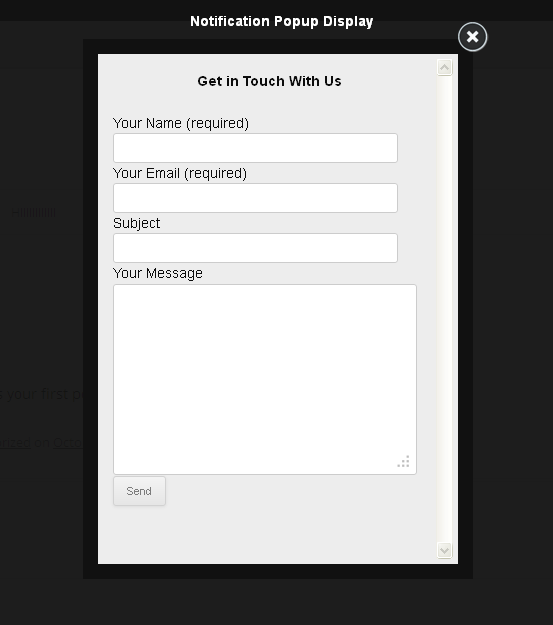
Frontend display.
ການຕິດຕັ້ງ
- Upload the plugin folder to the /wp-content/plugins/ folder of your WordPress installation.
- Activate the plugin.
- You will see an option at the left side WordPress options option panel named “Notification Popup”.
- Click on it to set the options.
Enjoy it……
ຄຳຖາມທີ່ພົບເລື້ອຍ
- A question that will be asked by users
ການຣີວິວ
ບໍ່ມີການຣີວິວສຳລັບປລັກອິນນີ້.
ຜູ້ຮ່ວມພັດທະນາ ແລະ ຜູ້ພັດທະນາ
“Notification Popup” ແມ່ນຊອຟແວໂອເພັນຊອດ (Open Source). ບຸກຄົນຕໍ່ໄປນີ້ໄດ້ມີສ່ວນຮ່ວມໃນການພັດທະນາປລັກອິນນີ້.
ຜູ້ຮ່ວມພັດທະນາ

ແປ “Notification Popup” ເປັນພາສາຂອງເຈົ້າ.
ສົນໃຈຮ່ວມພັດທະນາບໍ່?
ເບິ່ງລະຫັດ, ກວດເບິ່ງ ຄັງເກັບ SVN, ຫຼື ຕິດຕາມ ບັນທຶກການພັດທະນາ ຜ່ານ RSS.
ບັນທຶກການປ່ຽນແປງ
=Version 1.0.4=
- Compatible with the WordPress latest version (3.9).
=Version 1.0.3=
- Fixed Front popup content slashes issue.
=Version 1.0.2=
- Fixed editor slashes issue.
=Version 1.0.1=
- Fixed few warnings issue.
=Version 1.0.0=
- Initial Release