

ຄຳອະທິບາຍ
If you are looking to increase sales and repeat purchases using email marketing automation, then we introduce you to Mail Mint!
The self hosted, AI email marketing plugin for WordPress and WooCommerce stores.
✅ Capture unlimited leads & subscribers
✅ Run targeted email campaigns
✅ Automate lead nurturing
✅ Design and send newsletter emails
✅ Promote WooCommerce products via emails
✅ Set up Behavior-based automation workflows (Pro)
✅ Get everything done for you with AI assistance
Mail Mint is built to work seamlessly with WooCommerce and traditional WordPress sites without having to leave your dashboard.
Unlike SaaS email marketing tools, with Mail Mint, you get full ownership of data and scale up without growing fees or any tech-overwhelm.
No need to pay those hefty monthly fees or get tied to contact limits of SaaS tools.
In short, you get to increase customer interactions, run conversion-focused campaigns, and automate email follow-ups (Pro) easily without the unfair high costs.
Key Solutions You Get To Scale Your Growth
Self-Hosted, No Limits
All data and leads stay on your server and uses your default SMTP. So, you can collect unlimited leads and send unlimited emails with no cost on Mail Mint.
Easy Email Campaign Builder
Use a visual drag-and-drop email builder to design conversion-optimized emails easily.
Product Promotion On Emails
Get dedicated products block to display WooCommerce products on your email campaigns and get more sales.
Visual Email Automation Workflows
Set up email automation flows on based leads collection, order status (Pro) or customer behavior (Pro) to trigger more conversions.
Customize Default WooCommerce Emails
Update the boring default emails by WooCommerce upon order placement, completion, etc., using our visual email builder.
Learn more in the next section.
👉 ຄູ່ມືການນຳໃຊ້ | ວິດີໂອສອນການນຳໃຊ້
👉 ເຂົ້າຮ່ວມກຸ່ມ Facebook ຂອງພວກເຮົາ
👉 ເບິ່ງແຜນພັດທະນາ (Roadmap) ຂອງພວກເຮົາ
👥 ສ້າງລາຍຊື່ຜູ້ມຸ່ງຫວັງ 👤 ແບ່ງກຸ່ມຜູ້ມຸ່ງຫວັງ 📧 ສົ່ງແຄມເປນອີເມວ ⚙️ ຂັ້ນຕອນອີເມວອັດຕະໂນມັດ
🛒 ກູ້ຄືນກະຕ່າສິນຄ້າທີ່ຖືກປະລະ 🗞️ ຈົດໝາຍຂ່າວລາຍອາທິດ 🎨 ປັບແຕ່ງອີເມວ WooCommerce
ເປັນຫຍັງຈຶ່ງຕ້ອງໃຊ້ Mail Mint?
Email marketing is one of the most effective ways to drive sales and retain customers.
So you need a reliable email marketing solution: quality lead generation, good email campaigns, email automation.
But most solutions are incomplete. You need multiple tools pull it off.
Mail Mint let’s you do all of that.. No extra plugins needed!
-
For starters, the plugin has its lead form builder, which allow you to collect leads from anywhere on your website.
-
You can segment your leads and organize them to run targeted email marketing campaigns.
ນອກຈາກນີ້, ມັນຍັງມີການເຊື່ອມຕໍ່ໂດຍກົງກັບ
– WordPress ✅
– WooCommerce (Pro) ✅, ແລະ
– Easy Digital Downloads (Pro) ✅
– ແລະ ປລັກອິນ WordPress ອື່ນໆອີກຫຼາຍຕົວ.
So, you get lead management, email campaigns, and automation workflows, all in a single tool.
Plus, you may combine Mail Mint with WPFunnels, the easiest funnel builder in WordPress, to plan and craft funnel journeys for WooCommerce, including custom checkout, order bump and upsell offers, and email automation flows, on a single visual canvas.
ບໍ່ຈຳເປັນຕ້ອງໃຊ້ຫຼາຍເຄື່ອງມືໃຫ້ວຸ່ນວາຍອີກຕໍ່ໄປ!
A complete solution for your customer journey – lead gen, conversion & sales funnels, email marketing and automation, customer retention.
Achieve 3x more results with less time and effort.
ທຸກຢ່າງທີ່ທ່ານຕ້ອງການເພື່ອເຮັດໃຫ້ລະບົບການຕະຫຼາດອີເມວອັດຕະໂນມັດເປັນເລື່ອງງ່າຍ
Mail Mint is your go-to WordPress email marketing plugin, packed with features to help you collect leads, promote products, run email campaigns, send newsletters, and set up email automation, without losing focus.
👉 Easy Contact Management In WordPress
Mail Mint comes with an easy UI to manage leads for effective email campaigns, newsletters, and email automation.
- Unlimited contacts/leads
- ເພີ່ມຜູ້ຕິດຕໍ່ດ້ວຍຕົນເອງ
- Bulk upload leads using CSV
- Paste contact data
- Create tags, lists.
Import as contacts
* WordPress users
* WooCommerce customers
* Easy Digital Downloads customers
* Existing Mailchimp Contacts
ທ່ານຍັງສາມາດ ແບ່ງກຸ່ມຜູ້ມຸ່ງຫວັງ (Pro) ເພື່ອເຮັດການຕະຫຼາດອີເມວແບບເຈາະຈົງໂດຍອີງຕາມຂໍ້ມູນຂອງພວກເຂົາ ເຊັ່ນ: ເພດ, ສະຖານທີ່ ແລະ ອື່ນໆ.
Additionally, you get a full 360-degree contact view (Pro) to manage contact details and track interaction history, helping you build customer relationships via lightweight CRM functionality inside WordPress.
ຮຽນຮູ້ເພີ່ມເຕີມກ່ຽວກັບ ການຈັດການຜູ້ຕິດຕໍ່ຂອງ Mail Mint
👉 Email Marketing Campaigns
Once you have leads, you can run email marketing campaigns to interact with your contacts.
- ແຄມເປນອີເມວທົ່ວໄປ
- Scheduled Email Campaigns
- Email Sequences (with automated time delays) (Pro)
- Weekly Newsletters
- Recurring Campaigns (Daily, Weekly, Monthly)
- Post Notification Emails
- Product Launch Emails
- Follow-up Emails
- Event Invitation Emails
- Lead Nurturing Emails
- Upsell and Cross-sell email campaigns
- Post-Purchase Email Campaigns
… and many more.
Whether you are a WooCommerce store owner, blogger, or funnel agency, Mail Mint help you run effective email marketing campaigns for lead nurturing or promotional offers.
You will get niche-specific email templates, or use AI-powered assistance to create email campaigns, newsletters, email automation workflows, abandoned cart recovery campaigns, etc., in just a few minutes.
ຮຽນຮູ້ເພີ່ມເຕີມກ່ຽວກັບ ແຄມເປນອີເມວຂອງ Mail Mint
👉 Visual Drag And Drop Email Builder
You will love the drag and drop email builder to design your emails in Mail Mint.
- Drag and drop blocks
- Full control over design and layout
- Pre-made email templates
- Custom social icons block
- WooCommerce Product Details block
- Posts block (Recent/specific articles) (Pro)
- Merge tags for dynamic data and personalization.
ເບິ່ງການເຮັດວຽກຂອງເຄື່ອງມືສ້າງອີເມວແບບເຫັນພາບ:
You may also use a classic editor or plain text editor instead.
👉 Self-Hosted and GDPR-Ready
Mail Mint runs entirely inside your WordPress installation. So all contacts and campaign data stay on your own server’s database, not on a third-party platform.
And it comes with GDPR compliance features:
* Double opt-in email confirmation
* Unsubscribe and email preference links
* IP anonymization
* Privacy checkbox on forms
👉 Simplified Email Automation Workflows
Mail Mint comes with a powerful visual automation workflow builder.
Automate email marketing and lead management for several triggers to reduce effort while getting more results from your campaigns.
- Visual automation workflow builder
- Pre-built automation recipes
- Automation triggers for WordPress
- Behavior and action-based triggers for WooCommerce (Pro)
- Automation workflows based on user activity
- 15+ Actions to create the workflow (Free + Pro)
- Conditional flows (Pro) based on open rate, link clicks, contact details, segmentation, etc.
… and many more.
ເບິ່ງການເຮັດວຽກຂອງລະບົບອີເມວອັດຕະໂນມັດ Mail Mint:
👉ຕົວເປີດວຽກອັດຕະໂນມັດຫຼັກຂອງ Mail Mint
– ເມື່ອມີການສົ່ງຟອມ – ເປີດວຽກເມື່ອມີການສົ່ງຟອມຂອງ Mail Mint.
– ເພີ່ມເຂົ້າ/ລຶບອອກຈາກລາຍຊື່ (Pro) – ເປີດວຽກເມື່ອຜູ້ຕິດຕໍ່ຖືກເພີ່ມ ຫຼື ລຶບອອກຈາກລາຍຊື່ທີ່ກຳນົດ.
– ເພີ່ມ/ລຶບແທັກ (Pro) – ເປີດວຽກເມື່ອຜູ້ຕິດຕໍ່ຖືກເພີ່ມ ຫຼື ລຶບແທັກທີ່ກຳນົດ.
👉ຕົວເປີດວຽກອີເມວອັດຕະໂນມັດຂອງ WordPress
– ການລົງທະບຽນຜູ້ໃຊ້ໃໝ່
– ການເຂົ້າສູ່ລະບົບຂອງຜູ້ໃຊ້
– ການແຈ້ງເຕືອນໂພສ (Pro)
👉WooCommerce Email Automation Triggers (Pro)
– ຄຳສັ່ງຊື້ທຳອິດໃນຮ້ານ
– 5 ຕົວເປີດວຽກຕາມຄຳສັ່ງຊື້ – ຄຳສັ່ງຊື້ໃໝ່, ຄຳສັ່ງຊື້ສຳເລັດ, ການປ່ຽນແປງສະຖານະຄຳສັ່ງຊື້ ແລະ ຄຳສັ່ງຊື້ທີ່ຫຼົ້ມເຫຼວ.
– ເມື່ອໄດ້ຮັບການຣີວິວສິນຄ້າ
– ການດຶງລູກຄ້າເກົ່າກັບຄືນມາ (Customer Win Back) – ລະບົບອັດຕະໂນມັດເພື່ອຕິດຕໍ່ຫາລູກຄ້າທີ່ບໍ່ມີການສັ່ງຊື້ເປັນເວລາດົນ.
– ເມື່ອລາຄາສິນຄ້າຫຼຸດລົງ – ເປີດວຽກເມື່ອທ່ານຫຼຸດລາຄາສິນຄ້າທີ່ເລືອກ.
👉ຕົວເປີດວຽກອັດຕະໂນມັດອື່ນໆທີ່ເຊື່ອມຕໍ່ແລ້ວ
You can use email marketing automation for several other plugins that Mail Mint integrates with, including:
– Easy Digital Downloads
– Gravity Form
– Jet Form Builder
– Fluent Forms
– Contact Form 7
– Elementor Form
– LearnDash
– MemberPress
– Tutor LMS
– Pabbly Connect
For any trigger, you can create automation workflows using the necessary actions below:
- ສົ່ງອີເມວ
- ຕັ້ງເວລາລໍຖ້າ
- ສ້າງຜູ້ຕິດຕໍ່
- ເພີ່ມແທັກ
- ເພີ່ມເຂົ້າໃນລາຍຊື່
- ລຶບແທັກ (Pro)
- ລຶບອອກຈາກລາຍຊື່ (Pro)
- ສົ່ງອີເມວແບບລຳດັບ (Pro)
- ຢຸດລະບົບອັດຕະໂນມັດ (Pro)
- ເວັບຮຸກຂາອອກ (Outgoing Webhook) (Pro)
- ສ້າງຄູປອງອັດຕະໂນມັດ (Pro)
- ລຶບຄູປອງ (Pro)
- ເງື່ອນໄຂ If/Else (Pro)
Whether it’s creating the welcome email, onboarding process, running drip campaigns, or organizing email automation flows to manage leads, Mail Mint simplifies it all.
ຮຽນຮູ້ເພີ່ມເຕີມກ່ຽວກັບ ຂັ້ນຕອນອີເມວອັດຕະໂນມັດຂອງ Mail Mint
👉 Custom Lead Forms To Capture Emails
Mail Mint has its own lead form builder to collect leads from anywhere on your website. You can use segmentation and send targeted email campaigns to get more results.
- Visual Form Builder (using Gutenberg)
- 10+ Lead Form Templates
- Form Types: Embedded, Pop-up, Fly In, Notification Bar
- Design Control & Animations
- Appearance Time Delay
Very convenient to collect leads and promote more products or to build customer rapport for repeat purchases.
Watch how the Lead Form Builder Works:
👉 Mail Mint + WPFunnels For Free Lead Generation
You may use WPFunnnels with Mail Mint to create lead generation funnels easily!
See how Darrel Wilson created a free lead generation funnel using WPFunnels and Mail Mint:
Plus, you can directly use Mail Mint forms on your funnel landing page through WPFunnels opt-in widget.
Learn how to create a free lead generation funnel in WordPress.
**👉 WPFunnels Integration For Marketing Funnel Automation [Pro] **
If you use WPFunnels and Mail Mint together, you can set up email automation workflows based on user actions in different stages of your funnel journey!
- Create a funnel in WPFunnels
- Define conditions
- Set up email automation workflows within the funnel building platform
It will help you use personalized email marketing for your buyers within your funnels and increase conversions.
You may create email marketing automation for
* Lead generation funnels
* Launch funnels
* Sales funnels
* Affiliate funnels
* Funnel cart abandonment recovery
or any other funnel of your choice.
👉 WooCommerce Abandoned Cart Recovery [Pro]
Mail Mint is a powerful plugin for WooCommerce cart abandonment recovery to win back lost sales on autopilot.
- Automatic abandoned cart tracking
- Cart details for abandoned customers
- Automation workflow for when cart is abandoned, lost, or recovered
- Cart block for abandoned products in email
- Auto-coupons for easier recovery
ຮຽນຮູ້ເພີ່ມເຕີມກ່ຽວກັບ ລະບົບກູ້ຄືນກະຕ່າສິນຄ້າທີ່ຖືກປະລະອັດຕະໂນມັດ
👉 Recurring Email Campaign [Pro]
You can set up recurring email campaigns or newsletter automation.
When you collect leads, it is important to keep them nurtured and engaged via emails.
ດ້ວຍ Mail Mint, ທ່ານສາມາດຕັ້ງຄ່າແຄມເປນອີເມວແບບສົ່ງຊ້ຳອັດຕະໂນມັດ ທຸກໆອາທິດ, ທຸກໆເດືອນ ຫຼື ມື້ໃດມື້ໜຶ່ງທີ່ກຳນົດໄວ້ໃນແຕ່ລະອາທິດ.
You may send the latest posts, offer courses, send newsletters, or send monthly digests to subscribers automatically.
So, besides being a email marketing tool, Mail Mint is also a reliable WordPress newsletter plugin.
👉 Detailed Email Analytics
For every activity within Mail Mint, you get real-time analytics to make data-driven decisions and optimize email campaigns.
– Leads Growth Rate
– Email Open Rate
– Click Rate
– Bounce Rate
– Unsubscribe Rate
– Form Entries
– Performance over time
– Lead engagement
More insight to fine-tune your strategy.
👉 AI Email Assistant To Create Complete Email Campaigns & Automation Workflows
When you use Mail Mint’s AI Email Assistant (or as we call it, AI Email Engine), you no longer need to manually create an email campaign or automation workflow.
You can command what you want, and the plugin will build everything for you. All you need to do is review. Here’s what AI will do for you:
- Complete email campaign with subject line, preview text, design, and copy.
- Set up full email automation workflows with necessary triggers, emails, delays, etc.
- Analyze campaign performance and get suggestions to improve results.
You can BYOK with ChatGPT, Claude, Gemini, or any AI model connected via WordPress AI Connector, or connect Mail Mint to your AI platform through an MCP server to execute instructions directly in Mail Mint.
Learn more about Mail Mint’s AI Email Engine
👉 Customize WooCommerce Transactional Emails
Edit and customize the default WooCommerce Transactional Emails (order confirmation, receipts, etc.) via Mail Mint to make them more engaging and brand-optimized.
- Text Editor to customize WooCommerce emails
- Visual drag and drop builder to customize WooCommerce emails (Pro)
ທຸກຄຸນສົມບັດຂອງ Mail Mint ສຳລັບນັກການຕະຫຼາດອີເມວ
Email Campaigns
- ແຄມເປນອີເມວທົ່ວໄປ
- ອີເມວແບບລຳດັບ (Pro)
- ເທັມເພລດອີເມວສຳເລັດຮູບ
- AI Email Writing (via ChatGPT, Gemini, Claude)
- ເຄື່ອງມືສ້າງອີເມວແບບລາກແລ້ວວາງ
- Layout, Typography, & Color Customization
- Classic Text Editor
- Plain Text Editor
- ແຄມເປນອີເມວແບບສົ່ງຊ້ຳ / ຈົດໝາຍຂ່າວອັດຕະໂນມັດ (Pro)
- ບລັອກໂພສໃນອີເມວ (Pro)
- Campaign & Engagement Analytics (Free + Pro)
WooCommerce-Specific Features
- Customize Default WooCommerce Emails
- Import WooCommerce Customers as contacts
- Subscription checkbox during WooCommerce checkout
- Product Details Block In Emails
- 4 Automation Recipes for WooCommerce
- Order Specific Automation Triggers (First Order, New Order, Product Order, Order Completed, Order Status, Order Failed) (Pro)
- More Automation Triggers (Review Received, Win Back Campaign, Price Drop / On Sale Notification) (Pro)
- ການກູ້ຄືນກະຕ່າສິນຄ້າທີ່ຖືກປະລະ (ການຕິດຕາມກະຕ່າ, ອີເມວຕິດຕາມຜົນອັດຕະໂນມັດ, ລາຍງານ ແລະ ການວິເຄາະ) (Pro)
Contact Management
- Unlimited leads or contacts/subscribers
- ບໍ່ຈຳກັດລາຍຊື່ ແລະ ແທັກ
- ການແບ່ງກຸ່ມແບບໄດນາມິກ (Pro)
- Import contacts
- ການຢືນຢັນອີເມວແບບ Double Opt-in
- AI Analysis For Contact Details
… and more.
Automation Workflows
- ເຄື່ອງມືສ້າງຂັ້ນຕອນອັດຕະໂນມັດແບບເຫັນພາບ
- AI Email Automation Generation
- Automation Triggers (Form Submission, WordPress, etc.)
- ຕົວເປີດວຽກແຈ້ງເຕືອນໂພສ (Pro)
- Automation Triggers Pabbly Connect, 4+ Form Builders & 3+ LMS Tools (Pro)
- 8+ Actions After Trigger
- GDPR Compliance Features
… and more.
Lead Capture
- Lead Capture Form
- Pre-built Form Templates
- ການແຈ້ງເຕືອນຜູ້ດູແລລະບົບ
- Lead Capture from WPFunnels Opt-in Form
… and more.
Other Features
- ການຈັດການ Lead Magnets (Pro)
- ຕົວເປີດວຽກຈາກລິ້ງ (Pro)
- ອີເມວອັດຕະໂນມັດໃນພື້ນທີ່ສ້າງຟັນແນລຂອງ WPFunnels (Pro)
Here’s a list of All Mail Mint Features
ເຂົ້າຮ່ວມກຸ່ມ Facebook ຂອງພວກເຮົາ
Connect with thousands of WooCommerce store owners growing their business with email marketing automation.
ນະໂຍບາຍຄວາມເປັນສ່ວນຕົວ
If you opt in to usage tracking, we collect telemetry via PostHog to improve performance and troubleshoot issues.
What Data is Collected?
Only with your consent:
- System Info: WordPress version, PHP version, and active theme/plugin names.
- Plugin Details: Mail Mint version and non-sensitive configuration settings.
- Usage Patterns: Feature usage and in-plugin page views.
- Contact: Site admin email address.
Request Data Removal
Revoke consent anytime. To delete past data, email support@getwpfunnels.com
ພາບໜ້າຈໍ


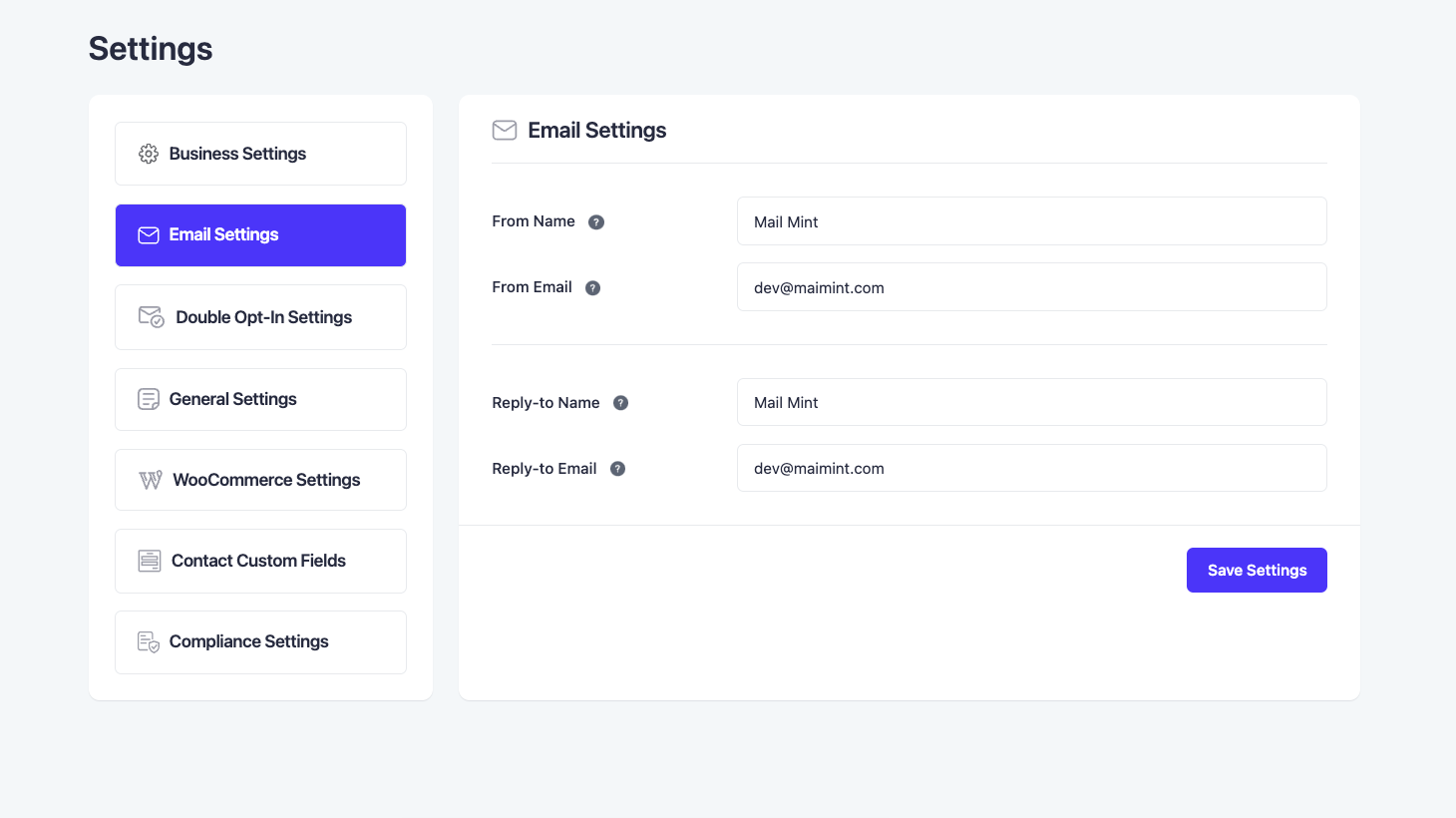

ບລັອກ
ປລັກອິນນີ້ມີ 1 ບລັອກ.
- Mint Form
ການຕິດຕັ້ງ
- Upload Mail Mint to the
/wp-content/plugins/directory - Activate it through the ‘Plugins’ menu in WordPress
- Follow the setup wizard.
ຄຳຖາມທີ່ພົບເລື້ອຍ
-
1. ເປັນຫຍັງຈຶ່ງຕ້ອງໃຊ້ Mail Mint?
-
ເຫດຜົນຫຼັກໃນການໃຊ້ Mail Mint ແມ່ນເພື່ອລວມລະບົບການຕະຫຼາດອີເມວອັດຕະໂນມັດເຂົ້າກັບຟັນແນລການຕະຫຼາດຂອງທ່ານ ໃນໜ້າຈໍທີ່ບໍ່ຊັບຊ້ອນ ແລະ ເພີ່ມຍອດຂາຍຂອງທ່ານ.
ທຸກຄຸນສົມບັດຂອງ Mail Mint ຖືກອອກແບບມາຢ່າງລະອຽດ ເພື່ອໃຫ້ທ່ານມີສະມາທິໃນການດຳເນີນແຄມເປນການຕະຫຼາດອີເມວຂອງທ່ານ.
i. ມັນງ່າຍຫຼາຍໃນການເພີ່ມ ແລະ ຈັດການລາຍຊື່ຜູ້ຕິດຕໍ່ຂອງທ່ານ ພ້ອມທັງການແບ່ງກຸ່ມລູກຄ້າທີ່ເໝາະສົມ.
ii. ທ່ານສາມາດສ້າງຟອມແບບກຳນົດເອງພາຍໃນ Mail Mint ເພື່ອເກັບຂໍ້ມູນຈາກຜູ້ມຸ່ງຫວັງໄດ້ໂດຍບໍ່ຕ້ອງອາໄສເຄື່ອງມືສ້າງຟອມອື່ນ. ຈຸດທີ່ດີທີ່ສຸດແມ່ນ ມັນບໍ່ແມ່ນພຽງແຕ່ຟອມລົງທະບຽນທົ່ວໄປ. ທ່ານສາມາດເພີ່ມຟີວທີ່ກຳນົດເອງ, ເລືອກປະເພດຟອມ (ທົ່ວໄປ, pop-up, fly-in ແລະ ອື່ນໆ) ແລະ ຄວບຄຸມການອອກແບບຟອມຂອງທ່ານໄດ້.
iii. ປລັກອິນມາກັບເຄື່ອງມືສ້າງອີເມວຂັ້ນສູງ ເຊິ່ງທ່ານສາມາດອອກແບບເນື້ອໃນອີເມວໄດ້ໂດຍໃຊ້ບລັອກແບບລາກແລ້ວວາງ ແລະ ຄວບຄຸມການອອກແບບໄດ້ທັງໝົດ.
iv. ທ່ານສາມາດສົ່ງແຄມເປນອີເມວທົ່ວໄປ ຫຼື ອີເມວແບບລຳດັບຕາມໄລຍະເວລາທີ່ກຳນົດໄດ້ໃນໜ້າຈໍທີ່ໃຊ້ງານງ່າຍ.
v. ການສ້າງຂັ້ນຕອນການເຮັດວຽກອັດຕະໂນມັດຈະບໍ່ແມ່ນເລື່ອງຍາກອີກຕໍ່ໄປ. ທ່ານສາມາດຕັ້ງຄ່າຕົວເປີດວຽກ ແລະ ກຳນົດຂະບວນການອັດຕະໂນມັດໃນພື້ນທີ່ທີ່ໃຊ້ງານງ່າຍ ໂດຍບໍ່ຕ້ອງເສຍເວລາອ່ານຄູ່ມືເປັນຊົ່ວໂມງ.
-
2. ຄຸນສົມບັດຫຼັກຂອງ Mail Mint ມີຫຍັງແດ່?
-
Mail Mint ມາພ້ອມກັບທຸກຢ່າງທີ່ທ່ານຕ້ອງການເພື່ອປັບປຸງຟັນແນລການຕະຫຼາດຄັ້ງຕໍ່ໄປຂອງທ່ານດ້ວຍລະບົບອີເມວອັດຕະໂນມັດ.
– ການຈັດການລາຍຊື່ຜູ້ຕິດຕໍ່ທີ່ງ່າຍດາຍ
– ເຄື່ອງມືສ້າງອີເມວຂັ້ນສູງ
– ການສົ່ງອີເມວແບບລຳດັບທາງຍຸດທະສາດ
– ຂັ້ນຕອນການເຮັດວຽກອັດຕະໂນມັດທີ່ງ່າຍດາຍ
– ການວິເຄາະແບບສົດໆ
– ການແບ່ງກຸ່ມລູກຄ້າແບບໄດນາມິກ
– ເທັມເພລດອີເມວທີ່ສວຍງາມ
– ການເຊື່ອມຕໍ່ກັບ WooCommerce (Pro)
– ການເຊື່ອມຕໍ່ກັບ Easy Digital Downloads (Pro)
– ຟອມເກັບລາຍຊື່ຜູ້ມີຄວາມສົນໃຈແບບກຳນົດເອງ
– ການເຊື່ອມຕໍ່ກັບ Gravity Forms (Pro)
– ການເຊື່ອມຕໍ່ກັບ JetForms (Pro)
– ການເຊື່ອມຕໍ່ກັບ Elementor Forms (Pro)
– ການເຊື່ອມຕໍ່ກັບ WPFunnels (Pro)
– ການເຊື່ອມຕໍ່ກັບ TutorLMS
– ເວັບຮຸກ (Webhooks) -
3. Mail Mint ມີຄວາມໂດດເດັ່ນແນວໃດ?
-
Mail Mint ມີເປົ້າໝາຍເພື່ອໃຫ້ຜູ້ສ້າງຟັນແນລໃຊ້ລະບົບການຕະຫຼາດອີເມວອັດຕະໂນມັດໄດ້ງ່າຍ ໂດຍບໍ່ມີຄວາມຊັບຊ້ອນ.
ໜ້າຈໍການໃຊ້ງານ (UI) ຂອງປລັກອິນທັງໝົດຖືກສ້າງຂຶ້ນເພື່ອໃຫ້ທ່ານມີສະມາທິໃນການເຮັດວຽກ ບໍ່ວ່າຈະເປັນການຈັດການຜູ້ມຸ່ງຫວັງ, ການກຽມແຄມເປນ ຫຼື ການຕັ້ງຄ່າລະບົບອັດຕະໂນມັດ.
ນອກຈາກນີ້, ມັນຍັງມີການເຊື່ອມຕໍ່ພິເສດກັບ WPFunnels ເຊິ່ງທ່ານສາມາດວາງແຜນໜ້າຟັນແນລ ແລະ ຂັ້ນຕອນອັດຕະໂນມັດໄດ້ໃນບ່ອນດຽວ.
-
4. Mail Mint ປຽບທຽບກັບໂຊລູຊັນອື່ນໆທີ່ຄ້າຍຄືກັນແນວໃດ?
-
Mail Mint ມີທຸກຄຸນສົມບັດທີ່ທ່ານຕ້ອງການເພື່ອເກັບກຳ ແລະ ຈັດການຜູ້ມຸ່ງຫວັງ, ສົ່ງແຄມເປນອີເມວ ແລະ ຕັ້ງຄ່າລະບົບອັດຕະໂນມັດ.
ເມື່ອປຽບທຽບກັບເຄື່ອງມືອື່ນໆ, ພວກເຮົາເຄົາລົບທຸກເຄື່ອງມືທີ່ດີ. ແນວໃດກໍຕາມ, ເມື່ອໃຊ້ Mail Mint, ທ່ານຈະສັງເກດເຫັນວ່າມັນຊ່ວຍຫຼຸດຜ່ອນຄວາມຊັບຊ້ອນທີ່ເຄື່ອງມືການຕະຫຼາດອີເມວສ່ວນໃຫຍ່ມີ ແລະ ບໍ່ຈຳເປັນຕ້ອງອ່ານຄູ່ມືຫຼາຍກໍສາມາດເລີ່ມໃຊ້ງານໄດ້ທັນທີ.
ຈຸດສຳຄັນຂອງທີ່ນີ້ແມ່ນຄວາມງ່າຍໃນການໃຊ້ງານ. ແນ່ນອນວ່າທ່ານຈະພົບຄຸນສົມບັດທີ່ຄ້າຍຄືກັນໃນເຄື່ອງມືການຕະຫຼາດອີເມວອັດຕະໂນມັດສ່ວນໃຫຍ່. ແຕ່ສິ່ງທີ່ Mail Mint ເຮັດຄື ການເຮັດໃຫ້ຂະບວນການທັງໝົດຊັດເຈນ ແລະ ກະທັດຮັດຫຼາຍຂຶ້ນ.
ການເຊື່ອມຕໍ່ແບບເຫັນພາບກັບ WPFunnels ແມ່ນຄຸນສົມບັດທີ່ບໍ່ເຄີຍມີມາກ່ອນ. ຄວາມສາມາດໃນການວາງແຜນ ແລະ ເປີດໃຊ້ຂະບວນການຟັນແນລ ພ້ອມກັບລະບົບອີເມວອັດຕະໂນມັດໃນບ່ອນດຽວກັນ ແມ່ນສິ່ງທີ່ທ່ານຈະບໍ່ພົບໃນເຄື່ອງມືອື່ນໆ (ບໍ່ວ່າຈະຢູ່ໃນ ຫຼື ນອກລະບົບນິເວດຂອງ WordPress).
ນອກຈາກຈະເຮັດໃຫ້ເປັນເລື່ອງງ່າຍສຳລັບຜູ້ສ້າງຟັນແນລແລ້ວ, Mail Mint ຍັງກຳລັງສ້າງຍຸກໃໝ່ໃນການສ້າງຟັນແນລໂດຍທົ່ວໄປ.
-
5. Can I Use AI to Create Email Campaigns?
-
Yes. You will find an AI Assistant within Mail Mint where you can instruct what campaign you want to build, and AI will create the whole email campaign, including subject line, preview text, design, and copy. You simply have to review and send. Building a campaign will take less than 3-5 minutes.
For this to work, you have to connect ChatGPT, Claude, or Gemini to Mail Mint, or allow the use of AI that you connected via WordPress AI Connector. -
6. Can I Use AI to Prepare My Email Copies?
-
ແນ່ນອນ! ພວກເຮົາມີການເຊື່ອມຕໍ່ກັບ ChatGPT – OpenAI ທີ່ຊ່ວຍໃຫ້ທ່ານສ້າງເນື້ອໃນອີເມວທີ່ເປັນເອກະລັກສຳລັບທຸລະກິດຂອງທ່ານ.
-
7. How many contacts can I store?
-
ບໍ່ມີຂໍ້ຈຳກັດ. ທ່ານສາມາດຈັດເກັບຜູ້ຕິດຕໍ່ໄດ້ຫຼາຍເທົ່າທີ່ທ່ານຕ້ອງການ.
-
8. How can I import my existing contacts list?
-
ທ່ານສາມາດນຳເຂົ້າຜູ້ຕິດຕໍ່ດ້ວຍຕົນເອງ (ເທື່ອລະຄົນ), ຫຼື ໃຊ້ໄຟລ໌ CSV ເພື່ອອັບໂຫຼດເທື່ອລະຫຼາຍໆຄົນ. ທ່ານຍັງສາມາດວາງຂໍ້ມູນດິບໃນຮູບແບບທີ່ຖືກຕ້ອງເພື່ອນຳເຂົ້າຜູ້ຕິດຕໍ່ໄດ້.
ສຳລັບການນຳເຂົ້າຜູ້ໃຊ້ WordPress ແລະ ລູກຄ້າ WooCommerce, ທ່ານຈະພົບຕົວເລືອກການນຳເຂົ້າພາຍໃນ 3 ຄລິກ ເພື່ອນຳເຂົ້າລາຍຊື່ເຂົ້າໃນ Mail Mint.
ທ່ານຍັງສາມາດຍ້າຍຜູ້ຕິດຕໍ່ຈາກ MailChimp ໄປຫາ Mail Mint ໄດ້ພາຍໃນບໍ່ເທົ່າໃດຄລິກ.
-
9. How many email marketing campaigns can I run?
-
ທ່ານສາມາດສົ່ງແຄມເປນການຕະຫຼາດອີເມວໄດ້ຫຼາຍເທົ່າທີ່ທ່ານຕ້ອງການ. ບໍ່ມີຂໍ້ຈຳກັດໃນເລື່ອງນີ້.
-
10. How are the emails sent?
-
Mail Mint ຈະໃຊ້ SMTP ເລີ່ມຕົ້ນທີ່ທ່ານໄດ້ຕັ້ງຄ່າໄວ້ສຳລັບເວັບໄຊ WordPress ຂອງທ່ານເພື່ອສົ່ງອີເມວ. ພວກເຮົາບໍ່ມີບໍລິການສົ່ງອີເມວເປັນຂອງຕົນເອງ.
-
11. Is Mail Mint GDPR compliant?
-
ແມ່ນແລ້ວ, ທ່ານຈະໄດ້ຮັບທຸກຄຸນສົມບັດທີ່ຈຳເປັນຕາມມາດຕະຖານ GDPR ເຊັ່ນ: ອີເມວ double opt-in, ການຕັ້ງຄ່າອີເມວ, ລິ້ງຍົກເລີກການຕິດຕາມ, ການປິດບັງ IP ແລະ ຕົວເລືອກໃນການຮ້ອງຂໍລຶບຂໍ້ມູນ.
-
12. Where are the contacts stored? Is it self-hosted?
-
ຜູ້ຕິດຕໍ່ທັງໝົດຈະຖືກຈັດເກັບໄວ້ໃນຖານຂໍ້ມູນ WordPress ຂອງທ່ານ, ນັ້ນໝາຍຄວາມວ່າ ມັນເປັນການຈັດການດ້ວຍຕົນເອງ 100%. ພວກເຮົາບໍ່ສາມາດເຂົ້າເຖິງຜູ້ຕິດຕໍ່ ແລະ ລາຍລະອຽດຜູ້ຕິດຕໍ່ຂອງທ່ານໄດ້.
-
13. How can I use Mail Mint with WooCommerce?
-
ທ່ານສາມາດນຳເຂົ້າລູກຄ້າ WooCommerce ເປັນຜູ້ຕິດຕໍ່ໄດ້ພາຍໃນບໍ່ເທົ່າໃດຄລິກ.
ຫຼັງຈາກນັ້ນ, ທ່ານສາມາດຕັ້ງຄ່າຂັ້ນຕອນອີເມວອັດຕະໂນມັດໂດຍອີງຕາມຕົວເປີດວຽກໃນຮ້ານ WooCommerce ຂອງທ່ານ ເຊັ່ນ: ມີການສັ່ງຊື້, ຄຳສັ່ງຊື້ຫຼົ້ມເຫຼວ, ສະຖານະຄຳສັ່ງຊື້ປ່ຽນແປງ, ຄຳສັ່ງຊື້ທຳອິດ ແລະ ອື່ນໆ.
-
14. Does Mail Mint Have an Abandoned Cart Recovery Feature?
-
ແມ່ນແລ້ວ! Mail Mint ມີຄຸນສົມບັດການກູ້ຄືນກະຕ່າສິນຄ້າທີ່ຖືກປະລະຂອງ WooCommerce ເຊິ່ງຈະຊ່ວຍໃຫ້ທ່ານດຶງລູກຄ້າທີ່ປະລະກະຕ່າ ແລະ ບໍ່ໄດ້ສັ່ງຊື້ໃຫ້ສຳເລັດກັບຄືນມາ.
ຫຼັງຈາກນັ້ນ, ທ່ານສາມາດຕັ້ງຄ່າຂັ້ນຕອນອີເມວອັດຕະໂນມັດໂດຍອີງຕາມຕົວເປີດວຽກ ເຊັ່ນ: ກະຕ່າທີ່ຖືກປະລະ, ກະຕ່າທີ່ເສຍໄປ ຫຼື ກະຕ່າທີ່ກູ້ຄືນໄດ້. ທ່ານຍັງຈະໄດ້ຮັບການວິເຄາະຂັ້ນສູງສຳລັບສິ່ງນີ້.
-
15. How do I collect leads?
-
Mail Mint ມີເຄື່ອງມືສ້າງຟອມຂອງຕົນເອງ ເຊິ່ງທ່ານສາມາດໃຊ້ເພື່ອອອກແບບຟອມທີ່ກຳນົດເອງ ແລະ ນຳໄປໃຊ້ໄດ້ທຸກບ່ອນໃນເວັບໄຊເພື່ອເກັບຂໍ້ມູນຜູ້ມຸ່ງຫວັງ.
ນອກຈາກນີ້ຍັງມີເທັມເພລດອີເມວທີ່ສ້າງໄວ້ແລ້ວ ເຊິ່ງຈະຊ່ວຍໃຫ້ທ່ານໃຊ້ຟອມໄດ້ຢ່າງງ່າຍດາຍໂດຍບໍ່ຕ້ອງອອກແຮງຫຼາຍ.
-
16. How can I customize my emails?
-
ທ່ານສາມາດນຳເຂົ້າເທັມເພລດອີເມວທີ່ສວຍງາມຂອງພວກເຮົາ ຫຼື ສ້າງໃໝ່ດ້ວຍຕົນເອງ.
ທ່ານຈະສາມາດໃຊ້ເຄື່ອງມືສ້າງອີເມວຂັ້ນສູງ ເຊິ່ງຈະຊ່ວຍໃຫ້ທ່ານອອກແບບເນື້ອໃນອີເມວໄດ້ຢ່າງງ່າຍດາຍ ໂດຍໃຊ້ບລັອກແບບລາກແລ້ວວາງ.ນອກຈາກນີ້, ທ່ານຍັງຈະມີການຄວບຄຸມການອອກແບບ ແລະ ຮູບແບບຕົວອັກສອນຂອງອີເມວໄດ້ຢ່າງເຕັມທີ່.
-
17. Can I use dynamic, personalized contact details in my email?
-
ແມ່ນແລ້ວ, ທ່ານສາມາດໃຊ້ຂໍ້ມູນຂອງລູກຄ້າເປັນ Placeholder ຫຼື Merge Tag ໃນເນື້ອໃນອີເມວ (ເຊັ່ນ: ຊື່, ຊື່ບໍລິສັດ, ຟີວທີ່ກຳນົດເອງ ແລະ ອື່ນໆ) ເພື່ອໃຫ້ອີເມວມີຄວາມເປັນສ່ວນຕົວຫຼາຍຂຶ້ນ.
-
18. Do you have integration with any form builder?
-
ໃນເວລານີ້, ພວກເຮົາມີການເຊື່ອມຕໍ່ກັບ Gravity Forms, Fluent Forms, Elementor Form, ແລະ JetFormBuilder. ແລະ ພວກເຮົາມີແຜນທີ່ຈະເຊື່ອມຕໍ່ກັບເຄື່ອງມືສ້າງຟອມອື່ນໆອີກຫຼາຍຕົວໃນໄວໆນີ້.
-
19. How can I report security bugs?
-
ທ່ານສາມາດລາຍງານບັກດ້ານຄວາມປອດໄພຜ່ານໂຄງການ Patchstack Vulnerability Disclosure. ທີມງານ Patchstack ຈະຊ່ວຍກວດສອບ, ຈັດລຳດັບຄວາມສຳຄັນ ແລະ ຈັດການຊ່ອງໂຫວ່ດ້ານຄວາມປອດໄພຕ່າງໆ. ລາຍງານຊ່ອງໂຫວ່ດ້ານຄວາມປອດໄພ.
-
20. What Do I Need To Do Manually When Using The AI Email Engine?
-
With Mail Mint’s AI Email Engine, the only manual tasks you will have are to provide instructions on what campaign or automation workflow you want to create and review the output that was generated.
You don’t have to manually build campaigns or set up the workflow from scratch. -
21. Will AI Make Changes Without My Approval?
-
No! The AI Assistant at Mail Mint will not push anything live or change anything existing without final approval from you. It will first generate and show it to you for review. If you approve, only then will they be applied.
ການຣີວິວ


ຜູ້ຮ່ວມພັດທະນາ ແລະ ຜູ້ພັດທະນາ
“Mail Mint – Email Marketing, Automation & WooCommerce Emails with AI Assistance” ແມ່ນຊອຟແວໂອເພັນຊອດ (Open Source). ບຸກຄົນຕໍ່ໄປນີ້ໄດ້ມີສ່ວນຮ່ວມໃນການພັດທະນາປລັກອິນນີ້.
ຜູ້ຮ່ວມພັດທະນາ


“Mail Mint – Email Marketing, Automation & WooCommerce Emails with AI Assistance” ໄດ້ຖືກແປເປັນ 3 ພາສາທ້ອງຖິ່ນ. ຂໍຂອບໃຈ ທີມງານຜູ້ແປ ສຳລັບການປະກອບສ່ວນຂອງເຂົາເຈົ້າ.
ສົນໃຈຮ່ວມພັດທະນາບໍ່?
ເບິ່ງລະຫັດ, ກວດເບິ່ງ ຄັງເກັບ SVN, ຫຼື ຕິດຕາມ ບັນທຶກການພັດທະນາ ຜ່ານ RSS.
ບັນທຶກການປ່ຽນແປງ
1.31.2 (2026-09-15)
- Improvement: AI Assistant replies now stream live as they are written so you see results instantly.
- Improvement: Search AI conversation history to quickly pick up any past chat.
- Improvement: Add contacts, tags, and lists from a quick side panel without leaving the page.
- Improvement: Add descriptions to tags so your team knows what each tag is for.
- Improvement: Create Coupon step can now use an existing coupon as a template and limit it to a set number of items (Pro).
- Improvement: Redesigned Lists, Tags, and Segments tables, now sortable by contact count.
- Improvement: Redesigned Automation Recipes page with a searchable library of video guides.
- Improvement: Easier AI setup with a redesigned provider connection screen and a one-click connection refresh.
- Improvement: AI Assistant now shows what it is working on while thinking, and the drawer can be resized in both directions.
- Improvement: Gemini now defaults to Gemini 2.5 Flash, and sites using retired models are switched automatically.
- Improvement: Signup role mapping now lists every WordPress role on your site including custom roles.
- Improvement: Form validation messages and preference page text are now fully translatable.
- Fix: Gemini conversations no longer stop working after a failed reply.
- Fix: AI now shows the real reason when your provider account is out of quota or billing is inactive.
- Fix: AI chats no longer show an error before the response finishes or when the model returns an empty reply.
- Fix: WPFunnels “Funnel Created” trigger no longer disappears from automations when Mail Mint Pro is active.
- Fix: Fatal error when WPFunnels Pro loads Mail Mint automation analytics.
- Fix: WooCommerce customer data table is now created correctly on new installations so segment filters and automation conditions return the correct contacts.
- Fix: Sync Now on the WooCommerce settings page now reports an error instead of success when the customer table cannot be created.
- Fix: Repeated database errors no longer fill the debug log on every WooCommerce order status change.
- Fix: Segments can no longer be saved without a name.
- Fix: Segment created dates now follow your site’s timezone.
- Fix: PHP 8.2+ deprecation notice during plugin upgrades.
- Fix: Broken settings panel layout in the Delete Coupon automation step (Pro).
1.31.1 (2026-09-01)
- New: Create Discount action for Easy Digital Downloads generates a unique coupon code per contact in automations (Pro)
- Security: Contact action links now use unguessable tokens instead of email-derived ones, preventing link forgery
- Security: Existing contact links are silently replaced with secure tokens on the next send
- Security: Contact names on the preference page are now properly escaped before output
- Security: Custom field submissions can no longer be used to instantiate arbitrary PHP objects
- Fix: Diagnostic MCP line no longer written to the PHP error log on every REST API request
- Fix: Starting an automation no longer fails with a “Failed to save” error
- Fix: Form submit button no longer gets stuck loading on resubmission by an existing contact
- Fix: Form submit button now shows an error message when a submission fails
1.31.0 (2026-08-25)
- New: Abandoned cart tracking with recoverable, recovered, and lost cart list pages
- New: Abandoned cart settings including GDPR consent, excluded user roles, and cool-off period
- New: Carts are automatically marked as recovered based on configurable WooCommerce order statuses
- New: Transactional contact status — reachable by transactional automation steps but excluded from campaigns
- New: Recovered carts now record whether recovery was through an email link or the customer returning organically
- New: Knowledge Base panel added to the admin header with documentation, video, and support links
- New: AI Assistant is now a resizable drawer accessible from any page, with persistent chat history
- New: AI Assistant can now write real email content directly into automation Send Email steps
- New: License details (activation, deactivation, expiry) available under Settings License (Pro)
- New: Email blacklist to exclude specific addresses or domains from cart tracking (Pro)
- Improvement: Redesigned Settings area with grouped navigation and consistent layout across all pages
- Improvement: Cart details now open on a dedicated page instead of a popup
- Improvement: AI Assistant now recognises all automation triggers, including abandoned cart triggers
- Improvement: Cart analytics follow the same date filter as the rest of Analytics, with a per-product breakdown (Pro)
- Improvement: Cart recovery link in automation emails is now included in click tracking (Pro)
- Improvement: Cart details page now shows recovery emails with subject, status, and send time (Pro)
- Security: Hardened filtered contacts query against SQL injection via status, search, and pagination parameters
- Fix: Recovery emails could still send after a customer completed their purchase before the cart was marked abandoned
- Fix: Recovery emails no longer continue for carts already marked as lost or after all open carts are purchased
- Fix: Recovery emails are no longer sent to contacts who have unsubscribed, bounced, or reported spam
- Fix: Abandoned cart no longer re-subscribes unsubscribed, bounced, or spam-reporting contacts
- Fix: Incomplete email addresses entered at checkout are no longer saved as contacts
- Fix: A Delay step no longer skips a transactional Send Email step for non-subscribed contacts
- Fix: Saving a heavy email design as a template no longer fails with a request-too-large error
- Fix: Email footer branding preference is now correctly ignored when Pro is inactive or unlicensed
1.30.1 (2026-08-07)
- Improvement: Compatibility improvements with WPFunnels
- Improvement: Reduced plugin size for faster load performance
1.30.0 (2026-08-05)
- New: Write with AI – Generate email content and summaries with AI assistance
- New: A/B testing campaign support introduced (Pro)
- New: AI Assistant – Chat-based assistant panel to query analytics, contacts, campaigns, and automations in natural language
- New: AI-powered contact summaries added to the Contacts module
- New: AI-powered analytics summaries added to the Analytics module
- New: MCP (Model Context Protocol) support introduced for AI agent integrations
- New: Advanced filter options added to the Contacts list
- New: DateTime type support added for custom fields
- New: Redesigned bulk selection experience with expanded action options
- Improvement: Comprehensive UI/UX refresh across the entire plugin for a more consistent and polished experience
- Improvement: Custom fields now support reordering via position switching on the contact profile
- Improvement: All custom field types are now supported in email personalization merge tags
- Improvement: Enhanced WPML compatibility for multilingual WooCommerce stores
- Fix: Lead magnet emails now assign a unique tracking token per link
- Fix: Automation tracking pixel now respects the configured URL scheme
- Fix: Removed trailing slash from segment REST API route path
- Fix: WooCommerce automations now correctly match translated product IDs across WPML languages
- Fix: WooCommerce checkout opt-in checkbox label can now be translated per language using WPML String Translation
- Fix: WooCommerce purchase automations and product, category, and tag conditions now trigger correctly for purchases made on translated WPML pages (Pro)
- Other: Security hardening, compatibility improvements, UI polish, and various bug fixes
1.24.4 (2026-07-06)
- Bugfix: Click tracking not recording correctly on campaign emails.
1.24.3 (2026-07-06)
- Security: SQL injection vulnerability in the contact status change action.
- Bugfix: Form submission not working correctly when forms are rendered through page builders.
1.24.2 (2026-06-30)
- New: Import BuddyBoss members directly as contacts in Mail Mint.
- New: Added Bricksforge Pro Form integration in Automation (Pro).
- New: Integration with BuddyBoss (Pro).
- Improvement: Test emails for lead magnets, preference pages, and unsubscribe links.
- Improvement: Contact export and lead magnet file download process.
- Improvement: Usage reports can now be delivered to multiple users.
- Improvement: Redesigned the recurring campaign UI and analytics for a better experience.
- security: SQL injection vulnerability in the recipients parameter.
- Bugfix: Source column showing raw form IDs instead of form names.
- Bugfix: Countries not displaying on the Mail Mint form.
- Bugfix: Contact list selector on imported form templates.
1.24.1 (2026-06-19)
- Improvement: Lists, Tags, Segments, and Exclusions in the contact selection of campaign analytics.
- Bugfix: Some contacts being silently skipped when a campaign targets multiple lists.
- Bugfix: Active and paused campaign titles not linking to the correct page.
- Bugfix: Pasted content from external tools breaking email rendering in some cases.
- Bugfix: Sites going blank on every front-end page in special cases.
1.24.0 (2026-06-15)
- New: An option to include all subscribers when sending a regular campaign.
- New: An option to exclude specific subscribers from a regular campaign.
- New: Archive regular campaign emails and make them accessible via a dedicated page.
- New: A shortcode to display the email archive page anywhere on the site.
- New: A merge tag to show a “View in Browser” link inside emails.
- New: Social sharing options for the regular campaigns.
- New: UTM parameter support to track campaign links in analytics tool.
- New: A way to collect unsubscribe reasons from subscribers.
- New: A dedicated unsubscribe survey page to gather feedback when someone unsubscribes.
- New: A resubscription option so subscribers can easily opt back in after unsubscribing.
- New: Assign or remove Lists and Tags based on how subscribers engage with campaign emails.
- New: Resend a campaign to subscribers who did not open it the first time (Pro).
- New: View detailed WooCommerce revenue data directly on campaign analytics (Pro).
- New: See why subscribers unsubscribed directly from campaign analytics (Pro).
- Improvement: Filter campaign analytics by date range for more focused insights (Pro).
- Improvement: Redesigned the completed campaign view with a better layout for clearer insights.
- Improvement: Redesigned the campaign creation experience with a better and cleaner UI.
- Improvement: Campaign progress bar to more accurately reflect email scheduling and sending status.
- Bugfix: Fixed multiple bugs for improved stability and reliability.
1.23.3 (2026-06-09)
- Improvement: Campaign overview metrics on the analytics
- Improvement: Performance optimization on email open and click
- Improvement: Number of database queries on admin pages for faster load times
- Bugfix: Time changing issue on the campaign scheduling
1.23.2 (2026-06-02)
- Bugfix: Campaign recipients count issue for segmentation
- Bugfix: Automation Log table performance issue
1.23.1 (2026-06-01)
- New: Enable or disable or anonymous email open and click tracking for privacy compliance.
- Improvement: Dashboard loading speed by collapsing eight statistic queries into two.
- Improvement: Contact overview loading speed by combining five queries into one.
- Improvement: Bulk contact import performance with optimized batch database writes.
- Improvement: Bulk contact deletion speed by batching form-entry updates.
- Improvement: Contact list query efficiency by loading only the columns shown in the table.
- Improvement: Database structure for contact meta with a new unique key for more reliable data storage.
- Improvement: Cleaned up unused code to improve overall plugin stability.
- Security: PHP Object Injection vulnerability on the unauthenticated form submission.
- Bugfix: Custom field columns now correctly appear in the contact list table.
1.23.0 (2026-05-23)
- New: Support for WordPress privacy tools to export and erase contact data for GDPR compliance.
- Improvement: Number of database queries on admin pages for faster load times.
- Improvement: Dashboard loading speed with smarter data caching.
- Improvement: Plugin uninstall process to properly clean up all stored data.
- Improvement: Cleaned up unused code to improve overall plugin stability.
- Improvement: Browser compatibility for copy-to-clipboard functionality.
- Improvement: Form submission and user preference security with proper request verification.
- Security: Strengthened access control on several admin API endpoints to prevent unauthorized access.
- Security: Multiple SQL injection vulnerabilities to better protect site’s data.
- Security: Unvalidated entry point in the bounce handler that could be exploited.
- Bugfix: Same email could be sent twice to a contact under certain conditions.
- Bugfix: Automation running multiple times for the same contact unexpectedly.
- Bugfix: Campaigns getting stuck when background email processing encountered errors.
- Bugfix: Automation steps sometimes executing immediately instead of waiting as configured.
- Bugfix: Contacts being unable to re-enter an automation after completing it.
- Bugfix: Contact export feature crashing and not working.
- Bugfix: Dropdowns and modals sometimes not closing properly.
- Bugfix: User preferences like contacts per page not being saved correctly.
1.22.1 (2026-05-21)
- Improvement: Faster loading of Frontend Assets for better Plugin performance.
- Improvement: Multiple Security and Compatibility improvements.
- Improvement: Search for Lists or Tags directly on the Analytics page.
- Improvement: Better UI and UX for Automation Triggers and Actions.
- Improvement: Custom Bounce Providers can now bypass all Token Validation.
- Bugfix: Fixed Lists or Tags selection issue on the Campaign.
- Bugfix: Fixed Automation Email Preview not showing in Email History.
1.22.0 (2026-05-19)
- New: Track Contacts, Email Performance, and WooCommerce data with Advanced Analytics.
- New: View a Full Log of all Email Activity in one Place.
- New: Get Weekly or Monthly Usage Report Notification
- New: Customize Subject and Preview text for WooCommerce Emails.
- Compatibility: Mail Mint now fully Supports WordPress Multisite.
- Improvement: Revamp the WooCommerce Email Customization
- Improvement: Better Control over User Roles and Access on Multisite.
1.21.5 (2026-05-11)
- New: Revamp the Dashboard Analytics
- New: Form Submission Automation Trigger for Elementor Form
- New: Rule-based Automation Triggers for all Supported Form Builders
- Compatibility: Mail Mint Custom Fields with Latest Elementor Pro
- Bugfix: PHP Warnings for Coupon Generation
1.21.4 (2026-05-05)
- Improvement: Campaign Performance on Email Scheduling and Sending
- Improvement: Improve Query Performance
- Improvement: User Experience on the Form Editor
- Improvement: User Experience on the Automation Editor
1.21.3 (2026-04-29)
- New: Auto-deletes Expired Coupons Generated by Mail Mint (Pro)
- Improvement: Automation Import Skips Conditional Actions and Nested Sub-Actions
- Improvement: Business Profile and Email Sending Settings
- Bugfix: WooCommerce Customer Segmentation Issue
- Bugfix: resolves reCAPTCHA Conflicts when Multiple Forms appear on the Same Page
1.21.2 (2026-04-23)
- New: Subscriber Win-Back Automation Trigger for Re-engagement Campaigns (Pro)
- New: Contact Segmentation Based on Email Activities and Engagements (Pro)
- New: Automation Trigger When a Contact Opens an Email (Pro)
- New: WPFunnels Activity Timeline on the Contact Profile (Pro)
- Improvement: OR Logic Support on the Automation Conditional Node (Pro)
- Improvement: Email Engagement Conditions on the Automation Conditional Node (Pro)
- Improvement: Improve Query Performance on WooCommerce Customer Import
- Bugfix: Automation Import Issue from Pre-built Templates
- Bugfix: Email Templates Creation Issue
1.21.1 (2026-04-21)
- Bugfix: reCAPTCHA Secret Key Issue
- Bugfix: Email Builder throughs PHP Error
1.21.0 (2026-04-13)
- New: Add Webhook Support for Mail Mint Forms
- New: Introduced Form Entries Tracking and Management
- Bugfix: Resolved Nonce Verification Failure during Form Submission
1.20.1 (2026-04-07)
- ແກ້ໄຂບັກ: Cross-Site Request Forgery ໄປຫາ Stored Cross-Site Scripting
1.20.0 (2026-03-16)
- New: Introduce Campaign Pause and Resume Feature
- New: Add Exit Intent Form Type
- Improvement: Campaign Performance on Email Scheduling and Sending
- Improvement: Add Customizable Title Display Options to Post Block
- ຄວາມເຂົ້າກັນໄດ້: ຮອງຮັບ WordPress ລຸ້ນຫຼ້າສຸດ
- Bugfix: Contact Delete Issue on WP User Removal
- Bugfix: Several Vulnerability Issues
1.19.5 (2026-02-10)
- ຄວາມເຂົ້າກັນໄດ້: ຮອງຮັບ WordPress ລຸ້ນຫຼ້າສຸດ
- ແກ້ໄຂບັກ: ບັນຫາຊ່ອງໂຫວ່ຂອງ REST API
1.19.4 (2026-02-06)
- ໃໝ່: ຕົວເປີດວຽກເມື່ອມີການສ້າງຜູ້ຕິດຕໍ່ໃນລະບົບອັດຕະໂນມັດ
- ໃໝ່: ຕົວເປີດວຽກເມື່ອມີການສ້າງຟັນແນລໃນລະບົບອັດຕະໂນມັດ
- ແກ້ໄຂບັກ: ພາຣາມິເຕີ UTM ໃຊ້ງານບໍ່ໄດ້ ຫຼັງຈາກການປ່ຽນເສັ້ນທາງຕິດຕາມການຄລິກຂອງ Mail Mint
1.19.3 (2026-01-29)
- ແກ້ໄຂບັກ: Cross-Site Request Forgery ໄປຫາ Stored Cross-Site Scripting
- ແກ້ໄຂບັກ: SQL Injection ຜ່ານຫຼາຍ API Endpoint
1.19.2 (2026-01-15)
- ໃໝ່: ເປີດໃຊ້ຈຸດເຂົ້າແບບດ່ຽວ ແລະ ຫຼາຍຈຸດໃນລະບົບອັດຕະໂນມັດ
- ແກ້ໄຂບັກ: ມີການສົ່ງອີເມວຊ້ຳຊ້ອນຈາກລະບົບອັດຕະໂນມັດ
1.19.1 (2025-12-19)
- ໃໝ່: ຕົວເລືອກໃນການລຶບຄູປອງທີ່ໝົດອາຍຸ
- ແກ້ໄຂບັກ: TypeError ໃນຄອມໂພເນນ ProductBlock ເມື່ອມີການແບ່ງສ່ວນສິນຄ້າທີ່ບໍ່ແມ່ນ Array
- ແກ້ໄຂບັກ: ລະຫັດຄູປອງອັດຕະໂນມັດບໍ່ສ້າງວັນໝົດອາຍຸສຳລັບຕົວເລືອກວັນທີຄົງທີ່
- ແກ້ໄຂບັກ: ຕົວຕອງການຈັດລຽງໃຊ້ງານບໍ່ໄດ້ໃນໂມດູນຜູ້ຕິດຕໍ່
- ແກ້ໄຂບັກ: ການຕັ້ງຄ່າຕົວແປສະຖານະຈາກ LocalStorage ແລະ ການຕອບກັບຂອງ API ໃຫ້ຖືກຕ້ອງ
1.19.0 (2025-12-11)
- ໃໝ່: ເພີ່ມລະບົບການວິເຄາະໃນລະບົບອັດຕະໂນມັດ
- ຄວາມເຂົ້າກັນໄດ້: ຮອງຮັບ WordPress ລຸ້ນຫຼ້າສຸດ
- ການປັບປຸງ: ການກວດສອບຂີດຈຳກັດຂອງໜ່ວຍຄວາມຈຳ ແລະ ເວລາໃນຂະບວນການເບື້ອງຫຼັງ
- ແກ້ໄຂບັກ: ບັນຫາຫົວຂໍ້ໂພສຈາກບລັອກໂພສ
- ແກ້ໄຂບັກ: ບັນຫາການໂຫຼດໜ້າແຄມເປນແບບລຳດັບ
- ແກ້ໄຂບັກ: ການປ່ຽນເສັ້ນທາງໃຊ້ງານບໍ່ໄດ້ເມື່ອມີການສົ່ງຟອມ
1.18.13 (2025-11-26)
- ຄວາມເຂົ້າກັນໄດ້: ຮອງຮັບ WP Rocket ໃນຂະບວນການເບື້ອງຫຼັງ
- ແກ້ໄຂບັກ: ການວິເຄາະແຄມເປນ – ແຖບກິດຈະກຳສະແດງໜ້າຈໍຫວ່າງເປົ່າ
- ແກ້ໄຂບັກ: ບັນຫາການລຶບບລັອກຂໍ້ຄວາມໃນເຄື່ອງມືສ້າງແບບເຫັນພາບ
1.18.12 (2025-11-20)
- ແກ້ໄຂບັກ: ເກີດ Infinite Loop ຈາກໜ່ວຍຄວາມຈຳເຕັມໃນການຕັ້ງເວລາແຄມເປນ
- ແກ້ໄຂບັກ: ຫຼຸດຂະໜາດ Payload ສຳລັບ API ສ້າງ/ອັບເດດລະບົບອັດຕະໂນມັດເພື່ອປ້ອງກັນຂໍ້ຜິດພາດ 403
- ແກ້ໄຂບັກ: ບັນຫາການເລີ່ມຕົ້ນສ້າງໃໝ່ໃນແຄມເປນ ແລະ ລະບົບອັດຕະໂນມັດ
- ແກ້ໄຂບັກ: ບັນຫາ UX ໃນການຈັບຄູ່ຟີວການນຳເຂົ້າຜູ້ຕິດຕໍ່
- ແກ້ໄຂບັກ: ບັນຫາການເຮັດຊ້ຳແຄມເປນໃນລຸ້ນຟຣີ
1.18.11 (2025-11-04)
- ແກ້ໄຂບັກ: ຊ່ອງໂຫວ່ໃນການອັບໂຫຼດໄຟລ໌ທີ່ບໍ່ໄດ້ຮັບອະນຸຍາດ
1.18.10 (2025-10-17)
- ໃໝ່: ການຕິດຕາມຄວາມຄືບໜ້າຂອງແຄມເປນໃນໜ້າລາຍລະອຽດ
- ແກ້ໄຂບັກ: ບັນຫາການວິເຄາະແຄມເປນ
- ແກ້ໄຂບັກ: ບັນຫາການຄົ້ນຫາປະເທດໃນການຕັ້ງຄ່າທຸລະກິດ
- ແກ້ໄຂບັກ: ບັນຫາການກຳນົດລາຍຊື່ ຫຼື ແທັກ
1.18.9 (2025-10-10)
- ແກ້ໄຂບັກ: ບັນຫາອີເມວຊ້ຳຊ້ອນໃນການຕັ້ງເວລາແຄມເປນ
1.18.8 (2025-09-19)
- ແກ້ໄຂບັກ: ບັນຫາຄວາມເຂົ້າກັນໄດ້ກັບ WPFunnels
- ແກ້ໄຂບັກ: ຂໍ້ຜິດພາດຮ້າຍແຮງ (Fatal error) ສຳລັບ DateTimeZone
- ແກ້ໄຂບັກ: ບັນຫາການຄຳນວນເວລາລໍຖ້າ ແລະ ການລຶບລ້າງລັອກໃນລະບົບອັດຕະໂນມັດຂອງ Mail Mint
1.18.7 (2025-09-12)
- ການປັບປຸງ: ຕົວເລືອກໃນການປັບແຕ່ງໜ້າຍືນຍັນການລົງທະບຽນ (Opt-in)
- ການປັບປຸງ: ການກວດສອບຜູ້ຕິດຕໍ່ຈຳນວນຫຼາຍຜ່ານ ZeroBounce
- ແກ້ໄຂບັກ: ຊ່ອງໂຫວ່ຄວາມປອດໄພ SQL ໃນການນຳເຂົ້າຜູ້ຕິດຕໍ່
- ແກ້ໄຂບັກ: ບັນຫາການອັບເດດຂໍ້ມູນຜູ້ຕິດຕໍ່ໃນການເຊື່ອມຕໍ່ຫຼາຍຟອມ
1.18.6 (2025-08-30)
- ແກ້ໄຂບັກ: ຊ່ອງໂຫວ່ຄວາມປອດໄພ SQL ແລະ ບັນຫາປະສິດທິພາບ
- ແກ້ໄຂບັກ: ບັນຫາສິດການເຂົ້າເຖິງໃນໂມດູນຟອມ
- ແກ້ໄຂບັກ: ບັນຫາ UX ໃນແຖບການຕັ້ງຄ່າຟອມ
1.18.5 (2025-08-27)
- ການປັບປຸງ: ການປະມວນຜົນເບື້ອງຫຼັງສຳລັບແຄມເປນ
- ແກ້ໄຂບັກ: ເຄື່ອງມືສ້າງແບບເຫັນພາບບໍ່ເປີດໃນບຣາວເຊີ Safari
1.18.4 (2025-08-05)
- ແກ້ໄຂບັກ: ບັນຫາການນຳເຂົ້າເທັມເພລດອີເມວກະຕ່າສິນຄ້າທີ່ຖືກປະລະ
- ແກ້ໄຂບັກ: ບັນຫາການອັບເດດສະຖານະຜູ້ຕິດຕໍ່
1.18.3 (2025-07-21)
- ການປັບປຸງ: ເພີ່ມການຮອງຮັບ Gravatar ແລະ ຮູບພາບສຳຮອງສຳລັບຮູບໂປຣໄຟລ໌ຜູ້ຕິດຕໍ່
- ການປັບປຸງ: ການຍົກເລີກການຕິດຕາມພາຍໃນຄລິກດຽວໃຫ້ສະດວກຂຶ້ນ
- ແກ້ໄຂບັກ: ຄຳເຕືອນກ່ຽວກັບການເລີກໃຊ້ງານ PHP (PHP Deprecation Warnings)
- ແກ້ໄຂບັກ: ບັນຫາຟີວຂໍ້ຄວາມຫຼາຍບັນທັດທີ່ກຳນົດເອງ
- ແກ້ໄຂບັກ: ບັນຫາ UI ຂອງ Tooltip ແລະ Header ໃນການຕັ້ງຄ່າລະບົບອັດຕະໂນມັດ
1.18.2 (2025-07-10)
- ໃໝ່: ແນບໄຟລ໌ໃນການຕັ້ງຄ່າຟອມ
- ແກ້ໄຂບັກ: ຊອດໂຄ້ດເພື່ອຄວາມເປັນສ່ວນຕົວສຳລັບຜູ້ໃຊ້ WordPress ໃຊ້ງານບໍ່ໄດ້
1.18.1 (2025-07-03)
- ການປັບປຸງ: ວິດີໂອສອນການໃຊ້ງານສຳລັບຜູ້ໃຊ້ລຸ້ນຟຣີ
- ແກ້ໄຂບັກ: ຄຳເຕືອນ PHP ໃນໂມດູນຟອມ
- ແກ້ໄຂບັກ: ບັນຫາ UX ໃນໂມດູນຟອມ
- ແກ້ໄຂບັກ: ບັນຫາການສະແດງຜົນ (Responsiveness) ໃນແດຊບອດ
1.18.0 (2025-06-26)
- ໃໝ່: ລາຍການກວດສອບການເລີ່ມຕົ້ນໃຊ້ງານໃນແດຊບອດ
- ການປັບປຸງ: ປັບປຸງ UX ໃນແດຊບອດ
- ການປັບປຸງ: ການປະມວນຜົນເບື້ອງຫຼັງສຳລັບແຄມເປນ
- ແກ້ໄຂບັກ: ບັນຫາການຈັບຄູ່ຟີວທີ່ກຳນົດເອງທີ່ມີຢູ່ແລ້ວໃນເຄື່ອງມືສ້າງຟອມ
- ແກ້ໄຂບັກ: ບັນຫາຟີວທີ່ກຳນົດເອງໃນຂັ້ນຕອນຕັກກະຂອງລະບົບອັດຕະໂນມັດ
- ແກ້ໄຂບັກ: ບັນຫາ UX ໃນການຕັ້ງຄ່າກະຕ່າສິນຄ້າທີ່ຖືກປະລະ
The full changelog is available here.