
ຄຳອະທິບາຍ
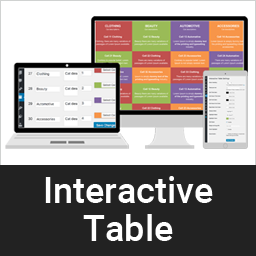
A dynamic way to display clean & responsive interactive table for your contents in a nice view.
ພາບໜ້າຈໍ


ການຕິດຕັ້ງ
This section describes how to install the plugin and get it working.
e.g.
- Upload the plugin files to the
/wp-content/plugins/interactive-tabledirectory, or install the plugin through the WordPress plugins screen directly. - Activate the plugin through the ‘Plugins’ screen in WordPress
- Add category from category page /wp-admin/edit.php?post_type=interactive_table&page=it-cell-cetegory
- Add table item here /wp-admin/edit.php?post_type=interactive_table&page=it-settings or you can import demo from plugin demo folder /plugins/interactive-table/demo-data. Data is xml format, just import using default wordpress import tools.
ຄຳຖາມທີ່ພົບເລື້ອຍ
-
Is is support unlimited color?
-
Yes, our pro version support unlimited color and unlimited cell.
Pro version is available here -
How do I set different but fixed color table without hover?
-
It is in Settings, /wp-admin/edit.php?post_type=interactive_table&page=it-settings, Just enable “Fixed highlight”
-
Can I place table Head row left or right?
-
Yes, this is also available in our pro version. Even you can set table head to bottom.
Pro version is available here
ການຣີວິວ
ບໍ່ມີການຣີວິວສຳລັບປລັກອິນນີ້.
ຜູ້ຮ່ວມພັດທະນາ ແລະ ຜູ້ພັດທະນາ
“Interactive Table” ແມ່ນຊອຟແວໂອເພັນຊອດ (Open Source). ບຸກຄົນຕໍ່ໄປນີ້ໄດ້ມີສ່ວນຮ່ວມໃນການພັດທະນາປລັກອິນນີ້.
ຜູ້ຮ່ວມພັດທະນາ
ແປ “Interactive Table” ເປັນພາສາຂອງເຈົ້າ.
ສົນໃຈຮ່ວມພັດທະນາບໍ່?
ເບິ່ງລະຫັດ, ກວດເບິ່ງ ຄັງເກັບ SVN, ຫຼື ຕິດຕາມ ບັນທຶກການພັດທະນາ ຜ່ານ RSS.
ບັນທຶກການປ່ຽນແປງ
1.0.1
- Compatibility check
1.0
- Initial development.