

ຄຳອະທິບາຍ
Run your salon’s bookings, schedules, and customer relationships from WordPress.
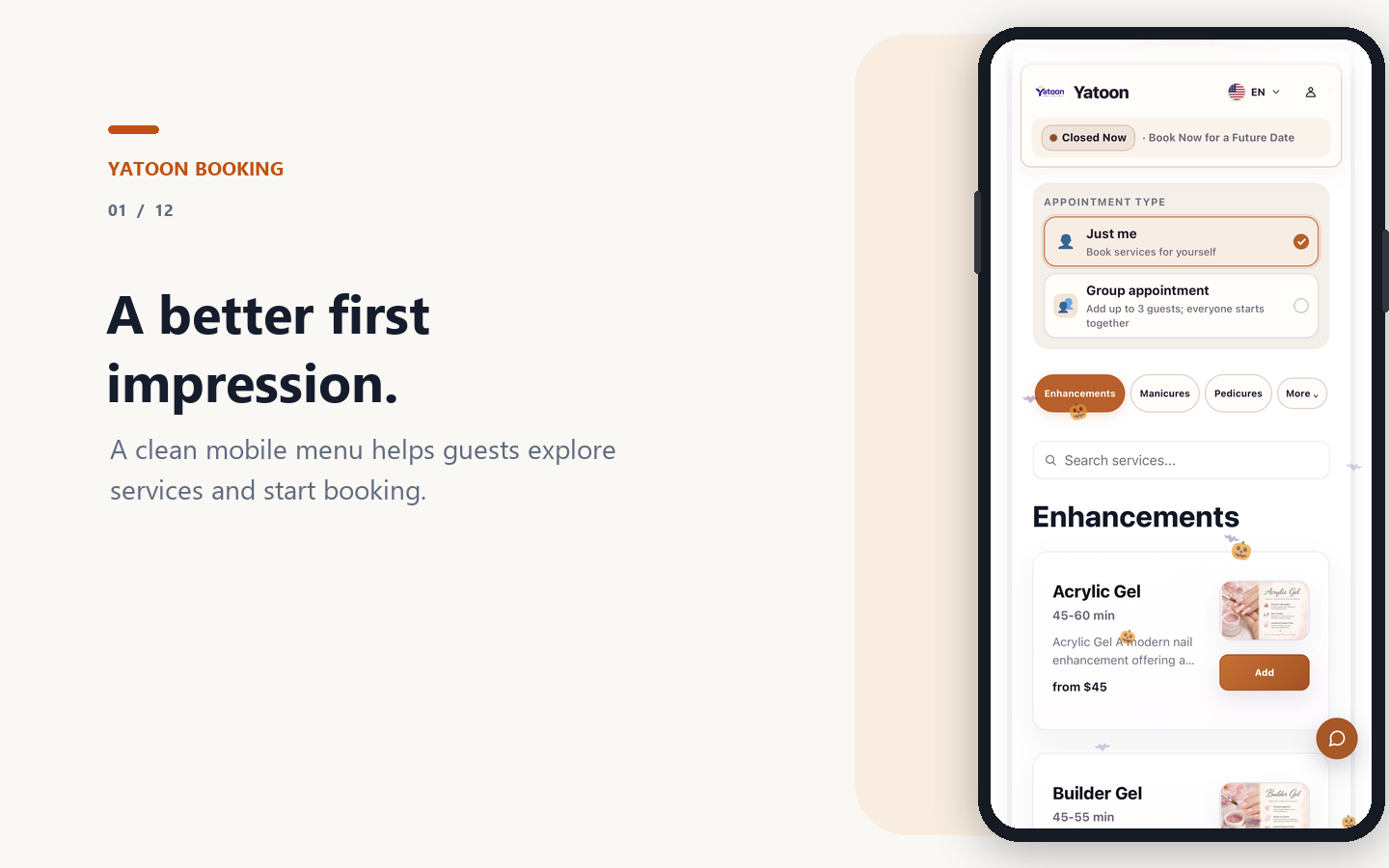
Yatoon ມອບປະສົບການການຈອງທີ່ສົມບູນແບບໃຫ້ກັບຮ້ານເສີມສວຍສຳລັບລູກຄ້າ ແລະ ຊຸດເຄື່ອງມືການຈອງພາຍໃນທີ່ໃຊ້ງານໄດ້ຈິງສຳລັບທີມງານ. ລູກຄ້າສາມາດເລືອກບໍລິການ, ບໍລິການເສີມ, ຜູ້ຊ່ຽວຊານ, ວັນທີ ແລະ ເວລາຜ່ານມືຖື; ສ່ວນພະນັກງານສາມາດຈັດການວຽກແຕ່ລະມື້ໄດ້ຈາກ WordPress.
ລອງໃຊ້ຕົວສາທິດການຈອງຈິງ – ບໍ່ຈຳເປັນຕ້ອງມີບັນຊີ ຫຼື ຕິດຕັ້ງ.
ເບິ່ງວິດີໂອສາທິດການຈອງຜ່ານມືຖືແບບເຕັມຮູບແບບ:
ສ້າງຂຶ້ນສຳລັບຮ້ານເຮັດເລັບ, ຮ້ານຕັດຜົມ, ຮ້ານບາເບີ, ສະປາ, ສະຕູດິໂອຄວາມງາມ ແລະ ທຸລະກິດທີ່ອີງໃສ່ການນັດໝາຍອື່ນໆ. Yatoon ຍັງໄດ້ຖືກໃຊ້ສຳລັບການຈອງປະຈຳວັນຢູ່ຮ້ານເຮັດເລັບຈິງມາເປັນເວລາຫຼາຍກວ່າໜຶ່ງປີ.
ຂັ້ນຕອນການເຮັດວຽກແບບເນັ້ນພາຍໃນເປັນຫຼັກ (Local-first): ແພັກເກດຟຣີຈະເກັບການຈັດຕາຕະລາງເວລາ, ຄວາມວ່າງ, ຂໍ້ມູນລູກຄ້າ ແລະ ການຈອງຕ່າງໆໄວ້ພາຍໃນ WordPress. ການຊຳລະເງິນພາຍນອກ, ປະຕິທິນ, ການສົ່ງຂໍ້ຄວາມ ແລະ ການເຊື່ອມຕໍ່ແພລດຟອມຕ່າງໆແມ່ນຄຸນສົມບັດຂອງແພັກເກດ Pro.
Free and Pro at a glance
- Free: up to two active team members, local bookings and customer records, staff and customer portals, CSV migration, and optional AI Chat after an administrator connects a provider and enables it.
- Pro: unlimited active team members, Square synchronization, Vagaro connection, online payments and deposits, SMS and calendar integrations, and advanced growth tools. Provider accounts and terms may apply.
ສິ່ງທີ່ລວມຢູ່ໃນແພັກເກດຟຣີ
- Local WordPress scheduling, availability checks, customer records, notifications, and booking management for up to two active team members
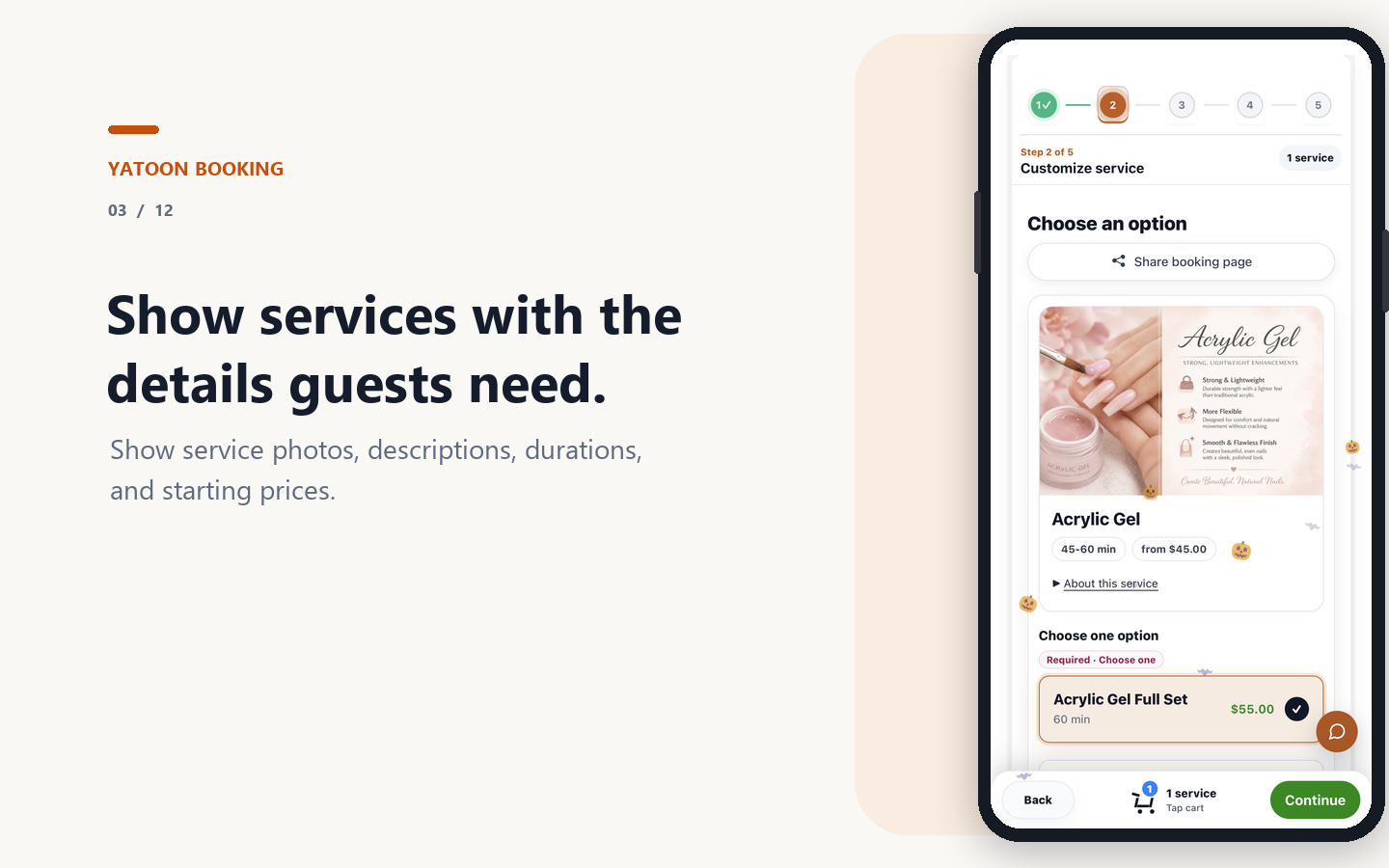
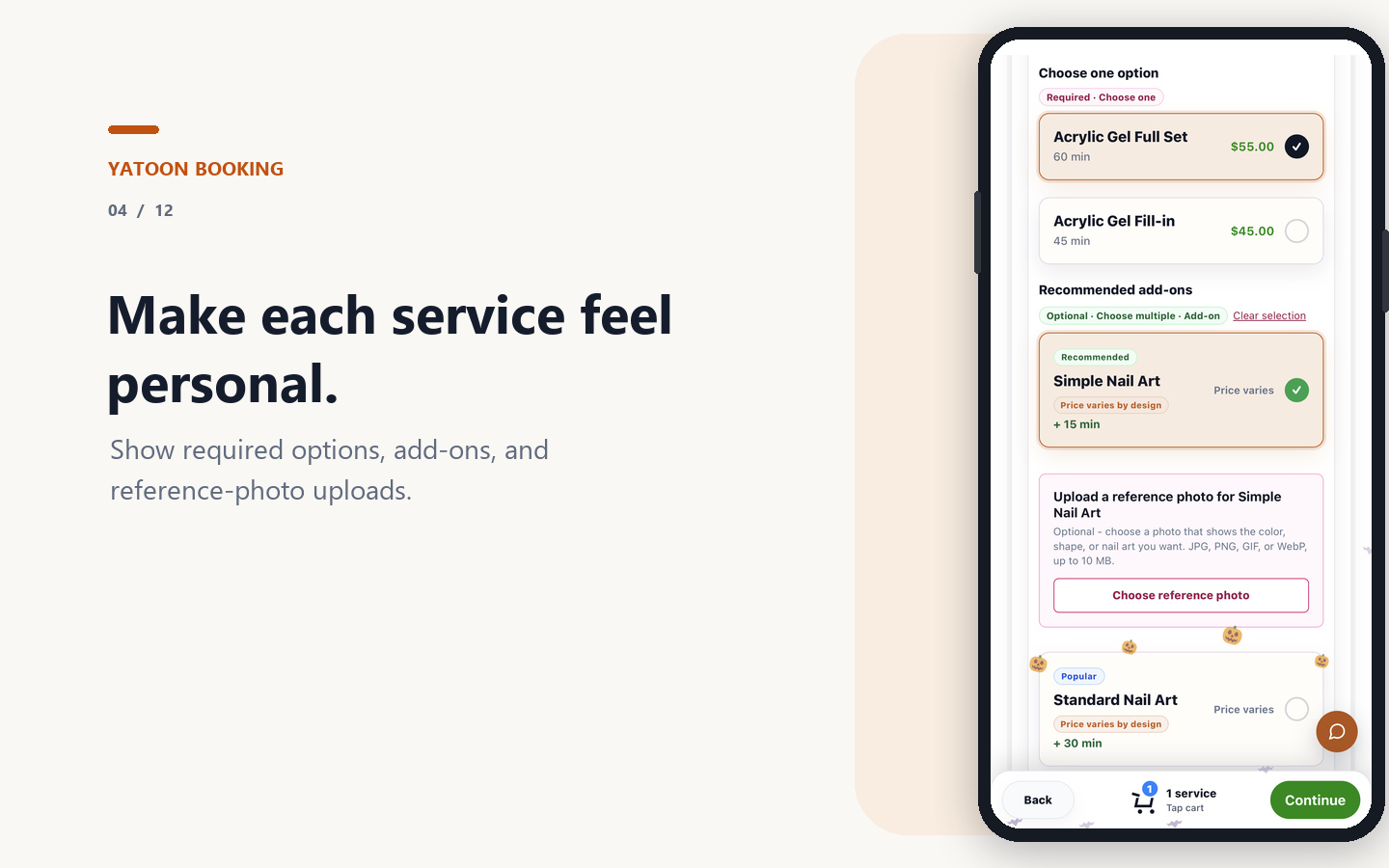
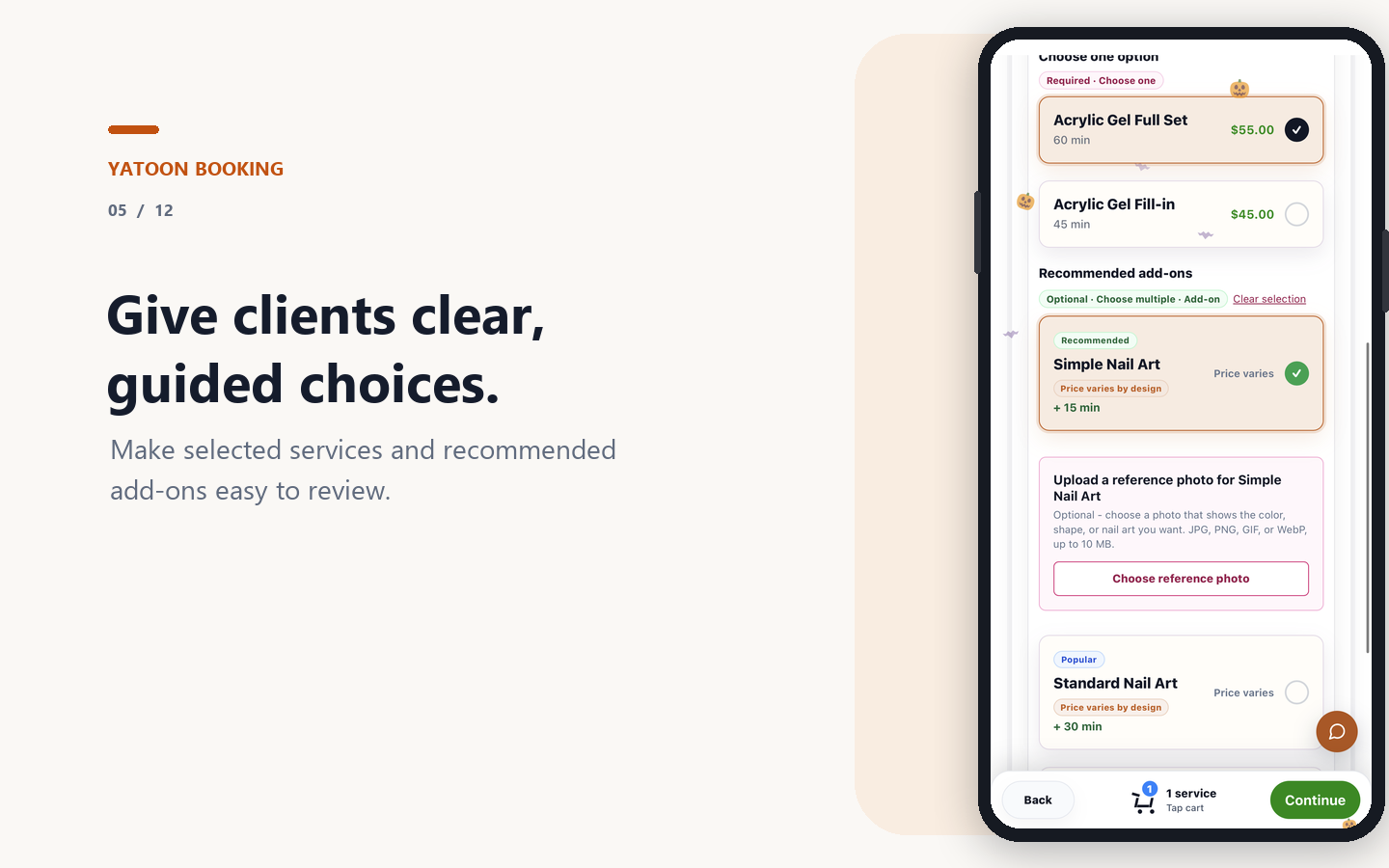
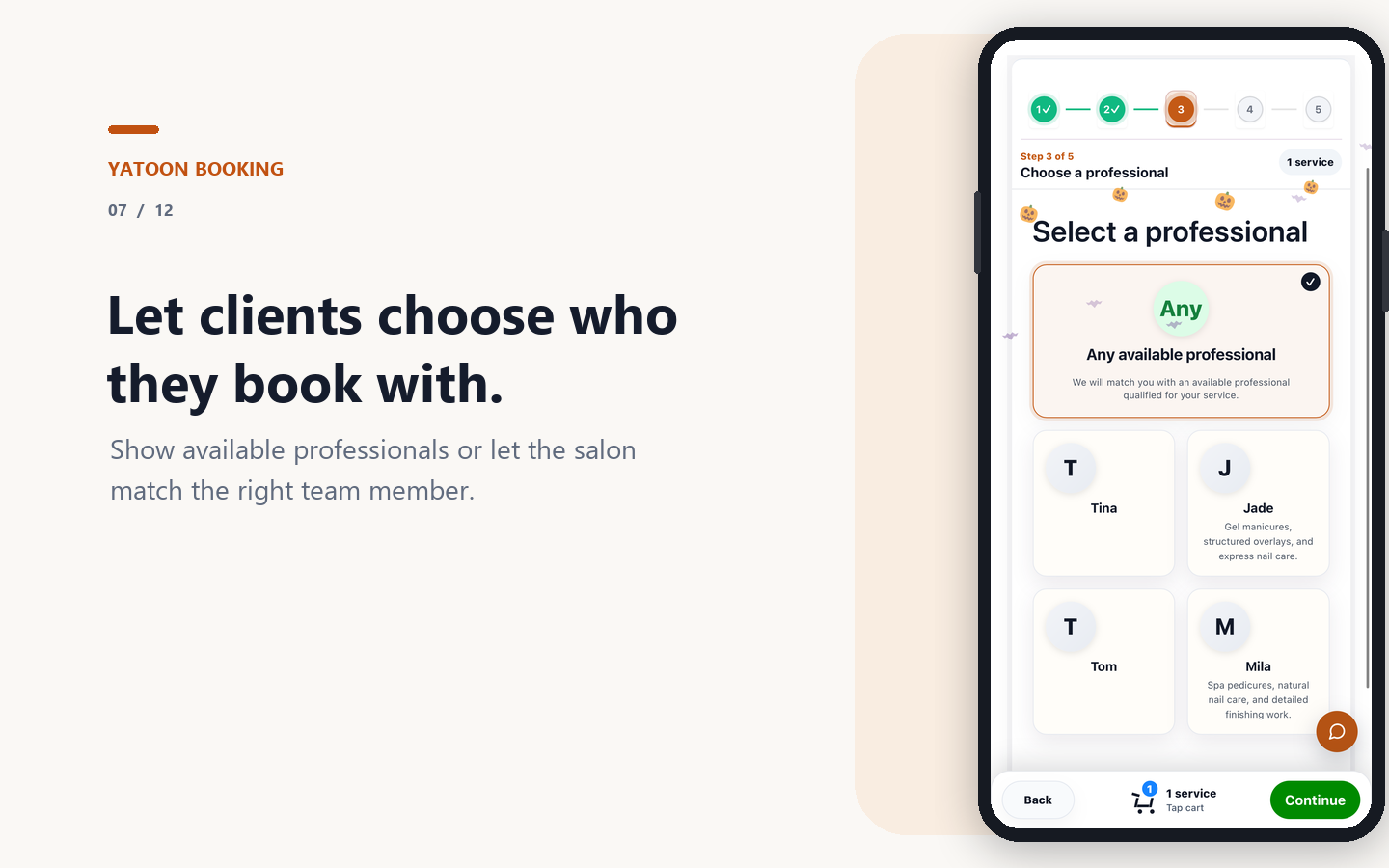
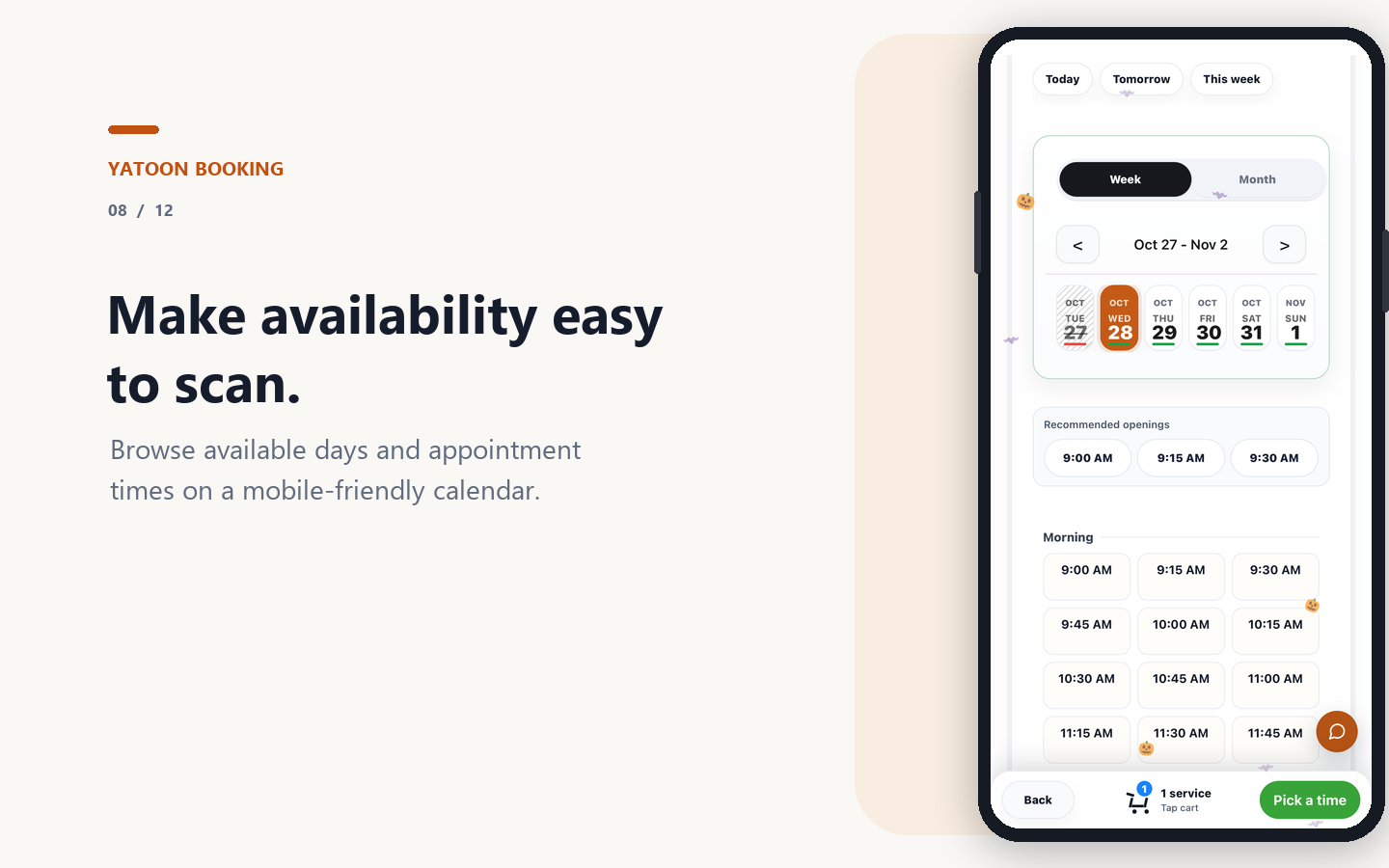
- ການຈອງຜ່ານມືຖືສຳລັບບໍລິການ, ຕົວເລືອກ, ຜູ້ຊ່ຽວຊານ, ວັນທີ, ເວລາ, ລາຍລະອຽດລູກຄ້າ ແລະ ການຢືນຢັນ
- ການບໍລິການຕົນເອງຂອງລູກຄ້າໃນການກວດສອບ, ເລື່ອນນັດ, ຍົກເລີກ ແລະ ຈອງນັດໝາຍຄືນໃໝ່
- ຂັ້ນຕອນການເຮັດວຽກຂອງປະຕິທິນພະນັກງານ ພ້ອມກັບການເລື່ອນນັດຜ່ານມືຖື, ເວລາພັກຊົ່ວຄາວ, ການກວດສອບຊັບພະຍາກອນຮ່ວມກັນ ແລະ ບົດບາດຂອງ Yatoon ທີ່ອີງຕາມຄວາມສາມາດ
- ບໍລິການ, ໝວດໝູ່, ຮູບພາບ, ຮູບແບບຍ່ອຍ, ບໍລິການເສີມ, ລາຄາ, ຄຸນສົມບັດພະນັກງານ, ຕາຕະລາງເວລາ, ເວລາພັກ ແລະ ມື້ປິດທຳການ
- ລາຍຊື່ລໍຖ້າ, ເມນູບໍລິການ, ພອດທັລລູກຄ້າ, ພອດທັລພະນັກງານ, ບລັອກການຈອງ, Elementor ແລະ ການລວມເຂົ້າກັບ shortcode
- ແຊັດ AI ສຳລັບລູກຄ້າເມື່ອເຊື່ອມຕໍ່ WordPress AI Client ແລະ ຜູ້ໃຫ້ບໍລິການແລ້ວ ແລະ ຜູ້ເບິ່ງແຍງລະບົບເປີດໃຊ້ງານແຊັດ
ການເຊື່ອມຕໍ່ພາກສ່ວນທີສາມແມ່ນທາງເລືອກ ແລະ ຮຽກຮ້ອງໃຫ້ມີບັນຊີ, ຂໍ້ມູນປະຈຳຕົວ, ພາກພື້ນທີ່ຮອງຮັບ ແລະ ເງື່ອນໄຂຂອງຜູ້ໃຫ້ບໍລິການເອງ. ໂໝດພາຍໃນ (Local mode) ຈະຍັງຄົງເຮັດວຽກພາຍໃນ WordPress ຕໍ່ໄປເມື່ອຜູ້ໃຫ້ບໍລິການພາຍນອກບໍ່ພ້ອມໃຊ້ງານ.
ສິ່ງທີ່ລູກຄ້າໄດ້ຮັບປະສົບການ
- ຂັ້ນຕອນການຈອງຜ່ານມືຖືສຳລັບບໍລິການ, ຮູບແບບຍ່ອຍ, ບໍລິການເສີມ, ຜູ້ຊ່ຽວຊານ, ວັນທີ, ເວລາ, ລາຍລະອຽດລູກຄ້າ ແລະ ການຢືນຢັນ
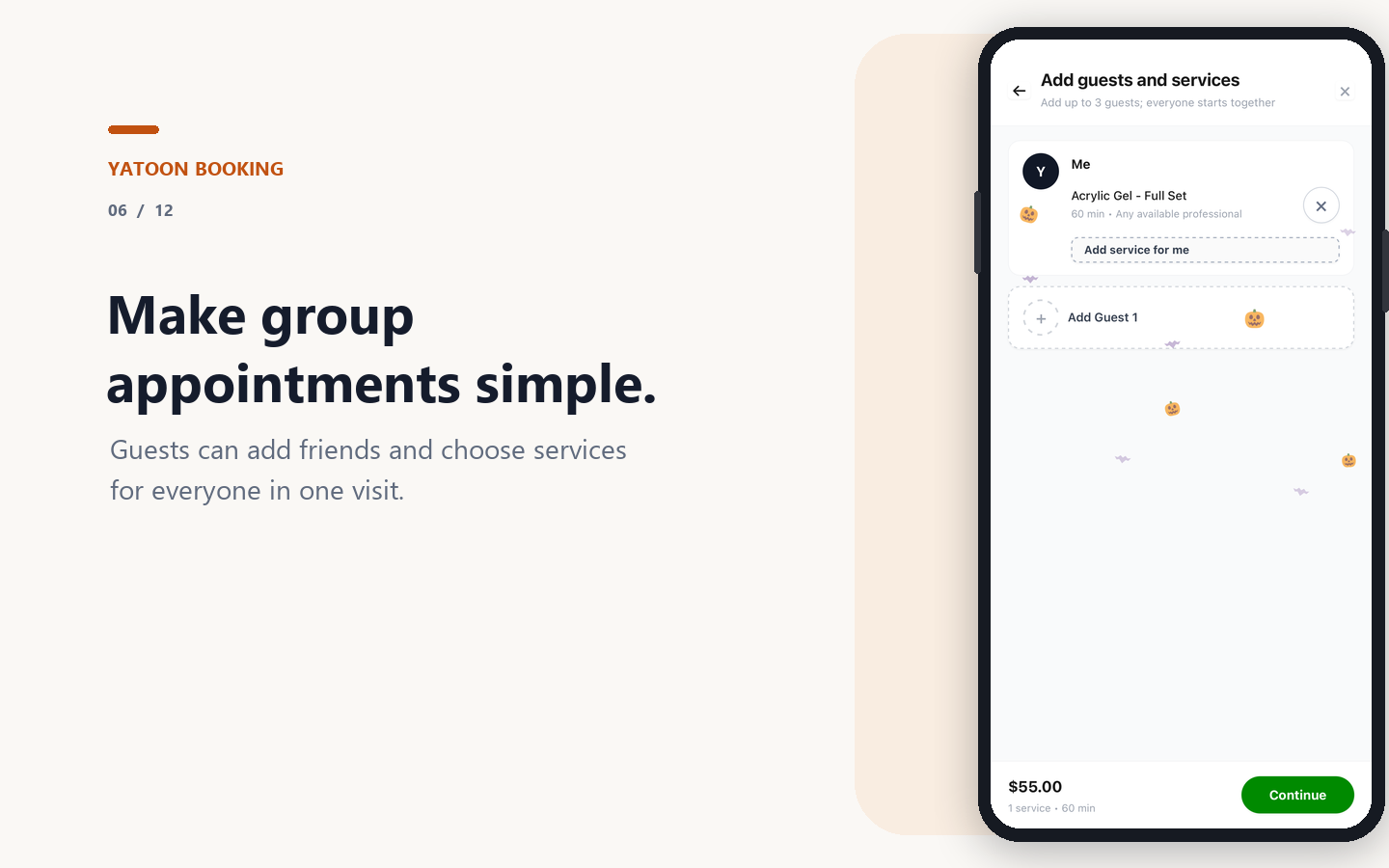
- ຫຼາຍບໍລິການ ຫຼື ແຂກຫຼາຍຄົນໃນການຈອງຄັ້ງດຽວ, ພ້ອມກັບຕົວເລືອກພະນັກງານທີ່ແຍກກັນ ແລະ ຮູບພາບອ້າງອີງໃນບ່ອນທີ່ເປີດໃຊ້ງານ
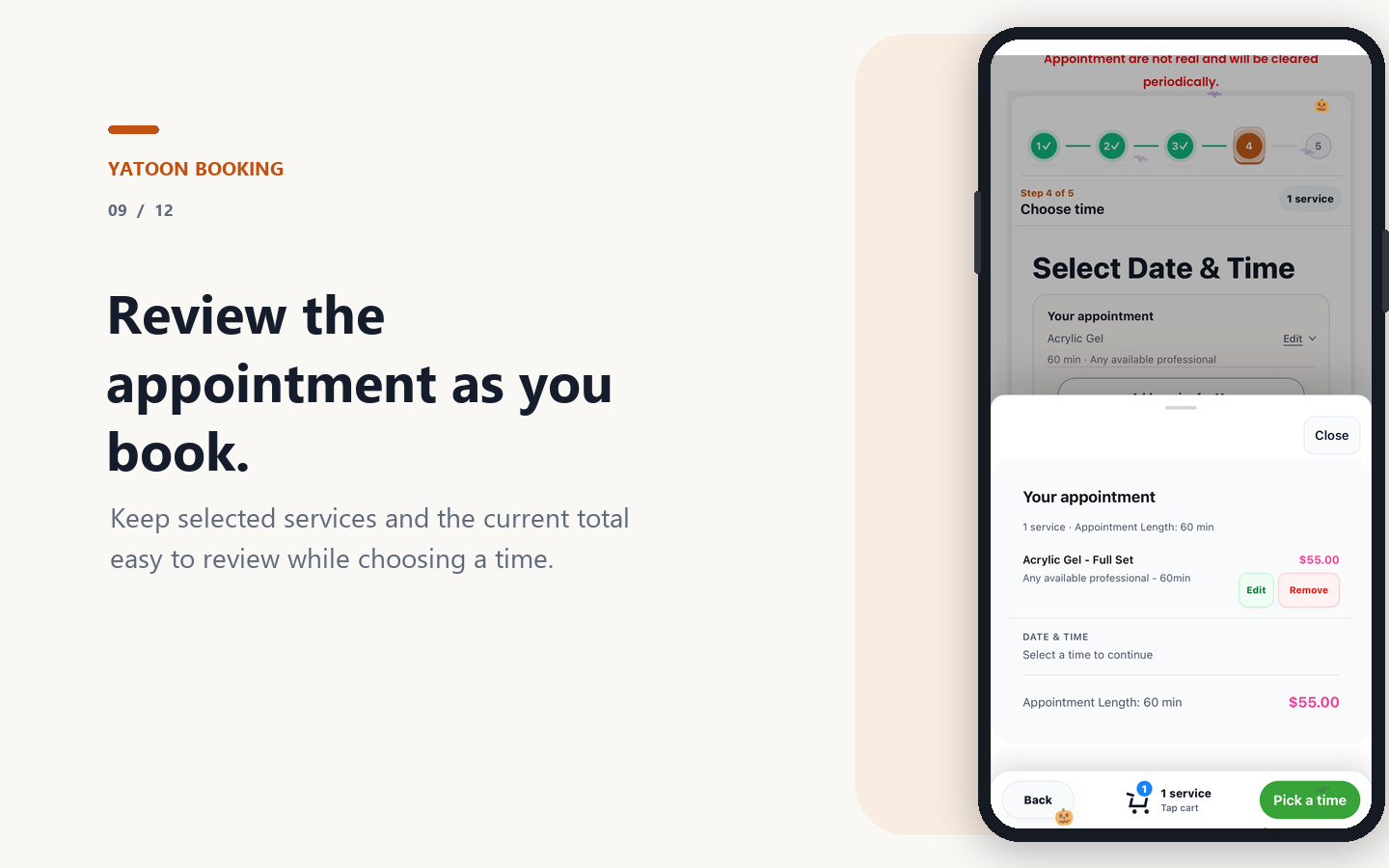
- ໄລຍະເວລາບໍລິການ, ລາຄາ, ບົດສະຫຼຸບການນັດໝາຍ, ເສັ້ນທາງນຳທາງ ແລະ ຄຳສັ່ງປະຕິທິນທີ່ຊັດເຈນ
- ບໍລິການຕົນເອງທີ່ປອດໄພສຳລັບການເບິ່ງ, ການເລື່ອນນັດ, ການຍົກເລີກ, ການຈອງຄືນ ແລະ ການປ່ຽນແປງບໍລິການທີ່ເຂົ້າເງື່ອນໄຂ
- ເມນູບໍລິການທີ່ສະແດງແບຣນ, ໜ້າຮ້ານຄົ້ນຫາ, ຜົນງານ, ລາຍການໂປດ, ການຈອງຄືນຢ່າງໄວວາ ແລະ ແອັບລູກຄ້າຂະໜາດນ້ອຍທີ່ສາມາດຕິດຕັ້ງໄດ້
ສິ່ງທີ່ທີມງານຂອງທ່ານຈັດການ
- ບໍລິການ, ໝວດໝູ່, ຮູບພາບ, ຮູບແບບຍ່ອຍ, ບໍລິການເສີມ, ລາຄາ, ຄຸນສົມບັດຂອງພະນັກງານ ແລະ ຕາຕະລາງເວລາ
- ເວລາທຳການ, ຕາຕະລາງເວລາພະນັກງານ, ເວລາພັກ, ເວລາພັກວຽກ, ມື້ປິດທຳການ ແລະ ກົດລະບຽບຄວາມວ່າງ
- ປະຕິທິນການນັດໝາຍ, ຂໍ້ມູນລູກຄ້າ, ບັນທຶກ, ລາຍງານ, ການແຈ້ງເຕືອນ ແລະ ລາຍຊື່ລໍຖ້າ (waitlist)
- ການເລື່ອນນັດທີ່ຮອງຮັບມືຖື, ການຄວບຄຸມເວລາພັກຊົ່ວຄາວ, ການກວດສອບຊັບພະຍາກອນທີ່ໃຊ້ຮ່ວມກັນ ແລະ ພື້ນທີ່ເຮັດວຽກຂອງພະນັກງານຕາມບົດບາດ
- Move in from Fresha, Square, Booksy or Vagaro using CSV exports: customers, appointment history, package visits and gift card balances import from CSV with a preview and one-click undo. Yatoon takes no commission on bookings.
- Trackable Book links for Google, Instagram, Facebook and TikTok, a link-in-bio page, QR codes, and a report of where bookings come from
ກ່ອນທີ່ການຈອງ ຫຼື ການປ່ຽນແປງທີ່ສຳຄັນຈະຖືກບັນທຶກ, Yatoon ຈະກວດສອບຄຸນສົມບັດພະນັກງານ, ຕາຕະລາງເວລາ, ເວລາພັກ, ມື້ປິດທຳການ, ການນັດໝາຍທີ່ມີຢູ່, ຊັບພະຍາກອນທີ່ໃຊ້ຮ່ວມກັນ ແລະ ຄວາມວ່າງພາຍນອກທີ່ກ່ຽວຂ້ອງຄືນໃໝ່. ຖ້າເວລານັ້ນຖືກຈອງໄປແລ້ວໃນລະຫວ່າງການຊຳລະເງິນ, ລູກຄ້າຈະຍັງຄົງຮັກສາລາຍລະອຽດຂອງຕົນເອງໄວ້ ແລະ ໄດ້ຮັບຊ່ອງທາງການແກ້ໄຂທີ່ຊັດເຈນ.
ເພີ່ມມັນໃສ່ໜ້າ WordPress ໃດກໍໄດ້
ໃຊ້ native block, ວິດເຈັດ Elementor ຫຼື ໜຶ່ງໃນ shortcode ເຫຼົ່ານີ້:
[yatoon_booking]– ຟອມການຈອງທີ່ສົມບູນ[yatoon_service_menu]– ເມນູບໍລິການແບບເບິ່ງເຫັນພາບພ້ອມກັບປຸ່ມ ຈອງ[yatoon_customer_portal]– ພອດທັລບໍລິການຕົນເອງຂອງລູກຄ້າ[yatoon_staff_portal]– ພອດທັລຕາຕະລາງເວລາພະນັກງານເທິງມືຖື[yatoon_discovery]– ໜ້າຮ້ານຄົ້ນຫາ ແລະ ຈຸດເລີ່ມຕົ້ນການຈອງ[yatoon_link_in_bio]– mobile link-in-bio page with a Book button and popular services
ບໍລິການພາຍນອກ ແລະ ຄວາມເປັນສ່ວນຕົວ
Google Maps – www.google.com/maps. ໜ້າຢືນຢັນຈະສະແດງແຜນທີ່ແບບ lazy-loaded ເມື່ອຕັ້ງຄ່າທີ່ຢູ່ທຸລະກິດ. ການສະແດງຕົວຢ່າງຈະສົ່ງທີ່ຢູ່ທຸລະກິດສາທາລະນະ ແລະ ຂໍ້ມູນການເຊື່ອມຕໍ່ບຣາວເຊີປົກກະຕິໄປຫາ Google; ມັນບໍ່ລວມເອົາຊື່ລູກຄ້າ, ອີເມວ, ລາຍລະອຽດການນັດໝາຍ ຫຼື ໂທເຄັນການຈັດການ. ການຄລິກໃສ່ແຜນທີ່ຈະເປີດການນຳທາງຂອງ Google Maps ໄປຫາທີ່ຢູ່ນັ້ນ. ເບິ່ງ ຄວາມເປັນສ່ວນຕົວຂອງ Google ແລະ ເງື່ອນໄຂຂອງ Google.
ໂໝດ Local ຟຣີຈະດຳເນີນການຈອງ ແລະ ຄວາມວ່າງຢູ່ພາຍໃນ WordPress ແລະ ບໍ່ຮຽກຮ້ອງໃຫ້ໃຊ້ Square, Vagaro, Stripe, PayPal, Twilio, Google Calendar, Microsoft Outlook ຫຼື Meta WhatsApp.
Optional external services are described below. They are used only by their configured features; third-party sign-in additionally requires the user to choose the relevant sign-in button. Local booking does not require third-party sign-in.
Google sign-in – accounts.google.com, oauth2.googleapis.com, openidconnect.googleapis.com. Available in Free and Pro, disabled by default. After an administrator configures and enables it, a customer or eligible staff member can choose Google sign-in. The browser sends the configured OAuth client ID, callback URL, requested identity scopes, and random state/nonce to Google. The server exchanges the authorization code using the configured client credentials and requests the approved identity profile. Google returns an account identifier, verified email, and name/profile image URL when available; Yatoon uses this identity to link the local account. Appointment details are not sent for sign-in. See Google Privacy and Google Terms.
Sign in with Apple – appleid.apple.com. Available in Free and Pro for customers, disabled by default. After an administrator configures and enables it, a customer can choose Apple sign-in. The browser sends the Services ID, callback URL, requested name/email scopes, and random state/nonce. The server exchanges the authorization code with a signed client credential and fetches Apple’s public verification keys. Apple returns an account identifier and, when approved and available, name/email; the email can be an Apple private relay address. Yatoon links this identity to the local account. Appointment details are not sent for sign-in. See Apple Privacy and Apple Developer Terms.
Facebook sign-in – www.facebook.com, graph.facebook.com. Available in Free and Pro for customers, disabled by default. After an administrator configures and enables it, a customer can choose Facebook sign-in. The browser sends the configured App ID, callback URL, requested public-profile/email scopes, and random state. The server exchanges the authorization code using the configured app credentials, then requests the approved profile with the access token. Meta returns the account identifier, name, and email when available; Yatoon links this identity to the local account. Appointment details are not sent for sign-in. See Meta Privacy and Meta Platform Terms.
ຕົວອັກສອນ (Fonts). Yatoon ບໍ່ໄດ້ດາວໂຫຼດຕົວອັກສອນຈາກໂຮສທາງໄກໃດໆ, ແລະ ບໍ່ໄດ້ລວມໄຟລ໌ຕົວອັກສອນເຂົ້ານຳ. ການເລືອກຮູບແບບຕົວອັກສອນພາຍໃຕ້ ແບຣນ & ສີ ພຽງແຕ່ເພີ່ມຊື່ຮູບແບບນັ້ນໃສ່ CSS font stack ເທົ່ານັ້ນ; ຖ້າບໍ່ດັ່ງນັ້ນຈະໃຊ້ຕົວອັກສອນຂອງລະບົບ.
Yatoon push relay (Cloudflare Worker) – https://yatoon-api.yatoon.workers.dev. ເປັນທາງເລືອກ ແລະ ປິດໄວ້ເປັນຄ່າເລີ່ມຕົ້ນ. ເມື່ອເປີດໃຊ້ງານຢ່າງຊັດເຈນ, Yatoon ຈະສົ່ງຈຸດສິ້ນສຸດການສະໝັກຮັບການແຈ້ງເຕືອນບຣາວເຊີທີ່ເຊັນຊື່ແບບບໍ່ລະບຸຕົວຕົນ ແລະ ປະເພດເຫດການທົ່ວໄປໄປຫາ Cloudflare Worker ນີ້. ຊື່ລູກຄ້າ, ລາຍລະອຽດການຕິດຕໍ່, ບໍລິການ, ເວລານັດໝາຍ ແລະ ບັນທຶກຈະບໍ່ຖືກສົ່ງໄປເດັດຂາດ. ເບິ່ງ Yatoon ແລະ ນະໂຍບາຍຄວາມເປັນສ່ວນຕົວຂອງ Cloudflare.
Freemius – https://api.freemius.com. ໃຊ້ສຳລັບການເຊື່ອມຕໍ່ບັນຊີທີ່ເປັນທາງເລືອກ, ໃບອະນຸຍາດ, ການອັບເດດປລັກອິນ ແລະ ໜ້າຈໍອັບເກຣດ. ມັນຈະຖືກຕິດຕໍ່ກໍຕໍ່ເມື່ອຜູ້ເບິ່ງແຍງລະບົບຍິນຍອມ ຫຼື ໃຊ້ໜຶ່ງໃນຄຸນສົມບັດເຫຼົ່ານັ້ນ. ເບິ່ງ ນະໂຍບາຍຄວາມເປັນສ່ວນຕົວຂອງ Freemius ແລະ ເງື່ອນໄຂຂອງ Freemius.
ການເຊື່ອມຕໍ່ຜູ້ໃຫ້ບໍລິການ. ແຕ່ລະບໍລິການດ້ານລຸ່ມນີ້ຈະຖືກຕິດຕໍ່ກໍຕໍ່ເມື່ອຜູ້ເບິ່ງແຍງລະບົບໄດ້ຕັ້ງຄ່າຂໍ້ມູນປະຈຳຕົວ ແລະ ເປີດໃຊ້ງານຄຸນສົມບັດທີ່ກ່ຽວຂ້ອງເທົ່ານັ້ນ, ແລະ ສະເພາະໃນຂະນະທີ່ດຳເນີນການທີ່ຕ້ອງການໃຊ້ມັນ. ຂໍ້ມູນປະຈຳຕົວຂອງຜູ້ໃຫ້ບໍລິການຈະຖືກເຂົ້າລະຫັດເກັບໄວ້ໃນ WordPress; ການກວດສອບຂອງ Yatoon ຕ້ອງບໍ່ລວມເອົາຂໍ້ມູນເຫຼົ່ານັ້ນນຳ.
ຜູ້ໃຫ້ບໍລິການສຳລັບແພັກເກດຟຣີ. ແພັກເກດຟຣີສາມາດໃຊ້ບໍລິການທາງເລືອກຕໍ່ໄປນີ້ເມື່ອເຈົ້າຂອງເວັບໄຊເປີດໃຊ້ງານ:
- Google Maps –
www.google.com/maps(ແຜນທີ່ນຳທາງໃນໜ້າຢືນຢັນ) - OpenAI –
api.openai.com(optional AI assistant). Privacy – Terms - Anthropic –
api.anthropic.com(optional AI assistant). Privacy – Terms - Google Gemini –
generativelanguage.googleapis.com(optional AI assistant). Privacy – Terms - Cloudflare Turnstile –
challenges.cloudflare.com(optional booking-form bot check). Privacy – Terms
ກ່ອນທີ່ຂໍ້ຄວາມຂອງລູກຄ້າຈະໄປເຖິງຜູ້ໃຫ້ບໍລິການ AI, ຜູ້ເບິ່ງແຍງລະບົບຕ້ອງເປີດໃຊ້ງານຄຸນສົມບັດ AI ທີ່ກ່ຽວຂ້ອງກ່ອນ, ແລະ Yatoon ຮຽກຮ້ອງໃຫ້ລູກຄ້າຍິນຍອມຢ່າງຊັດເຈນໜຶ່ງຄັ້ງ ພ້ອມທັງກັ່ນຕອງຂໍ້ຄວາມເພື່ອຫາຂໍ້ມູນທີ່ລະອຽດອ່ອນ. AI ສຳລັບລູກຄ້າຈະຖືກປິດໄວ້ເປັນຄ່າເລີ່ມຕົ້ນໃນການຕິດຕັ້ງໃໝ່, ແລະ ພຽງແຕ່ການເຊື່ອມຕໍ່ກັບຜູ້ໃຫ້ບໍລິການແມ່ນຈະບໍ່ເປັນການເປີດເຜີຍແຜ່ມັນ.
Verification cookie. When booking verification is on and a customer enters a correct code, they can tick “Remember this browser”. Only then does Yatoon set a signed, HTTP-only cookie (yatoon_verified_contacts) holding a one-way hash of the verified phone or email, so the same browser is not asked again. It contains no readable personal data, lasts 30 to 365 days (90 by default), and can be turned off in Settings > Booking Verification. Suggested policy text is added to the WordPress Privacy Policy Guide.
ເຈົ້າຂອງເວັບໄຊມີຄວາມຮັບຜິດຊອບໃນການຂໍຄວາມຍິນຍອມທີ່ຈຳເປັນ, ເຜີຍແຜ່ແຈ້ງການຄວາມເປັນສ່ວນຕົວທີ່ຖືກຕ້ອງ, ຕັ້ງຄ່າການເກັບຮັກສາຂໍ້ມູນ ແລະ ປະຕິບັດຕາມກົດລະບຽບໃນພາກພື້ນຂອງຕົນ ແລະ ຜູ້ໃຫ້ບໍລິການທີ່ເລືອກໄວ້.
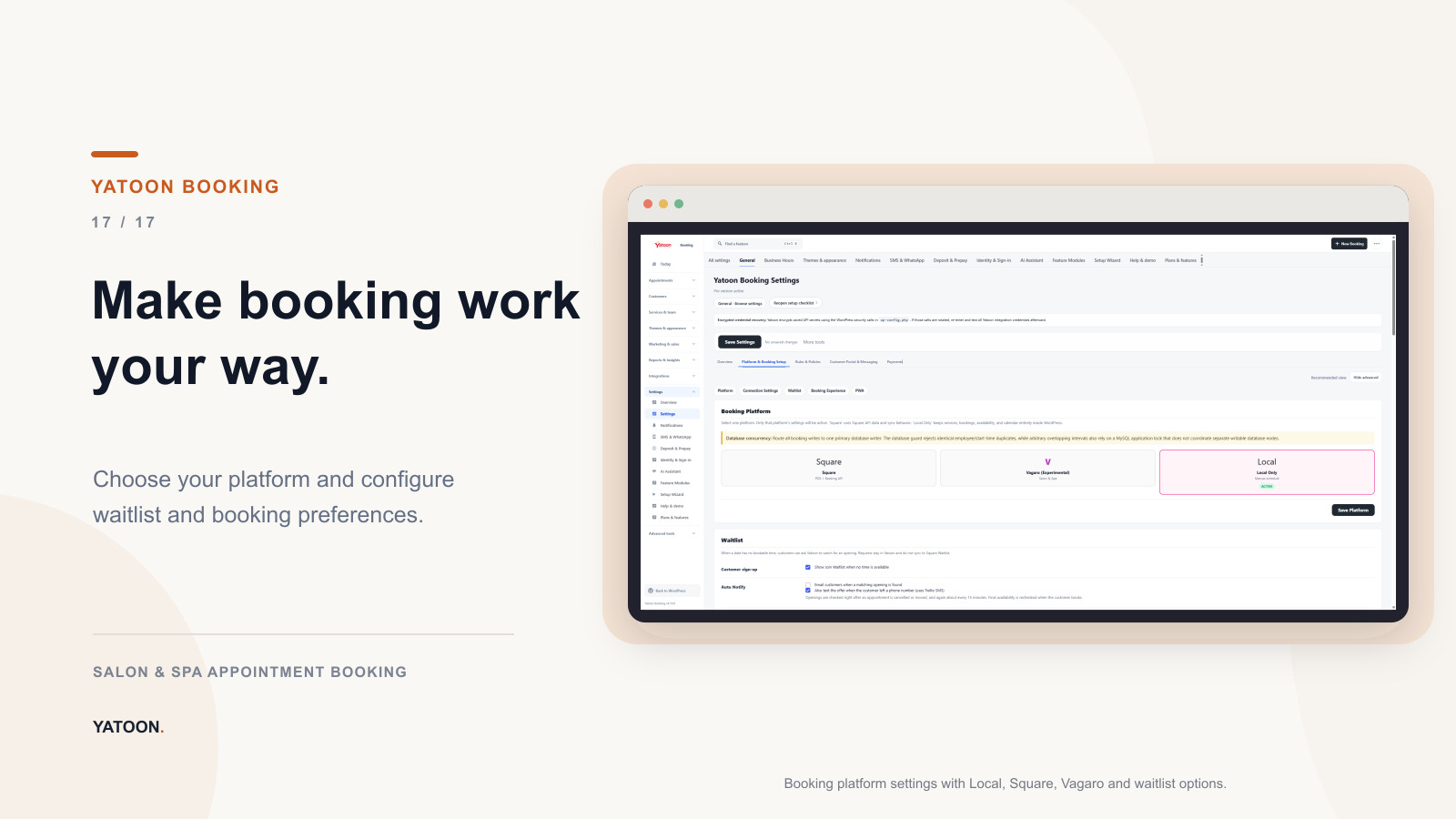
ພາບໜ້າຈໍ

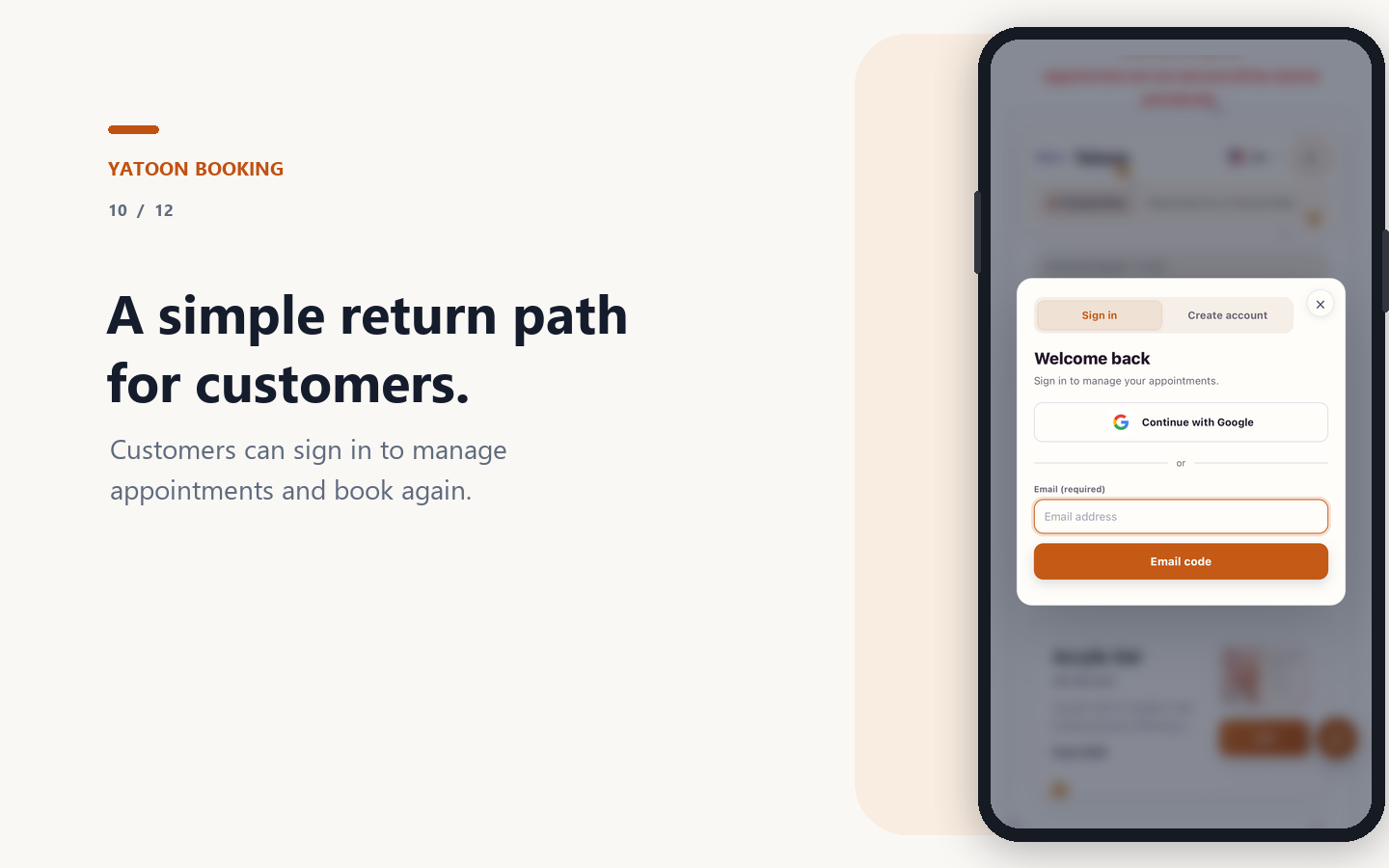


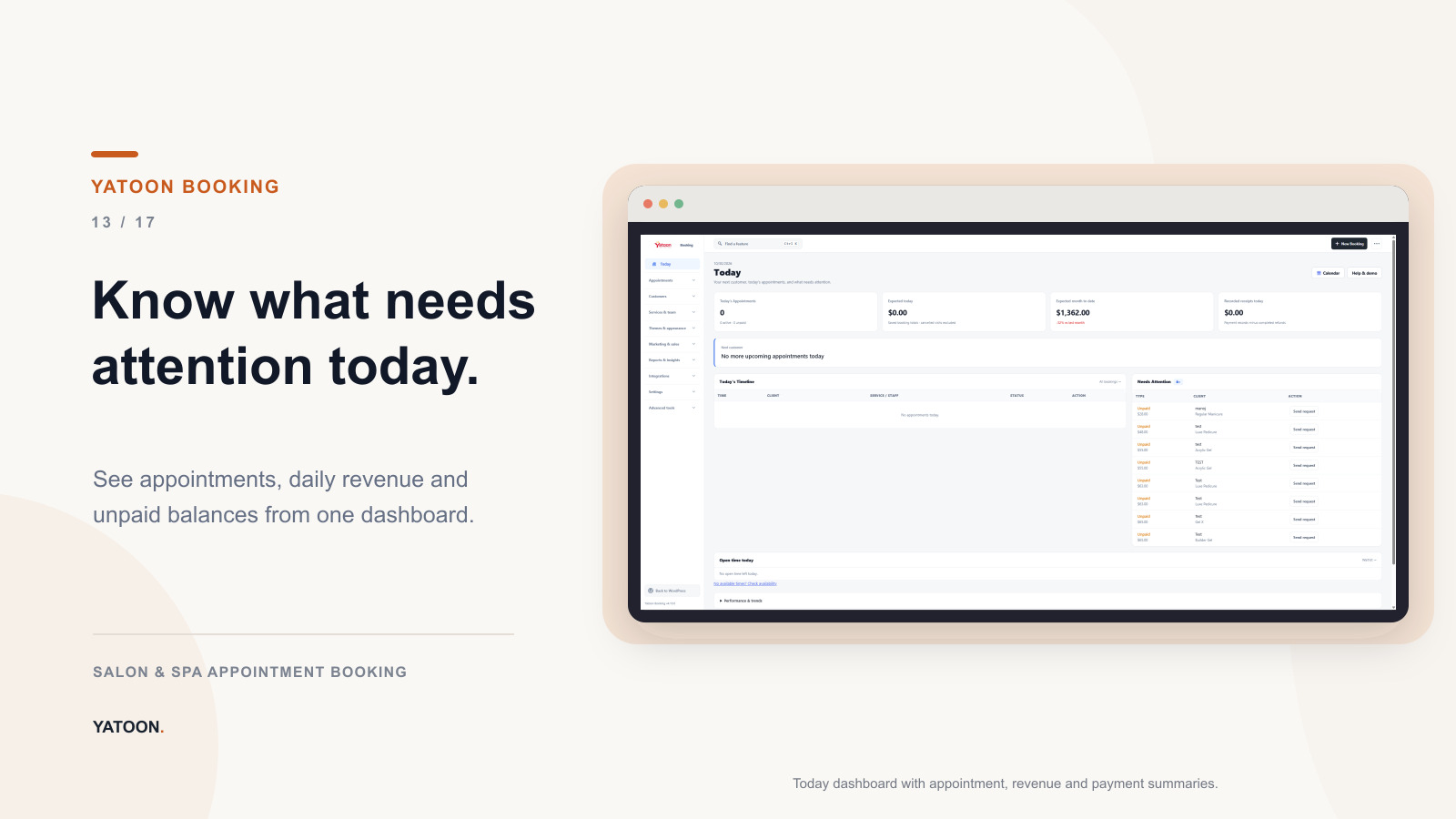
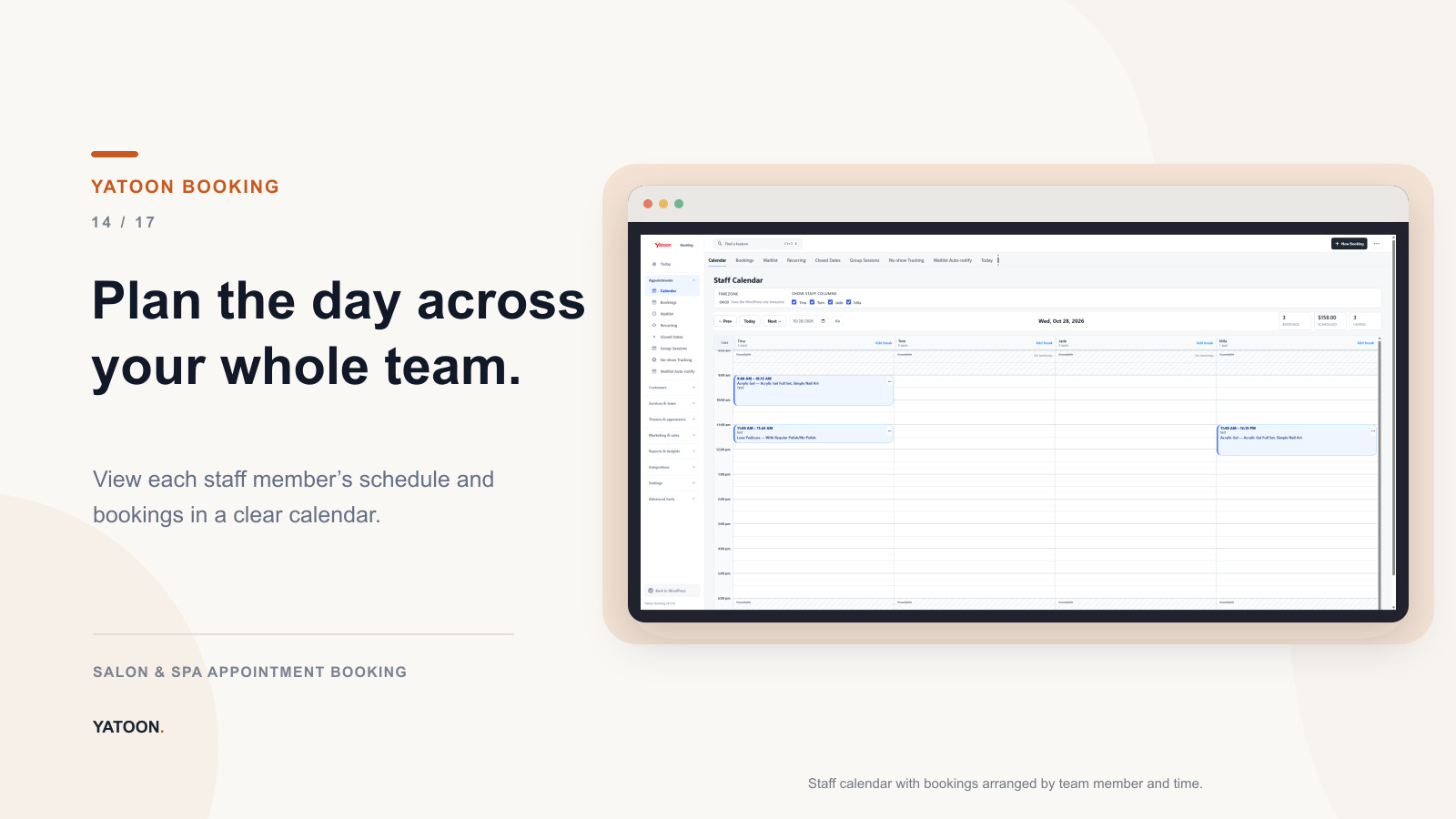

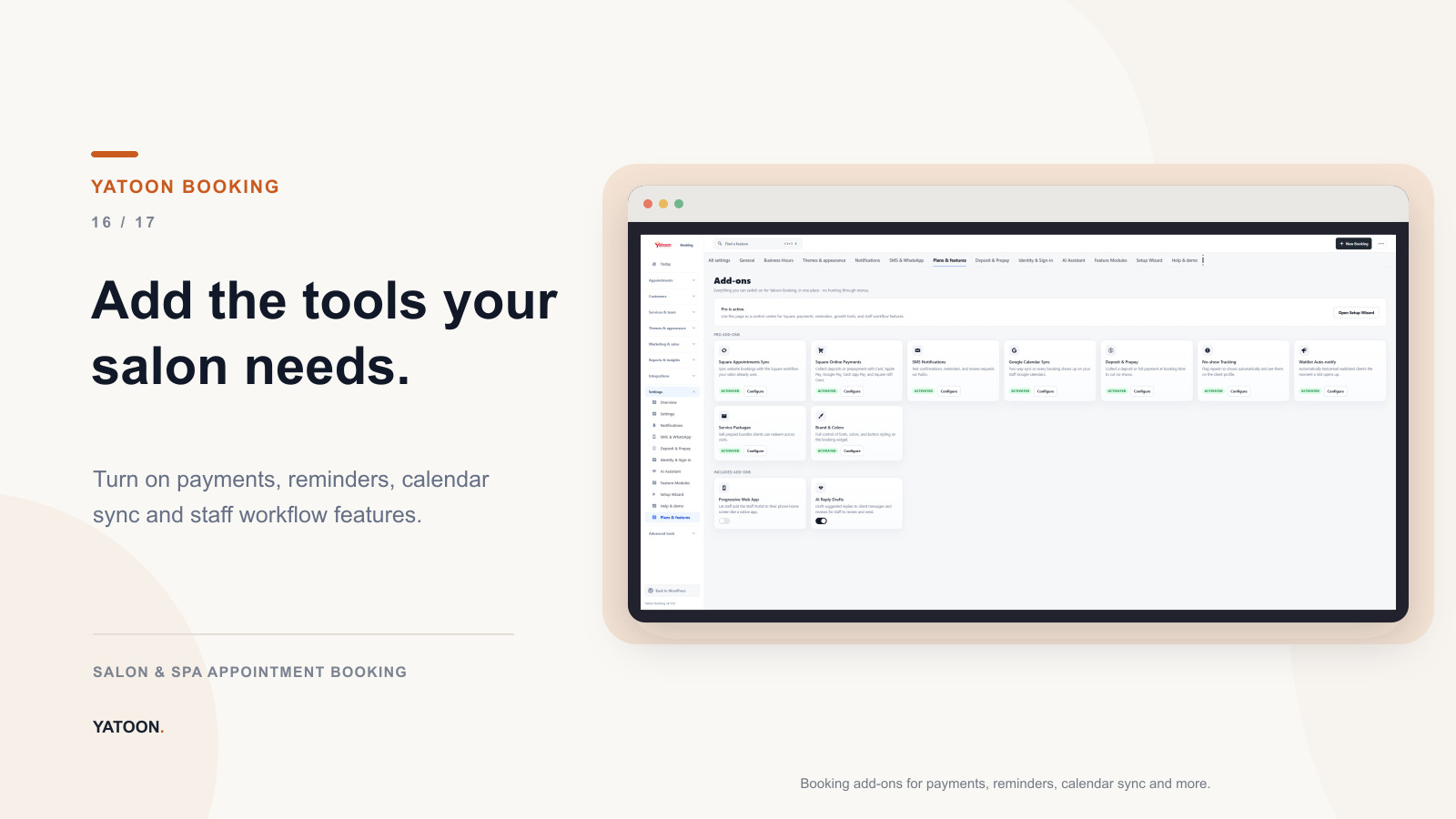

ການຕິດຕັ້ງ
- ຕິດຕັ້ງ ແລະ ເປີດໃຊ້ງານ Yatoon ການຈອງຮ້ານເສີມສວຍ & ການນັດໝາຍ.
- Open Yatoon Booking > Settings > Features & setup > Setup Wizard.
- ເພີ່ມບໍລິການ, ລາຄາ, ໄລຍະເວລາ, ພະນັກງານ, ຕາຕະລາງເວລາ, ເວລາທຳການ, ເວລາພັກ ແລະ ມື້ປິດທຳການຂອງທ່ານ.
- ເຊື່ອມຕໍ່ພຽງແຕ່ການຊຳລະເງິນ, ປະຕິທິນ, ການສົ່ງຂໍ້ຄວາມ ຫຼື ແພລດຟອມທີ່ຂັ້ນຕອນການເຮັດວຽກຂອງທ່ານຕ້ອງການ.
- ເພີ່ມບລັອກການຈອງ, ວິດເຈັດ Elementor, ອົງປະກອບ builder ຫຼື shortcode
[yatoon_booking]ໃສ່ໜ້າສາທາລະນະ. - ທົດລອງການຈອງ, ການບໍລິການຕົນເອງຂອງລູກຄ້າ ແລະ ຂັ້ນຕອນການເຮັດວຽກຂອງພະນັກງານກ່ອນເປີດໃຊ້ງານຈິງ.
- ຍົກເວັ້ນໜ້າການຈອງ ແລະ ໜ້າພອດທັລຈາກ full-page caching ແລະ ການປັບແຕ່ງການໜ່ວງເວລາ JavaScript.
Open Settings > Features & setup > Help & demo for the built-in quick start, demo, and troubleshooting guide. The package includes docs/staff-portal-4.9.2.md for the staff fixes and targeted release checks.
ຄຳຖາມທີ່ພົບເລື້ອຍ
-
ແພັກເກດ Pro ເພີ່ມຫຍັງແດ່?
-
Pro adds unlimited staff, two-way Square Appointments synchronization, one-way Vagaro import with booking creation, online payments and deposits, no-show tracking, SMS and calendar integrations, a text-message booking assistant, advanced customer self-service, advanced growth tools, multi-location operations, and priority support.
-
Yatoon ຕ້ອງການ Square ບໍ່?
-
ບໍ່. Yatoon Free ເຮັດວຽກໃນໂໝດ Local ພາຍໃນ WordPress. Square, Vagaro, Stripe, PayPal, Twilio, Google Calendar ແລະ Outlook Calendar ແມ່ນການເຊື່ອມຕໍ່ທາງເລືອກ.
-
ແຊັດ AI ເຊື່ອມຕໍ່ແນວໃດ ແລະ ມັນໄວສຳ່ໃດ?
-
ແຊັດ AI ໃຊ້ WordPress AI Client ແລະ ການເຊື່ອມຕໍ່ຜູ້ໃຫ້ບໍລິການທີ່ຕັ້ງຄ່າໂດຍເຈົ້າຂອງເວັບໄຊ. ມັນບໍ່ໄດ້ໃຊ້ AI Relay ແຍກຕ່າງຫາກ ຫຼື ເປີດເຜີຍຂໍ້ມູນປະຈຳຕົວຂອງຜູ້ໃຫ້ບໍລິການໃນບຣາວເຊີ. ການສົນທະນາຈະເກັບການຕອບກັບທັງໝົດຂອງຜູ້ໃຫ້ບໍລິການໄວ້ ແລະ ສະແດງສະຖານະການສົ່ງທີ່ຊັດເຈນ; ມັນບໍ່ໃຊ້ການຫຼິ້ນແບບຫຼອກລວງເທື່ອລະຕົວອັກສອນ. WordPress AI Client ສາທາລະນະໃນປັດຈຸບັນຈະສົ່ງຜົນໄດ້ຮັບທີ່ເປັນຂໍ້ຄວາມຄົບຖ້ວນ ກັບຄືນມາແທນທີ່ຈະເປີດເຜີຍ token-stream API ທີ່ສະຖຽນໃຫ້ກັບປລັກອິນ, ສະນັ້ນເວີຊັນນີ້ຈຶ່ງບໍ່ອ້າງວ່າຮອງຮັບການສະຕຣີມແບບເທື່ອລະໂທເຄັນ.
-
ຄຸນສົມບັດ AI ຖືກເປີດໃຊ້ງານໂດຍອັດຕະໂນມັດຫຼືບໍ່?
-
ບໍ່. ການຕິດຕັ້ງໃໝ່ຈະປິດ Chat Concierge, ຜູ້ຊ່ວຍຮູບແບບຟອມການຈອງ, ການເລື່ອນນັດດ້ວຍພາສາທຳມະຊາດ ແລະ ການຮ່າງຂໍ້ຄວາມຕອບກັບໄວ້ ຈົນກວ່າຜູ້ເບິ່ງແຍງລະບົບຈະເປີດໃຊ້ງານແຕ່ລະຄຸນສົມບັດ. ການເຊື່ອມຕໍ່ຜູ້ໃຫ້ບໍລິການ ຫຼື ການປ້ອນ API key ຈະບໍ່ເປີດເຜີຍແຜ່ວິດເຈັດ AI ດ້ວຍຕົວມັນເອງ. ເວັບໄຊທີ່ມີຢູ່ແລ້ວຈະເກັບຮັກສາການຕັ້ງຄ່າທີ່ບັນທຶກໄວ້ເມື່ອອັບເດດ.
-
ການເຊື່ອມຕໍ່ Square ຄອບຄຸມຫຍັງແດ່?
-
Yatoon Pro ຮອງຮັບການຊິ້ງຂໍ້ມູນ Square Appointments ແບບສອງທາງ – ສ້າງ, ອັບເດດ ແລະ ຍົກເລີກການຈອງຂອງ Square ພ້ອມທັງຮັບ Square webhooks – ລວມເຖິງຕົວເລືອກການຊຳລະເງິນອອນລາຍ, ການມັດຈຳ ແລະ ການຄືນເງິນຂອງ Square. ຈຸດຂາຍຈຳກັດສະເພາະການບັນທຶກວ່າການນັດໝາຍຖືກຊຳລະເງິນແລ້ວໃນ Square POS ຫຼື Tap to Pay ເພື່ອໃຫ້ມັນສະຫຼຸບຍອດຢ່າງຖືກຕ້ອງໃນລາຍງານ ແລະ ໃບແຈ້ງໜີ້ຂອງ Yatoon ເອງ; Yatoon ບໍ່ໄດ້ທົດແທນແອັບພລິເຄຊັນຈຸດຂາຍຂອງ Square.
-
ການເຊື່ອມຕໍ່ Vagaro ເຮັດຫຍັງແດ່ແທ້?
-
ມັນອ່ານບໍລິການ, ພະນັກງານ ແລະ ຄວາມວ່າງຈາກ Vagaro ແລະ ສ້າງການນັດໝາຍໃໝ່ໃນ Vagaro ເມື່ອລູກຄ້າເຮັດການຈອງ. ມັນເປັນການນຳເຂົ້າບວກກັບການສ້າງການຈອງ, ບໍ່ແມ່ນການຊິ້ງຂໍ້ມູນແບບສອງທາງ: Yatoon ຈະບໍ່ສົ່ງການເລື່ອນນັດ ຫຼື ຍົກເລີກໄປຫາ Vagaro, ບໍ່ຮັບ Vagaro webhooks ຫຼື ດຶງຂໍ້ມູນໃໝ່ຕາມຕາຕະລາງເວລາ.
-
ລູກຄ້າສາມາດຈອງຫຼາຍກວ່າໜຶ່ງບໍລິການ ຫຼື ແຂກຫຼາຍຄົນໄດ້ບໍ່?
-
ແມ່ນແລ້ວ. ແຂກແຕ່ລະຄົນສາມາດມີບໍລິການ, ການມອບໝາຍພະນັກງານ, ເວລາ ແລະ ຮູບພາບອ້າງອີງທີ່ແຍກກັນໄດ້ ໃນຂະນະທີ່ຍັງຄົງເປັນສ່ວນໜຶ່ງຂອງການຈອງດຽວກັນ.
-
ແພັກເກດ Pro ຮອງຮັບເງິນມັດຈຳ ແລະ ການຊຳລະເງິນອອນລາຍບໍ່?
-
ແມ່ນແລ້ວ. ຕັ້ງຄ່າຜູ້ໃຫ້ບໍລິການ ແລະ ກົດລະບຽບເງິນມັດຈຳທີ່ທຸລະກິດຂອງທ່ານຕ້ອງການ, ຈາກນັ້ນທົດລອງຂັ້ນຕອນການຊຳລະເງິນ ແລະ ການຄືນເງິນແບບຄົບຖ້ວນໃນສະພາບແວດລ້ອມທົດສອບຂອງຜູ້ໃຫ້ບໍລິການ ກ່ອນເປີດໃຊ້ງານຈິງ.
-
ກົດການບໍ່ມາຕາມນັດ (no-show) ຈະເກັບເງິນລູກຄ້າອັດຕະໂນມັດບໍ່?
-
ມັນຮຽກຮ້ອງໃຫ້ມີເງິນມັດຈຳ; ມັນຈະບໍ່ຕັດເງິນເອງ. ເມື່ອລູກຄ້າຮອດເກນທີ່ກຳນົດ, ການຈອງຄັ້ງຕໍ່ໄປຂອງພວກເຂົາຈະຖືກນັບເປັນການຈອງແບບມັດຈຳ ແລະ ໜ້າຊຳລະເງິນຈະຮ້ອງຂໍຈຳນວນເງິນມັດຈຳທີ່ຕັ້ງຄ່າໄວ້ພາຍໃຕ້ ການຊຳລະເງິນ, ຜ່ານຊ່ອງທາງທີ່ຕັ້ງຄ່າໄວ້ຢູ່ບ່ອນນັ້ນ. ຖ້າບໍ່ມີການຕັ້ງຄ່າຊ່ອງທາງການມັດຈຳ, ກົດນີ້ຈະເຮັດໄດ້ພຽງແຕ່ການປັກທຸງລູກຄ້າເທົ່ານັ້ນ.
-
Yatoon ປ້ອງກັນຕາຕະລາງເວລາທັບຊ້ອນກັນແນວໃດ?
-
ມັນກວດສອບຄຸນສົມບັດພະນັກງານ, ຊົ່ວໂມງເຮັດວຽກ, ເວລາພັກ, ມື້ປິດທຳການ, ການນັດໝາຍທີ່ມີຢູ່, ຊັບພະຍາກອນທີ່ໃຊ້ຮ່ວມກັນ ແລະ ຄວາມວ່າງພາຍນອກໃນບ່ອນທີ່ສາມາດໃຊ້ໄດ້. ການກວດສອບຝັ່ງເຊີບເວີຄັ້ງສຸດທ້າຍຈະເຮັດວຽກທັນທີກ່ອນທີ່ຈະບັນທຶກການປ່ຽນແປງ.
-
Does recording a payment in the Staff Portal charge the customer’s card?
-
No. Staff Portal checkout records money that was already collected (cash, a card run on your own terminal, a gift card). It keeps your books, tips and reports in Yatoon but never charges a card. To charge a customer online, send a payment request instead.
-
ລູກຄ້າ ແລະ ພະນັກງານສາມາດຈັດການການນັດໝາຍຜ່ານໂທລະສັບໄດ້ບໍ່?
-
ແມ່ນແລ້ວ. ລູກຄ້າສາມາດໃຊ້ແອັບການຈອງຂະໜາດນ້ອຍ ແລະ ພອດທັລລູກຄ້າໄດ້, ໃນຂະນະທີ່ພອດທັລພະນັກງານຖືກອອກແບບມາສຳລັບການເຮັດວຽກປະຈຳວັນເທິງມືຖື.
-
What database hosting does conflict protection require?
-
Yatoon uses MySQL/MariaDB advisory locks (
GET_LOCK) when available and can fall back to an InnoDB lock table. If neither lock is available, booking writes are refused rather than saved without protection. Open Tools > Site Health to check the detected lock backend. Advisory locks require the booking operation to stay on the same primary database connection and server; a Site Health probe cannot certify every proxy or multi-writer configuration. Ask the host about connection routing and verify concurrent bookings on a disposable site when using these configurations. -
Yatoon ສາມາດໃຊ້ກັບ page builders ໄດ້ບໍ່?
-
ແມ່ນແລ້ວ. ພື້ນທີ່ການຈອງຫຼັກໆສາມາດໃຊ້ງານໄດ້ຜ່ານບລັອກ Gutenberg, ວິດເຈັດ Elementor, shortcode ແລະ ຕົວເຊື່ອມຕໍ່ສຳລັບ Bricks, Beaver Builder, Divi ແລະ Brizy.
-
Yatoon ຮອງຮັບຫຼາຍພາສາບໍ່?
-
Yatoon bundles Simplified Chinese, Traditional Chinese, Spanish and Vietnamese catalogs. Technical coverage is measured against the current source catalog in languages/translation-coverage.json; untranslated messages fall back to English. Critical 4.8.3 customer copy was reviewed in English and Simplified Chinese; the complete catalogs have not received independent native-speaker review. Site owners can edit service names, descriptions, policies and labels.
-
ຂ້ອຍສາມາດຂໍຄວາມຊ່ວຍເຫຼືອໄດ້ຈາກໃສ?
-
ການດາວໂຫຼດ, ໃບອະນຸຍາດ, ການອັບເດດ ແລະ ບໍລິການຊ່ວຍເຫຼືອໃຫ້ບຸລິມະສິດ ແມ່ນມີໃຫ້ຜ່ານ Yatoon.com. ກັອບປີ້ບົດສະຫຼຸບທາງເຕັກນິກທີ່ປອດໄພຕໍ່ຄວາມເປັນສ່ວນຕົວຈາກ ການດຳເນີນງານ ເມື່ອລາຍງານບັນຫາການເຊື່ອມຕໍ່.
ການຣີວິວ

ຜູ້ຮ່ວມພັດທະນາ ແລະ ຜູ້ພັດທະນາ
“Yatoon ການຈອງຮ້ານເສີມສວຍ & ການນັດໝາຍ” ແມ່ນຊອຟແວໂອເພັນຊອດ (Open Source). ບຸກຄົນຕໍ່ໄປນີ້ໄດ້ມີສ່ວນຮ່ວມໃນການພັດທະນາປລັກອິນນີ້.
ຜູ້ຮ່ວມພັດທະນາ

“Yatoon ການຈອງຮ້ານເສີມສວຍ & ການນັດໝາຍ” ໄດ້ຖືກແປເປັນ 3 ພາສາທ້ອງຖິ່ນ. ຂໍຂອບໃຈ ທີມງານຜູ້ແປ ສຳລັບການປະກອບສ່ວນຂອງເຂົາເຈົ້າ.
ແປ “Yatoon ການຈອງຮ້ານເສີມສວຍ & ການນັດໝາຍ” ເປັນພາສາຂອງເຈົ້າ.
ສົນໃຈຮ່ວມພັດທະນາບໍ່?
ເບິ່ງລະຫັດ, ກວດເບິ່ງ ຄັງເກັບ SVN, ຫຼື ຕິດຕາມ ບັນທຶກການພັດທະນາ ຜ່ານ RSS.
ບັນທຶກການປ່ຽນແປງ
4.11.0
- Staff portal: show when a synced appointment price needs confirmation and allow authorized staff to confirm it before checkout.
- Staff portal: make appointment times easier to read, streamline the mobile editor header, and show loading and recovery options when adding or editing an appointment.
- Staff portal: keep appointment icons at text size and use verified local in-store payments to supplement appointment visit history without double counting.
- Preserve existing weekly staff schedules when revisiting setup; clarify service assignments, improve selected-language dates and simplify a single required service option.
- Staff app: redesigned appointment, customer and add-appointment screens; calendar settings with employee colors and display order; customers can be sorted (last visit, A-Z with a letter index, most visits, newest); the installed app now updates itself.
- Staff calendar: new “All appointments” list; managers can open on the whole team.
- Fixes and interface improvements throughout.
4.10.3
- Performance: pages without Yatoon content stay cacheable again; pages that load Yatoon assets, and visitors who chose a non-default booking language, are served uncached.
- Translations: on a new install the site’s own language is the booking default when it is bundled; other site languages keep WordPress translations.
- Privacy: erasure also removes gift card purchaser/recipient details and the client’s look history.
- Code quality: Plugin Check findings resolved (translator comments, prepared SQL, output escaping, translatable labels).
4.10.2 (r20)
- Storefront: currency-correct package and membership amounts, including zero-decimal currencies and manual checkout.
- Payments (Pro): durable purchase references, immutable Stripe idempotency keys, verified payment linking, refresh/redirect recovery, processing/refund checks, queued receipts and administrator reconciliation.
- Privacy: erase signatures, custom form answers, guest labels, private links and directly linked contact copies; repair partial legacy erasures and retain retryable merged-customer identities until completion.
- Retention: daily batches with continuation, phone-only coverage and checked erasure failures.
- Security (Pro): validate web-push provider endpoints, public destinations and device ownership; use safe HTTP with redirects disabled.
- Availability: return the selected location timezone, including DST; Google Calendar failures pause affected times by default with explicit cached/local alternatives.
- UI: compact booking introduction, accessible storefront modal, recoverable network errors and clear one-time membership terms.
- Translations: new critical purchase/recovery/privacy/calendar messages in Simplified and Traditional Chinese; existing other locales retained with English fallback for new messages.
4.10.2
- Payments: prevent duplicate ledger entries and repair interrupted bank-payment recording.
- Cancellations: apply the saved refund policy when a pending bank payment clears.
- PayPal: reconcile pending refund results.
- Refunds: update only the paid appointment, preserving other cart items.
- Square: refresh automatic Any Staff service notes when services change; preserve merchant notes and restore notes on rollback.
- Square: allow changing cards after a confirmed decline while keeping uncertain payment retries safe.
- Manage booking: restore the compact language menu on desktop and mobile.
- Stripe: the hourly bank-payment check always handles processing payments first; older bookings from before the order ledger are no longer re-checked every hour.
- Manage booking: changing one service keeps the other “Any staff” services flexible.
- Manage booking: when a customer changes services, the order, invoice and balance now follow the new services and prices (they used to keep the old total).
- Manage booking: when a customer cancels one appointment item, the order balance no longer includes the cancelled item.
- Translations: the compiled .mo catalogs used a header WordPress rejects, so customer-facing text such as “Sign In”, “New to …?”, “Create Account” and the chat button stayed in English in every non-English language. The catalogs now load, and the new payment, cancellation, pre-visit form and sign-up messages are translated into every shipped language.
- Booking: an invalid appointment time no longer causes a server error.
- Booking: the upcoming-visit limit counts visits, not individual services.
- Manage booking: the page no longer crashes on sites whose timezone is set as a UTC offset (for example UTC-4).
- Security check: with Strict mode off, a Turnstile check that cannot load (for example behind an ad blocker) no longer blocks a real customer; Strict mode on still blocks.
- Checkout: a refusal before any payment (security check, booking limit) now shows a message and keeps the form editable instead of switching to the booking-status panel.
- Stripe checkout: a payment Stripe refuses (no payment method chosen, card declined, failed verification) now shows the reason and keeps the payment form open so the customer can pay again; it no longer ends the checkout in the booking-status panel.
- Orders: a cancelled appointment no longer counts toward the balance due. When every appointment on an order is cancelled the order shows as Cancelled with nothing owed; any deposit kept or refunded stays in the payment history.
- Stripe checkout: in a cart with two paid appointments, the second payment form now starts with a working Pay button. Before, it kept the first payment’s “Processing…” state and the customer could not pay for the second appointment.
- Bookings list: a cart with appointments on different days shows the date range, and each expanded row shows its own day, instead of one long block on the first day.
- Checkout recovery: a paid checkout that needs attention now has a Mark as handled button, for after you refunded the payment or booked the customer another way. Handled checkouts leave the list and the admin notice, and are removed after 30 days.
- Square: a payment that was refunded, or that was taken for a different checkout, can no longer be used to confirm a new booking.
- Manage booking: date and time follow the appointments that are still booked after a partial cancel; carts on different days show each day.
4.10.1
- Add a store currency selector and improve currency symbols, decimal precision and price previews.
- Streamline language switching and improve duration and currency display.
- Keep option navigation buttons readable and clarify language switching preserves selected services.
- Improve staff appointment form layout and field translations on mobile.
- Refine staff language menus and show today’s opening time before business hours.
- Configure customer and staff languages with an ordered list and searchable language picker.
- Require a confirmed Square booking lock before rescheduling.
- Staff Portal: add independent language selection, display and ordering controls, and improve translations.
- Improve booking translations and customer appointment management.
- Admin navigation: add clickable menu paths across Yatoon screens, including nested settings and Brand & Colors.
- Booking: add optional strict technician gender preferences with no cross-gender fallback.
- Staff: set employee gender, with unspecified staff available under No preference only.
- Brand & Colors: customize the Any Professional follow-up note.
- Database compatibility: use standard column metadata checks for upgrade backups and automation schema verification.
- Upgrade protection: identify the affected table when backup column inspection fails.
- Booking: update the Any technician card copy for No preference, Female only and Male only.
- Staff: move the customer gender-filter switch beside staff settings; keep its note customization with booking-page branding text.
- Booking summary: prevent the service count suffix from wrapping onto a separate line.
4.10.0
- Admin navigation: separate Daily work, Manage and Workspace; keep low-frequency utilities in the quick-actions menu with a failed-notification badge.
- Today: show the existing appointment and revenue metrics first, followed by the next customer, daily timeline and attention queue. Move no-show analysis into Performance & trends.
- Settings: group the directory into seven categories, add frequent shortcuts and stable category links, and preserve category filtering across navigation.
- Bookings: keep image/location filters in More filters, automatically expanded when either filter is active.
- UI: refine spacing, forms, tables, dark mode and mobile timeline cards; remove legacy dashboard decoration and the mobile WordPress toolbar gap.
-
Localization: complete Simplified Chinese labels for the updated screens and localize dashboard status and summary text.
-
Admin redesign: every Yatoon admin screen now shares one calm layout. Settings fields are label-and-control rows in neutral cards, Staff and Bookings lists no longer need sideways scrolling (one two-line row per person or appointment), plus slimmer headers, flat tabs, a sticky Save bar, a light Today banner and readable column widths. Layout only; nothing about your data or settings changes.
- Admin: added a “WordPress dashboard” text link at the bottom of the Yatoon sidebar (the top-bar icon stays).
- Staff app (Square): the background refresh now pulls only the dates being viewed instead of the next 30 days, and runs less often while the Square webhook is active.
- Staff app: the week strip now fits any phone width (Today and Next no longer scroll off-screen) and its Next/Today arrows point the right way.
- Staff app: preserve confirmed prices on simple edits; validate selected options and calculate staff, variation and add-on prices for new or changed services.
- Staff app: authorize and lock every service before cancelling a visit; save confirmed Square cancellations and report partial results safely.
- Staff bookings now trigger the shared booking lifecycle after commit, including reminder rescheduling, calendar hooks and availability invalidation.
- Fix calendar month navigation in positive UTC offsets and reload the correct range when returning to Today.
- Initialize Google handoff and email/SMS sign-in before staff log in.
- Correct Last visit to exclude future, cancelled and no-show appointments; invalidate cached histories after booking edits and customer merges.
- Keep the full-screen staff layout, lean page, background Square sync, theme colors and first-name-only setting. Staff names refresh when that setting changes.
- Staff PWA entry-page discovery also recognizes configured, previously rendered builder and block pages.
- A cancelled or finished appointment can no longer be dragged back onto the calendar, and a drag that races a cancellation no longer undoes it.
- Admin, staff app, REST and customer changes to the same visit now wait for each other instead of overwriting each other.
- Staff app (Local mode): new and edited appointments are checked against the staff member’s services, opening hours, working hours, time off, connected calendars and shared resources.
- Cancelling several services at once now cancels all of them or none.
- New staff permission “Book outside hours” (on for Manager and Owner): after a warning, a manager can still book outside opening hours, working hours or time off, or for a service the team member is not set up for. Double bookings and busy shared resources are never allowed.
- Bookings list: moving a service up or down in a multi-service visit now really swaps them, keeps the visit at its time (before, it could move hours earlier), leaves other guests untouched, and checks the new times first.
- Fix the admin “New Booking” button opening the Manage Booking page (“No booking token provided”) instead of the booking page.
- Staff app: full-screen layout, cleaner iOS-style look, compact Today view, simpler calendar toolbar and bottom tab bar.
- Square: a team member renamed in Square now updates in the staff app and booking page within the hour, without a full sync.
- Staff app (Square mode): opens straight away instead of waiting about 10 seconds for Square; the sync now runs in the background and the schedule refreshes when it finishes. Admin Bookings and Calendar pages no longer wait for it either.
- Staff app page loads faster: it opens without the site header, footer and other plugins’ scripts (setting “Fast staff app page”, on by default).
- Staff app schedule loads much faster on salons with many bookings (client visit history is now looked up once per client and cached).
- Staff app page built with Brizy or another page builder is now recognized, so the fast page applies there too.
- Staff app colors follow the booking page theme (setting “Staff app colors”, on by default).
- New switch on the Staff page, “Show staff last names in the staff app”: turn off to show first names only, like the booking page.
- Admin: Bookings and Staff lists open with sensible column widths (Status, Payment and Actions visible without sideways scrolling); the calendar opens on today instead of an old day; page titles and the Today summary read correctly.
- Admin: calmer calendar column headers (no overlapping “Unavailable” and “No bookings”); Settings page loses a layer of navigation and the “Settings > Settings” breadcrumb.
- Booking page: service photos use the 1024px size instead of the full original, so they load faster on phones.
- New setting “Convert service photos to WebP” (on by default): saving a service makes a smaller 1024px WebP copy of its PNG/JPEG photo. The original upload is never changed.
4.9.1
- Fix the booking page heading, tagline and highlight chips being almost invisible (white text on a white banner) with the default look on desktop.
- New sites now open the setup wizard right after activation, instead of the Settings page.
- Setup wizard: the text fields now match the other fields, and pressing Continue again on the Services step no longer creates the same service twice.
- The activation screen now shows the Yatoon icon.
- The booking page banner says “1 service” instead of “1 services”.
- Owner alerts (new bookings, cancellations, reschedules, Text us messages and waitlist requests) now go to the WordPress admin email when no contact email is set. Before, a new site sent these alerts to nobody.
- New sites get a Manage Booking page, so the “Reschedule or cancel” link in confirmations works. Before, it opened the home page.
- Group appointments are offered only when there are enough team members for everyone to start together, and Settings explains why. The guest window now says “Add 1 guest” and stays in the site language.
- The Manage Staff button in Settings opens the staff list.
- Support diagnostic panels on the Bookings page no longer appear just because WP_DEBUG is on.
- Fix PHP 8.1+ deprecation notices on Yatoon admin pages.
- “Reschedule or cancel” links in emails now work until the appointment is over. Before, they stopped working 7 days after the email was sent, so customers who booked weeks ahead could not use them.
- Appointment reminders: each visit gets exactly one reminder, also when nobody visited the site at the reminder time. Cancelled visits no longer get one, multi-service and group visits get one instead of one per service, and a rescheduled visit is reminded for its new time. The default subject now shows the date and time instead of “is tomorrow”.
- Review and rating requests are no longer sent for cancelled or no-show visits, before a rescheduled visit has happened, or more than once per visit.
- Setup wizard: asks for your time zone (detected from your browser). Yatoon pages show a reminder while the site still uses the WordPress default (UTC).
- Setup wizard: the days and hours you give for a team member are added to the salon’s opening hours, so customers can book them (for example Sundays or evenings).
- After setup, the Today page and the last wizard step show your booking page link with a Copy button until the first real booking arrives.
- “Max upcoming bookings per phone” no longer marks other customers’ upcoming appointments as completed, and counts correctly in every time zone.
- The “Popular picks” row is hidden on small menus unless you choose featured services, so a new booking page no longer lists the same service twice.
- Confirmation emails no longer show empty “Option: -“, “Notes: -” or “Phone: -” rows.
- The encryption-key warning appears only on Yatoon pages, and only after a payment or messaging credential is saved.
- The Today page says “No open time left today” instead of “Fully booked” when no times remain.
- Internal reliability improvements to availability searching.
4.9.0
- Improve booking channels, pre-visit forms and quick rebooking.
- Improve verified sign-in and remembered browsers.
- Refresh language flags, the account icon and mobile cart layout.
- Fix dark-mode readability (service prices, category bar, selected tab), generic Regular labels, and make the Closed Today badge and group-appointment hint follow the theme.
- Group sessions: saving and cancelling now share the booking calendar lock and recheck staff conflicts and capacity inside it; failed database writes are reported instead of shown as success.
- Chat booking: correcting an email or phone number by typing it in the chat now updates the booking (previously the old, misspelled address was kept), the summary card has an “Edit contact details” link and “Change something” now offers Contact details, and a suggested fix such as “Did you mean name@gmail.com?” is pre-filled in the contact form and can be accepted by replying “yes”.
- Fix the chat booking form showing “enter a valid phone number” while a valid number was being typed (and never clearing it).
- Remove a sample phone number from the chat booking form so no real number is shown as a placeholder.
- The Chat button and chat window now follow the booking theme colour (including seasonal themes) on pages that show the booking form, with a setting to keep a fixed colour instead.
- Group sessions: cancelling a session now cancels its reservations and emails each attendee, and moving a session emails attendees the new time with a cancel link. Confirmation emails show the formatted date and time.
- Improve booking availability, rescheduling and staff selection.
- Strengthen customer identity checks and update reliability.
- Harden self-service appointment links.
4.8.5
- Fix Settings > General options that did not save: waitlist private-link time and phone country detection.
- The booking page loads 5 stylesheet files instead of 10 with no visual change, and on-demand booking files update reliably on sites that strip version numbers from URLs.
- The customer app installs on sites that use plain permalinks.
- Faster booking page: less JavaScript and CSS to download before the service list appears; later steps load in the background.
- Fix booking steps that could fail to load on a page left open while the plugin was updated.
Earlier versions are listed in changelog.txt.