Title: WP Code Pre
Author: zeshanb
Published: 19 ກັນຍາ 2017
Last modified: 8 ສິງຫາ 2021
---
ຄົ້ນຫາປລັກອິນ
ປລັກອິນນີ້ **ຍັງບໍ່ທັນໄດ້ຮັບການທົດສອບກັບ WordPress 3 ເວີຊັນຫຼັກຫຼ້າສຸດ**. ມັນອາດຈະ
ບໍ່ໄດ້ຮັບການເບິ່ງແຍງ ຫຼື ສະໜັບສະໜູນອີກຕໍ່ໄປ ແລະ ອາດມີບັນຫາການເຮັດວຽກຮ່ວມກັນເມື່ອ
ໃຊ້ກັບ WordPress ເວີຊັນທີ່ໃໝ່ກວ່າ.
# WP Code Pre
ໂດຍ [zeshanb](https://profiles.wordpress.org/zeshanb/)
[ດາວໂຫຼດ](https://downloads.wordpress.org/plugin/wp-code-pre.1.0.1.zip)
* [ລາຍລອຽດ](https://lo.wordpress.org/plugins/wp-code-pre/#description)
* [ການຣີວິວ](https://lo.wordpress.org/plugins/wp-code-pre/#reviews)
* [ການຕິດຕັ້ງ](https://lo.wordpress.org/plugins/wp-code-pre/#installation)
* [ການພັດທະນາ](https://lo.wordpress.org/plugins/wp-code-pre/#developers)
[ການຊ່ວຍເຫຼືອ](https://wordpress.org/support/plugin/wp-code-pre/)
## ຄຳອະທິບາຍ
This simple plugin was created because of security concerns related to using PHP
preg_replace directly. With transition to PHP7, it’s advised to use preg_replace_callback
instead.
This plugin uses built-in supported feature of PHP-“highlight_string”. This plugin
filters post content inside custom html block for
and helps display html and other source code.
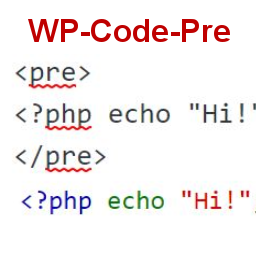
To display source code in your posts, surround source code with pre tags. Plugin
will filter for pre tags and add inline styles that may be modified using your wordpress
theme’s css stylesheet.
For WordPress versions 5.0 and above, HTML pre tags can be used within html block
or, classic block. Use the three dot menu to convert to html when there is a invalid
content error while post editing.
## ພາບໜ້າຈໍ
[⌊Code preview on blog post or page⌉⌊Code preview on blog post or page⌉[
Code preview on blog post or page
[⌊Typing code in text tab of WordPress Admin area when writing Post.⌉⌊Typing code
in text tab of WordPress Admin area when writing Post.⌉[
Typing code in text tab of WordPress Admin area when writing Post.
[⌊Convert block to html while editing to make modifications to existing source code
display⌉⌊Convert block to html while editing to make modifications to existing source
code display⌉[
Convert block to html while editing to make modifications to existing source code
display
## ການຕິດຕັ້ງ
1. Download the plugin
2. Upload the wp-code-pre.zip folder to your site’s wp-content/plugins directory
3. Activate the plugin in the WordPress Admin Panel
4. Surround source code with `
` tags, when writing in blog posts using
Gutenberg with classic block and “Edit as HTML” or, html block
## ຄຳຖາມທີ່ພົບເລື້ອຍ
Why there aren’t any options to modify in admin?
This plugin simply filters for
pre tags.
## ການຣີວິວ
ບໍ່ມີການຣີວິວສຳລັບປລັກອິນນີ້.
## ຜູ້ຮ່ວມພັດທະນາ ແລະ ຜູ້ພັດທະນາ
“WP Code Pre” ແມ່ນຊອຟແວໂອເພັນຊອດ (Open Source). ບຸກຄົນຕໍ່ໄປນີ້ໄດ້ມີສ່ວນຮ່ວມໃນການ
ພັດທະນາປລັກອິນນີ້.
ຜູ້ຮ່ວມພັດທະນາ
* [ zeshanb ](https://profiles.wordpress.org/zeshanb/)
[ແປ “WP Code Pre” ເປັນພາສາຂອງເຈົ້າ.](https://translate.wordpress.org/projects/wp-plugins/wp-code-pre)
### ສົນໃຈຮ່ວມພັດທະນາບໍ່?
[ເບິ່ງລະຫັດ](https://plugins.trac.wordpress.org/browser/wp-code-pre/), ກວດເບິ່ງ
[ຄັງເກັບ SVN](https://plugins.svn.wordpress.org/wp-code-pre/), ຫຼື ຕິດຕາມ [ບັນທຶກການພັດທະນາ](https://plugins.trac.wordpress.org/log/wp-code-pre/)
ຜ່ານ [RSS](https://plugins.trac.wordpress.org/log/wp-code-pre/?limit=100&mode=stop_on_copy&format=rss).
## ບັນທຶກການປ່ຽນແປງ
#### 1.0
* First version of the plugin.
#### 1.0.1
* Updated readme to reflect updates to version 5.0
## ຂໍ້ມູນກຳກັບ (Meta)
* ເວີຊັນ **1.0**
* ອັບເດດຫຼ້າສຸດເມື່ອ **5 ປີ ທີ່ຜ່ານມາ** ທີ່ຜ່ານມາ
* ການຕິດຕັ້ງທີ່ໃຊ້ງານຢູ່ **10+**
* ເວີຊັນ WordPress ** 4.0 ຫຼື ສູງກວ່າ **
* ທົດສອບເຖິງເວີຊັນ **5.8.15**
* ເວີຊັນ PHP ** 7.0 ຫຼື ສູງກວ່າ **
* ພາສາ
* [English (US)](https://wordpress.org/plugins/wp-code-pre/)
* ແທັກ
* [Code Highlight](https://lo.wordpress.org/plugins/tags/code-highlight/)[filter content](https://lo.wordpress.org/plugins/tags/filter-content/)
* [ມຸມມອງຂັ້ນສູງ](https://lo.wordpress.org/plugins/wp-code-pre/advanced/)
## ການໃຫ້ຄະແນນ
ຍັງບໍ່ມີການສົ່ງຄຳວິຈານເທື່ອ.
[ການທົບທວນຂອງທ່ານ](https://wordpress.org/support/plugin/wp-code-pre/reviews/#new-post)
[ເບິ່ງທັງໝົດ ການຣີວິວ](https://wordpress.org/support/plugin/wp-code-pre/reviews/)
## ຜູ້ຮ່ວມພັດທະນາ
* [ zeshanb ](https://profiles.wordpress.org/zeshanb/)
## ການຊ່ວຍເຫຼືອ
ມີຄຳຖາມ ຫຼື ຕ້ອງການຄວາມຊ່ວຍເຫຼືອບໍ່?
[ເບິ່ງຟໍຣັມການຊ່ວຍເຫຼືອ](https://wordpress.org/support/plugin/wp-code-pre/)