

ຄຳອະທິບາຍ
KS Elementor Shortcode Slider is a flexible and lightweight WordPress plugin that allows you to create a custom slider within Elementor using shortcodes or posts. You can select post categories, customize the transition speed, and enable navigation arrows or numbered pagination dots.
🎯 Key Features:
– Slide Elementor shortcodes or any other shortcodes
– Display WordPress posts as slides with category selection
– Enable/disable navigation arrows
– Numbered pagination dots for better user experience
– Adjustable transition speed for smooth animations
– Lightweight & optimized for performance
🚀 Perfect for testimonials, product showcases, custom Elementor sections, and more!
Video
See the plugin in action! Watch our complete setup tutorial and demo:
https://www.youtube.com/watch?v=cYcsBnF7–g
ພາບໜ້າຈໍ


ການຕິດຕັ້ງ
- Download the plugin and upload it to the
/wp-content/plugins/directory. - Activate the plugin through the ‘Plugins’ menu in WordPress.
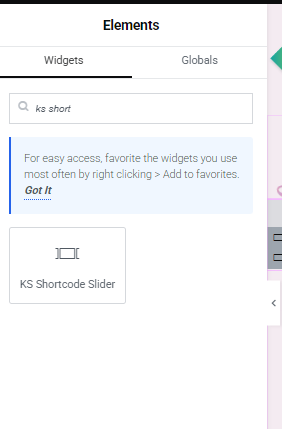
- Open any Elementor page and add the Shortcode Slider widget.
- Configure the settings and enjoy your custom slider!
ຄຳຖາມທີ່ພົບເລື້ອຍ
-
Q: Can I use this plugin without Elementor?
-
A: Yes! You can insert the shortcode directly into posts, pages, or widgets.
-
Q: Does this plugin support custom post types?
-
A: Currently, it supports standard posts and Elementor shortcodes. Future updates may add custom post type support.
-
Q: Is this plugin responsive?
-
A: Yes, KS Elementor Shortcode Slider is fully responsive and mobile-friendly.
ການຣີວິວ
ບໍ່ມີການຣີວິວສຳລັບປລັກອິນນີ້.
ຜູ້ຮ່ວມພັດທະນາ ແລະ ຜູ້ພັດທະນາ
“KS Elementor Shortcode Slider” ແມ່ນຊອຟແວໂອເພັນຊອດ (Open Source). ບຸກຄົນຕໍ່ໄປນີ້ໄດ້ມີສ່ວນຮ່ວມໃນການພັດທະນາປລັກອິນນີ້.
ຜູ້ຮ່ວມພັດທະນາ
ແປ “KS Elementor Shortcode Slider” ເປັນພາສາຂອງເຈົ້າ.
ສົນໃຈຮ່ວມພັດທະນາບໍ່?
ເບິ່ງລະຫັດ, ກວດເບິ່ງ ຄັງເກັບ SVN, ຫຼື ຕິດຕາມ ບັນທຶກການພັດທະນາ ຜ່ານ RSS.
ບັນທຶກການປ່ຽນແປງ
1.1
- Initial release with shortcode and post support.