
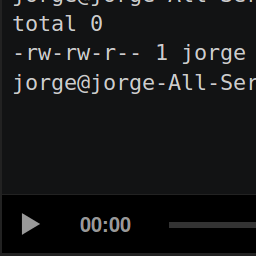
ຄຳອະທິບາຍ
This plugin lets you easily use the official asciinema-player.
Usage
An asciicast is a recording made with asciinema. Upload your asciicast
anywhere in your web server; you can do that within
Wordpress (just go to the “Media>Add New” menu and upload your asciicast).
Enter the HTML editor to write a post or a page. Then add the
following HTML tag: <asciinema-player src="/demo.json"></asciinema-player>.
Remember to replace the value of the src attribute with the location of
your asciicast.
You can use every option of asciinema-player. Check out
its readme
to find out every option.
ການຕິດຕັ້ງ
Install this plugin via the plugin directory, or by uploading the files manually to your server.
ຄຳຖາມທີ່ພົບເລື້ອຍ
- Installation Instructions
-
Install this plugin via the plugin directory, or by uploading the files manually to your server.
- Does this plugin contains the official asciinema-player?
-
Yes.
ການຣີວິວ


ຜູ້ຮ່ວມພັດທະນາ ແລະ ຜູ້ພັດທະນາ
“asciiplayer” ແມ່ນຊອຟແວໂອເພັນຊອດ (Open Source). ບຸກຄົນຕໍ່ໄປນີ້ໄດ້ມີສ່ວນຮ່ວມໃນການພັດທະນາປລັກອິນນີ້.
ຜູ້ຮ່ວມພັດທະນາ
ແປ “asciiplayer” ເປັນພາສາຂອງເຈົ້າ.
ສົນໃຈຮ່ວມພັດທະນາບໍ່?
ເບິ່ງລະຫັດ, ກວດເບິ່ງ ຄັງເກັບ SVN, ຫຼື ຕິດຕາມ ບັນທຶກການພັດທະນາ ຜ່ານ RSS.
ບັນທຶກການປ່ຽນແປງ
0.1.1
Update player (now it uses version 2.4.1 of asciinema-player)
0.1.0
Initial version