ຄຳອະທິບາຍ
To show support to Parisian and French people on your web site, after the terrorists attacks in Paris (13 November 2015),
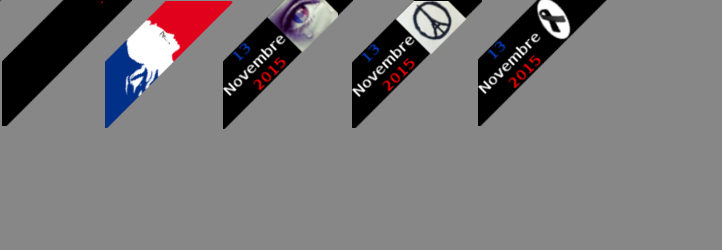
this plugin will put a ribbon on the (left or right) corner of your website.
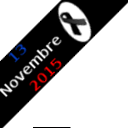
There’s a simple black ribbon that could be used for any mourning (not only the for November 13th Paris attacks).
The ribbon is half transparent to be able to view the part of the web site underneath the ribbon.
When moving over the ribbon, the ribbon changes to solid display, without any transparency.
When clicking on the ribbon, a new page will be displayed (or not) according to your choice from the Settings.
In the Settings, you will also choose which ribbon to display (the image) and the position: top left or top right.
ພາບໜ້າຈໍ

Demo site with a ribbon in the left corner 
This plugin Settings screen
ການຕິດຕັ້ງ
- You may install this plugin from WordPress back office (the admin panel)
or by copying the zip archive in the “wp-content/plugins”. - Activate the plugin through the ‘Plugins’ menu in WordPress
- Optionnaly define your Settings for the plugin via the Admin menu or the plugin menu.

ຜູ້ຮ່ວມພັດທະນາ ແລະ ຜູ້ພັດທະນາ
“Paris Attacks Ribbon MC” ແມ່ນຊອຟແວໂອເພັນຊອດ (Open Source). ບຸກຄົນຕໍ່ໄປນີ້ໄດ້ມີສ່ວນຮ່ວມໃນການພັດທະນາປລັກອິນນີ້.
ຜູ້ຮ່ວມພັດທະນາ
ແປ “Paris Attacks Ribbon MC” ເປັນພາສາຂອງເຈົ້າ.
ສົນໃຈຮ່ວມພັດທະນາບໍ່?
ເບິ່ງລະຫັດ, ກວດເບິ່ງ ຄັງເກັບ SVN, ຫຼື ຕິດຕາມ ບັນທຶກການພັດທະນາ ຜ່ານ RSS.
ບັນທຶກການປ່ຽນແປງ
1.00a
- correction for the focus on clic of the black ribbon tag (in the Settings)
1.00
- Initial release.