

ຄຳອະທິບາຍ
TemplateHouse Block Toolkit ແມ່ນຄັງລວມບລັອກ WordPress ທີ່ມີປະສິດທິພາບ ເຊິ່ງມີ 376+ ບລັອກ Gutenberg ສຳລັບສ້າງເວັບໄຊທີ່ທັນສະໄໝ, Landing Pages, ບລັອກ, ເວັບໄຊທຸລະກິດ, ຮ້ານຄ້າອອນລາຍ, ໜ້າການຕະຫຼາດ, ເອກະສານອ້າງອີງ, ໜ້າປຽບທຽບ, ເຄື່ອງມືໂຕ້ຕອບ ແລະ ອື່ນໆ — ໂດຍໃຊ້ໃນຕົວແກ້ໄຂບລັອກ WordPress ໂດຍກົງ.
ສ້າງເວັບໄຊ WordPress ແບບມືອາຊີບໂດຍບໍ່ຕ້ອງເພິ່ງພາ Elementor, Divi ຫຼື Page Builders ອື່ນໆ. TemplateHouse Block Toolkit ຊ່ວຍຂະຫຍາຍຄວາມສາມາດຂອງຕົວແກ້ໄຂບລັອກ WordPress ດ້ວຍຊຸດບລັອກທີ່ຢືດຢຸ່ນ, ປັບແຕ່ງໄດ້ ແລະ ເນັ້ນປະສິດທິພາບ ເຊິ່ງອອກແບບມາສຳລັບການເຮັດເວັບໄຊຕົວຈິງ.
ບໍ່ວ່າທ່ານຈະເປັນບລັອກເກີ, ນັກການຕະຫຼາດ, ເຈົ້າຂອງທຸລະກິດ, ຟຣີແລນເຊີ, ນັກອອກແບບ, ນັກພັດທະນາ ຫຼື ເອເຈນຊີ, ທ່ານສາມາດໃຊ້ TemplateHouse Block Toolkit ເພື່ອສ້າງການຈັດວາງໜ້າເວັບທີ່ສົມບູນ ແລະ ເພີ່ມເນື້ອຫາຂັ້ນສູງພ້ອມທັງຄຸນສົມບັດໂຕ້ຕອບໄດ້ໂດຍບໍ່ຕ້ອງຂຽນໂຄ້ດເອງ.
376+ ບລັອກ WordPress ທີ່ມີປະສິດທິພາບ
TemplateHouse Block Toolkit ປະກອບມີ 376+ ບລັອກ Gutenberg ທີ່ຈັດແບ່ງອອກເປັນ 10 ໝວດໝູ່ທີ່ໃຊ້ໄດ້ຈິງ:
ໂຄງສ້າງ – 26 ບລັອກ
ສ້າງການຈັດວາງໜ້າເວັບທີ່ຢືດຢຸ່ນດ້ວຍສ່ວນ (Sections), ຄໍລຳ, ຄອນເທນເນີ, ສ່ວນຫົວ, ເມນູການນຳທາງ, ການຈັດວາງເນື້ອຫາ ແລະ ອົງປະກອບໂຄງສ້າງອື່ນໆ.
ເນື້ອຫາ ແລະ ຕົວອັກສອນ – 38 ບລັອກ
ປັບປຸງເນື້ອຫາຂອງທ່ານດ້ວຍຫົວຂໍ້ຂັ້ນສູງ, ຮູບແບບຂໍ້ຄວາມ, ລາຍການ, ຄຳຄົມ, ອາຄໍດຽນ (Accordions), ແທັບ, ໄທມ໌ລາຍ (Timelines), ເຄື່ອງມືການອ່ານ ແລະ ສ່ວນປະກອບສຳລັບການຈັດການເນື້ອຫາ.
ສື່ ແລະ ຮູບພາບ – 21 ບລັອກ
ສ້າງປະສົບການທາງພາບທີ່ໜ້າສົນໃຈດ້ວຍແກເລີຣີຮູບພາບ, ສະໄລເດີ, ບລັອກວິດີໂອ, ປັອບອັບ, ກາດສື່, ການຈັດວາງແບບກ່ອນ-ຫຼັງ ແລະ ອົງປະກອບທີ່ເນັ້ນສື່ມີເດຍອື່ນໆ.
ການຕະຫຼາດ ແລະ ການສ້າງຍອດຂາຍ – 53 ບລັອກ
ສ້າງ Landing Pages ທີ່ມີປະສິດທິພາບສູງດ້ວຍສ່ວນປຸ່ມກະຕຸ້ນ (CTA), ອົງປະກອບລາຄາ, ການນັບຖອຍຫຼັງ, ປ້າຍໂຄສະນາ, ກາດຂໍ້ສະເໜີ, ຂໍ້ມູນຢືນຢັນຈາກສັງຄົມ, ການຈັດວາງເພື່ອຫາລູກຄ້າໃໝ່ ແລະ ສ່ວນປະກອບທີ່ເນັ້ນການສ້າງຍອດຂາຍ.
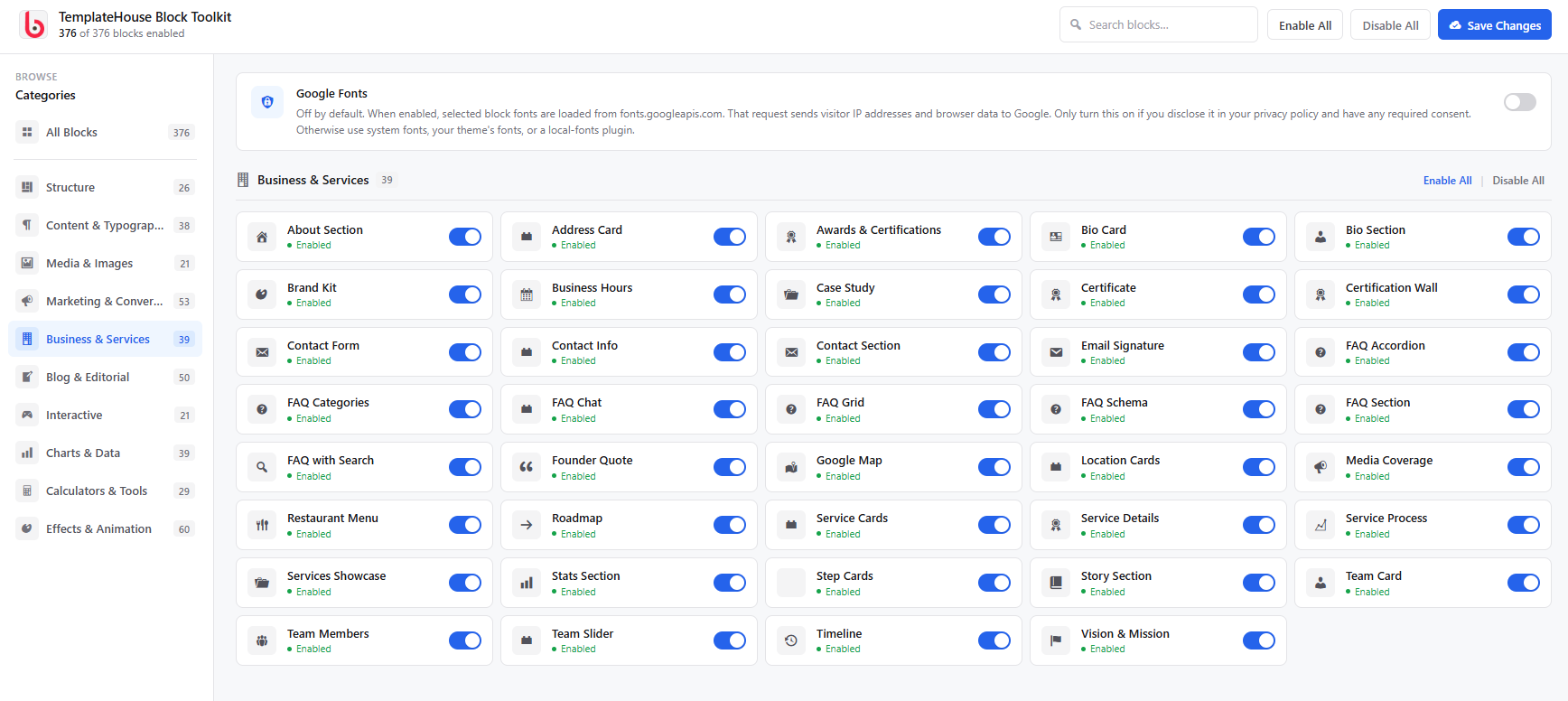
ທຸລະກິດ ແລະ ການບໍລິການ – 39 ບລັອກ
ສ້າງເວັບໄຊທຸລະກິດແບບມືອາຊີບດ້ວຍສ່ວນການບໍລິການ, ສະມາຊິກທີມ, ຄຳຍ້ອງຍໍຈາກລູກຄ້າ, ຂໍ້ມູນການຕິດຕໍ່, ເວລາເຮັດການ, ສ່ວນຂັ້ນຕອນການເຮັດວຽກ, ຂໍ້ມູນບໍລິສັດ ແລະ ອື່ນໆ.
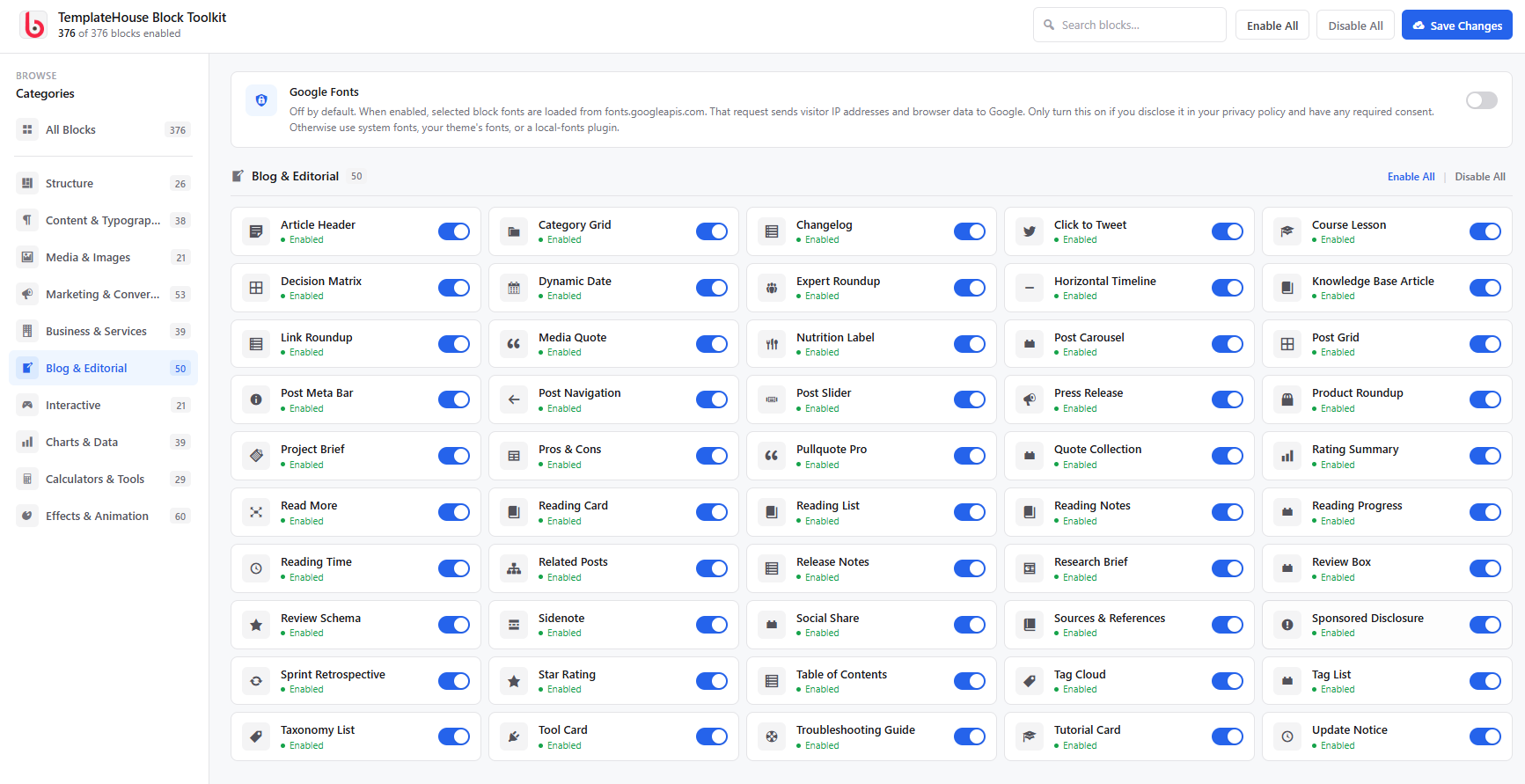
ບລັອກ ແລະ ການຂຽນບົດຄວາມ – 50 ບລັອກ
ຍົກລະດັບບລັອກ WordPress ແລະ ເວັບໄຊບົດຄວາມດ້ວຍຫົວຂໍ້ບົດຄວາມ, ລາຍການການອ່ານ, ເວລາທີ່ໃຊ້ໃນການອ່ານ, FAQ, ແຫຼ່ງອ້າງອີງ, ການລວບລວມຄວາມຄິດເຫັນຈາກຜູ້ຊ່ຽວຊານ, ເນື້ອຫາການວິໄຈ, ບົດຮຽນ, ເນື້ອຫາທີ່ກ່ຽວຂ້ອງ ແລະ ບລັອກທີ່ເນັ້ນການເຜີຍແຜ່ອື່ນໆ.
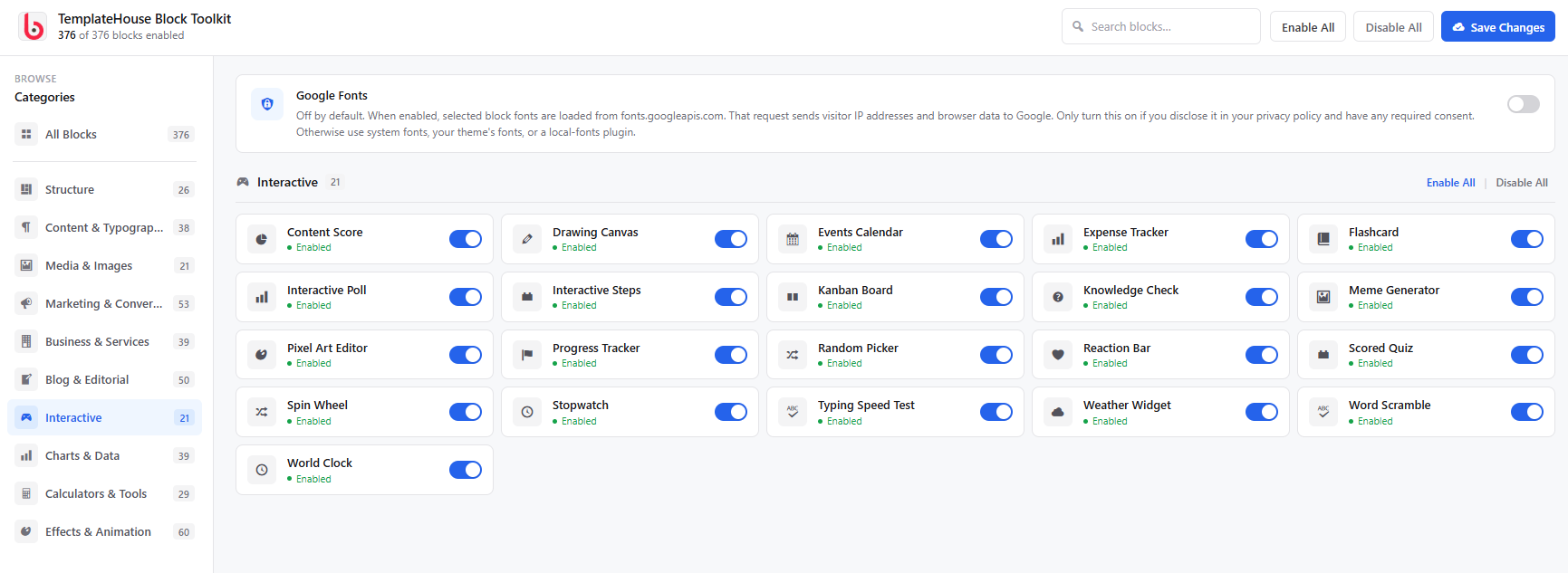
ການໂຕ້ຕອບ – 21 ບລັອກ
ເພີ່ມປະສົບການທີ່ໜ້າສົນໃຈດ້ວຍແບບທົດສອບ, ການສຳຫຼວດຄວາມຄິດເຫັນ, Flashcards, ຂັ້ນຕອນການໂຕ້ຕອບ, ແຖບແທັບ, ເອັບເຟັກການເປີດເຜີຍຂໍ້ມູນ, ກາດໂຕ້ຕອບ, ເຄື່ອງມືການແຕ້ມ ແລະ ອົງປະກອບໂຕ້ຕອບອື່ນໆ.
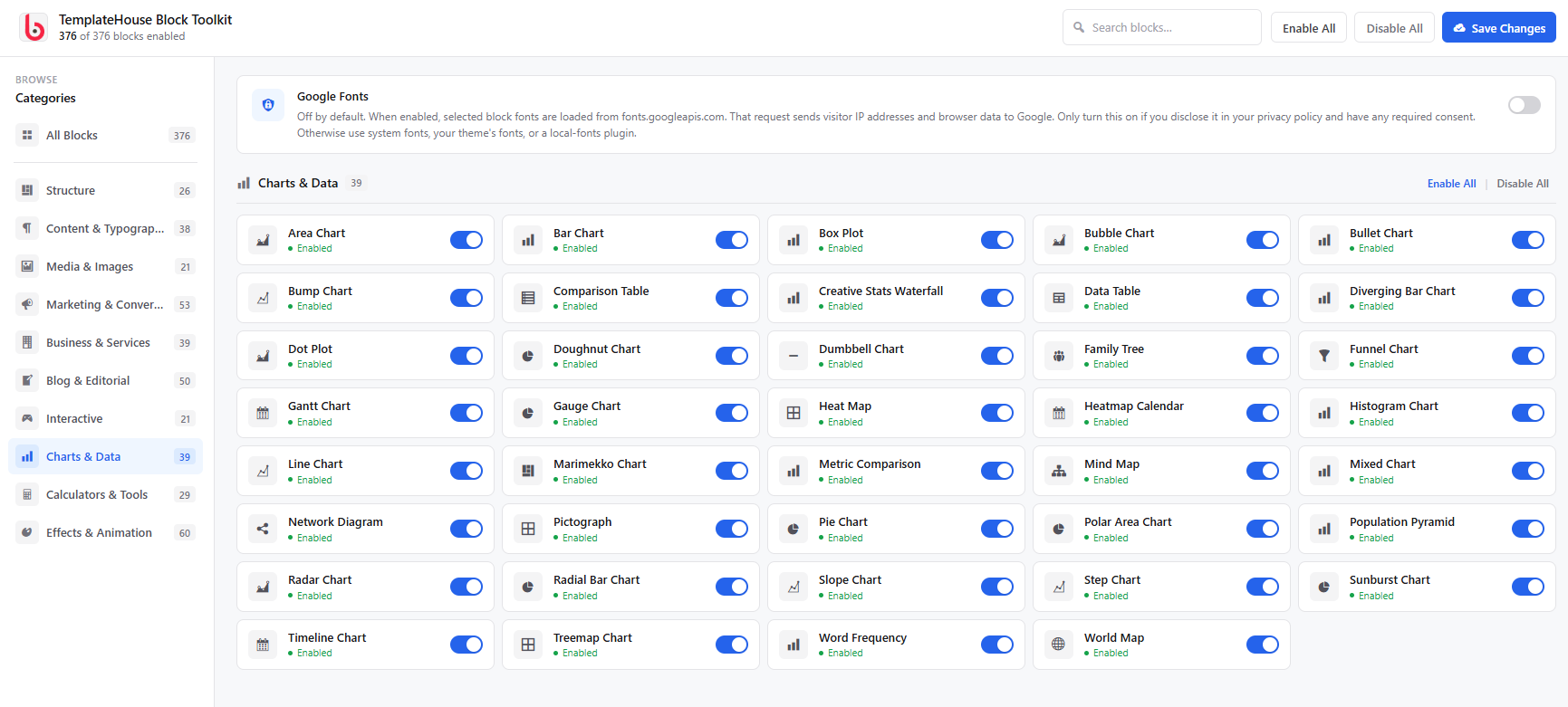
ແຜນພູມ ແລະ ຂໍ້ມູນ – 39 ບລັອກ
ນຳສະເໜີຂໍ້ມູນເປັນພາບໂດຍໃຊ້ແຜນພູມ, ກຣາບ, ຕາຕະລາງ, ຕົວຊີ້ວັດຄວາມຄືບໜ້າ, ສະຖິຕິ, ການສະແດງຂໍ້ມູນເປັນພາບ, ຕາຕະລາງປຽບທຽບ ແລະ ບລັອກທີ່ເນັ້ນຂໍ້ມູນອື່ນໆ.
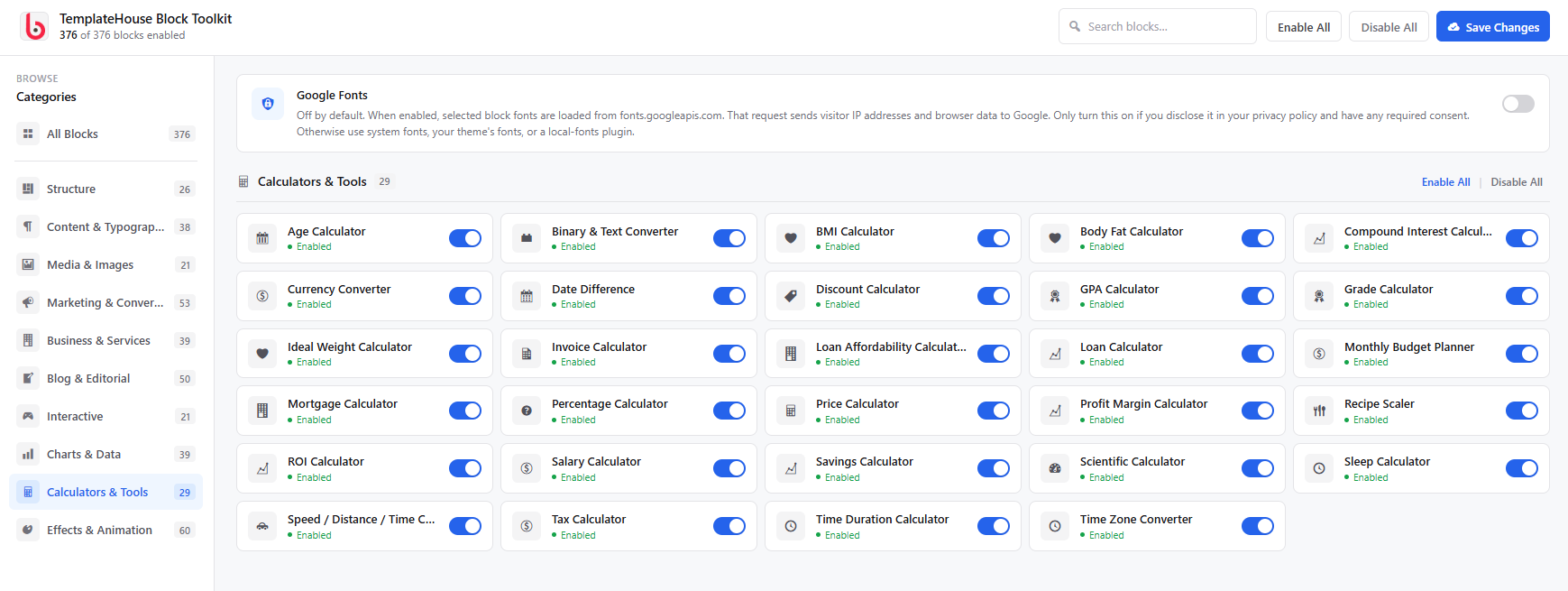
ເຄື່ອງຄິດໄລ່ ແລະ ເຄື່ອງມື – 29 ບລັອກ
ເພີ່ມເຄື່ອງມືທີ່ມີປະໂຫຍດໃຫ້ກັບເວັບໄຊຂອງທ່ານດ້ວຍເຄື່ອງຄິດໄລ່ ແລະ ຢູທິລິຕີ້ຕ່າງໆ ເຊັ່ນ ເຄື່ອງຄິດໄລ່ ROI, ເຄື່ອງຄິດໄລ່ລາຄາ, ເຄື່ອງຄິດໄລ່ສ່ວນຫຼຸດ, ເຄື່ອງຄິດໄລ່ເງິນກູ້, ເຄື່ອງຄິດໄລ່ດອກເບ້ຍທົບຕົ້ນ, ເຄື່ອງຄິດໄລ່ວັນທີ, ເຄື່ອງແປງເຂດເວລາ ແລະ ອື່ນໆ.
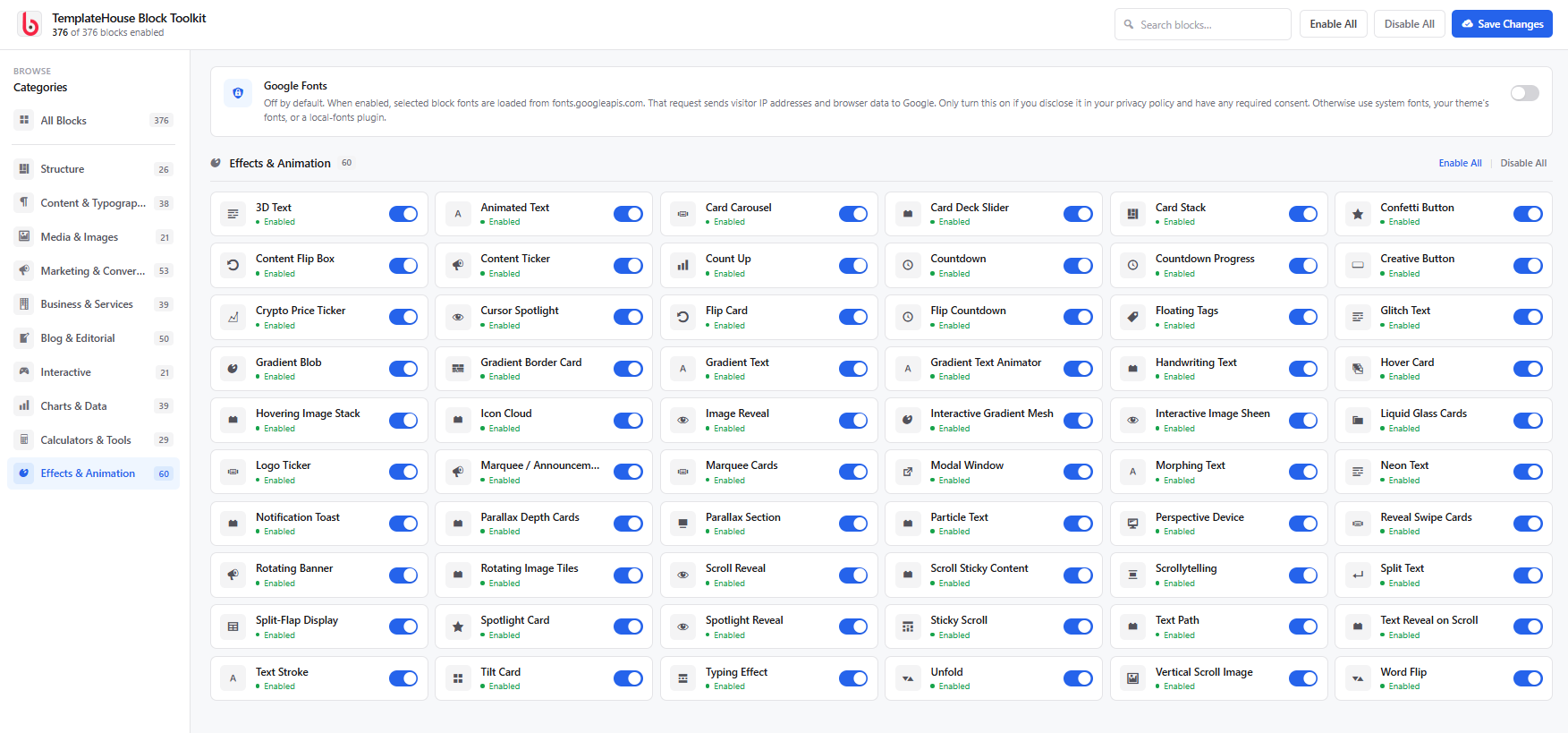
ເອັບເຟັກ ແລະ ແອນິເມຊັນ – 60 ບລັອກ
ສ້າງການອອກແບບທີ່ທັນສະໄໝ ແລະ ໜ້າສົນໃຈດ້ວຍຂໍ້ຄວາມເຄື່ອນໄຫວ, ເອັບເຟັກເມື່ອເອົາເມົາສ໌ໄປຊີ້, ແອນິເມຊັນຕອນເລື່ອນໜ້າຈໍ, ເອັບເຟັກ Parallax, ຂໍ້ຄວາມເລື່ອນ, ເອັບເຟັກອະນຸພາກ, ການໄລ່ສີ, ເອັບເຟັກແບບແກ້ວມົວ, ເອັບເຟັກຕົວຊີ້ເມົາສ໌ ແລະ ການໂຕ້ຕອບທາງພາບອື່ນໆ.
ສ້າງໄດ້ຫຼາຍກວ່າດ້ວຍຕົວແກ້ໄຂບລັອກ WordPress
TemplateHouse Block Toolkit ຖືກອອກແບບມາໃຫ້ເຮັດວຽກຮ່ວມກັບຕົວແກ້ໄຂ Gutenberg ໂດຍກົງ, ເຮັດໃຫ້ທ່ານຄວບຄຸມໄດ້ຫຼາຍຂຶ້ນໂດຍບໍ່ຕ້ອງເພີ່ມ Page Builder ອື່ນໆເຂົ້າໃນເວັບໄຊ WordPress ຂອງທ່ານ.
ໃຊ້ບລັອກແຕ່ລະອັນເພື່ອສ້າງ:
- WordPress landing pages
- ເວັບໄຊທຸລະກິດ ແລະ ອົງກອນ
- ເວັບໄຊເອເຈນຊີ
- ເວັບໄຊ SaaS ແລະ ສະຕາດອັບ
- ເວັບໄຊຜົນງານ (Portfolio)
- ເວັບໄຊບລັອກ ແລະ ວາລະສານ
- ເວັບໄຊແນະນຳສິນຄ້າ (Affiliate) ແລະ ຣີວິວ
- ໜ້າການຕະຫຼາດ ແລະ ການຂາຍ
- ໜ້າປຽບທຽບຜະລິດຕະພັນ
- ໜ້າເອກະສານ ແລະ ສູນລວມຄວາມຮູ້
- ເວັບໄຊຄອດຮຽນອອນລາຍ ແລະ ການສຶກສາ
- ເວັບໄຊທຸລະກິດດ້ານການບໍລິການ
- ເຄື່ອງມືໂຕ້ຕອບ ແລະ ເຄື່ອງຄິດໄລ່
- ໜ້າຂໍ້ມູນ ແລະ ສະຖິຕິ
- ເວັບໄຊຮ້ານອາຫານ ແລະ ທຸລະກິດທ້ອງຖິ່ນ
ຊຸດເຄື່ອງມືບລັອກດຽວ ສຳລັບສ້າງເວັບໄຊທີ່ສົມບູນ
ແທນທີ່ຈະຕິດຕັ້ງປລັກອິນບລັອກ WordPress ຫຼາຍອັນສຳລັບຄຸນສົມບັດທີ່ແຕກຕ່າງກັນ, TemplateHouse Block Toolkit ໄດ້ລວມເອົາສ່ວນປະກອບໃນການສ້າງເວັບໄຊທີ່ຫຼາກຫຼາຍມາໄວ້ໃນຊຸດເຄື່ອງມືດຽວ.
ສ້າງໂຄງສ້າງໜ້າເວັບ, ເຜີຍແຜ່ເນື້ອຫາທີ່ຫຼາກຫຼາຍ, ສະແດງຂໍ້ມູນທຸລະກິດ, ສ້າງສ່ວນການຕະຫຼາດ, ນຳສະເໜີຂໍ້ມູນ, ເພີ່ມເຄື່ອງມືໂຕ້ຕອບ ແລະ ຕົບແຕ່ງເວັບໄຊຂອງທ່ານດ້ວຍເອັບເຟັກທີ່ທັນສະໄໝ — ທັງໝົດນີ້ເຮັດໄດ້ຈາກຕົວແກ້ໄຂບລັອກຂອງ WordPress.
ການຄວບຄຸມບລັອກທີ່ມີປະສິດທິພາບ ແລະ ຢືດຢຸ່ນ
ແຕ່ລະບລັອກຖືກອອກແບບມາເພື່ອໃຫ້ທ່ານມີຕົວເລືອກການປັບແຕ່ງທີ່ໃຊ້ໄດ້ຈິງ ໃນຂະນະທີ່ຍັງຄົງຮັກສາປະສົບການການແກ້ໄຂໃຫ້ງ່າຍດາຍ.
ຂຶ້ນຢູ່ກັບແຕ່ລະບລັອກ, ທ່ານສາມາດປັບແຕ່ງ:
- ຕົວອັກສອນ
- ສີ
- ພື້ນຫຼັງ
- ໄລຍະຫ່າງ
- ເສັ້ນຂອບ
- ຄວາມມົນຂອງຂອບ
- ເງົາ
- ການຈັດວາງຕຳແໜ່ງ
- ໄອຄອນ
- ຮູບພາບ
- ປຸ່ມ
- ການຈັດວາງທີ່ຮອງຮັບທຸກໜ້າຈໍ
- ແອນິເມຊັນ ແລະ ເອັບເຟັກເມື່ອເອົາເມົາສ໌ໄປຊີ້
- ການຕັ້ງຄ່າສຳລັບຄອມພິວເຕີ, ແທັບເລັດ ແລະ ມືຖື
ສິ່ງນີ້ເຮັດໃຫ້ງ່າຍໃນການປັບແຕ່ງບລັອກໃຫ້ເຂົ້າກັບທີມ WordPress ທີ່ມີຢູ່ ແລະ ຮູບແບບແບຣນຂອງທ່ານ.
ສ້າງມາສຳລັບເວັບໄຊ WordPress ທີ່ທັນສະໄໝ
TemplateHouse Block Toolkit ເຮັດວຽກຮ່ວມກັບເວັບໄຊ WordPress ທີ່ທັນສະໄໝ ແລະ ຖືກອອກແບບມາເພື່ອເສີມທັງ Block Themes ແລະ Classic Themes.
ປລັກອິນເນັ້ນໃສ່ປະສົບການການແກ້ໄຂທີ່ສະອາດຕາ, ການຄວບຄຸມການອອກແບບທີ່ຢືດຢຸ່ນ, ການຈັດວາງທີ່ຮອງຮັບທຸກໜ້າຈໍ ແລະ ການສະແດງຜົນໜ້າເວັບທີ່ເນັ້ນປະສິດທິພາບ.
ບລັອກທີ່ມີປະໂຫຍດສຳລັບ SEO ແລະ ການຕະຫຼາດເນື້ອຫາ
ສ້າງເນື້ອຫາທີ່ມີໂຄງສ້າງ ແລະ ມີປະໂຫຍດດ້ວຍບລັອກຕ່າງໆ ເຊັ່ນ FAQ, Review Schema, Breadcrumbs, ຕາຕະລາງປຽບທຽບ, ຄຳຍ້ອງຍໍຈາກລູກຄ້າ, ສ່ວນບົດຄວາມ, ເຄື່ອງມືການອ່ານ, ແຫຼ່ງອ້າງອີງ ແລະ ສ່ວນປະກອບສຳລັບການຂຽນບົດຄວາມອື່ນໆ.
ບລັອກເຫຼົ່ານີ້ສາມາດຊ່ວຍໃຫ້ທ່ານຈັດລະບຽບເນື້ອຫາໄດ້ຢ່າງຊັດເຈນ ແລະ ສ້າງປະສົບການທີ່ດີຂຶ້ນໃຫ້ກັບຜູ້ເຂົ້າຊົມ ພ້ອມທັງສະໜັບສະໜູນການຕະຫຼາດເນື້ອຫາ ແລະ ກົນລະຍຸດ SEO ໂດຍລວມຂອງທ່ານ.
ສົມບູນແບບສຳລັບຟຣີແລນເຊີ ແລະ ເອເຈນຊີ
TemplateHouse Block Toolkit ຍັງມີປະໂຫຍດສຳລັບຟຣີແລນເຊີ, ນັກອອກແບບ ແລະ ເອເຈນຊີ WordPress ທີ່ສ້າງເວັບໄຊໃຫ້ກັບລູກຄ້າ.
ດ້ວຍບລັອກທີ່ນຳມາໃຊ້ໃໝ່ໄດ້ຫຼາຍຮ້ອຍແບບໃນປລັກອິນດຽວ, ທ່ານສາມາດສ້າງ Landing Pages, ເວັບໄຊທຸລະກິດ, ໜ້າການຕະຫຼາດ, ບລັອກ, ເວັບໄຊການບໍລິການ ແລະ ການຈັດວາງເນື້ອຫາແບບກຳນົດເອງໄດ້ໄວຂຶ້ນ ໂດຍບໍ່ຕ້ອງເສຍເວລາສ້າງສ່ວນປະກອບ UI ພື້ນຖານໃໝ່ແຕ່ເລີ່ມຕົ້ນ.
ເບົາ ແລະ ເນັ້ນປະສິດທິພາບ
TemplateHouse Block Toolkit ຖືກສ້າງຂຶ້ນໂດຍຄຳນຶງເຖິງປະສິດທິພາບ. ປລັກອິນໃຊ້ຊັບພະຍາກອນທີ່ຈຳເປັນ ແລະ ເນັ້ນໃສ່ການເຮັດໃຫ້ການສະແດງຜົນໜ້າເວັບສະອາດ ແລະ ມີປະສິດທິພາບ.
ທ່ານຍັງສາມາດ ເປີດ ຫຼື ປິດ ການໃຊ້ງານບລັອກແຕ່ລະອັນ ເພື່ອໃຫ້ຕົວແກ້ໄຂ WordPress ຂອງທ່ານເນັ້ນໃສ່ສະເພາະຄຸນສົມບັດທີ່ທ່ານຕ້ອງການໃຊ້ແທ້ໆ.
ຄຸນສົມບັດຫຼັກ
- 376+ ບລັອກ Gutenberg
- ຈັດແບ່ງບລັອກເປັນ 10 ໝວດໝູ່ຢ່າງເປັນລະບຽບ
- ເຊື່ອມຕໍ່ກັບຕົວແກ້ໄຂບລັອກ WordPress ໂດຍກົງ
- ການຄວບຄຸມການອອກແບບໃຫ້ຮອງຮັບທຸກໜ້າຈໍ
- ຕົວເລືອກຕົວອັກສອນ ແລະ ຮູບແບບຂັ້ນສູງ
- ບລັອກສຳລັບການຕະຫຼາດ ແລະ ການສ້າງຍອດຂາຍ
- ບລັອກສຳລັບທຸລະກິດ ແລະ ການບໍລິການ
- ບລັອກສຳລັບບລັອກ ແລະ ການຂຽນບົດຄວາມ
- ບລັອກແຜນພູມ ແລະ ການສະແດງຜົນຂໍ້ມູນ
- ເຄື່ອງຄິດໄລ່ ແລະ ເຄື່ອງມືໂຕ້ຕອບ
- ແອນິເມຊັນ ແລະ ເອັບເຟັກທີ່ທັນສະໄໝ
- ບລັອກຮູບພາບ ແລະ ສື່
- ບລັອກເນື້ອຫາທີ່ເນັ້ນ SEO
- ການຄວບຄຸມການສະແດງຜົນທີ່ຢືດຢຸ່ນໃນທຸກໜ້າຈໍ
- ລະບົບຈັດການບລັອກເພື່ອເປີດ ຫຼື ປິດການໃຊ້ງານ
- ການອອກແບບທີ່ເຂົ້າກັບທີມເວັບໄຊໄດ້ດີ
- ເໝາະສຳລັບຟຣີແລນເຊີ ແລະ ເອເຈນຊີ
- ບໍ່ຕ້ອງເພິ່ງພາ Elementor ຫຼື Divi
ສ້າງສັນໄດ້ແບບບໍ່ມີຂີດຈຳກັດ
ຕັ້ງແຕ່ການຂຽນບົດຄວາມບລັອກແບບງ່າຍໆ ໄປຈົນເຖິງເວັບໄຊທຸລະກິດທີ່ສົມບູນ, TemplateHouse Block Toolkit ໃຫ້ບລັອກທີ່ທ່ານຕ້ອງການເພື່ອສ້າງໜ້າເວັບ WordPress ທີ່ທັນສະໄໝໄດ້ໄວຂຶ້ນ.
ສ້າງໜ້າເວັບໃຫ້ດີຂຶ້ນ. ເພີ່ມລູກຫຼິ້ນການໃຊ້ງານ. ອອກແບບດ້ວຍ Gutenberg.
ການຊ່ວຍເຫຼືອ
ຕ້ອງການຄວາມຊ່ວຍເຫຼືອກ່ຽວກັບ TemplateHouse Block Toolkit ບໍ?
ຢ້ຽມຊົມໜ້າຊ່ວຍເຫຼືອຂອງພວກເຮົາ:
🔗 ຢ້ຽມຊົມໜ້າຊ່ວຍເຫຼືອຂອງພວກເຮົາ:
ພວກເຮົາຍິນດີທີ່ຈະຊ່ວຍເຫຼືອໃນຄຳຖາມທີ່ກ່ຽວກັບປລັກອິນ, ການລາຍງານຂໍ້ຜິດພາດ ແລະ ການຮ້ອງຂໍການຊ່ວຍເຫຼືອ.
ບໍລິການພາຍນອກ
ປລັກອິນນີ້ບໍ່ໄດ້ສົ່ງຂໍ້ມູນກັບຫາ TemplateHouse ແລະ ບໍ່ໄດ້ເກັບກຳຂໍ້ມູນຜູ້ເຂົ້າຊົມດ້ວຍຕົວມັນເອງ. ບາງບລັອກອາດຈະເຊື່ອມຕໍ່ກັບບໍລິການພາຍນອກເພື່ອສະແດງແຜນທີ່, ສະພາບອາກາດ, ລາຄາ, ວິດີໂອ ຫຼື ລິງກ໌ແຊຣ໌. ການເຊື່ອມຕໍ່ຈະເກີດຂຶ້ນກໍຕໍ່ເມື່ອມີບລັອກນັ້ນຢູ່ໃນໜ້າເວັບເທົ່ານັ້ນ. ແຕ່ລະບໍລິການອາດຈະໄດ້ຮັບ IP address ແລະ ຂໍ້ມູນບຣາວເຊີຂອງຜູ້ເຂົ້າຊົມ ຜ່ານການຮ້ອງຂໍ HTTPS ຕາມປົກກະຕິ.
Google Maps (ບລັອກ Google Map, ບລັອກ Location Cards)
ໃຊ້ເພື່ອສະແດງແຜນທີ່ຝັງສຳລັບທີ່ຢູ່ທີ່ລະບຸໄວ້ ຫຼື ເພື່ອເປີດການຄົ້ນຫາໃນ Google Maps ເມື່ອຜູ້ເຂົ້າຊົມຄລິກທີ່ກາດສະແດງຕຳແໜ່ງ.
ເມື່ອບລັອກ Google Map ຖືກສະແດງ, ບຣາວເຊີຂອງຜູ້ເຂົ້າຊົມຈະໂຫລດ iframe ຈາກ Google Maps (maps.google.com ຫຼື https://www.google.com/maps/embed/v1/place). ການຮ້ອງຂໍປະກອບມີທີ່ຢູ່/ຄຳຄົ້ນຫາທີ່ຕັ້ງຄ່າໄວ້, ການຊູມ, ປະເພດແຜນທີ່, ແລະ — ຫາກຜູ້ປັບແຕ່ງໄດ້ບັນທຶກໄວ້ — ຄີ API ສຳລັບການຝັງ Google Maps ຂອງເວັບໄຊ. Google ອາດຈະໄດ້ຮັບທີ່ຢູ່ IP ຂອງຜູ້ເຂົ້າຊົມ, user agent, ແລະ ຂໍ້ມູນບຣາວເຊີທີ່ຄ້າຍຄືກັນ. Location Cards ຈະສົ່ງທີ່ຢູ່ໄປໃຫ້ Google ກໍ່ຕໍ່ເມື່ອຜູ້ເຂົ້າຊົມຄລິກເພື່ອເປີດແຜນທີ່ເທົ່ານັ້ນ.
ບໍລິການນີ້ໃຫ້ໂດຍ Google LLC: ຂໍ້ກຳນົດເພີ່ມເຕີມຂອງ Google Maps/Google Earth, ຂໍ້ກຳນົດ Google Maps Platform, ນະໂຍບາຍຄວາມເປັນສ່ວນຕົວຂອງ Google.
OpenWeatherMap (ບລັອກ Weather Widget)
ໃຊ້ເພື່ອສະແດງສະພາບອາກາດປະຈຸບັນ ແລະ ການພະຍາກອນອາກາດສຳລັບເມືອງທີ່ຕັ້ງໄວ້ ຫຼື ຕາມພິກັດຂອງຜູ້ເຂົ້າຊົມ ຖ້າເປີດໃຊ້ “auto location”.
ເມື່ອບລັອກສະພາບອາກາດຖືກສະແດງ ແລະ ມີການບັນທຶກລະຫັດ API ຂອງ OpenWeatherMap ໄວ້ໃນບລັອກ, ບຣາວເຊີຂອງຜູ້ເຂົ້າຊົມຈະຮ້ອງຂໍໄປທີ່ https://api.openweathermap.org/data/2.5/weather ແລະ ອາດຈະລວມເຖິງ /forecast ນຳ. ການຮ້ອງຂໍດັ່ງກ່າວປະກອບມີ ລະຫັດ API, ຊື່ເມືອງ ຫຼື ເສັ້ນຂະໜານ/ເສັ້ນແວງ, ຫົວໜ່ວຍວັດແທກ, ແລະ ພາສາ. OpenWeatherMap ອາດຈະໄດ້ຮັບທີ່ຢູ່ IP ແລະ ຂໍ້ມູນບຣາວເຊີຂອງຜູ້ເຂົ້າຊົມ. ຫາກປິດຕຳແໜ່ງອັດຕະໂນມັດ, ຈະບໍ່ມີການຮ້ອງຂໍການອະນຸຍາດເຂົ້າເຖິງຕຳແໜ່ງພູມສາດ.
ບໍລິການນີ້ໃຫ້ໂດຍ OpenWeather Ltd.: ຂໍ້ກຳນົດການໃຊ້ງານ, ນະໂຍບາຍຄວາມເປັນສ່ວນຕົວ.
CoinGecko (ບລັອກ Stock Ticker)
ໃຊ້ເພື່ອສະແດງລາຄາຕະຫຼາດຄຣິບໂຕສຳລັບຫຼຽນທີ່ຕັ້ງຄ່າໄວ້ (ຕົວຢ່າງ: bitcoin, ethereum).
ເມື່ອມີການສະແດງບລັອກ Stock Ticker, ບຣາວເຊີຈະຮ້ອງຂໍຂໍ້ມູນຈາກ https://api.coingecko.com/api/v3/coins/markets. ບໍ່ມີການສົ່ງຂໍ້ມູນບັນຊີຜູ້ໃຊ້. CoinGecko ອາດຈະໄດ້ຮັບ IP address ແລະ ຂໍ້ມູນບຣາວເຊີ. ການຮ້ອງຂໍຈະເຮັດຊ້ຳຕາມໄລຍະເວລາທີ່ຕັ້ງໄວ້ໃນບລັອກ.
ບໍລິການນີ້ໃຫ້ໂດຍ Gecko Labs Pte. Ltd. (CoinGecko): ຂໍ້ກຳນົດການໃຫ້ບໍລິການ API, ນະໂຍບາຍຄວາມເປັນສ່ວນຕົວ.
WhatsApp (ບລັອກ Social Share, ບລັອກ Phone Button)
ໃຊ້ເພື່ອໃຫ້ຜູ້ເຂົ້າຊົມສາມາດແຊຣ໌ໜ້າປະຈຸບັນລົງໃນ WhatsApp ຫຼື ເລີ່ມການແຊັດ WhatsApp ຫາເບີທີ່ຕັ້ງຄ່າໄວ້.
ບໍ່ມີການສົ່ງຄຳຮ້ອງຂໍໄປຫາ WhatsApp ຈົນກວ່າຜູ້ເຂົ້າຊົມຈະຄລິກປຸ່ມແຊຣ໌ ຫຼື ປຸ່ມແຊັດ. ການຄລິກຈະເປີດ https://api.whatsapp.com/send ຫຼື https://wa.me/ ພ້ອມ URL ຂອງໜ້າ ແລະ ຂໍ້ຄວາມທີ່ຕັ້ງໄວ້ ຫຼື ເບີໂທລະສັບ. WhatsApp ອາດຈະໄດ້ຮັບເນື້ອຫານັ້ນ ພ້ອມກັບ IP address ແລະ ຂໍ້ມູນອຸປະກອນ.
ບໍລິການນີ້ໃຫ້ໂດຍ WhatsApp LLC: ຂໍ້ກຳນົດການໃຫ້ບໍລິການ, ນະໂຍບາຍຄວາມເປັນສ່ວນຕົວ.
YouTube (ບລັອກວິດີໂອ: Video Popup, Playlist, Grid, Hero, Sticky Video, Video Testimonial ແລະ ອື່ນໆທີ່ຄ້າຍກັນ)
ໃຊ້ສະເພາະເມື່ອມີການວາງ URL ຂອງ YouTube ລົງໃນບລັອກວິດີໂອ. ບຣາວເຊີຂອງຜູ້ເຂົ້າຊົມຈະໂຫຼດຕົວຫຼິ້ນວິດີໂອຂອງ YouTube ແລະ ອາດໂຫຼດຮູບຕົວຢ່າງຈາກ https://img.youtube.com/. YouTube/Google ອາດຈະໄດ້ຮັບ ID ວິດີໂອ, IP address, ຄຸກກີ້ ແລະ ຂໍ້ມູນບຣາວເຊີ.
ບໍລິການນີ້ໃຫ້ໂດຍ Google LLC / YouTube: ຂໍ້ກຳນົດການໃຫ້ບໍລິການ YouTube, ນະໂຍບາຍຄວາມເປັນສ່ວນຕົວຂອງ Google.
Vimeo (ໃຊ້ໃນບລັອກວິດີໂອ ເມື່ອໃຊ້ URL ຂອງ Vimeo)
ໃຊ້ສະເພາະເມື່ອມີການວາງ URL ຂອງ Vimeo. ບຣາວເຊີຂອງຜູ້ເຂົ້າຊົມຈະໂຫຼດຕົວຫຼິ້ນວິດີໂອຂອງ Vimeo (https://player.vimeo.com/). Vimeo ອາດຈະໄດ້ຮັບ ID ວິດີໂອ, IP address, ຄຸກກີ້ ແລະ ຂໍ້ມູນບຣາວເຊີ.
ບໍລິການນີ້ໃຫ້ໂດຍ Vimeo.com, Inc.: ຂໍ້ກຳນົດການໃຫ້ບໍລິການ, ນະໂຍບາຍຄວາມເປັນສ່ວນຕົວ.
ເຄືອຂ່າຍໂຊຊຽວແຊຣ໌ (ບລັອກ Social Share)
ປຸ່ມແຊຣ໌ຈະເປີດເຄືອຂ່າຍທີ່ເລືອກກໍຕໍ່ເມື່ອຜູ້ເຂົ້າຊົມຄລິກເທົ່ານັ້ນ. ການຄລິກຈະສົ່ງ URL ຂອງໜ້າປະຈຸບັນ ແລະ ຫົວຂໍ້/ຂໍ້ຄວາມໄປເປັນພາຣາມິເຕີ. ບໍ່ມີການຮ້ອງຂໍການແຊຣ໌ໃນຕອນໂຫຼດໜ້າເວັບ.
- X (Twitter): ຂໍ້ກຳນົດ, ຄວາມເປັນສ່ວນຕົວ
- Facebook: ຂໍ້ກຳນົດ, ຄວາມເປັນສ່ວນຕົວ
- LinkedIn: ຂໍ້ຕົກລົງຜູ້ໃຊ້, ຄວາມເປັນສ່ວນຕົວ
- Pinterest: ຂໍ້ກຳນົດ, ຄວາມເປັນສ່ວນຕົວ
- Telegram: ຂໍ້ກຳນົດ, ຄວາມເປັນສ່ວນຕົວ
- Reddit: ຂໍ້ຕົກລົງຜູ້ໃຊ້, ຄວາມເປັນສ່ວນຕົວ
Google Fonts (ທາງເລືອກ, ປິດໄວ້ໂດຍຄ່າເລີ່ມຕົ້ນ)
ໃຊ້ສະເພາະເມື່ອຜູ້ດູແລເວັບໄຊເປີດໃຊ້ “Google Fonts” ໃນການຕັ້ງຄ່າ Block Toolkit. ຟອນທີ່ເລືອກຈະຖືກຮ້ອງຂໍຈາກ https://fonts.googleapis.com/ (ແລະໄຟລ໌ຟອນຈາກ https://fonts.gstatic.com/). ຄຳຮ້ອງຂໍນັ້ນອາດສົ່ງ IP address ແລະ ຂໍ້ມູນບຣາວເຊີໄປຫາ Google. ປິດການຕັ້ງຄ່ານີ້ໄວ້ເພື່ອຫຼີກລ່ຽງການຮ້ອງຂໍ Google Fonts.
ບໍລິການນີ້ໃຫ້ໂດຍ Google LLC: ຂໍ້ກຳນົດ Google Fonts, ນະໂຍບາຍຄວາມເປັນສ່ວນຕົວຂອງ Google.
Chart.js (ລວມມາໃນຕົວ)
ບລັອກແຜນພູມ ແລະ ເຄື່ອງຄິດໄລ່ເງິນກູ້ໃຊ້ Chart.js 4.4.3, ພາຍໃຕ້ໃບອະນຸຍາດ MIT ແລະ ລວມຢູ່ໃນ assets/vendor/chart.js/. ບໍ່ມີການຮ້ອງຂໍຜ່ານ CDN. ແຫຼ່ງຂໍ້ມູນ: https://github.com/chartjs/Chart.js/tree/v4.4.3. ໃບອະນຸຍາດ: https://github.com/chartjs/Chart.js/blob/v4.4.3/LICENSE.md
Natural Earth (ບລັອກແຜນທີ່ໂລກ)
ເສັ້ນຂອບເຂດປະເທດຖືກລວມມາໃນປລັກອິນ (public domain). ບໍ່ມີການສົ່ງຄຳຮ້ອງຂໍຈາກຜູ້ເຂົ້າຊົມໄປຫາ Natural Earth ໃນຂະນະໃຊ້ງານ. ແຫຼ່ງຂໍ້ມູນ: https://www.naturalearthdata.com/
ຄວາມເປັນສ່ວນຕົວ
ປລັກອິນນີ້ບໍ່ໄດ້ເກັບກຳ, ຈັດເກັບ ຫຼື ແບ່ງປັນຂໍ້ມູນສ່ວນຕົວໂດຍຄ່າເລີ່ມຕົ້ນ. ແລະ ບໍ່ໄດ້ສົ່ງຂໍ້ມູນການໃຊ້ງານກັບຄືນໄປຫາ TemplateHouse.
ເມື່ອທ່ານໃຊ້ບລັອກທາງເລືອກທີ່ຕິດຕໍ່ກັບບຸກຄົນທີສາມ (ແຜນທີ່, ສະພາບອາກາດ, ລາຄາ, ການຝັງວິດີໂອ, ປຸ່ມແຊຣ໌ ຫຼື Google Fonts), ບຣາວເຊີຂອງຜູ້ເຂົ້າຊົມອາດຈະສົ່ງ IP address ແລະ ຂໍ້ມູນບຣາວເຊີໄປຫາຜູ້ໃຫ້ບໍລິການນັ້ນ. ເບິ່ງລາຍລະອຽດໃນສ່ວນ ບໍລິການພາຍນອກ ດ້ານເທິງສຳລັບສິ່ງທີ່ຖືກສົ່ງໄປ ແລະ ລິງກ໌ນະໂຍບາຍຄວາມເປັນສ່ວນຕົວ. ກະລຸນາລະບຸບໍລິການເຫຼົ່ານີ້ໃນນະໂຍບາຍຄວາມເປັນສ່ວນຕົວຂອງເວັບໄຊທ່ານ ແລະ ຂໍຄວາມຍິນຍອມຕາມຄວາມຈຳເປັນ.
ໄລບຣາຣີບຸກຄົນທີສາມ
ປລັກອິນນີ້ລວມ Chart.js 4.4.3 (MIT) ໄວ້ໃນ assets/vendor/chart.js/ ສຳລັບບລັອກແຜນພູມ ແລະ ເຄື່ອງຄິດໄລ່ເງິນກູ້. ມັນບໍ່ໄດ້ລວມ amCharts ຫຼື ໄລບຣາຣີແຜນທີ່ອື່ນໆທີ່ບໍ່ເຂົ້າກັບ GPL. ບລັອກແຜນທີ່ໂລກ (World Map) ສະແດງຜົນເປັນ SVG ດ້ວຍ JavaScript ຕົ້ນສະບັບ ແລະ ຂໍ້ມູນພູມສາດ Natural Earth ທີ່ລວມມາໃນຕົວ (public domain).
ຊອດໂຄ້ດ (Source Code)
ປລັກອິນນີ້ສົ່ງມາພ້ອມກັບ PHP, JavaScript ແລະ CSS ທີ່ເປັນຕົ້ນສະບັບ ແລະ ສາມາດອ່ານໄດ້ງ່າຍ. ມັນບໍ່ໄດ້ໃຊ້ npm, webpack, Babel ຫຼື ຂັ້ນຕອນການສ້າງອື່ນໆ ເພື່ອສ້າງໄຟລ໌ບລັອກ.
ໄຟລ໌ໃນ /blocks (ລວມທັງ index.js ແລະ frontend.js ຂອງແຕ່ລະບລັອກ) ແລະ /assets ແມ່ນຊອດໂຄ້ດ (source). ພວກມັນບໍ່ໄດ້ຖືກຄອມພາຍ (compiled), ຫຍໍ້ (minified) ຫຼື ເຮັດໃຫ້ອ່ານຍາກ (obfuscated). ບໍ່ມີໄດເຣັກທໍຣີ src/ ແຍກຕ່າງຫາກ ຫຼື ໄຟລ໌ລວມ (bundle) ທີ່ຖືກສ້າງຂຶ້ນ.
Chart.js 4.4.3 ແມ່ນໄລບຣາຣີ MIT ຂອງບຸກຄົນທີສາມທີ່ລວມຢູ່ໃນ assets/vendor/chart.js/ (UMD build ພ້ອມໃບອະນຸຍາດ). ແຫຼ່ງຂໍ້ມູນຕົ້ນທາງ: https://github.com/chartjs/Chart.js/tree/v4.4.3
ບໍ່ຈຳເປັນຕ້ອງໃຊ້ເຄື່ອງມືໃນການສ້າງ (build tools) ເພື່ອຕວດສອບ, ແກ້ໄຂ ຫຼື ແຍກໂຄງການ (fork) ປລັກອິນນີ້. ທ່ານສາມາດແກ້ໄຂໄຟລ໌ໄດ້ໂດຍກົງ.
ພາບໜ້າຈໍ
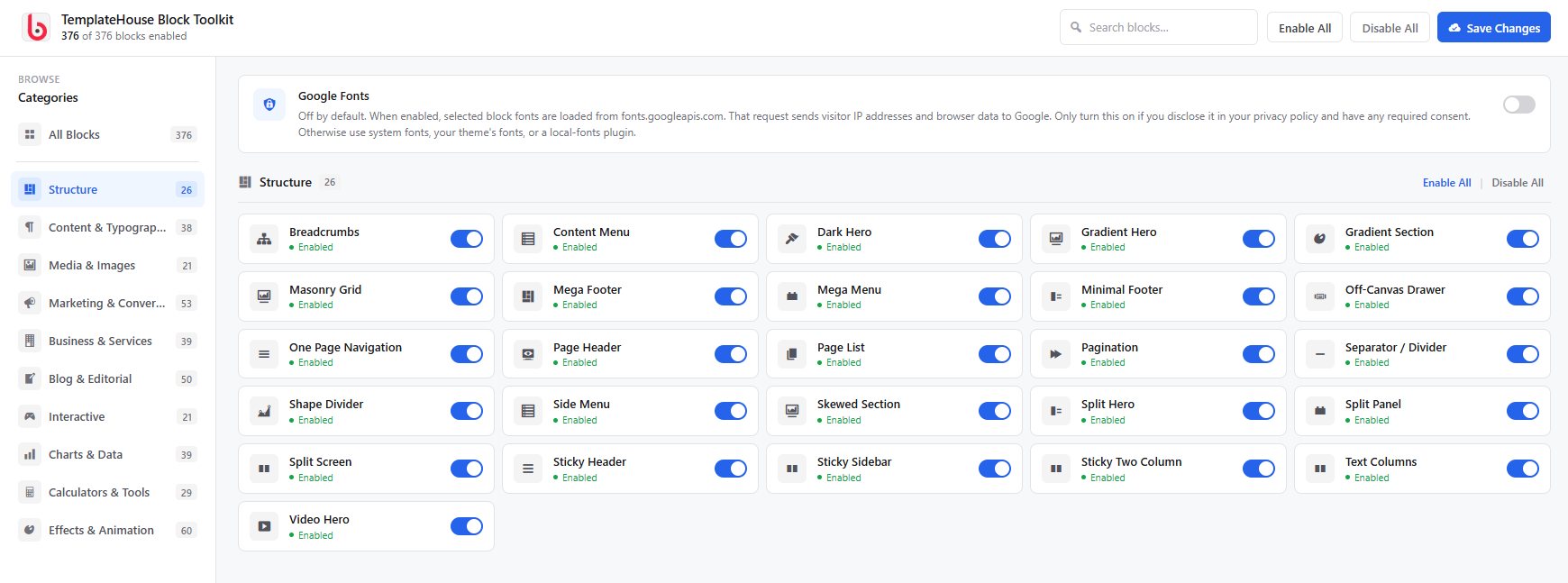
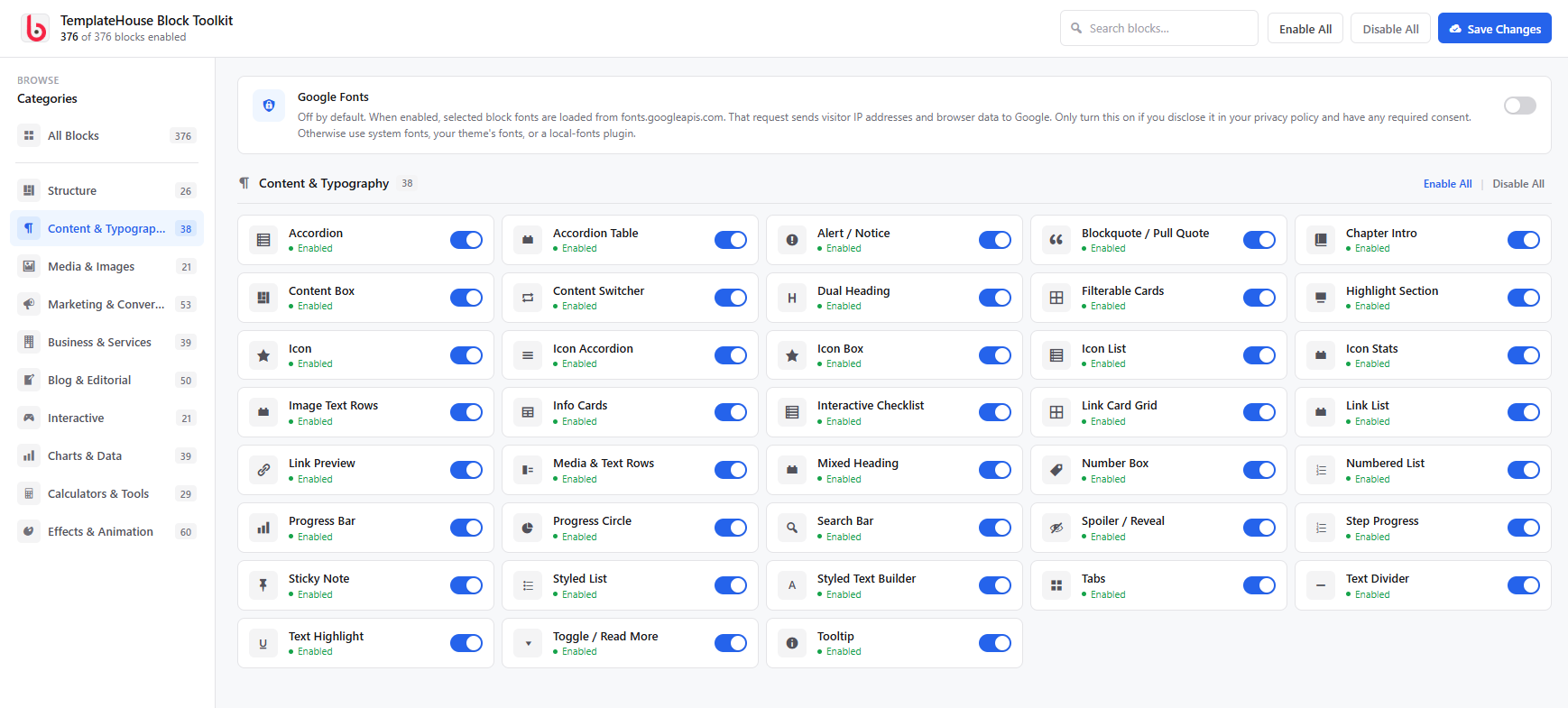
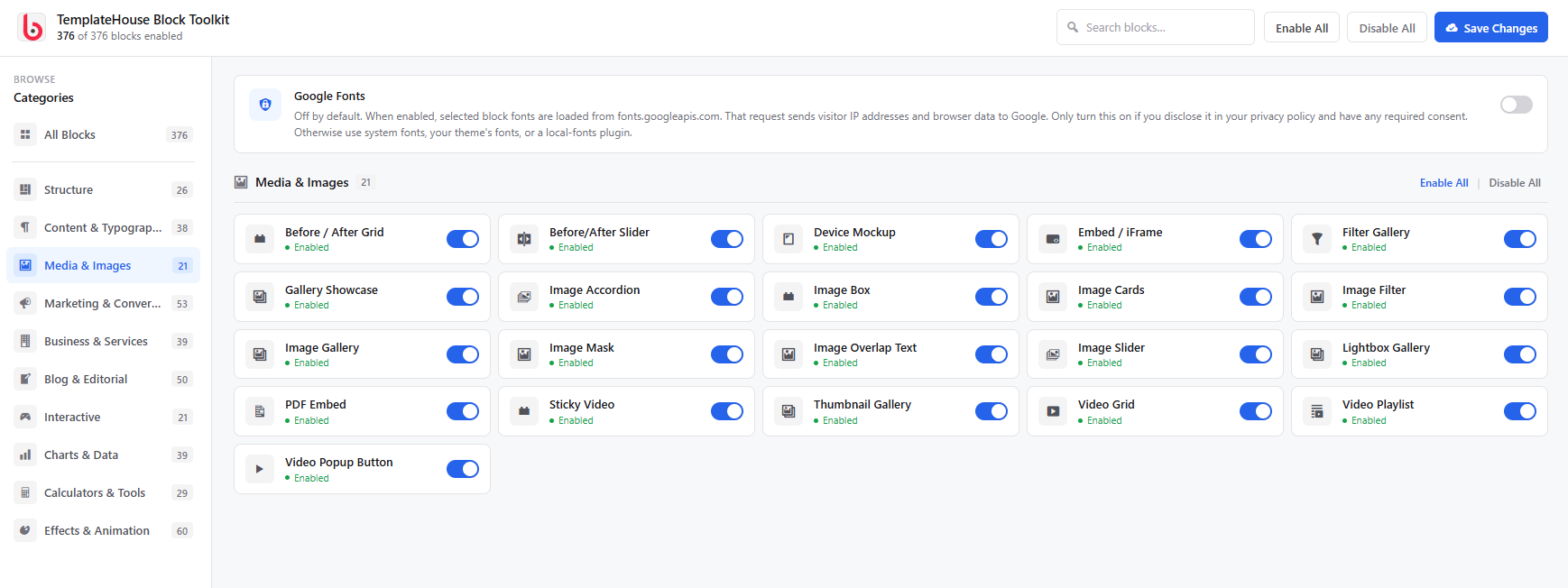
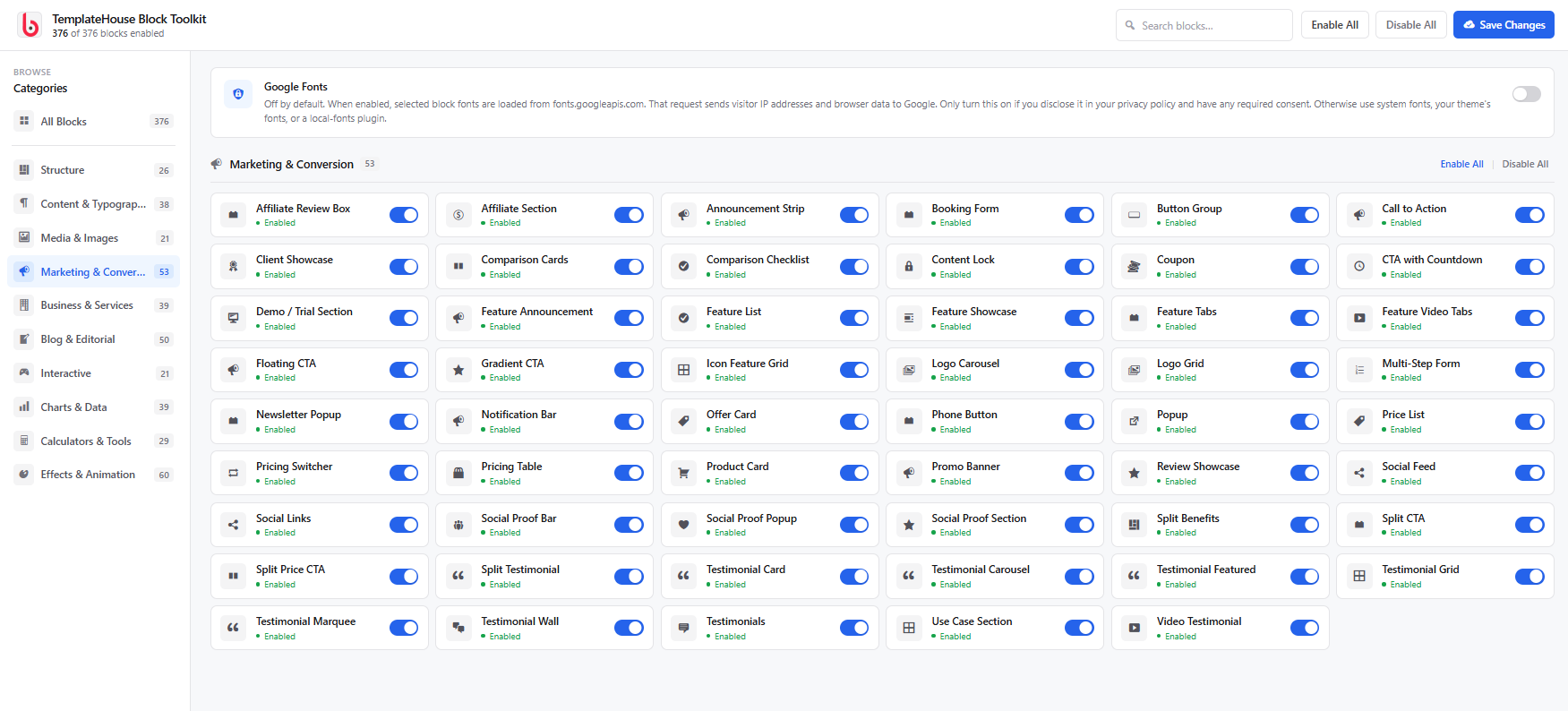
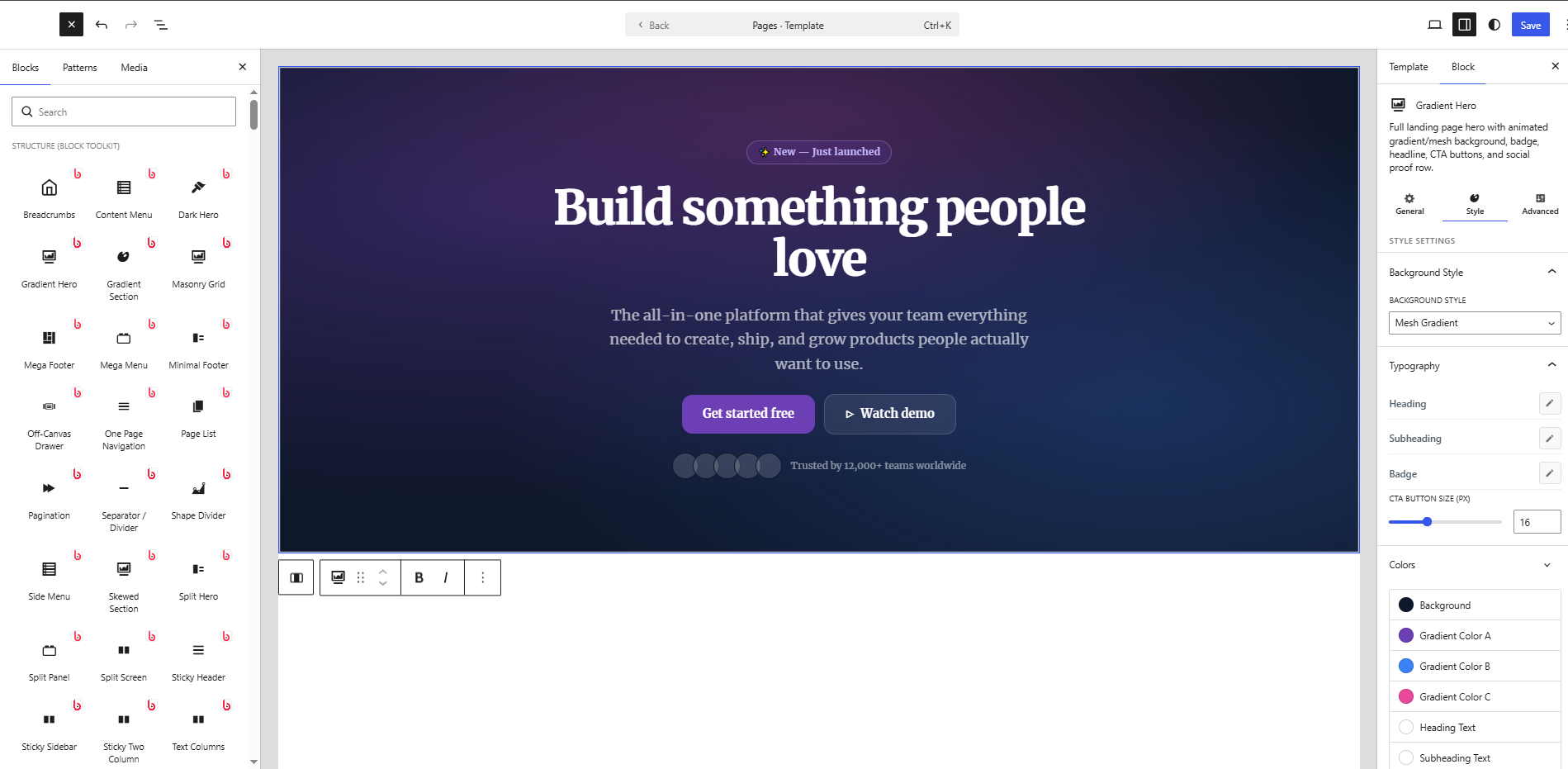
ບລັອກ
ປລັກອິນນີ້ມີ 376 ບລັອກ.
- Text Highlight Animate a color marker / highlighter sweep behind specific words or phrases when they scroll into view.
- Slope Chart A two-column slope graph showing before/after change for multiple items — lines are automatically colored by direction (up, down, or unchanged).
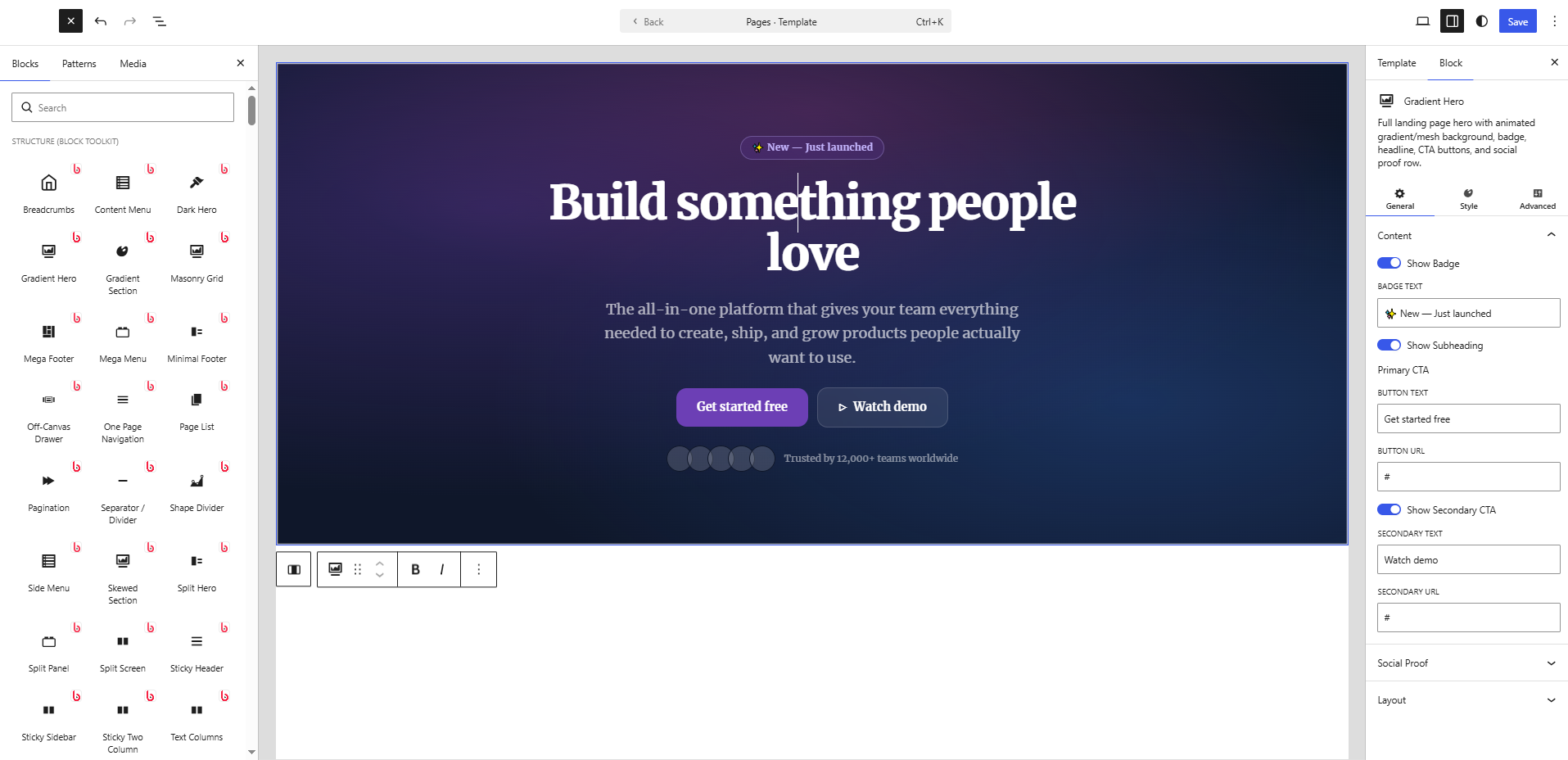
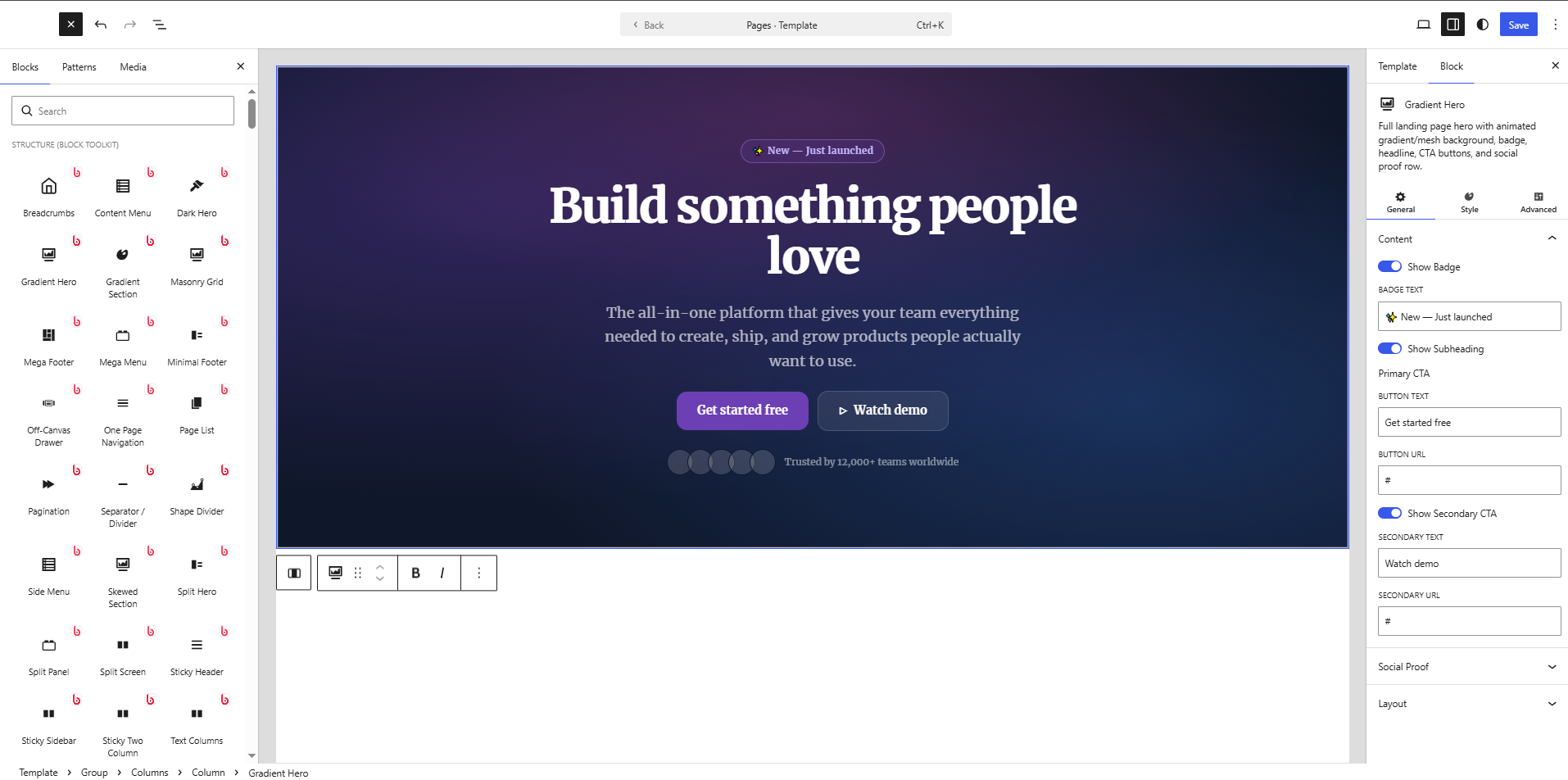
- Gradient Hero Full landing page hero with animated gradient/mesh background, badge, headline, CTA buttons, and social proof row.
- Icon Box Single card with icon, title, text, and optional link button. Perfect for feature lists inside Row/Column.
- Related Posts Shows posts sharing the category or tag with the current post via AJAX on the frontend.
- Logo Ticker Infinite scrolling logo marquee / ticker strip. Pure CSS animation.
- Events Calendar Monthly events calendar grid with clickable events, color-coded categories, and an optional event list.
- Mega Menu Full-width mega menu navigation with column groups, icons, images, CTAs and rich hover panels.
- Flashcard Interactive flashcard deck for studying. Click to flip cards, navigate with arrows or buttons, shuffle deck, mark cards as known, and track progress.
- Feature Announcement Announce new product features, improvements, or updates with version badge, highlights list, and CTA.
- Sticky Two Column One column scrolls through feature highlights; the other stays sticky showing the active image — perfect for product tours and feature pages.
- Masonry Grid Responsive masonry layout for images with hover effects.
- Reveal Swipe Cards Before/after swipe reveal cards — drag the divider to uncover the back image.
- Step Progress Horizontal wizard progress bar showing current step out of N with labels and colors.
- Post Carousel A responsive carousel of posts with autoplay, arrows, and dots.
- Gradient Text Heading or paragraph text with a rich gradient fill, optional outline, shadow, and CSS animation.
- Category Grid Display WordPress post categories in a responsive grid with post counts, icons, descriptions, and rich styling options.
- Troubleshooting Guide Structured problem/cause/solution guide with severity levels, search, and multiple layout options.
- Image Text Rows Multiple alternating image + text rows in one block. Perfect for feature descriptions, how-it-works sections, and product showcases.
- Sticky Scroll Apple-style storytelling layout: one column stays pinned while the opposite column scrolls through feature panels.
- Bubble Chart Interactive bubble chart powered by Chart.js.
- Radial Bar Chart Concentric circular progress arcs — each ring represents a different metric, great for comparing multiple KPIs at a glance.
- Highlight Section Editorial hero section with a giant decorative background word, heading, subtext, and optional CTA button.
- Split Testimonial Hero-size featured testimonial with large pull-quote, author photo, name, title, company, star rating, and full accent/background controls.
- Split Benefits A split section with an image on one side and a benefits checklist, headline, and CTAs on the other. A cornerstone landing page pattern.
- Accordion Collapsible accordion panels for FAQ, features, and more.
- Release Notes Structured software or product release notes with versioned sections: Added, Changed, Fixed, Removed, Security, and Deprecated.
- Certificate Display a digital certificate or diploma with recipient name, issuer, date, credentials, and optional signatures. Ideal for online courses and certifications.
- Word Flip Headline with a vertically flipping word that cycles through alternatives — like a slot machine or departure board embedded in text.
- Product Roundup Ranked multi-product review section with ratings, pros/cons and CTAs.
- Discount Calculator Calculate sale prices from discount percentages, find original prices from sale prices, or determine what discount percentage was applied. Three versatile calculation modes.
- Before/After Slider Compare two images with a draggable slider handle.
- Before / After Grid A grid of interactive before/after image comparison sliders — show multiple transformations, makeovers, or design iterations in one layout.
- Icon Standalone styled icon with label, link, shape, animation, and rich customization.
- Info Cards Flexible feature/info card grid with emoji or image icons, title, description, optional CTA and accent colors. Multiple card styles.
- Button Group Group of styled CTA buttons with alignment, spacing, individual per-button overrides, and responsive stacking.
- Address Card Business address card with contact details, opening hours, and optional map link.
- Polar Area Chart Beautiful polar area chart powered by Chart.js.
- Rotating Banner A multi-message announcement carousel that auto-rotates between messages. Each message can have its own colors, link, and optional countdown timer.
- Network Diagram Node-link relationship diagram for system architecture, dependencies, or org charts.
- Split Hero Two-column hero section with headline, badge, body text, dual CTA buttons and social proof on one side — image or video on the other. Built for landing pages.
- Particle Text HTML5 Canvas text that assembles from scattered particles on load. Hover to scatter and re-assemble. Perfect for hero sections and dramatic reveal effects.
- BMI Calculator Interactive Body Mass Index calculator with metric and imperial units, animated result gauge, weight category indicator, and fully customizable styling.
- Google Map Embed a Google Map by address with zoom, map type, caption, border, and shadow controls.
- FAQ Section Complete FAQ landing-page section with styled section header, inline accordion items, multiple layout variants, and a bottom contact CTA. Different from FAQ Schema (SEO) and FAQ Categories (search UI).
- Reading Notes Annotated reading notes for books and articles with quotes, insights, questions, and a star rating.
- Minimal Footer Clean, minimal site footer with logo (image or text), navigation columns, social icon links, and copyright line. A lighter alternative to the mega-footer.
- Off-Canvas Drawer Slide-out side panel (drawer) triggered by a button.
- Step Cards Process steps as cards with large sequential numbers, icons, titles, descriptions, and connector lines.
- Sidenote Floated editorial annotation or margin note — pull text aside left or right with full styling.
- Mortgage Calculator Calculate monthly mortgage payments with amortization table, principal vs interest breakdown, LTV ratio, and optional PMI estimate.
- Floating Tags Animated tag cloud where tags gently float with subtle motion.
- Demo / Trial Section Book-a-Demo or Start-Free-Trial CTA section with trust pills, social-proof stats, and optional product screenshot.
- Content Lock Gate content behind an email opt-in, password, or click-reveal. Perfect for lead generation, member content, and spoilers.
- Metric Comparison Before/after KPI comparison cards with change arrows and color-coded indicators.
- Tool Card Recommended software or SaaS tool card for review and affiliate articles. Distinct from the ecommerce product card — designed for digital tools, apps, and services.
- Sponsored Disclosure FTC-compliant sponsored/paid partnership disclosure label.
- Drawing Canvas A fully interactive freehand drawing canvas with multiple tools, undo, and download — right in your page.
- Business Hours Display business opening hours with current status indicator.
- Timeline Display events, milestones, or steps in a beautiful timeline layout.
- Random Picker Enter a list of items and pick a random winner with an animated highlight effect.
- Dumbbell Chart Horizontal dumbbell (connected dot) chart comparing two values per category — ideal for before/after, target vs actual, or two-group comparisons.
- Team Members Show your team members with photos, roles, bios, and social links.
- Count Up Animated number counter that counts up when scrolled into view.
- Recipe Scaler Scale recipe ingredient quantities up or down by adjusting the number of servings. Add, edit and remove ingredients with a live WYSIWYG preview.
- Social Proof Popup Floating FOMO notification popups that cycle through social proof entries like purchases, signups, and reviews.
- Interactive Steps Step-by-step wizard or process block with clickable numbered steps that reveal different content panels.
- Treemap Chart Hierarchical data visualized as proportional nested rectangles. Great for market share, budget breakdowns, and category comparisons.
- Article Header Rich editorial-style article/blog post header with category badge, headline, subheadline, author meta bar, and optional hero image.
- Creative Stats Waterfall Staggered waterfall layout of large statistics with animated counters and accent colors.
- Content Box Styled content container with optional icon/emoji, badge label, title, rich body text, style variants (info/warning/success/tip/quote), border, background, and rounded corners.
- Typing Effect Animated typewriter text that cycles through multiple phrases with a blinking cursor.
- Knowledge Check Quick quiz question with instant reveal — great for educational content, articles, and explainers.
- Tag List A styled collection of tag pills with icons, colors, and optional links.
- Service Cards Grid of service offering cards with icon, title, description, bullet highlights and a learn-more link.
- Content Switcher Two-panel toggle block — a pill/tab switch with a label for each state, each panel containing its own headline, body text, bullet list, image, and CTA. Great for Individual/Team, Starter/Pro, Before/After content.
- Popup Popup/lightbox builder with a configurable trigger button and rich popup content — heading, text, image, CTA and close. Supports click, scroll-depth, time-delay and exit-intent triggers.
- Pagination Styled numeric pagination preview with prev/next, colors, shape and alignment controls.
- Horizontal Timeline Horizontal scrolling timeline with draggable track, alternating items above/below the line, animated entry, and rich styling options.
- Spoiler / Reveal Hide content behind a click-to-reveal button. Perfect for spoilers, quiz answers, bonus tips, or any content that should stay hidden until the reader chooses to see it.
- Tag Cloud A styled, interactive tag cloud with custom tags or live WordPress tags.
- Pricing Table Pricing card with plan name, price, features list, and CTA button. Highlight popular plans with a badge.
- Profit Margin Calculator Calculate profit margin, markup, selling price and gross profit for any product or service.
- Media Quote Quote with embedded video thumbnail (play button overlay) or image and speaker attribution. Perfect for podcast clips, interview excerpts, and video testimonials.
- Mixed Chart Combination bar + line chart with an optional dual Y-axis. Perfect for overlaying revenue (bar) with growth rate (line) or any two related metrics in the same canvas. Powered by Chart.js CDN.
- Content Menu In-page anchor navigation that highlights the current section as the user scrolls — can float fixed on the left or right, or sit inline.
- Services Showcase Grid of service offerings with icon, title, description, feature list and optional CTA.
- One Page Navigation Fixed dot navigation sidebar for single-page scrolling websites. Each dot links to a section by ID.
- Scrollytelling Sticky background or image that updates as the user scrolls through text chapters.
- Thumbnail Gallery Large main image with a scrollable thumbnail strip navigation.
- Doughnut Chart Pie/doughnut chart with adjustable cutout, center label, and per-slice colors using Chart.js (CDN).
- Flip Card Card with front (icon + title) and back (text + button) that flips on hover or click. Mostly CSS, minimal JS.
- Liquid Glass Cards Glassmorphism-style frosted-glass cards with blur, border-light and subtle mouse-parallax effect.
- Certification Wall Showcase professional certifications, accreditations and badges with verify links.
- Team Card Standalone team member card with photo, name, role, bio, skills, and social links.
- Styled List Fully customizable list with icons, rich text, and flexible layout options.
- Marquee Cards Infinitely scrolling row of rich cards — images, headings, tags, and links. Ideal for features, use-cases, portfolio pieces, or team showcases.
- FAQ Categories Categorized FAQ with a sidebar (or top tab bar) category navigator and an accordion for each category. Ideal for comprehensive help centers and support pages.
- Savings Calculator An interactive compound interest savings calculator. Enter initial deposit, monthly contribution, annual interest rate, and years to see total savings, interest earned, and a year-by-year growth breakdown.
- Reading Time Displays estimated reading time calculated from the post content. Fully customizable styling.
- Confetti Button A call-to-action button that triggers a burst of canvas confetti particles on click. Supports multiple confetti styles, custom colors, particle physics and link/action settings.
- Hovering Image Stack A stack of images arranged in a fan/cascade that spreads outward on hover revealing all images.
- Link Card Grid Visual navigation card grid for resource hubs and docs pages. Each card has icon, title, description, and URL.
- Read More Collapses long content behind a gradient fade with an animated 'Read more / Show less' toggle button.
- Heatmap Calendar GitHub-style activity heatmap calendar showing intensity by day across a full year. 53 × 7 grid of colour-coded squares with month labels, day-of-week labels, and a configurable colour scale.
- Knowledge Base Article Full knowledge base / help center article with category, difficulty, table of contents, sections, and related articles.
- Monthly Budget Planner Interactive monthly budget planner with income and expense categories. Track spending, visualise balance and see how much is left to allocate.
- Image Mask Display an image through a decorative shape mask — circle, hexagon, blob, star, diamond, cross, heart, or pentagon.
- Email Signature Design and preview a rich HTML email signature with avatar, name, title, company, phone, email, website, social links, and an optional branded banner or divider. Outputs email-client-safe table-based HTML.
- Dark Hero Dark glassmorphism hero for AI, SaaS and tech sites. Features glow effects, gradient text, optional floating stat badges, badge pill, and rich button controls.
- Gradient Section A full-width section with an animated CSS gradient background, headline, subtext, and dual call-to-action buttons.
- Affiliate Section Affiliate/referral program landing section with commission highlight, how-it-works steps, benefits list, and stats.
- Brand Kit Brand style guide: colour swatches, typography specimens, logo variants, and brand values — all in one block.
- Team Slider Team members in an interactive carousel. Each member has avatar, name, role, bio, social links, and department tag.
- Card Stack A fanned or stacked pile of cards with hover-spread interaction. Perfect for testimonials, case studies, or feature highlights.
- Mixed Heading A heading or paragraph where each word/phrase segment can have its own style — gradient, highlight, stroke, badge, mono, or normal.
- Pricing Switcher Monthly/Yearly toggle that shows or hides pricing columns on the page.
- Population Pyramid Back-to-back horizontal bar chart showing two population groups (e.g. male/female, 2020/2030) by age or category.
- World Map Interactive SVG world map with country highlighting, data values, tooltips and a legend. Perfect for global presence, customer distribution, and sales territory sections.
- Pictograph An icon-based unit chart where coloured glyphs represent proportional data — great for infographic-style statistics.
- FAQ Grid Display frequently asked questions as a scannable card grid — ideal for pricing pages and knowledge bases.
- Histogram Chart Frequency-distribution histogram with configurable bins, colours, and axis labels.
- Toggle / Read More A single expandable panel for 'Read More', spoilers, or collapsible content sections.
- Mind Map Visual mind map diagram with a central topic, branches, and sub-items. Great for brainstorming, planning, and knowledge visualization.
- Feature Showcase Alternating zigzag rows of image + headline + body text + bullet checklist + CTA. The definitive landing page feature section.
- Floating CTA Fixed-position floating call-to-action button that sticks during scroll. Configurable position, icon, label, and trigger delay.
- Press Release Structured press release with dateline, headline, body paragraphs, boilerplate, and media contact block.
- Line Chart Interactive line chart using Chart.js (loaded from CDN). Supports multiple datasets, fill, tension, and grid styling.
- Binary & Text Converter Convert text to binary, hexadecimal, and octal — and back. Includes an interactive ASCII table.
- Testimonial Card A single embeddable testimonial card with photo, quote, rating, and platform badge. Place it anywhere in your content.
- Salary Calculator Calculate take-home pay after federal/state taxes, Social Security, Medicare and retirement contributions.
- Sunburst Chart A two-ring radial hierarchy chart — the inner ring shows main segments and the outer ring shows their sub-categories.
- Heat Map Grid heat map where cell colour encodes value intensity — ideal for correlation matrices and activity charts.
- Split Panel Two-column comparison panel for Before/After, Problem/Solution, or any paired content.
- Neon Text Glowing neon tube text effect with animated flicker, multi-color glow layers, animated background scanlines, and multiple neon color presets.
- Interactive Image Sheen An image card with a glossy light sheen that follows the mouse cursor, giving a premium holographic feel.
- Gauge Chart SVG semicircular gauge / speedometer that animates on scroll with configurable color zones.
- Family Tree Interactive genealogy family tree diagram showing multi-generation relationships with spouse connections and birth/death years.
- Vertical Scroll Image Display a tall or wide image in a fixed-height container. Hover to scroll through the full image vertically or horizontally. Perfect for showcasing app screenshots, infographics, or long designs.
- Chapter Intro A decorative chapter opener with large chapter number, label, heading, and intro paragraph.
- Unfold Expandable content section that starts collapsed with a fade gradient and expands smoothly on button click.
- Link Roundup Curated links collection — weekly/monthly digest with categories.
- Loan Calculator Interactive mortgage and loan calculator with sliders for loan amount, interest rate, and term. Displays monthly payment, total interest, and total cost. Optional amortization schedule and doughnut chart.
- Content Flip Box A responsive grid of cards that flip on hover or click to reveal a styled back face — perfect for services, features, team, and more.
- Numbered List Visual numbered or icon section — each item has a styled badge, heading, description, optional image and optional link. Ideal for steps, benefits, and 'why choose us' sections.
- Table of Contents Auto-generated table of contents from headings on the page, with smooth scroll and active-link highlighting.
- Media & Text Rows Repeatable alternating image-and-text rows — each row independently flippable. Classic landing-page pattern for feature breakdowns and storytelling.
- Morphing Text Headline that smoothly morphs between multiple words with blur, crossfade, slide, or typewriter transitions.
- Hover Card Card that reveals hidden content (overlay) when hovered with customizable direction and animation.
- Body Fat Calculator Calculate body fat percentage using the US Navy method based on height, neck, waist, and hip measurements. Shows body fat category and health range.
- Split Screen Two-panel side-by-side layout with independent backgrounds, content, and optional scroll-snap.
- Feature Tabs SaaS-style screenshot tabs: clickable feature list on one side, large image preview on the other.
- Split Price CTA Two-column sales section: pricing offer on the left, CTA with supporting benefits on the right. Common on SaaS pricing and checkout pages.
- Percentage Calculator An interactive percentage calculator with three modes: find percentage of a number, find what percentage one number is of another, and calculate percentage change between two values.
- Currency Converter Interactive currency converter supporting 30+ world currencies with instant conversion, swap button, common pairs quick-select, and customizable styling. Uses built-in indicative rates.
- Tooltip Display a word or phrase with a hover tooltip popup — great for definitions, abbreviations, and inline explanations.
- Booking Form Appointment booking form with calendar date picker, time slot selection, service type and confirmation message.
- Parallax Section A full-width content section with a background image that scrolls at a different speed for a depth parallax effect.
- Text Columns Magazine-style multi-column text layout with drop cap, column rule / divider, pull quote spanning all columns and per-column WYSIWYG editing.
- Testimonial Wall Masonry-style testimonial wall with platform source badges (Google, G2, Capterra, Twitter/X), per-card ratings, and featured card highlights.
- FAQ with Search Accordion FAQ with a live client-side search filter above the items.
- Filter Gallery Image grid with category filter buttons. Clicking a tag shows/hides matching items with animation.
- Ideal Weight Calculator Calculate ideal body weight using four major medical formulas — Hamwi, Devine, Robinson, and Miller — with a visual comparison and healthy BMI range.
- Pros & Cons A two-column pros and cons comparison block for reviews and articles. Supports editable items, custom icons, heading, and full color control for each column.
- Offer Card Special offer and deal card with urgency badge, original/sale price, includes list, CTA, and optional countdown timer.
- Logo Carousel Show client/partner logos in a responsive carousel or grid.
- About Section Ready-made About Us section with split image/video + text layout, optional company stats row, badge label, CTA buttons, and full background/color controls.
- Cursor Spotlight A dark section with a radial spotlight that follows the cursor, dramatically revealing the content beneath.
- GPA Calculator Interactive GPA calculator for students. Enter courses, credit hours, and letter grades to calculate cumulative GPA on a 4.0 or custom scale.
- Nutrition Label Display an FDA-style Nutrition Facts panel for recipes and food products with full nutrient fields, daily value percentages, and custom styling.
- Marimekko Chart Mosaic / Mekko chart — column widths represent segment size, inner stacks show composition. Ideal for market share visualisation.
- Sticky Video Video player that minimises into a floating corner player when scrolled past, with close and restore controls.
- Comparison Cards Visual side-by-side product or plan comparison cards with features, pricing, and CTA. Distinct from the tabular Comparison Table block.
- Content Score Visual content or SEO scoring card with circular gauge, color-coded criteria rows, and overall grade.
- Text Reveal on Scroll Cinematic scroll-triggered text reveal: words or characters animate in one by one as the section enters the viewport. Supports fade, slide-up, clip, and blur reveal modes with staggered delays.
- Social Proof Section Complete social proof landing section combining client logos, stats, and a featured testimonial quote — all in one configurable block.
- Interactive Poll Clickable voting poll with animated results stored per visitor.
- Social Feed Display a grid of social media post cards with images, captions, engagement metrics, and platform badges.
- Bio Card Rich individual profile card with photo, name, role, bio text, skill tags, social links, availability badge, and CTA button.
- Icon Stats Statistics displayed with large decorative icons, bold numbers, and descriptive labels.
- Reading Progress A fixed reading progress bar that fills as the visitor scrolls.
- Review Schema Displays an aggregate star rating with Schema.org JSON-LD markup for rich search results.
- Awards & Certifications Showcase awards, certifications, badges, and achievements in a polished grid or timeline layout.
- Image Filter Upload an image and apply real-time CSS filter adjustments — brightness, contrast, saturation, hue, blur, sepia, grayscale, and more. Choose from presets or build a custom look. Optionally expose live filter sliders to visitors.
- Click to Tweet Elegant pull-quote block with a one-click Twitter/X share button.
- Social Links Social media icon links with brand colors, custom styles, and multiple layout options.
- Rating Summary Aggregated review rating with overall score, star breakdown bars (5★ 80%, 4★ 15%…), total count, and optional platform badge.
- Video Popup Button A stylizable play button that opens a YouTube, Vimeo, or custom video in a modern full-screen popup modal.
- Notification Bar Dismissible sticky announcement or promo bar — shown at the top or bottom of the page.
- Post Slider Hero-style slider cycling through posts with full-width background images and overlay captions.
- Decision Matrix Weighted criteria scoring matrix to compare options and surface the best decision with totals and a winner highlight.
- Icon List A rich feature list with custom icons, badges, titles, and descriptions per row. Ideal for showcasing product features, service benefits, or any structured list with visual flair.
- Data Table Interactive data table with sorting, search, pagination and export.
- Multi-Step Form A wizard-style multi-step lead capture form with step indicator, per-step fields, and success message.
- Call to Action Headline + sub-headline + 1-2 buttons with optional color/gradient background. Perfect inside Row/Column blocks.
- Spotlight Card Card with a radial gradient spotlight that follows the mouse cursor on hover.
- Weather Widget Live weather display with current conditions, temperature, humidity, wind speed and a 5-day forecast. Powered by OpenWeatherMap free API.
- Contact Info Display business contact information with icons, labels, and optional Schema.org markup.
- Stats Section A landing-page statistics section — large numbers with labels, icons, optional section heading, and multiple layout/style variants.
- Contact Section All-in-one contact page section: info cards (address, phone, email, hours) + a contact form + optional embedded map — all in a polished configurable layout.
- Case Study Client case study section with logo, challenge, solution, quantified before/after metrics and a pull quote. Perfect for agency, SaaS and consulting landing pages.
- Video Testimonial Testimonial cards with embedded YouTube/Vimeo video, star rating, quote, and author. Builds deep social proof with video evidence.
- Pie Chart SVG-based pie chart with labelled wedge segments, percentage display, and an optional legend. Renders inline without external libraries — no doughnut/ring, true pie slices with mid-wedge labels and hover tooltips.
- Restaurant Menu A beautifully organized restaurant or café menu with category tabs, item names, descriptions, prices, and dietary badges.
- Comparison Checklist Two-column 'With / Without' checklist comparison to highlight the value of your product or service.
- Sleep Calculator Calculate optimal sleep and wake times based on 90-minute REM sleep cycles. Find when to sleep or when to wake up to feel fully rested.
- Logo Grid A clean partner, client or 'as seen in' logo grid with optional label, grayscale effect, box backgrounds and multiple layouts.
- Age Calculator An interactive age calculator that computes exact age in years, months, and days from a birth date. Includes next birthday countdown, total days lived, zodiac sign, and day of week born.
- FAQ Accordion FAQ section with smooth accordion expand/collapse, rich typography, and schema.org markup support.
- PDF Embed Embed a PDF document in an iframe with optional download button and toolbar controls.
- Alert / Notice Info, success, warning or error notice block with icon, title and body text. Pure CSS — zero JS.
- Notification Toast Animated social-proof toast notifications that cycle in the corner of the screen — 'Sarah just signed up', 'Tom upgraded to Pro', etc.
- Spin Wheel An animated fortune-wheel random picker. Enter items, spin the wheel, and let it decide!
- Skewed Section A content section with diagonal/angled top and/or bottom edges created via CSS clip-path. Place any blocks inside.
- Interactive Checklist A fully interactive checklist with progress tracking, emoji icons, add/remove items, and optional persistence via localStorage. Rich color and layout controls.
- Client Showcase "Trusted by" section featuring client logos with optional tagline, grayscale hover effect, and a pull-quote from a featured client.
- Video Hero Hero section with video preview or background video, headline, CTA buttons and optional social proof.
- Time Duration Calculator Add or subtract time durations in hours, minutes and seconds. Shows result broken down into multiple units.
- Location Cards Multi-location business directory grid. Each card shows address, phone, email, business hours snippet, and a directions link.
- Card Deck Slider A 3D card deck slider where cards arc/fan out behind the front card and animate through the sequence.
- Image Cards A responsive grid of rich cards with images, category tag, title, description and CTA. Perfect for blog previews, portfolio, services or team showcases.
- Bar Chart Vertical or horizontal bar chart with multiple datasets using Chart.js (CDN). Supports stacked, border radius, and custom colors.
- Review Box Professional review card with score, pros/cons, and Schema.org markup.
- Sources & References A formatted bibliography/citations section for articles and research. Add numbered references with title, author, publication, URL, and access date. Styles: academic, card list, or minimal.
- Expert Roundup Collect expert opinions, tips, or predictions on a topic. Each expert has a photo, name, title, and their contributed insight. Great for SEO-rich editorial articles.
- Post Navigation Previous / Next article navigation with styled arrows, post titles, and optional thumbnails. Supports four layout styles: minimal text links, large arrow cards, split full-width divider, and pill buttons.
- Text Stroke Large outlined/hollow text using CSS text-stroke with hover fill, gradient, and animation options.
- World Clock Display live clocks for multiple timezones with analog or digital style. Perfect for global audiences, remote teams, and travel blogs.
- Parallax Depth Cards Cards with layered 3D depth parallax on mouse move — different elements float at different speeds.
- Split-Flap Display Recreate the iconic airport departure-board split-flap animation. Characters roll through the alphabet and settle on the target text. Supports multiple messages, ticker mode, custom colours, and scroll-triggered animation.
- Invoice Calculator A line-item invoice builder with editable rows, discount, tax, and grand total.
- Countdown Progress Visual ring or bar countdown timer to a target date, with live ticking.
- Gradient Text Animator Animated gradient-filled text with multiple animation modes — shift, pulse, wave, rainbow, and reveal.
- Feature Video Tabs A feature showcase section with tab navigation and an auto-playing video per tab. Each tab shows a headline, description, bullet points, and an optional CTA button alongside its video.
- Blockquote / Pull Quote Stylish quote block with accent line or decorative marks, author name, role and photo.
- Affiliate Review Box Structured product review block with score badge, pros & cons columns, verdict summary, price display, and affiliate CTA button.
- Word Frequency Ranked horizontal bar chart for word frequency, survey results, language rankings, or any comparative data set.
- Sticky Sidebar Two-column layout with a rich sticky sidebar — perfect for articles, docs, pricing pages, and long-form content.
- Testimonials Customer testimonials with avatars, ratings, and beautiful layouts.
- CTA with Countdown Urgency-driven CTA section with a live countdown timer, headline, and call-to-action buttons.
- Area Chart Smooth filled area chart with multiple datasets, gradient fills, and animation using Chart.js (CDN). Great for showing trends over time.
- Embed / iFrame Responsive iframe embed for Calendly, Typeform, Google Forms, Airtable, YouTube, Vimeo, or any URL. Full aspect-ratio control and loading options.
- FAQ Chat Chat-bubble style FAQ. Visitors click questions to reveal bot-style answers with a typing indicator — a conversational alternative to accordion FAQ.
- Kanban Board Visual Kanban-style column board with cards for displaying workflows, project status, or process stages.
- Service Process Agency or service business 'How we work' section with numbered phases, deliverables, and connecting timeline.
- Progress Tracker Multi-milestone progress tracker showing completion status on a visual timeline.
- Scientific Calculator A fully functional scientific calculator with standard arithmetic, trigonometric, logarithmic, and power functions, memory storage, and history log.
- Scroll Reveal Wrap any blocks in a scroll-triggered reveal animation. Children animate into view when they enter the viewport.
- Countdown Display a countdown timer to a specific date and time.
- Progress Circle Animated SVG circular progress rings — perfect for skills, stats, and KPIs.
- Text Path Render text along a curved SVG path — arc, wave, circle or S-curve.
- Pixel Art Editor An interactive pixel art canvas. Visitors paint, fill, and erase pixels then download their creation as a PNG.
- Mega Footer Full-featured site footer with logo, tagline, link columns, social links, and a bottom bar.
- Split CTA Two-panel call-to-action section, each with its own background, headline, description and button.
- Image Accordion Expandable image panels that stretch open on hover or click — ideal for showcasing portfolios, services, or locations.
- Image Reveal Image with a curtain reveal effect triggered on hover or scroll, with overlay label and caption.
- Creative Button A single button with 6 advanced hover effect styles — fill slide, color wipe, 3D press, arrow reveal, ripple, and outline morph. Perfect for standout calls-to-action.
- Date Difference Calculate the exact difference between two dates — years, months, days, total days, weeks, hours, and working days.
- Testimonial Featured A single large featured testimonial section — big decorative quote mark, full testimonial text, person photo, name, title, company logo, star rating, and optional result metric badge. Designed as a standalone section for maximum impact. Different from testimonial carousels or grids.
- Animated Text Heading with animated cycling words — typewriter, fade, slide, or flip effects. Perfect for hero sections.
- Interactive Gradient Mesh A mouse-reactive multi-colour gradient mesh background with optional heading and CTA overlay.
- Review Showcase Showcase aggregate ratings from review platforms (Google, G2, Trustpilot, etc.) with an optional featured testimonial.
- Gradient Blob Full-width section with animated CSS gradient blobs as background and InnerBlocks for content.
- Pullquote Pro Eye-catching quotation with large typography, decorative marks, author avatar, and alignment options.
- Word Scramble Interactive word unscramble game with categories, hints, scoring, and timer. Multiple difficulty levels.
- Testimonial Grid Static masonry-style grid of testimonial cards with stars, avatars, and author details.
- Video Playlist A video player paired with a clickable episode/chapter list — perfect for course previews, tutorial series and video podcasts.
- Link List An organized, styled list of links with icons, titles, descriptions, and optional badges.
- Gradient CTA A bold full-width call-to-action section with a gradient or solid background, headline, subtitle, and buttons.
- Side Menu Hierarchical vertical navigation with collapsible sections for docs, wikis, and multi-section pages.
- Link Preview Manually-configured link preview card (OpenGraph style) with image, favicon, title, description, and domain.
- Reaction Bar Display emoji reaction counters (GitHub / Notion / Slack style) to show community sentiment on any content.
- Star Rating Static visual star rating (1–5 stars) with optional label and numeric score. CSS-only, perfect inside testimonial cards.
- Service Details Full in-depth service section with large side image, heading, body text, feature checklist, and dual CTAs. Layout toggles image side.
- Lightbox Gallery Image grid where clicking a thumbnail opens a full-screen lightbox with prev/next navigation.
- Radar Chart Spider/radar chart with multiple datasets, fill transparency, and axis customization using Chart.js (CDN).
- Breadcrumbs SEO-friendly navigation trail with Schema.org markup showing the current page hierarchy.
- Testimonial Marquee Infinite auto-scrolling testimonial ticker with star ratings, avatar images, and author details. Pause on hover.
- Icon Cloud An interactive 3D sphere of icons, emojis, or tag words that auto-rotates and responds to mouse movement. Great for showcasing skills, technologies, or topics.
- Step Chart A step-function line chart where values change abruptly — ideal for pricing tiers, subscription counts, and discrete state changes over time.
- Image Overlap Text Creative editorial layout where a large image bleeds into an adjacent text column with decorative accents.
- Bullet Chart Stephen Few's bullet chart — shows actual performance against a target, with background bands for Poor / Satisfactory / Good ranges.
- Accordion Table A data table where each row expands on click to reveal rich detail content — specs, bullet points, sub-data, or notes. Perfect for pricing tiers, product specs, API docs, and comparison matrices.
- Scroll Sticky Content Stripe/Linear-style two-column layout with a sticky heading panel on one side and scrollable feature cards on the other. Active item highlights as it enters the viewport.
- Typing Speed Test Interactive typing speed test. Measures WPM (words per minute), accuracy, and calculates a score. Choose from multiple difficulty levels, track errors in real time, and see a detailed results summary.
- Gradient Border Card Card with an animated rotating gradient border — conic-gradient glow effect popular in modern dark UI.
- Sticky Note Colored post-it style note with optional rotation, shadow, curl corner and handwritten font.
- Loan Affordability Calculator Calculate how much home or loan you can afford based on annual income, existing debts, interest rate, and debt-to-income ratios. Ideal for real estate and finance sites.
- Content Ticker A horizontal scrolling news/announcement ticker with a colored label prefix and clickable items.
- Social Proof Bar Combined trust bar with avatar stack, star rating, review count, and partner / 'as seen in' logo strip.
- Timeline Chart Horizontal Gantt-style timeline showing events and milestones on a shared time axis.
- Icon Feature Grid Responsive grid of features with icons, titles and descriptions. Perfect for product pages, landing pages, and about sections.
- Founder Quote CEO or founder personal message section with photo, signature, and multiple layout styles for About pages.
- Tilt Card Card with 3D perspective tilt effect on mouse hover. Rich content with image, heading, text, icon, and link.
- Price List Display restaurant menus, service pricing, or product catalogues with category sections, images, badges and rich styling.
- Split Text Scroll-triggered per-word or per-character text reveal animation. Each word or character animates in sequentially as the block enters the viewport.
- Meme Generator Interactive meme maker. Visitors type top and bottom text over any image and download the result as a PNG.
- Changelog Versioned release-notes block with colour-coded categories (New, Improved, Fixed, Deprecated). Perfect for SaaS product pages.
- Flip Countdown An airport-style flip-clock countdown timer with animated flip cards for days, hours, minutes and seconds.
- Expense Tracker Track and visualize expenses by category with charts, totals, and budget management.
- Filterable Cards A grid of content cards filterable by category, with optional images, labels, descriptions and links.
- Image Gallery Responsive image gallery with grid/masonry layouts, lightbox, and hover effects.
- Comparison Table Feature matrix comparing multiple plans with check/cross marks, text values, and a highlighted popular column.
- Roadmap Horizontal future roadmap with quarter/milestone cards, status tags and connector arrows.
- Tabs Tabbed content panels with full WYSIWYG editing per tab.
- Gantt Chart Project timeline Gantt chart with tasks, phases, milestones, and a today indicator. Rendered in pure CSS — no library required.
- Shape Divider SVG shape dividers — wave, curve, triangle, tilt, zigzag — to create seamless section transitions.
- Modal Window A button or trigger that opens a customizable popup modal overlay.
- ROI Calculator Calculate return on investment with net profit, ROI %, payback period, and annualized return.
- Marquee / Announcement Bar Scrolling announcement bar with pause on hover and accessibility support.
- Funnel Chart Marketing and conversion funnel chart. Show stages with counts, percentages, and drop-off rates. Supports both vertical and horizontal layouts.
- Box Plot Box-and-whisker statistical chart showing min, Q1, median, Q3, max, mean, and outliers for multiple data series.
- Card Carousel Horizontal drag-to-scroll card carousel with rich cards, autoplay, arrows, dots, and responsive column settings.
- Device Mockup Display a screenshot or image inside a realistic device frame — phone, tablet, laptop, or browser window.
- Social Share Social sharing buttons for any page or post.
- Promo Banner Dismissible announcement ribbon with message, link/button, gradient background and cookie memory.
- Reading List Curated book or article reading list with cover image, title, author, genre, star rating, read-status badge (Reading / Read / Want to Read / Recommended), description, and optional link.
- Separator / Divider Decorative divider: line, wave, zigzag or dot pattern, optionally with an icon or text in the centre.
- Crypto Price Ticker Live cryptocurrency price ticker powered by the free CoinGecko API. Display scrolling prices, cards, or a table with 24 h change, market cap, volume, and coin icons. Auto-refreshes on a configurable interval.
- Dynamic Date Outputs the current date, time or copyright year automatically, with live clock option.
- Project Brief A structured project brief with goals, deliverables, stakeholders, risks, and budget.
- Styled Text Builder Build a paragraph from mixed inline text segments — combine highlights, badges, code spans, gradient text, and bold or colored fragments in a single richly-styled sentence.
- Page Header A versatile page hero/banner section: eyebrow label, headline, subtitle, breadcrumbs, CTA buttons, and rich background options.
- Research Brief Academic or industry research summary: study details, findings with significance, limitations, and key takeaways.
- Stopwatch Interactive stopwatch with start/pause/reset controls and lap recording. Fully styled with customizable colors, display format, and rich Inspector settings.
- Video Grid Responsive grid of video cards with play-in-lightbox functionality. Supports YouTube, Vimeo, and self-hosted videos. Custom thumbnails, titles, and duration badges.
- Phone Button A floating or inline click-to-call / WhatsApp button with pulse animation.
- Product Card Showcase any product with image, name, price, star rating, features list, badges, and buy button — no WooCommerce required.
- Gallery Showcase Featured image with a clickable thumbnail strip — click any thumbnail to swap the main large view. Perfect for portfolio details, product image galleries, and case study illustrations.
- Dot Plot Strip / scatter dot plot showing individual data points for each series along a shared axis — ideal for comparing distributions.
- Dual Heading A two-part heading where each line has fully independent typography — color, size, weight, style, and special effects like gradient, highlight, or text stroke. Perfect for emphasis and visual hierarchy.
- Post Grid Display posts or custom post types in a responsive card grid. Powered by the built-in REST API endpoint.
- Post Meta Bar A configurable post metadata row: author, date, reading time, categories, tags, and comment count.
- Rotating Image Tiles Responsive grid of tiles that continuously flip to reveal a second image, with staggered timing.
- 3D Text Eye-catching 3D extruded text using CSS text-shadow layers and perspective transforms. Supports rotate-on-hover, float animation, and customizable depth, colors and typography.
- Grade Calculator Calculate weighted average grades across multiple subjects or assignments. Shows overall grade with letter and percentage.
- Text Divider Styled horizontal rule with centered text, icon, or badge label.
- Sprint Retrospective Agile sprint retro: velocity, mood, what went well, improvements, and action items with owners.
- Media Coverage "As Featured In" press section with publication logos, grayscale hover effects, and an optional featured pull quote from a specific outlet. Common on landing pages and about pages. Different from Logo Wall (general) and Trust Bar (security badges).
- Spotlight Reveal A cursor-following spotlight that reveals content beneath a dark overlay. Move your mouse over the section to illuminate the hidden content.
- Use Case Section Showcase who your product is built for — personas or use cases each with icon, title, description and features list.
- Taxonomy List Display categories, tags or custom taxonomy as a styled list, grid, chips or cards — with icons, counts and links.
- Feature List Rich feature checklist showing included / not-included / partial / coming-soon states per item. Ideal for pricing pages, plan comparisons, and product spec sheets.
- Update Notice Editorial article update and correction notice with date, summary, and change history.
- Testimonial Carousel Auto-playing testimonial slider with stars, avatars, and dot/arrow navigation.
- Bio Section Personal biography section for coaches, authors, consultants, and founders. Features large photo, name, title, rich bio text, credential badges, a pull quote, and social links. Multiple layout options.
- Quote Collection Curated editorial multi-quote grid — inspirational quotes, expert opinions, notable sayings.
- Vision & Mission Company mission, vision, and core values section with multiple layouts.
- Page List A styled list of pages or links with optional icons, hierarchy, and rich color controls.
- Speed / Distance / Time Calculator Solve any part of the Speed / Distance / Time triangle. Enter two values to calculate the third, with unit conversion between km/h, mph, m/s and more.
- Price Calculator Interactive SaaS pricing calculator with sliders, toggle switches, checkbox add-ons, and live price calculation. Supports monthly/annual billing and custom formulas.
- Sticky Header A fully-styled site header with logo (image or text), navigation links, and an optional CTA button. Sticks to the top on scroll with a shrink animation. Supports light, dark, glass, and gradient style variants.
- Announcement Strip A thin dismissible announcement bar — ideal above the site header for promotions, launches, or alerts.
- FAQ Schema FAQ block with automatic FAQPage JSON-LD structured data for SEO rich snippets.
- Image Slider A responsive image carousel with captions, autoplay, arrows, dots and touch support.
- Diverging Bar Chart Horizontal bars extending left (negative) and right (positive) from a shared centre baseline — ideal for survey data, sentiment, and profit/loss comparisons.
- Newsletter Popup Email capture popup that triggers on scroll, time delay, or exit intent. Cookie-based dismissal, image support, and success state.
- Time Zone Converter Convert a specific time across multiple time zones with a live interactive display.
- Compound Interest Calculator Calculate compound interest growth with configurable compounding frequency, monthly contributions, and a year-by-year breakdown.
- Icon Accordion Visually rich accordion with per-item icons, badges and custom colours — great for FAQs, feature lists and onboarding flows.
- Coupon Eye-catching promo/discount coupon card with copyable code, expiry countdown, and flexible styling.
- Tax Calculator Calculate sales tax, VAT, or estimate income tax brackets. Supports before-tax and after-tax price calculations with customizable tax rates and display options.
- Reading Card Book, article, podcast or course recommendation card with cover image, rating, category badge and CTA link. Multiple visual styles.
- Number Box Square or circle box with a large metric number, prefix, suffix and label.
- Contact Form A fully styled contact form that sends emails via your WordPress site — no plugin required.
- Perspective Device CSS device mockup (browser, phone, tablet, laptop) with screenshot inside — perfect for hero sections.
- Search Bar Styled search field and button for site search with live AJAX suggestions option.
- Glitch Text Eye-catching glitch animation text with chromatic aberration, noise, scanlines, and digital distortion effects.
- Scored Quiz Multi-question scored quiz with points-based result ranges. Shows personalised outcome based on total score. Includes progress bar and retake button.
- Bump Chart Ranking chart that shows how positions change over time — each series is a curved line with rank labels at each column.
- Progress Bar Display animated progress bars with customizable styles and labels.
- Tutorial Card A structured tutorial block with steps, prerequisites, materials, learning outcomes, and progress tracking.
- Story Section Full-width founder or brand story section with photo, pull quote, and milestones.
- Course Lesson A complete course lesson with objectives, content sections, resources, and navigation.
- Handwriting Text SVG text that animates in as if being handwritten — stroke reveal effect triggered on scroll or load.
- Image Box A clickable image card with overlay title, hover effects, and a link.
ການຕິດຕັ້ງ
- ອັບໂຫຼດໄຟລ໌ປລັກອິນໄປທີ່ໄດເຣັກທໍຣີ
/wp-content/plugins/TemplateHouse Block Toolkitຫຼື ຕິດຕັ້ງປລັກອິນຜ່ານໜ້າຈໍປລັກອິນຂອງ WordPress ໂດຍກົງ. - ເປີດໃຊ້ງານປລັກອິນຜ່ານໜ້າ ‘Plugins’ ໃນ WordPress.
- ເພີ່ມບລັອກຈາກ TemplateHouse Block Toolkit ລົງໃນໜ້າເວັບ ຫຼື ບົດຄວາມຂອງທ່ານໂດຍໃຊ້ຕົວແກ້ໄຂບລັອກ WordPress.
ຄຳຖາມທີ່ພົບເລື້ອຍ
-
TemplateHouse Block Toolkit ແມ່ນຫຍັງ?
-
TemplateHouse Block Toolkit ແມ່ນຊຸດລວມບລັອກທີ່ມີປະສິດທິພາບ ແລະ ຢືດຢຸ່ນສຳລັບຕົວແກ້ໄຂບລັອກ WordPress. ມັນມີບລັອກທີ່ພ້ອມໃຊ້ງານຫຼາກຫຼາຍ ເພື່ອຊ່ວຍໃຫ້ທ່ານສ້າງເວັບໄຊທີ່ທັນສະໄໝ ແລະ ເປັນມືອາຊີບໄດ້ໂດຍບໍ່ຕ້ອງຂຽນໂຄ້ດເອງ.
-
TemplateHouse Block Toolkit ເຮັດວຽກຮ່ວມກັບຕົວແກ້ໄຂບລັອກ WordPress ໄດ້ບໍ?
-
ແມ່ນແລ້ວ. TemplateHouse Block Toolkit ຖືກອອກແບບມາສຳລັບຕົວແກ້ໄຂບລັອກ WordPress ໂດຍສະເພາະ ແລະ ເຮັດວຽກຮ່ວມກັບປະສົບການການແກ້ໄຂແບບພື້ນຖານໄດ້ໂດຍກົງ.
-
ຂ້ອຍຈຳເປັນຕ້ອງມີ Elementor ຫຼື Page Builder ອື່ນໆບໍ?
-
ບໍ່ຈຳເປັນ. TemplateHouse Block Toolkit ເຮັດວຽກຮ່ວມກັບຕົວແກ້ໄຂບລັອກ WordPress, ດັ່ງນັ້ນທ່ານຈຶ່ງບໍ່ຈຳເປັນຕ້ອງມີ Elementor, Divi, Beaver Builder ຫຼື Page Builder ອື່ນໆເພື່ອໃຊ້ບລັອກເຫຼົ່ານີ້.
-
ຂ້ອຍສາມາດເປີດ ຫຼື ປິດບລັອກແຕ່ລະອັນໄດ້ບໍ?
-
ແມ່ນແລ້ວ. TemplateHouse Block Toolkit ມີໜ້າຈໍຈັດການບລັອກທີ່ຊ່ວຍໃຫ້ທ່ານເປີດ ຫຼື ປິດການໃຊ້ງານບລັອກແຕ່ລະອັນໄດ້. ສິ່ງນີ້ຊ່ວຍໃຫ້ທ່ານເປີດໃຊ້ສະເພາະບລັອກທີ່ທ່ານຕ້ອງການແທ້ໆໃນເວັບໄຊ.
-
ຂ້ອຍສາມາດປິດບລັອກທັງໝົດໃນເທື່ອດຽວໄດ້ບໍ?
-
ແມ່ນແລ້ວ. ທ່ານສາມາດໃຊ້ຕົວເລືອກ “ເປີດທັງໝົດ” (Enable All) ແລະ “ປິດທັງໝົດ” (Disable All) ໃນການຕັ້ງຄ່າປລັກອິນ ເພື່ອຈັດການບລັອກທັງໝົດໄດ້ຢ່າງວ່ອງໄວ.
-
ມີບລັອກປະເພດໃດແດ່ທີ່ລວມຢູ່ນຳ?
-
TemplateHouse Block Toolkit ປະກອບມີບລັອກສຳລັບຈຸດປະສົງຕ່າງໆ ເຊັ່ນ ໂຄງສ້າງ, ເນື້ອຫາ, ຕົວອັກສອນ, ສື່, ການຕະຫຼາດ, ທຸລະກິດ, ບລັອກ, ອົງປະກອບໂຕ້ຕອບ, ແຜນພູມ, ເຄື່ອງຄິດໄລ່, ເອັບເຟັກ, ແອນິເມຊັນ ແລະ ອື່ນໆ.
-
TemplateHouse Block Toolkit ມີການຄວບຄຸມການສະແດງຜົນໃນມືຖືບໍ?
-
ບລັອກຫຼາຍອັນໃນ TemplateHouse Block Toolkit ມີການຄວບຄຸມການສະແດງຜົນ ແລະ ການຈັດວາງທີ່ຊ່ວຍໃຫ້ທ່ານສ້າງການອອກແບບທີ່ສະແດງຜົນໄດ້ດີໃນຄອມພິວເຕີ, ແທັບເລັດ ແລະ ມືຖື.
-
TemplateHouse Block Toolkit ເໝາະສຳລັບມືໃໝ່ບໍ?
-
ແມ່ນແລ້ວ. TemplateHouse Block Toolkit ຖືກອອກແບບມາໃຫ້ໃຊ້ງານງ່າຍຮ່ວມກັບຕົວແກ້ໄຂບລັອກ WordPress. ທ່ານສາມາດສ້າງການຈັດວາງ ແລະ ເພີ່ມເນື້ອຫາຂັ້ນສູງໄດ້ໂດຍບໍ່ຕ້ອງມີຄວາມຮູ້ດ້ານການຂຽນໂຄ້ດ.
-
ຂ້ອຍສາມາດໃຊ້ TemplateHouse Block Toolkit ຮ່ວມກັບທີມ WordPress ໃດກໍໄດ້ບໍ?
-
TemplateHouse Block Toolkit ຖືກອອກແບບມາເພື່ອເຮັດວຽກຮ່ວມກັບທີມ WordPress ທີ່ທັນສະໄໝທີ່ຮອງຮັບຕົວແກ້ໄຂບລັອກ. ບາງຄຸນສົມບັດຂອງບລັອກອາດຈະຂຶ້ນຢູ່ກັບຄວາມສາມາດຂອງທີມທີ່ທ່ານກຳລັງໃຊ້ຢູ່.
-
TemplateHouse Block Toolkit ເຮັດໃຫ້ເວັບໄຊຂອງຂ້ອຍຊ້າລົງບໍ?
-
TemplateHouse Block Toolkit ມີຄຸນສົມບັດການຈັດການບລັອກທີ່ຊ່ວຍໃຫ້ທ່ານປິດບລັອກທີ່ບໍ່ຕ້ອງການໄດ້. ການປິດບລັອກທີ່ບໍ່ໄດ້ໃຊ້ຈະຊ່ວຍຫຼຸດຊັບພະຍາກອນທີ່ບໍ່ຈຳເປັນ ແລະ ເຮັດໃຫ້ເວັບໄຊຂອງທ່ານມີປະສິດທິພາບສູງສຸດ.
-
ຂ້ອຍສາມາດໃຊ້ TemplateHouse Block Toolkit ໃນເວັບໄຊຂອງລູກຄ້າໄດ້ບໍ?
-
ແມ່ນແລ້ວ. ທ່ານສາມາດໃຊ້ TemplateHouse Block Toolkit ເພື່ອສ້າງເວັບໄຊໃຫ້ຕົວທ່ານເອງ ຫຼື ລູກຄ້າຂອງທ່ານໄດ້ ພາຍໃຕ້ເງື່ອນໄຂໃບອະນຸຍາດຂອງປລັກອິນ.
-
TemplateHouse Block Toolkit ໃຊ້ຟຣີບໍ?
-
ແມ່ນແລ້ວ. TemplateHouse Block Toolkit ແມ່ນປລັກອິນ WordPress ທີ່ໃຫ້ໃຊ້ຟຣີ ຜ່ານຄັງປລັກອິນຂອງ WordPress.org.
-
ຕ້ອງມີຄວາມຮູ້ດ້ານການຂຽນໂຄ້ດເພື່ອໃຊ້ TemplateHouse Block Toolkit ບໍ?
-
ບໍ່ຈຳເປັນ. TemplateHouse Block Toolkit ຖືກອອກແບບມາໃຫ້ໃຊ້ຜ່ານຕົວແກ້ໄຂບລັອກ WordPress. ແນວໃດກໍຕາມ, ນັກພັດທະນາສາມາດປັບແຕ່ງເວັບໄຊຂອງພວກເຂົາໂດຍໃຊ້ CSS, JavaScript ແລະ ເຄື່ອງມືພັດທະນາອື່ນໆໄດ້ເມື່ອຕ້ອງການ.
-
ຂ້ອຍຈະຂໍຄວາມຊ່ວຍເຫຼືອໄດ້ຢູ່ໃສ?
-
ສຳລັບການຊ່ວຍເຫຼືອ, ກະລຸນາໃຊ້ຟໍຣຳຊ່ວຍເຫຼືອໃນ WordPress.org ຫຼື ຢ້ຽມຊົມເວັບໄຊທາງການຂອງປລັກອິນສຳລັບເອກະສານ ແລະ ຂໍ້ມູນເພີ່ມເຕີມ.
-
ປລັກອິນນີ້ໂຫຼດ Google Fonts ຫຼື ສົ່ງຂໍ້ມູນໄປຫາບຸກຄົນທີສາມບໍ?
-
ການໂຫຼດ Google Fonts ຈະຖືກປິດໄວ້ຈົນກວ່າຜູ້ດູແລລະບົບຈະເປີດໃຊ້ງານໃນການຕັ້ງຄ່າ Block Toolkit. ບາງບລັອກທີ່ເປັນຕົວເລືອກເສີມຈະເຊື່ອມຕໍ່ກັບບໍລິການພາຍນອກ (ແຜນທີ່, ສະພາບອາກາດ, ລາຄາຮຸ້ນ, ການຝັງວິດີໂອ ຫຼື ລິງກ໌ແຊຣ໌) ກໍຕໍ່ເມື່ອທ່ານເພີ່ມບລັອກນັ້ນ ແລະ ຕັ້ງຄ່າເອງເທົ່ານັ້ນ. ເບິ່ງລາຍລະອຽດໃນສ່ວນ ບໍລິການພາຍນອກ ດ້ານລຸ່ມ.
ການຣີວິວ
ບໍ່ມີການຣີວິວສຳລັບປລັກອິນນີ້.
ຜູ້ຮ່ວມພັດທະນາ ແລະ ຜູ້ພັດທະນາ
“ຊຸດເຄື່ອງມືບລັອກ Gutenberg – ເຄື່ອງມືສ້າງໜ້າເວັບສຳລັບບລັອກ ແລະ ຮູບແບບ Gutenberg” ແມ່ນຊອຟແວໂອເພັນຊອດ (Open Source). ບຸກຄົນຕໍ່ໄປນີ້ໄດ້ມີສ່ວນຮ່ວມໃນການພັດທະນາປລັກອິນນີ້.
ຜູ້ຮ່ວມພັດທະນາ
“ຊຸດເຄື່ອງມືບລັອກ Gutenberg – ເຄື່ອງມືສ້າງໜ້າເວັບສຳລັບບລັອກ ແລະ ຮູບແບບ Gutenberg” ໄດ້ຖືກແປເປັນ 1 ພາສາທ້ອງຖິ່ນ. ຂໍຂອບໃຈ ທີມງານຜູ້ແປ ສຳລັບການປະກອບສ່ວນຂອງເຂົາເຈົ້າ.
ສົນໃຈຮ່ວມພັດທະນາບໍ່?
ເບິ່ງລະຫັດ, ກວດເບິ່ງ ຄັງເກັບ SVN, ຫຼື ຕິດຕາມ ບັນທຶກການພັດທະນາ ຜ່ານ RSS.
ບັນທຶກການປ່ຽນແປງ
1.0.4
- ອັບເດດໄຟລ໌ Readme.txt
1.0.3
- ອັບເດດຮູບໜ້າຈໍ
- ອັບເດດຮູບແບນເນີ
1.0.2
- ແກ້ໄຂ – ການສົ່ງຂໍ້ມູນກັບຫາຜູ້ພັດທະນາ / ການເກັບກຳຂໍ້ມູນຜູ້ໃຊ້ໂດຍບໍ່ໄດ້ຮັບຄວາມຍິນຍອມ
- ແກ້ໄຂ – ຊອດໂຄ້ດຂອງປລັກອິນຄວນຈະເຂົ້າເຖິງໄດ້ແບບສາທາລະນະ.
- ແກ້ໄຂ – ໂຄ້ດທີ່ບໍ່ເຂົ້າກັບໃບອະນຸຍາດ GPL
- ແກ້ໄຂ – ການໃຊ້ບໍລິການພາຍນອກທີ່ບໍ່ໄດ້ລະບຸໄວ້ໃນເອກະສານ
- ແກ້ໄຂ – ກວດສອບ permission_callback ໃນ REST API Route
- ແກ້ໄຂ – ການຮຽກໃຊ້ Callback ທີ່ສົ່ງຄ່າອອກມາຕ້ອງມີການ escape ຢ່າງຖືກຕ້ອງ
- ແກ້ໄຂ – ແທັກ Inline script/style ແລະ remote JS CDN (ປະຈຸບັນລວມ Chart.js ມາໃນຕົວ; layout CSS ໃຊ້ wp_add_inline_style)
1.0.1
- ເປີດຕົວ TemplateHouse Block Toolkit ຄັ້ງທຳອິດ.