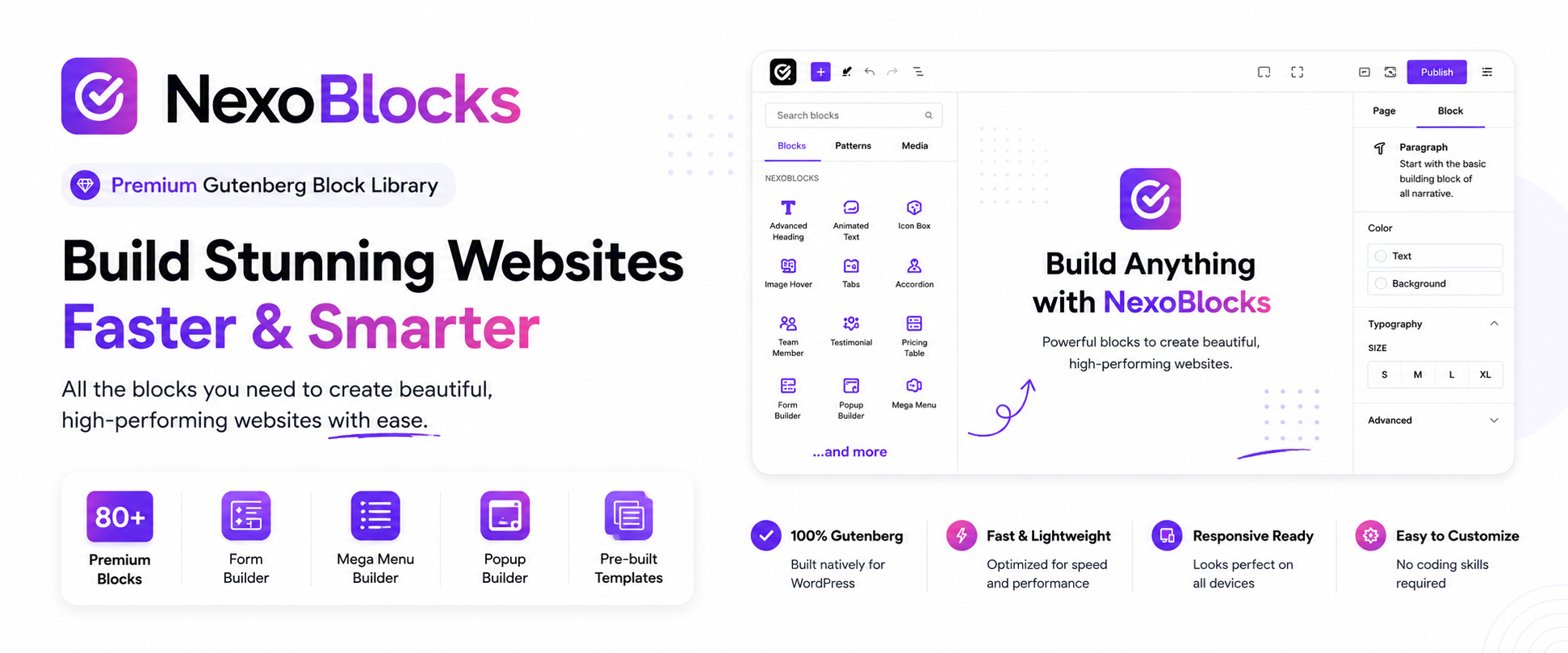

ຄຳອະທິບາຍ
ຄັງບລັອກດຽວທີ່ທ່ານຕ້ອງການ — ຟຣີ 100%
NexoBlocks ປ່ຽນ WordPress Block Editor ເດີມໃຫ້ກາຍເປັນສະຕູດິໂອສ້າງເວັບໄຊທ໌ເຕັມຮູບແບບ. ດ້ວຍ ບລັອກ Gutenberg ຂັ້ນສູງ 80+ ບລັອກ, ຕົວສ້າງຟອມທີ່ມີມາໃຫ້, ບລັອກ WooCommerce, Mega Menu, ປັອບອັບ, ຟອນທີ່ກຳນົດເອງ ແລະ ຕົວຄວບຄຸມການອອກແບບລະດັບມືອາຊີບ, ທ່ານສາມາດສ້າງທຸກຢ່າງໄດ້ — ທັງແລນດິ້ງເພຈ, ເວັບໄຊທ໌ທຸລະກິດ, ຜົນງານ, ບລັອກ ແລະ ຮ້ານຄ້າອອນລາຍ — ໂດຍບໍ່ຕ້ອງອອກຈາກ Gutenberg ເລີຍ.
ບໍ່ຕ້ອງໃຊ້ຕົວສ້າງໜ້າເວັບແຍກ. ບໍ່ຕ້ອງຂຽນໂຄດ. ບໍ່ຕ້ອງອັບເກຣດເປັນ Pro.
ທຸກໆບລັອກ ແລະ ຄຸນສົມບັດທີ່ມີຢູ່ໃນ NexoBlocks ແມ່ນໃຊ້ຟຣີ — ບໍ່ມີການເກັບເງິນເພື່ອປົດລັອກ, ບໍ່ມີຄຸນສົມບັດທີ່ຖືກລັອກໄວ້.
🚀 ເປັນຫຍັງເຈົ້າຂອງເວັບໄຊທ໌ & ເອເຈນຊີຈຶ່ງເລືອກ NexoBlocks
- ✅ 85+ ບລັອກ Gutenberg ຟຣີ — ປລັກອິນດຽວແທນທີ່ຫ້າປລັກອິນ
- ✅ ບໍ່ມີຫຍັງຖືກລັອກໄວ້ໃນເວີຊັນ Pro — ຊຸດເຄື່ອງມືເຕັມຮູບແບບແມ່ນເປີດໃຫ້ໃຊ້ຟຣີມື້ນີ້
- ✅ ຕົວສ້າງຟອມໃນຕົວ — ຟອມຫຼາຍຂັ້ນຕອນ, ການປ້ອງກັນສະແປມ, ລະບົບຕອບກັບອັດຕະໂນມັດ
- ✅ ພ້ອມສຳລັບ WooCommerce — ຕາຂ່າຍສິນຄ້າ, ກະຕ່າ, ບລັອກຊຳລະເງິນ ແລະ ອື່ນໆອີກມາກມາຍ
- ✅ Mega Menu & ການນຳທາງຂັ້ນສູງ — ສ້າງເມນູລະດັບມືອາຊີບຜ່ານການເບິ່ງເຫັນ
- ✅ ປັອບອັບ & ເຄື່ອງມືໂຕ້ຕອບ — ດຶງດູດຜູ້ເຂົ້າຊົມໂດຍບໍ່ຕ້ອງໃຊ້ປລັກອິນເພີ່ມຕື່ມ
- ✅ ຄວບຄຸມການສະແດງຜົນທີ່ແທ້ຈິງ — ປັບແຕ່ງສຳລັບຄອມພິວເຕີ, ແທັບເລັດ ແລະ ມືຖື ໄດ້ຢ່າງອິດສະຫຼະ
- ✅ ຟອນກຳນົດເອງ & Google Fonts — ອິດສະຫຼະໃນການຈັດວາງຕົວໜັງສືເຕັມຮູບແບບ
- ✅ ຄັງ SVG ໃນຕົວ — ໄອຄອນທີ່ສາມາດຄົ້ນຫາໄດ້, ພ້ອມລາກວາງ
- ✅ ເທັມເພລດ & ຮູບແບບທີ່ພ້ອມໃຊ້ງານ — ສ້າງໜ້າເວັບໄດ້ໃນບໍ່ເທົ່າໃດນາທີ
- ✅ ເປັນມິດກັບນັກພັດທະນາ — ລວມມີ REST API, hooks ແລະ filters
🧱 ສ້າງທຸກຢ່າງ ພາຍໃນ Gutenberg
ຕັ້ງແຕ່ໜ້າຜົນງານໜ້າດຽວ ຈົນເຖິງໜ້າຮ້ານຄ້າ WooCommerce ເຕັມຮູບແບບ, NexoBlocks ຄອບຄຸມທັງໝົດ:
ເວັບໄຊທ໌ທຸລະກິດ • ໜ້າແລນດິ້ງເພຈ • ເວັບໄຊທ໌ເອເຈນຊີ • ໜ້າຜົນງານ • ບລັອກ • ຮ້ານຄ້າອອນລາຍ • ໜ້າສິນຄ້າ • ໜ້າການຕະຫຼາດ • ເວັບໄຊທ໌ບໍລິການ • ເວັບໄຊທ໌ທີ່ມີເນື້ອຫາຫຼາກຫຼາຍ
📦 85+ ບລັອກ ໃນ 10 ໝວດໝູ່
ບລັອກພື້ນຖານ
ກ່ອງບັນຈຸ (Container), ຫົວຂໍ້, ວັກ, ປຸ່ມ, ປຸ່ມດາວໂຫຼດ, ຮູບພາບ, ໄອຄອນ, ຄຳອ້າງອີງ, ເສັ້ນແບ່ງ, ລາຍການແບບສວຍງາມ, ເປີດອອກ
ບລັອກເນື້ອຫາ
Accordion, ແຖບ (Tabs), ແຖບຄວາມຄືບໜ້າ, ຄະແນນ (Rating), ຄຳຕິຊົມ (Testimonial), ສະມາຊິກທີມ, ຕົວນັບ, ກ່ອງໄອຄອນ, ກ່ອງຂໍ້ດີ & ຂໍ້ເສຍ, ກ່ອງປີ້ນ, ຕາຕະລາງລາຄາ, ເມນູລາຄາ, ການປຽບທຽບຮູບພາບ, Image Accordion, ຈຸດເດັ່ນຂອງຮູບ (Image Hotspot), ສາລະບານ, ການນັບຖອຍຫຼັງ, ຕົວໜັງສືເລື່ອນ, ແຖບຂ່າວ, ໄທມ໌ລາຍ, ຕາຕະລາງ, ໄຮໄລ້ໂຄດ, ແຜນພູມ, Lottie Animation, ລະຫັດຄູປອງ
ບລັອກສື່
ສະໄລເດີ, Carousel, ການສະແດງຜົນເລື່ອນແນວນອນ, ຮູບພາບທີ່ຕອງໄດ້, ວິດີໂອ, ຄັງວິດີໂອ
ບລັອກໂຕ້ຕອບ
Modal, ເປີດປິດ, ກັບຄືນເທິງສຸດ, ແຊັດ WhatsApp, ແຖບຄວາມຄືບໜ້າການອ່ານ, ປຸ່ມສະຫຼັບໂໝດມືດ, ແຖບໂປຣໂມຊັນຕິດໜ້າຈໍ, ໄລຟ໌ແຊັດ
ບລັອກການນຳທາງ
Breadcrumb, ເມນູນຳທາງ, ເມນູ Offcanvas, Mega Menu
ບລັອກຟອມ
ຕົວສ້າງຟອມ, ຈົດໝາຍຂ່າວ, Mailchimp, ການຄົ້ນຫາແບບ Ajax, ເຂົ້າສູ່ລະບົບ / ອອກຈາກລະບົບ, ຟອມເກັບກຳຂໍ້ມູນລູກຄ້າ
ບລັອກໂຊຊຽວ
ໄອຄອນໂຊຊຽວ, ແຊຣ໌ໂຊຊຽວ, ຟີດ Facebook, ປຸ່ມເຂົ້າຮ່ວມ Telegram
ບລັອກ ບລັອກ & ໂພສ
ຕາຂ່າຍ/ລາຍການໂພສ, ສະໄລເດີໂພສ, ແຖບໂພສ, ຕົວສ້າງ Query, Carousel ແບບວົນລູບໄດນາມິກ, ລາຍການໝວດໝູ່
ບລັອກການເຊື່ອມຕໍ່
Google Map, ຣີວິວ Google, ປຸ່ມ PayPal, ປຸ່ມ Stripe, QR Code
ບລັອກ WooCommerce
ຕາຂ່າຍສິນຄ້າ, ສະໄລເດີສິນຄ້າ, ໝວດໝູ່ສິນຄ້າ, ກະຕ່ານ້ອຍ, ກະຕ່າເລື່ອນ, ຕົວຕອງສິນຄ້າ, ໜ້າຊຳລະເງິນ, ໜ້າບັນຊີ
✍️ ຕົວສ້າງຟອມ
ສ້າງຟອມຕິດຕໍ່, ຟອມສອບຖາມ, ຟອມຈົດໝາຍຂ່າວ ແລະ ຟອມທີ່ປັບແຕ່ງເອງໄດ້ເຕັມຮູບແບບ — ໂດຍກົງພາຍໃນ Block Editor:
- ຟອມຫຼາຍຂັ້ນຕອນ
- ການແຈ້ງເຕືອນທາງອີເມວ & ລະບົບຕອບກັບອັດຕະໂນມັດ
- ການປ້ອງກັນສະແປມແບບ Honeypot
- ການຮອງຮັບ Google reCAPTCHA
- ບ່ອນຈັດເກັບຂໍ້ມູນຟອມ
🛒 ສ້າງຂຶ້ນສຳລັບ WooCommerce
ອອກແບບປະສົບການຮ້ານຄ້າຜ່ານການເບິ່ງເຫັນດ້ວຍ:
- ຕາຂ່າຍສິນຄ້າ & ສະໄລເດີ
- ໝວດໝູ່ສິນຄ້າ & ການຕອງແບບ AJAX
- ກະຕ່ານ້ອຍ & ກະຕ່າເລື່ອນ
- ຮູບແບບໜ້າຊຳລະເງິນ & ໜ້າບັນຊີ
🧭 ການນຳທາງທີ່ມີປະສິດທິພາບ
Breadcrumbs, ເມນູນຳທາງ, ເມນູ Offcanvas, ແລະ Mega Menu ແທ້ໆ — ສ້າງການນຳທາງທີ່ຍືດຫຍຸ່ນໂດຍບໍ່ຕ້ອງໃຊ້ປລັກອິນແຍກ.
🎨 ອອກແບບບໍ່ມີຂີດຈຳກັດ
- ການຈັດວາງຕົວໜັງສື — Google Fonts, ຟອນກຳນົດເອງ, ຕົວຄວບຄຸມຂໍ້ຄວາມຂັ້ນສູງ
- ໄລຍະຫ່າງ — ຕົວຄວບຄຸມ margin, padding ແລະ gap
- ສີ & ການໄລ່ສີ — ຮອງຮັບເອັບເຟັກພາບເຕັມຮູບແບບ
- ຂອບ & ເງົາ — ຄວາມໂຄ້ງ, ເສັ້ນຂອບ, ເງົາກ່ອງ
- CSS ກຳນົດເອງ — ຂຽນທັບ CSS ໄດ້ໃນແຕ່ລະບລັອກ
- ພາບເຄື່ອນໄຫວ — ພາບເຄື່ອນໄຫວຕອນເຂົ້າ & ສະຖານະເມື່ອເອົາເມົ້າຊີ້
- ການປ່ຽນຮູບແບບ — ຫຍໍ້ຂະຫຍາຍ, ໝຸນ, ຍ້າຍຕຳແໜ່ງ, ບິດອຽງ
🔤 ຟອນກຳນົດເອງ
ອັບໂຫຼດຟອນ WOFF, WOFF2 ຫຼື TTF ຫຼື ດຶງຂໍ້ມູນໂດຍກົງຈາກ Google Fonts — ພ້ອມຕົວຄວບຄຸມການຈັດວາງຕົວໜັງສືຂັ້ນສູງໃນທົ່ວບລັອກທີ່ຮອງຮັບ.
🖼️ ຄັງ SVG ໃນຕົວ
ເລືອກເບິ່ງ, ຄົ້ນຫາ ແລະ ແຊກໄອຄອນ SVG ໄດ້ທັນທີ — ພ້ອມການປັບແຕ່ງສີໄດ້ເຕັມຮູບແບບ ແລະ ການອັບໂຫຼດ SVG ທີ່ກຳນົດເອງ.
📁 ຄັງເທັມເພລດ
ຂ້າມການເລີ່ມຕົ້ນຈາກໜ້າເປົ່າໄປເລີຍ. ນຳເຂົ້າສ່ວນປະກອບ, ໂຄງສ້າງ ແລະ ຮູບແບບໜ້າເວັບເຕັມທີ່ພ້ອມໃຊ້ງານ, ຈາກນັ້ນປັບແຕ່ງທຸກຢ່າງໃນ Gutenberg ໄດ້ໂດຍກົງ.
🎛️ ຈັດລະບຽບຢູ່ສະເໝີ
ເປີດ ຫຼື ປິດການໃຊ້ງານແຕ່ລະບລັອກໄດ້ຈາກການຕັ້ງຄ່າ ເພື່ອເຮັດໃຫ້ຕົວແກ້ໄຂຂອງທ່ານເບົາບາງ ແລະ ເນັ້ນສະເພາະສິ່ງທີ່ທ່ານໃຊ້ແທ້ໆ.
👨💻 ສ້າງຂຶ້ນສຳລັບນັກພັດທະນາ
- REST API — ຈຸດເຊື່ອມຕໍ່ສຳລັບການຕັ້ງຄ່າ, ບລັອກ ແລະ ຟອມ
- ຄຳສັ່ງ & ຕົວຕອງ (Actions & Filters) — hooks ສຳລັບການປັບແຕ່ງແບບເລິກເຊິ່ງ
- ຕົວຕອງບລັອກ (Block Filters) — ແກ້ໄຂຜົນການສະແດງຂອງບລັອກ
- ການຫັນເປັນພາສາທ້ອງຖິ່ນ — ພ້ອມສຳລັບການແປພາສາຢ່າງເຕັມຮູບແບບ
- ໂຄງສ້າງທີ່ສະອາດ — ໂຄດທີ່ມີຊື່ພື້ນທີ່ (namespaced) ຕາມມາດຕະຖານການຂຽນໂຄດຂອງ WordPress
💯 ທຸກຢ່າງແມ່ນຟຣີ
ບໍ່ມີບລັອກພຣີມຽມ. ບໍ່ຕ້ອງອັບເກຣດເປັນ Pro. ບໍ່ມີການເຊື່ອງຄ່າໃຊ້ຈ່າຍ. NexoBlocks ຖືກສ້າງຂຶ້ນເພື່ອມອບຊຸດເຄື່ອງມືສ້າງເວັບໄຊທ໌ລະດັບມືອາຊີບທີ່ສົມບູນແບບໃຫ້ທ່ານໂດຍບໍ່ມີຄ່າໃຊ້ຈ່າຍ.
NexoBlocks ເໝາະສຳລັບໃຜ?
ຜູ້ໃຊ້ WordPress • ບລັອກເກີ • ຟຣີແລນ • ນັກອອກແບບ • ນັກພັດທະນາ • ເອເຈນຊີ • ເຈົ້າຂອງຮ້ານຄ້າ WooCommerce • ໃຜກໍຕາມທີ່ສ້າງເວັບດ້ວຍ Gutenberg
ພາບໜ້າຈໍ


ບລັອກ
ປລັກອິນນີ້ມີ 85 ບລັອກ.
- Icon Box An icon (or image) box with a title, description and optional button — fully responsive and styleable.
- Dynamic Loop Carousel A dynamic query loop you can show as a Swiper carousel, masonry or grid — with category tabs and AJAX filtering for posts, products or any custom post type.
- Mega Menu Advanced mega menu with per-item InnerBlocks dropdowns, full-width panels, icons, badges, scroll behaviors and full responsive styling.
- Sticky Promotion Bar Sticky top bar for promotions.
- Rating Display a star, heart or custom icon rating.
- Lottie Animation Embed Lottie animations with full playback, trigger and style controls.
- Accordion Collapsible accordion with rich content panels and responsive styling.
- Image Scroll A framed image that pans up, down, left or right on hover.
- Icon Display a FontAwesome, custom SVG, or Lord Icon.
- Breadcrumb Auto-generated breadcrumb trail from the current page hierarchy, with separator, home link, schema.org markup and full styling.
- Dark Mode Toggle Toggle between light and dark mode.
- Changelog Timeline Release history timeline with versions and changes.
- Newsletter Newsletter subscription form with email input and submit button.
- Google Map Embed a Google Map with multiple markers, custom styles, and responsive sizing.
- Woo Product Filter Filter and sort Woo products instantly.
- Timeline A vertical or horizontal timeline with inner-blocks items and a scroll animation.
- Divider Horizontal separator with solid, dashed, dotted, double, zigzag and wavy styles, an optional centered text or icon, plus full color, width, weight, alignment and responsive spacing controls.
- Pricing Table Modern, animated pricing table with a Monthly / Yearly billing toggle, auto-calculated savings badge, a featured plan ribbon, and customizable feature lists.
- Tabs Tabs block with customizable menu and inner-block content panels.
- Flip Box A 3D / 2D flip box with two faces (front and back). Each face accepts any inner blocks for content.
- Code Highlighter Beautiful syntax-highlighted code blocks with line numbers, copy-to-clipboard, themes, and responsive styling.
- Horizontal Scroll Showcase A cinematic panel showcase that scrolls horizontally, pinned or with scroll-snap.
- Container Flexible Elementor-like container block. Build any responsive layout with full control over flex, background, border, spacing and more.
- Blog Post Display posts in grid, list, or tiles layout with full responsive controls.
- Heading Advanced heading with rich typography, color, background, border, shadow, stroke and responsive controls.
- Team Member A team member card with photo, name, role, bio and social links — fully responsive and styleable.
- Woo Product Display WooCommerce products in a grid or list layout with sale badges, ratings, prices and add-to-cart buttons.
- Toggle Switch between two content views.
- Ajax Search Live AJAX search box with instant results, post type filter and full styling controls.
- Facebook Feed Embed one or many Facebook Pages using the official Facebook Page Plugin. Arrange them as a list, grid, or masonry layout — fully responsive — with optional lazy loading and per-page custom heights.
- Unfold Collapsible content with a Read More / Read Less toggle, fade overlay, rich typography and responsive styling.
- Table of Contents Auto-generated table of contents from page headings, with responsive styling.
- Pros & Cons Box Compare pros and cons with custom icons, plus an optional verdict.
- Stripe Button A Stripe payment button — link to a Stripe Payment Link, or embed Stripe's official Buy Button. No secret keys on your site. Full button styling and responsive controls.
- QR Code Generate a fully-customizable QR code for a URL, text, email, phone, SMS, Wi-Fi or vCard. Rendered offline as a crisp SVG with custom colors, a center logo, caption and optional download button.
- Button Single or dual buttons with icons, rich typography, background, border, shadow, hover states and responsive style controls.
- Woo Floating Cart A floating, AJAX-powered WooCommerce mini-cart. Shows a fixed cart button with a live item count and updates instantly when products are added, removed or have their quantity changed — no page reload.
- WhatsApp Chat A WhatsApp click-to-chat widget — a floating or inline button that opens a chat popup with your agent, a greeting message and a Start Chat button that launches WhatsApp with a prefilled message.
- Post Slider Display posts dynamically inside a fully featured slider / carousel. Query by post type, taxonomy and order, then control every transition, navigation and card style — all with full responsive controls.
- Filterable Gallery A filterable gallery whose items accept any inner blocks (image, text, video, columns, etc).
- PayPal Button A PayPal payment button — Buy Now, Donate, or a PayPal.me link. No API keys needed: just a PayPal email or PayPal.me username. Full button styling and responsive controls.
- Testimonial Testimonials block with Grid, Carousel, and Marquee layouts. Each item supports inner blocks for the quote content.
- One Page Navigation Anchor navigation for one-page sites with smooth scroll, active section highlighting, sticky mode and responsive styling.
- Post Tab Display posts grouped into tabs by taxonomy term. Each selected category/term becomes a tab showing its posts in a grid or list, with full tab, card and responsive controls.
- Image Advanced image block with custom SVG, responsive sizing, filters, hover effects, lightbox, caption and rich typography/border/shadow controls.
- Product Comparison Table Side-by-side comparison table for WooCommerce products with images, ratings, prices, stock status, attributes, and add-to-cart buttons.
- Login / Logout An AJAX login form for logged-out visitors and an account greeting + logout link for logged-in users. Progressive enhancement, nonce-protected.
- Counter Animated number counter that counts up when scrolled into view, with icon, prefix/suffix, title and full responsive styling.
- Offcanvas Menu A slide-in drawer menu with customizable trigger, navigation items, and overlay.
- Social Chat A floating chat launcher that opens a branded panel letting visitors reach you on their favourite channel — WhatsApp, Messenger, Telegram, Instagram, Viber, phone, SMS or email. No backend, no API keys: each channel opens its own app.
- Video Advanced video block — YouTube, Vimeo and self-hosted media with player controls, lightbox, poster image and rich styling.
- Blockquote Advanced blockquote with inner content blocks, citation, quote icon and rich typography/border/shadow controls.
- Social Icons Display a customizable set of links to your social media profiles.
- Carousel A multi-item content carousel. Each item is an inner-blocks container, so any block can go inside. Per-device slides-per-view, autoplay, loop, drag, arrows, dots and full responsive styling.
- Countdown Countdown timer with flip / slide / fade animations and full responsive style control.
- Paragraph Advanced paragraph with rich typography, color, background, border, shadow, drop cap, columns and responsive controls.
- Coupon Code A promotional coupon card with a copy-to-clipboard code. Use a manual code or pull the code, discount and expiry from an existing WooCommerce coupon. Full card, code, button and responsive controls.
- Image Accordion A row of image panels that expand to reveal a title, description and button. Add panels manually, expand on hover or click, with full overlay, content and responsive controls.
- Telegram Join CTA A call-to-action that invites visitors to join your Telegram channel or group — as a centered card, a horizontal banner or a floating button, with an icon, title, description, member count and a Join button that opens t.me.
- Image Hotspot Place interactive hotspots on an image with rich tooltips, animations and full styling control.
- Price Menu A restaurant / services price menu — list items with a name, description and price, plus optional image, badge, dotted leader and a featured highlight. Full layout and responsive controls.
- News Ticker Scrolling news ticker with label, links, and multiple effects (marquee / slide / fade / typewriter).
- Table Responsive table with sorting, searching, pagination and full styling controls.
- Form Builder An advanced form builder with multiple input types and full control over form behavior.
- Lead Capture Form A focused lead capture form — name, email, phone, company, subject, message and consent — that emails leads to you (and optionally stores them). AJAX submit, spam honeypot, full styling and responsive controls.
- Video Gallery A powerful video gallery block with YouTube, Vimeo and self-hosted videos, filtering, lightbox and rich styling.
- Image Comparison Before / after image comparison slider with drag, hover or click interaction.
- Image Gallery A responsive image gallery with lightbox, captions, hover effects, and full advanced styling controls.
- Mailchimp Subscribe-form block that submits to Mailchimp via the site API key configured in NexoBlocks settings.
- Fancy List Icon, number and marker lists with links, styling and responsive layouts.
- Query Builder Dynamic posts grid / list / carousel powered by a flexible query builder.
- Modal Popup modal with click, page load, scroll and exit-intent triggers. Body content is fully editable with inner blocks.
- Marquee Continuously scrolling marquee. Each item is an inner-blocks container, so any content can scroll. Control how many items show on desktop, tablet and mobile.
- Social Share Let visitors share the current page on popular networks with full styling and responsive controls.
- Nav Menu Fully customizable navigation menu with dropdowns, logo, search, mobile hamburger and responsive style settings.
- Chart Animated, responsive charts (bar, line, pie, doughnut, radar, polar area and more) powered by Chart.js with full styling and data controls.
- Slider Responsive content slider with drag, arrows, dots, and multiple transition effects.
- Woo Currency Switcher Let shoppers switch currencies with a dropdown, button group or inline list. Fully styled and responsive.
- Google Review Display Google-style reviews with manual entries or a Google Places API placeholder, fully styled and responsive.
- Download Button Download file button with icon, file info display, typography, background, border, shadow, hover states and responsive style controls.
- Taxonomy List List taxonomy terms (categories, tags or any taxonomy) as a stacked list, inline pills, grid cards, tag cloud or dropdown — with post counts, descriptions, term images and parent/child hierarchy.
- Reading Progress Bar A horizontal bar that fills as the visitor scrolls through the page. Supports a live percentage label, indicator dot, milestone colors, and a pulse / glow when reading completes.
- Back To Top A customizable back-to-top button with advanced styling, animation and scroll behaviour.
- Progress Bar Animated, spiral and classic progress bars with scroll-triggered animation.
- Mega Menu Item A single top-level menu item with an InnerBlocks dropdown panel. Design anything inside.
ການຕິດຕັ້ງ
ຈາກໜ້າແອດມິນ WordPress
- ໄປທີ່ ປລັກອິນ ເພີ່ມໃໝ່.
- ຄົ້ນຫາ NexoBlocks.
- ຄລິກ ຕິດຕັ້ງດຽວນີ້.
- ຄລິກ ເປີດນຳໃຊ້.
- ໄປທີ່ NexoBlocks ການຕັ້ງຄ່າ ເພື່ອຈັດການບລັອກ ແລະ ຄຸນສົມບັດ.
ການຕິດຕັ້ງແບບກຳນົດເອງ
- ດາວໂຫຼດໄຟລ໌ ZIP ຂອງ NexoBlocks ຈາກຄັງປລັກອິນຂອງ WordPress.
- ໄປທີ່ ປລັກອິນ ເພີ່ມໃໝ່ ອັບໂຫຼດປລັກອິນ.
- ເລືອກໄຟລ໌ ZIP ຂອງ NexoBlocks.
- ຄລິກ ຕິດຕັ້ງດຽວນີ້.
- ຄລິກ ເປີດນຳໃຊ້.
- ໄປທີ່ NexoBlocks ການຕັ້ງຄ່າ ເພື່ອຕັ້ງຄ່າປລັກອິນ.
ຄຳຖາມທີ່ພົບເລື້ອຍ
-
NexoBlocks ແມ່ນຫຍັງ?
-
NexoBlocks ເປັນປລັກອິນບລັອກ Gutenberg ຟຣີ ທີ່ຂະຫຍາຍຄວາມສາມາດຂອງ WordPress Block Editor ເດີມດ້ວຍບລັອກຂັ້ນສູງ 85+ ບລັອກ, ຟອມ, ເຄື່ອງມື WooCommerce, ຟີເຈີການນຳທາງ, ເທັມເພລດ, ຟອນກຳນົດເອງ, ຕົວຄວບຄຸມການສະແດງຜົນ ແລະ ອື່ນໆອີກມາກມາຍ.
-
ບລັອກ ແລະ ຄຸນສົມບັດທັງໝົດຂອງ NexoBlocks ແມ່ນໃຊ້ຟຣີບໍ່?
-
ແມ່ນແລ້ວ. ທຸກບລັອກ ແລະ ຄຸນສົມບັດທີ່ມີຢູ່ໃນປັດຈຸບັນແມ່ນໃຊ້ຟຣີ — ບໍ່ຈຳເປັນຕ້ອງອັບເກຣດເປັນ Pro.
-
ບໍ່. ທຸກໆບລັອກ ແລະ ຄຸນສົມບັດທີ່ມີຢູ່ໃນປັດຈຸບັນແມ່ນໃຊ້ຟຣີທັງໝົດ.
-
ຂ້ອຍຕ້ອງມີທັກສະການຂຽນໂຄດເພື່ອໃຊ້ NexoBlocks ບໍ່?
-
ບໍ່. NexoBlocks ເຮັດວຽກຜ່ານການເບິ່ງເຫັນພາຍໃນ WordPress Block Editor ທັງໝົດ.
-
NexoBlocks ເຮັດວຽກຮ່ວມກັບ WordPress Block Editor ຄ່າເລີ່ມຕົ້ນໄດ້ບໍ່?
-
ແມ່ນແລ້ວ. NexoBlocks ຖືກສ້າງຂຶ້ນມາເພື່ອ Gutenberg ໂດຍສະເພາະ.
-
ຂ້ອຍຕ້ອງໃຊ້ຕົວສ້າງໜ້າເວັບແຍກຕ່າງຫາກບໍ່?
-
ບໍ່. NexoBlocks ເປັນການຂະຫຍາຍຄວາມສາມາດຂອງ Gutenberg, ສະນັ້ນ ທ່ານສາມາດສ້າງຜ່ານຕົວແກ້ໄຂເດີມໄດ້ໂດຍກົງ.
-
NexoBlocks ລວມມີຈັກບລັອກ?
-
85+ ບລັອກຟຣີ ໃນໝວດໝູ່ພື້ນຖານ, ເນື້ອຫາ, ສື່, ການໂຕ້ຕອບ, ການນຳທາງ, ຟອມ, ໂຊຊຽວ, ບລັອກ/ໂພສ, ການເຊື່ອມຕໍ່ ແລະ WooCommerce.
-
ຂ້ອຍສາມາດສ້າງເວັບໄຊທ໌ທີ່ຮອງຮັບຫຼາຍໜ້າຈໍດ້ວຍ NexoBlocks ໄດ້ບໍ່?
-
ແມ່ນແລ້ວ. ຕົວຄວບຄຸມການສະແດງຜົນຊ່ວຍໃຫ້ທ່ານປັບແຕ່ງການຕັ້ງຄ່າສຳລັບຄອມພິວເຕີ, ແທັບເລັດ ແລະ ມືຖື ໄດ້ຢ່າງອິດສະຫຼະ.
-
NexoBlocks ຮອງຮັບການເຮັດວຽກກັບ WooCommerce ບໍ່?
-
ແມ່ນແລ້ວ — ລວມມີທັງຕາຂ່າຍສິນຄ້າ, ສະໄລເດີ, ໝວດໝູ່, ຕົວຕອງ, ກະຕ່ານ້ອຍ/ເລື່ອນໄດ້, ຮູບແບບໜ້າຊຳລະເງິນ ແລະ ໜ້າບັນຊີ.
-
ຂ້ອຍສາມາດສ້າງຟອມດ້ວຍ NexoBlocks ໄດ້ບໍ່?
-
ແມ່ນແລ້ວ, ສາມາດໃຊ້ຕົວສ້າງຟອມທີ່ມີມາໃຫ້ ໃນ Block Editor ໄດ້ໂດຍກົງ.
-
ຕົວສ້າງຟອມຮອງຮັບການປ້ອງກັນສະແປມບໍ່?
-
ແມ່ນແລ້ວ — ຮອງຮັບທັງການປ້ອງກັນສະແປມແບບ honeypot ແລະ Google reCAPTCHA.
-
ແມ່ນແລ້ວ, ມາພ້ອມກັບເມນູນຳທາງ, ເມນູ offcanvas ແລະ breadcrumbs.
-
ຂ້ອຍສາມາດປິດການໃຊ້ງານບລັອກທີ່ຂ້ອຍບໍ່ໄດ້ໃຊ້ໄດ້ບໍ່?
-
ແມ່ນແລ້ວ. ໄປທີ່ NexoBlocks ການຕັ້ງຄ່າ ເພື່ອເປີດ ຫຼື ປິດການໃຊ້ງານແຕ່ລະບລັອກ.
-
NexoBlocks ຮອງຮັບຟອນກຳນົດເອງບໍ່?
-
ແມ່ນແລ້ວ — ຮອງຮັບການອັບໂຫຼດຟອນ WOFF, WOFF2 ແລະ TTF ພ້ອມທັງ Google Fonts.
-
NexoBlocks ມີເທັມເພລດມາໃຫ້ຫຼືບໍ່?
-
ແມ່ນແລ້ວ — ມີຄັງເທັມເພລດພ້ອມຮູບແບບທີ່ພ້ອມໃຊ້ງານ ແລະ ໂຄງສ້າງໜ້າເວັບແບບເຕັມ.
-
NexoBlocks ສາມາດເຮັດວຽກຮ່ວມກັບຮູບແບບສີສັນ (theme) WordPress ຂອງຂ້ອຍໄດ້ບໍ່?
-
NexoBlocks ຖືກສ້າງຂຶ້ນມາສຳລັບ WordPress Block Editor ແລະ ສາມາດໃຊ້ງານຮ່ວມກັບທຸກຮູບແບບສີສັນ (theme) ທີ່ຂຽນໂຄດຖືກຕ້ອງ ແລະ ຮອງຮັບ Gutenberg.
-
ຂ້ອຍຈະລາຍງານຂໍ້ຜິດພາດ (bug) ຫຼື ຮ້ອງຂໍຟີເຈີໃໝ່ໄດ້ແນວໃດ?
-
ໃຊ້ກະດານສົນທະນາສະໜັບສະໜູນຂອງ WordPress.org ຫຼື ເປີດບັນຫາໃນ NexoBlocks GitHub repository.

ຜູ້ຮ່ວມພັດທະນາ ແລະ ຜູ້ພັດທະນາ
“NexoBlocks – ຊຸດເຄື່ອງມື Gutenberg ທີ່ສົມບູນແບບ: 80+ ບລັອກ, ຕົວສ້າງຟອມ, Mega Menu & ຕົວສ້າງປັອບອັບ” ແມ່ນຊອຟແວໂອເພັນຊອດ (Open Source). ບຸກຄົນຕໍ່ໄປນີ້ໄດ້ມີສ່ວນຮ່ວມໃນການພັດທະນາປລັກອິນນີ້.
ຜູ້ຮ່ວມພັດທະນາ
“NexoBlocks – ຊຸດເຄື່ອງມື Gutenberg ທີ່ສົມບູນແບບ: 80+ ບລັອກ, ຕົວສ້າງຟອມ, Mega Menu & ຕົວສ້າງປັອບອັບ” ໄດ້ຖືກແປເປັນ 1 ພາສາທ້ອງຖິ່ນ. ຂໍຂອບໃຈ ທີມງານຜູ້ແປ ສຳລັບການປະກອບສ່ວນຂອງເຂົາເຈົ້າ.
ສົນໃຈຮ່ວມພັດທະນາບໍ່?
ເບິ່ງລະຫັດ, ກວດເບິ່ງ ຄັງເກັບ SVN, ຫຼື ຕິດຕາມ ບັນທຶກການພັດທະນາ ຜ່ານ RSS.
ບັນທຶກການປ່ຽນແປງ
1.1.0
- ເພີ່ມບລັອກ ແລະ ຄຸນສົມບັດໃໝ່.
- ປັບປຸງການເຊື່ອມຕໍ່ກັບ Gutenberg editor.
- ປັບປຸງການຈັດການບລັອກ ແລະ ສ່ວນຂະຫຍາຍ.
- ຍົກລະດັບຕົວຄວບຄຸມການສະແດງຜົນ ແລະ ຕົວເລືອກການອອກແບບ.
- ປັບປຸງການທຳງານທີ່ກ່ຽວຂ້ອງກັບ WooCommerce.
- ປັບປຸງຄວາມສະຖຽນ ແລະ ຄວາມເຂົ້າກັນໄດ້ໂດຍລວມ.
- ແກ້ໄຂຂໍ້ຜິດພາດ ແລະ ບັນຫາປະສິດທິພາບການໃຊ້ງານ.
1.0.0
- ລຸ້ນເປີດຕົວ.
- ເພີ່ມຄໍເລັກຊັນບລັອກ Gutenberg ຟຣີ 70+ ບລັອກທີ່ກຳລັງເພີ່ມຂຶ້ນເລື້ອຍໆ.
- ເພີ່ມຕົວສ້າງຟອມ ພ້ອມຟອມຫຼາຍຂັ້ນຕອນ, ການແຈ້ງເຕືອນທາງອີເມວ ແລະ ການປ້ອງກັນສະແປມ.
- ເພີ່ມເຄື່ອງມື WooCommerce ລວມມີ ຕາຂ່າຍສິນຄ້າ, ສະໄລເດີສິນຄ້າ, ກະຕ່ານ້ອຍ ແລະ ກະຕ່າເລື່ອນ.
- ເພີ່ມການອັບໂຫຼດ ແລະ ການຈັດການຟອນກຳນົດເອງ.
- ເພີ່ມຄັງ SVG ພ້ອມການຄົ້ນຫາໄອຄອນ.
- ເພີ່ມຄັງເທັມເພລດພ້ອມໂຄງສ້າງທີ່ອອກແບບໄວ້ລ່ວງໜ້າ.
- ເພີ່ມການຕັ້ງຄ່າ Theme Style ແບບທົ່ວລະບົບ ແລະ ຄ່າທີ່ຕັ້ງໄວ້ລ່ວງໜ້າ.
- ເພີ່ມການຄົ້ນຫາແບບ AJAX ພ້ອມສະແດງຜົນແບບສົດໆ.
- ເພີ່ມ REST API endpoints ສຳລັບການຕັ້ງຄ່າ ແລະ ຟອມທີ່ຮອງຮັບ.
- ເພີ່ມ action ແລະ filter hooks.
- ເພີ່ມຕົວຄວບຄຸມການສະແດງຜົນ (responsive controls) ສຳລັບບລັອກທີ່ຮອງຮັບ.
- ເພີ່ມ CSS ທີ່ກຳນົດເອງສຳລັບແຕ່ລະບລັອກ.
- ເພີ່ມການເຊື່ອມຕໍ່ Google Fonts.