

ຄຳອະທິບາຍ
Automated dynamic pricing and scheduled sales for WooCommerce. Smart Cycle Discounts lets you create a discount campaign in minutes and run it on autopilot — sale prices apply on schedule, conflicts are caught before they cost you money, and your prices revert cleanly when the sale ends.
Cycle AI — describe the sale you want in plain English and the AI drafts a complete campaign in seconds. It reads your real catalog, picks the right products and discount type, and drops everything into the wizard for your review. Keep chatting to refine (“make it 25% instead,” “limit to 200 uses”) and launch when you’re ready.
No more editing products one by one. No more forgetting to end a sale. No more wondering which discount is overriding which.
Pick your discount type (percentage off, BOGO, tiered pricing, and more), choose your products, set your schedule, and the plugin handles the rest — from activation to expiration, automatically.
A built-in setup wizard scans your store on first install, detects conflicting plugins, and walks you through creating your first campaign. Most merchants are up and running in under 3 minutes.
ວິດີໂອສອນການໃຊ້
ຄຸນສົມບັດຫຼັກ
- Cycle AI — describe what you want in plain English, the AI drafts a store-aware campaign. Free: 10 drafts/month. Pro: 50/day
- Set it and forget it — campaigns activate and expire on schedule, no manual work
- Auto-apply or coupon code delivery — every campaign can either fire automatically at checkout or require a code customers enter, on every discount type (not just percentage/fixed)
- Percentage off, fixed amount, BOGO — all free, no upgrade required
- Tiered pricing, spend thresholds, bundles — available in Pro
- Recurring promotions — set up a “Weekend Sale” once, it repeats automatically
- Smart conflict detection — the plugin warns you before overlapping discounts cause problems
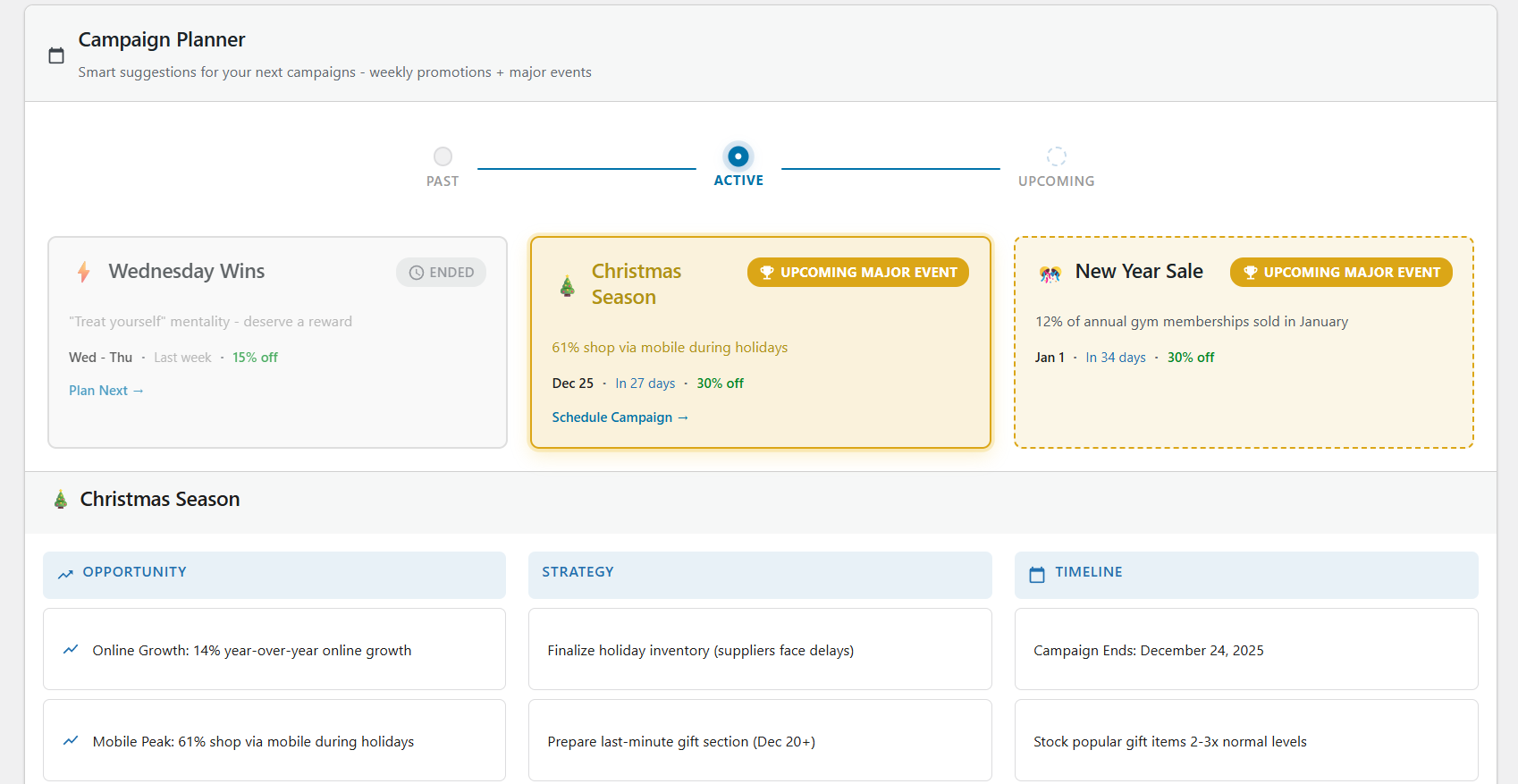
- Campaign Intelligence — tells you which promotions are working and what to do next
- 5-step wizard — create a campaign in minutes with guided setup and live preview
- Setup wizard — scans your store on first install, detects conflicts, gets you started fast
- Priority system — control exactly which discount wins when campaigns overlap
- Works with any theme — uses WooCommerce’s native sale price system
Perfect For
- Stores running seasonal sales (Black Friday, holiday, summer) that need to start and stop on time
- Stores with multiple promotions that need to avoid conflicts and overlapping discounts
- Stores that want to automate recurring deals (weekly specials, daily flash sales)
- B2B and wholesale stores using role-based or tiered quantity pricing
- Anyone tired of manually editing product prices every time a sale starts or ends
ປະເພດສ່ວນຫຼຸດ WooCommerce ແລະ ຄຸນສົມບັດການກຳນົດລາຄາແບບໄດນາມິກ
ເວີຊັນຟຣີລວມມີ:
- Percentage discounts
- Fixed amount discounts
- BOGO (Buy One Get One) deals
- Coupon-code campaigns — require a shared code at checkout for any discount type
- URL auto-apply (
?wsscd_code=YOURCODE) for sharing codes in emails and social posts - ປຸ່ມເປີດໃຊ້ການສົ່ງຟຣີພາຍໃນການຕັ້ງຄ່າແຄມເປນ
- ການກຳນົດເປົ້າໝາຍຕາມບົດບາດຜູ້ໃຊ້ (ລວມ/ຍົກເວັ້ນ ບົດບາດ)
- ການກຳນົດເປົ້າໝາຍສະຖານທີ່ຕາມປະເທດທີ່ຮຽກເກັບເງິນ ຫຼື ຈັດສົ່ງ
- Recurring campaign scheduling — certain weekdays, days of the month, or daily time windows
ເວີຊັນ Pro ເພີ່ມ:
- Tiered quantity discounts (volume pricing)
- Spend threshold discounts (cart-based conditions)
- Bundle deals (percentage, fixed, flat bundle pricing)
- Bulk unique-code generation (up to 50,000 single-use codes per campaign, CSV export)
- Single-use enforcement (lock a code to one redemption per code or per customer)
- ການຄວບຄຸມກົດເກນສ່ວນຫຼຸດຂັ້ນສູງເພື່ອການກວດສອບສິດທີ່ລະອຽດກວ່າ ແລະ ປ້ອງກັນກຳໄລ
- ການຄວບຄຸມສ່ວນຫຼຸດການສະໝັກສະມາຊິກຂັ້ນສູງ (ເມື່ອໃຊ້ WooCommerce Subscriptions)
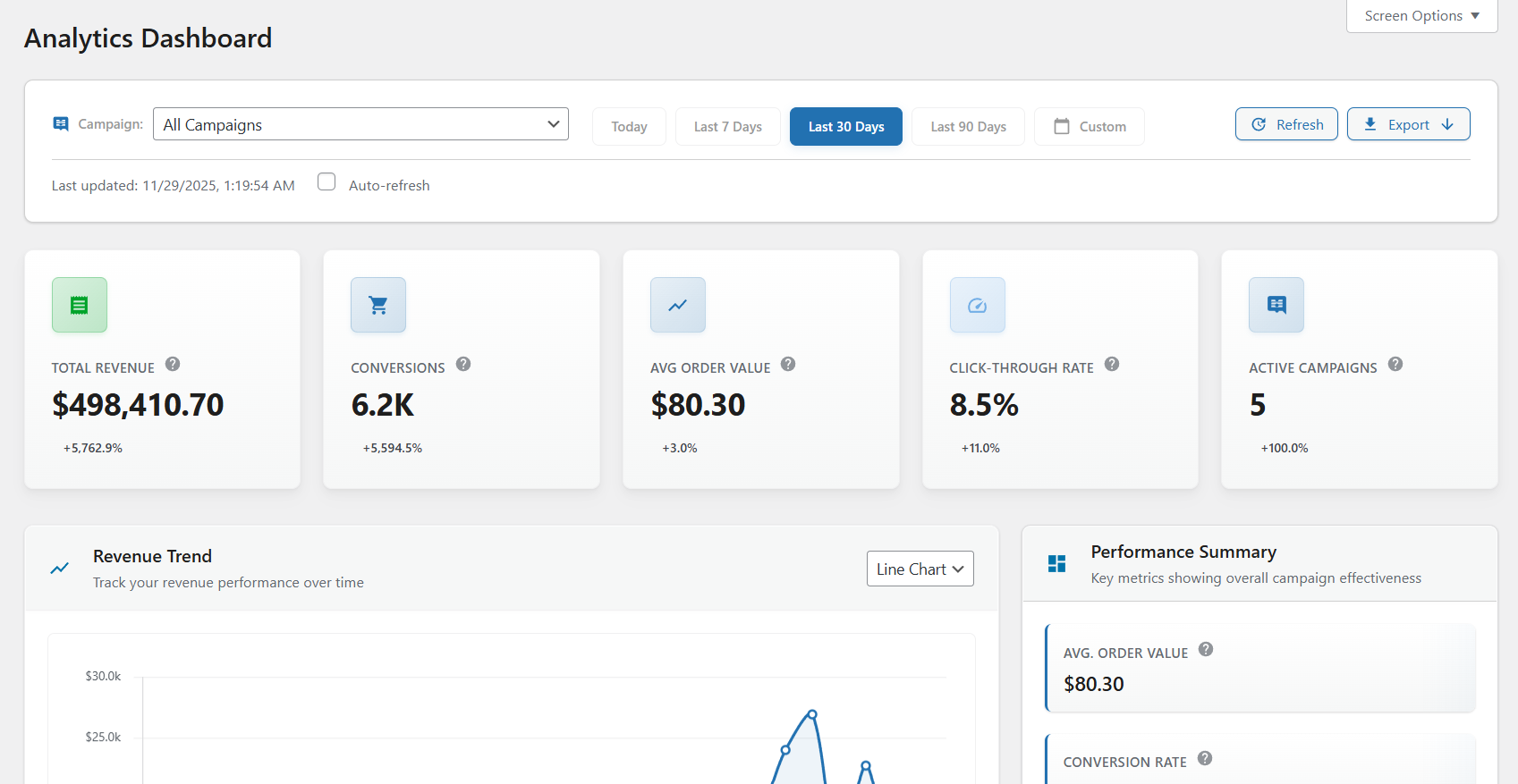
- Full analytics dashboard and advanced exports
ລະບົບຈັດການໂປຣໂມຊັນ WooCommerce ຂັ້ນສູງ
Smart Cycle Discounts ຖືກສ້າງຂຶ້ນເປັນ ລະບົບແຄມເປນ, ບໍ່ແມ່ນພຽງແຕ່ເຄື່ອງມືແກ້ໄຂກົດເກນແບບຄັ້ງດຽວ.
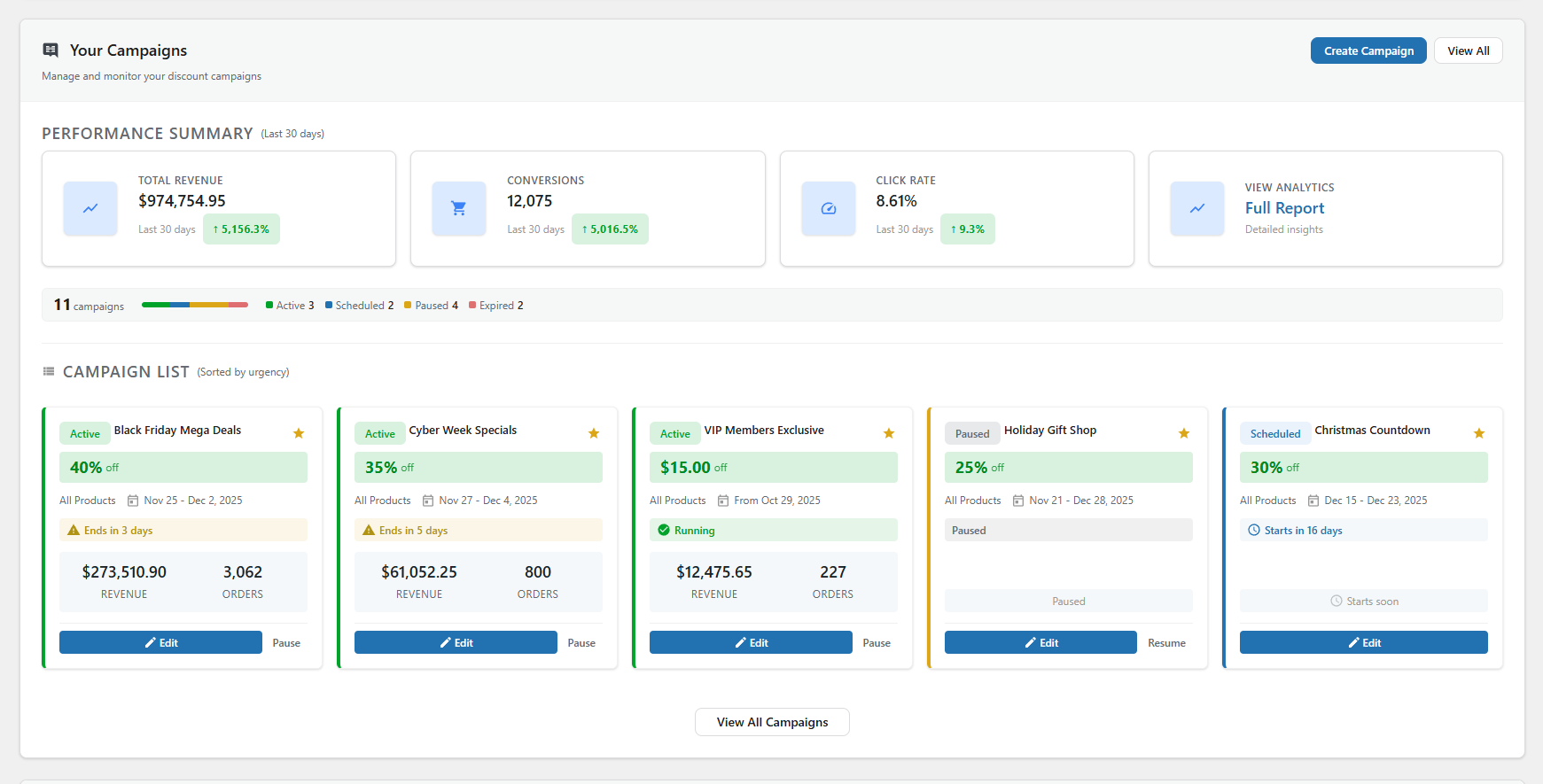
- ການຈັດການວົງຈອນຊີວິດແຄມເປນ (ຮ່າງ ຕັ້ງເວລາ ກຳລັງໃຊ້ ໝົດອາຍຸ)
- Smart product targeting (all products, specific products, random products, categories, advanced filters)
- ລະບົບຕັ້ງເວລາອັດຕະໂນມັດທີ່ຮອງຮັບເຂດເວລາ
- ການແກ້ໄຂລຳດັບຄວາມສຳຄັນເມື່ອແຄມເປນທັບຊ້ອນກັນ
- ເພີ່ມປະສິດທິພາບການແຄດ ແລະ ການເຮັດວຽກສຳລັບລາຍການສິນຄ້າ WooCommerce ຂະໜາດໃຫຍ່
ການກວດຈັບຂໍ້ຂັດແຍ່ງຂອງໂປຣໂມຊັນ WooCommerce
ກ່ອນການເປີດຕົວ, Campaign Health ແລະ Campaign Intelligence ຈະປະເມີນຄວາມສ່ຽງໃນການດຳເນີນງານ ລວມທັງ:
- ຂໍ້ຂັດແຍ່ງຂອງໂປຣໂມຊັນ ແລະ ສ່ວນຫຼຸດທີ່ທັບຊ້ອນກັນ
- ການຈັດລຳດັບຄວາມສຳຄັນລະຫວ່າງແຄມເປນທີ່ເຮັດພ້ອມກັນ
- ການກວດສອບສະຕັອກ ແລະ ຄວາມພ້ອມຂອງສິນຄ້າ
- ຄວາມສອດຄ່ອງຂອງຕາຕະລາງ ແລະ ເວລາ
- ຄວາມຖືກຕ້ອງຂອງສ່ວນຫຼຸດ ແລະ ຕົວຊີ້ບອກຄວາມສ່ຽງ
ສິ່ງນີ້ຈະປ່ຽນການເຮັດວຽກຂອງທີມຈາກການແກ້ໄຂບັນຫາຕາມຫຼັງ ມາເປັນ ການຄວບຄຸມໂປຣໂມຊັນແບບຕັ້ງຮັບລ່ວງໜ້າ.
ການວິເຄາະແຄມເປນ ແລະ ລະບົບອັດສະລິຍະ WooCommerce
Smart Cycle Discounts ລວມມີຂໍ້ມູນເຈາະເລິກການດຳເນີນງານໃນລະດັບແຄມເປນ ເພື່ອໃຫ້ທ່ານສາມາດປະເມີນ:
- ແຄມເປນໃດທີ່ສ້າງລາຍໄດ້ຢ່າງຫຼວງຫຼາຍ
- ສິນຄ້າທີ່ຫຼຸດລາຄາອັນໃດມີຍອດຂາຍດີທີ່ສຸດ
- ໂປຣໂມຊັນໃດຄວນຂະຫຍາຍ, ຢຸດຊົ່ວຄາວ ຫຼື ອອກແບບໃໝ່
ແຜງຄວບຄຸມການວິເຄາະຊ່ວຍໃຫ້ຮ້ານຄ້າ ປັບປຸງໂປຣໂມຊັນໃຫ້ມີປະສິດທິພາບ ແທນທີ່ຈະເປັນການເດົາວ່າສ່ວນຫຼຸດໃດໄດ້ຜົນດີທີ່ສຸດ.
ການວິເຄາະແບບເຈາະເລິກ ແລະ ການສົ່ງອອກຂໍ້ມູນມີໃຫ້ໃນເວີຊັນ Pro, ສ່ວນຄຳແນະນຳພື້ນຖານຈາກ Campaign Intelligence ແມ່ນມີໃຫ້ໃນເວີຊັນຟຣີ.
Popular WooCommerce Promotion Use Cases
Smart Cycle Discounts ສາມາດໃຊ້ເພື່ອດຳເນີນການ:
- ແຄມເປນ WooCommerce BOGO (ຊື້ 1 ແຖມ 1)
- ແຄມເປນສ່ວນຫຼຸດຈຳນວນຫຼາຍ ແລະ ການກຳນົດລາຄາຕາມລະດັບຂອງ WooCommerce
- ການຕັ້ງເວລາຂາຍ ແລະ ໂປຣໂມຊັນແບບເກີດຂຶ້ນຊ້ຳຂອງ WooCommerce
- ແຄມເປນສ່ວນຫຼຸດແບບແພັກເກດ WooCommerce ແລະ ຊຸດສິນຄ້າ
- ການຂາຍແບບ Flash sales ແລະ ແຄມເປນຕາມລະດູການຂອງ WooCommerce
- ສ່ວນຫຼຸດຕາມກຸ່ມລູກຄ້າ WooCommerce (ບົດບາດ ແລະ ສະຖານທີ່)
- WooCommerce coupon code campaigns (private codes for email blasts, influencer codes, loyalty rewards)
- ຮອບວຽນໂປຣໂມຊັນ WooCommerce ພ້ອມການວາງແຜນຕັ້ງເວລາແຄມເປນ
Why Store Owners Switch to Smart Cycle Discounts
Most discount plugins let you create rules. Smart Cycle Discounts lets you run promotions.
Common problems with other discount plugins:
- Discounts calculated on-the-fly slow your store to a crawl
- “Sale” filter plugins can’t find your discounted products
- Two discounts overlap and customers get double savings you didn’t intend
- The free version is empty — every useful feature is locked behind Pro
- Uninstalling leaves leftover sale tags and data in your database
How Smart Cycle Discounts is different:
- Sale badges and strikethrough on your storefront — discounts render through WooCommerce’s price filters, so your theme’s “Sale!” badge and crossed-out pricing appear automatically on shop, category, product, and search pages. No frontend JavaScript, and no bulk price rewrites on activation — active-campaign data is cached and product terms batch-loaded to keep pages fast.
- Built-in conflict detection — Campaign Intelligence catches overlapping discounts, priority ties, and pricing risks before your customers do. You’ll know about problems before they cost you money.
- Genuinely useful free version — percentage off, fixed amount, BOGO, scheduling, recurring campaigns, role targeting, and location targeting are all included free. No bait-and-switch.
- Clean uninstall — deactivating or removing the plugin restores your original prices and removes all plugin data. No leftover sale tags or orphaned database entries.
- Performance-first architecture — active campaigns are cached, product terms are batch-loaded, and admin assets only load on plugin pages. Your store stays fast.
Documentation & Resources
Getting started
Guides
- Discount types reference
- Scheduling & recurring campaigns
- Cycle AI
- Use case walkthroughs
- Developer documentation
- Troubleshooting
More
More from Webstepper
TrustLens — Fraud Prevention & Chargeback Defense for WooCommerce — Smart Cycle Discounts grows your revenue; TrustLens protects it. It scores every customer 0–100 and catches return abuse, coupon fraud, fraud rings, and card-testing attacks before they hit your margin — all 8 detection modules free, and you stay in control: block, allowlist, or just watch.
ເລີ່ມຕົ້ນໃຊ້ງານ
- Install and activate the plugin
- The setup wizard scans your store and checks for conflicts
- Create your first campaign — describe it to Cycle AI or use the 5-step wizard
- Your discounts go live automatically — no product editing needed
ຕ້ອງການຄວາມຊ່ວຍເຫຼືອບໍ່?
External Services
This plugin’s Cycle AI feature (optional, opt-in) relies on a hosted AI service operated by Webstepper to generate campaign drafts from natural-language descriptions.
What the service does. When you use Cycle AI, the plugin sends your typed prompt and a summary of your store catalog to Webstepper’s hosted endpoint at cycle-ai-proxy.usa-mv96.workers.dev. That endpoint verifies your plan tier with Freemius, enforces a per-plan usage quota, then forwards the request to OpenAI (api.openai.com). OpenAI generates the campaign draft, which is returned to your site and rendered in the Cycle AI chat panel for your review. The draft is never published as a live campaign until you explicitly approve and save it through the wizard.
What data is sent.
- Your typed prompt and the conversation history for the current draft.
- A summary of your store catalog: product names, IDs, category names, tag names, and category product counts. Used so the AI can reference real products and categories when drafting campaigns.
- Your Freemius install ID, anonymous install UID, and (if you have a Pro license) your license secret key. Used to validate your plan tier and enforce quotas.
What data is NOT sent. The plugin does not transmit customer names, customer email addresses, order data, transaction history, or any personally identifiable information about your shoppers.
When data is sent. Only when you explicitly click a button that invokes Cycle AI (typing a prompt and pressing Send, or refining an existing draft). The plugin does not make any background calls to the service.
Consent. Before the first Cycle AI call, the plugin shows a consent modal listing exactly what data will be sent and linking to Webstepper’s privacy policy and terms of service. No data is transmitted until you accept. You can revoke consent at any time by disabling the feature.
Providers and policies.
- Webstepper (hosted AI service, rate limiting, tier validation): Privacy Policy — Terms of Service
- OpenAI (the underlying language model): Privacy Policy — Terms of Use
If you do not use Cycle AI, no external service calls are made by this plugin.
ພາບໜ້າຈໍ
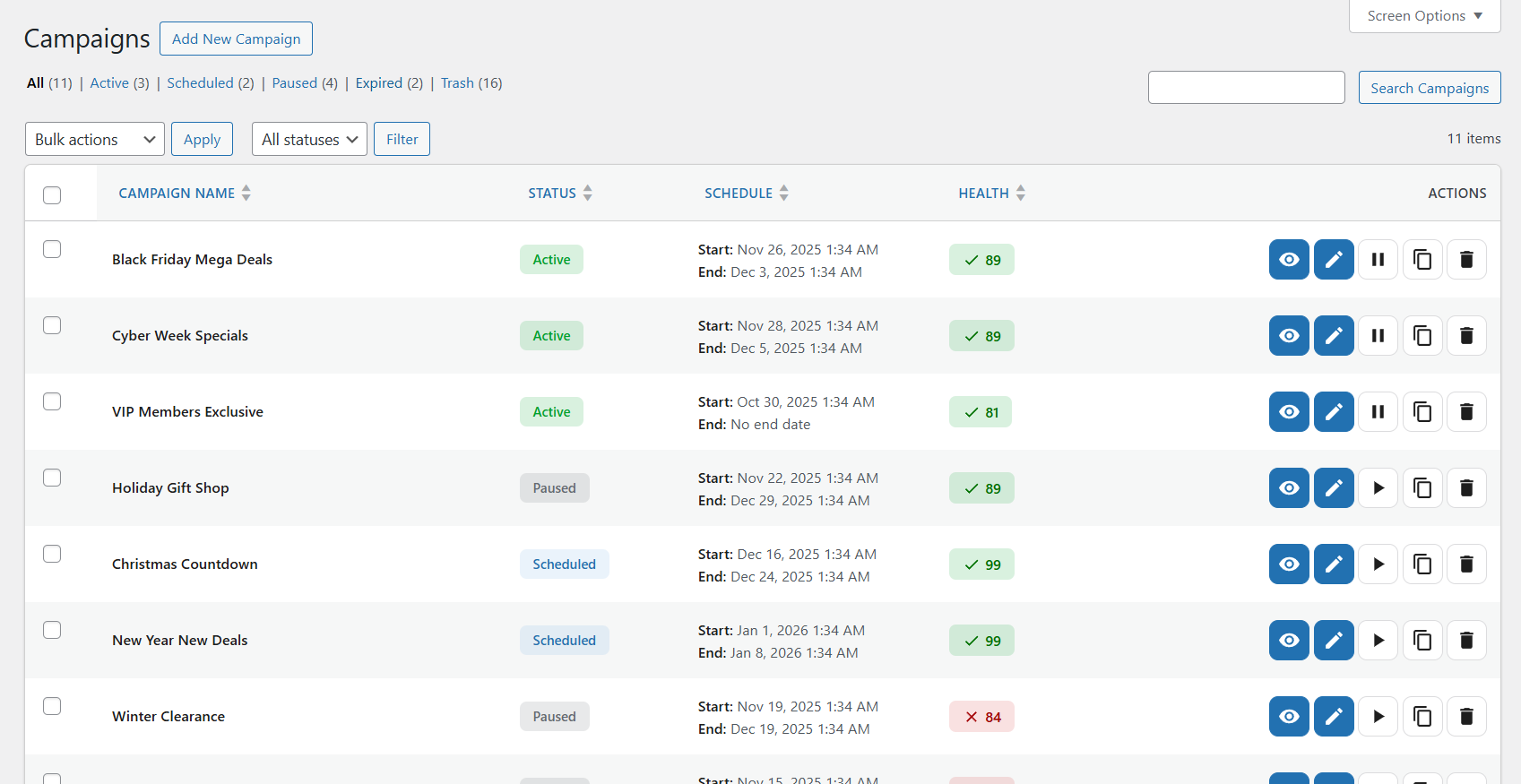
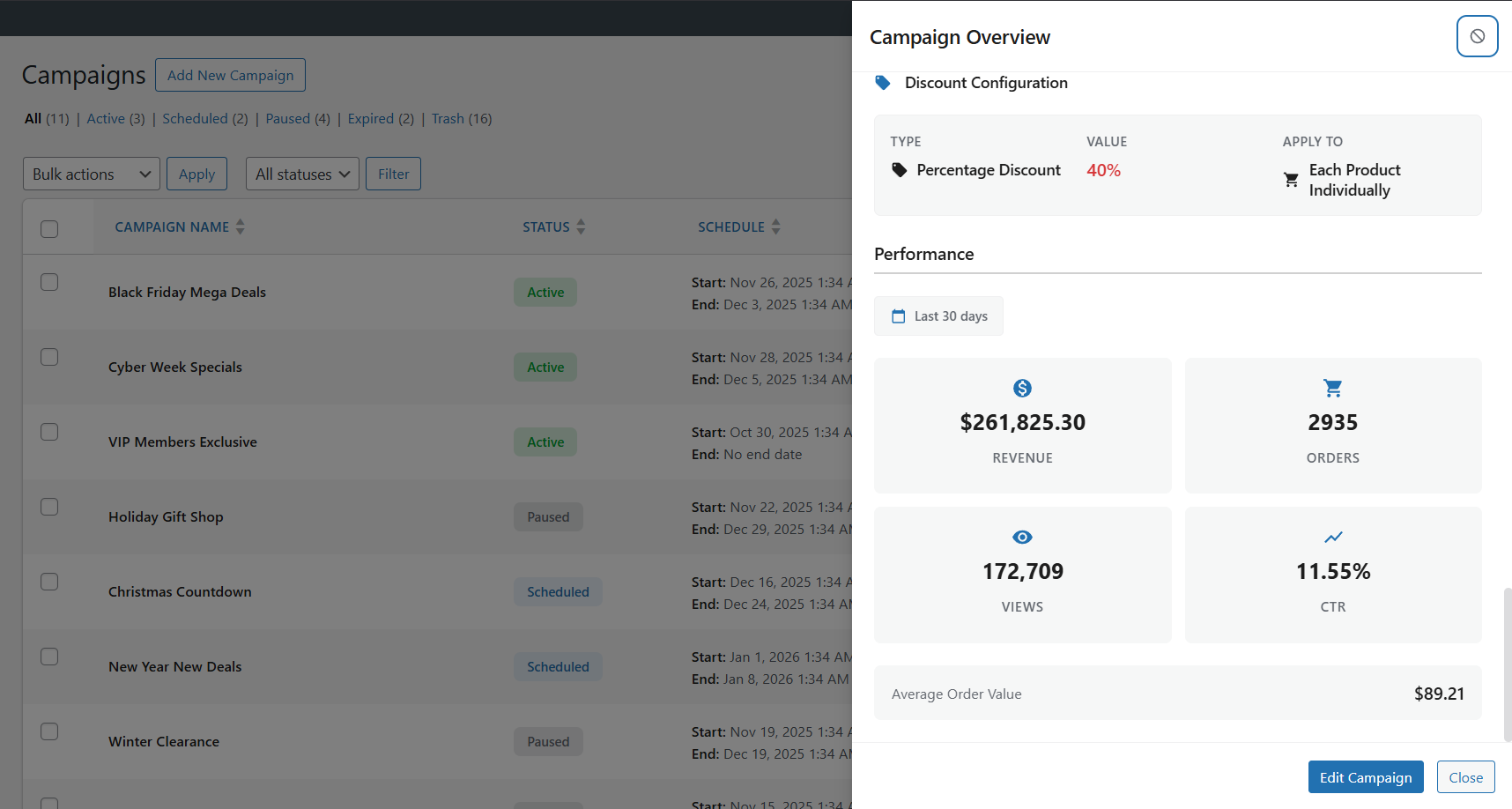
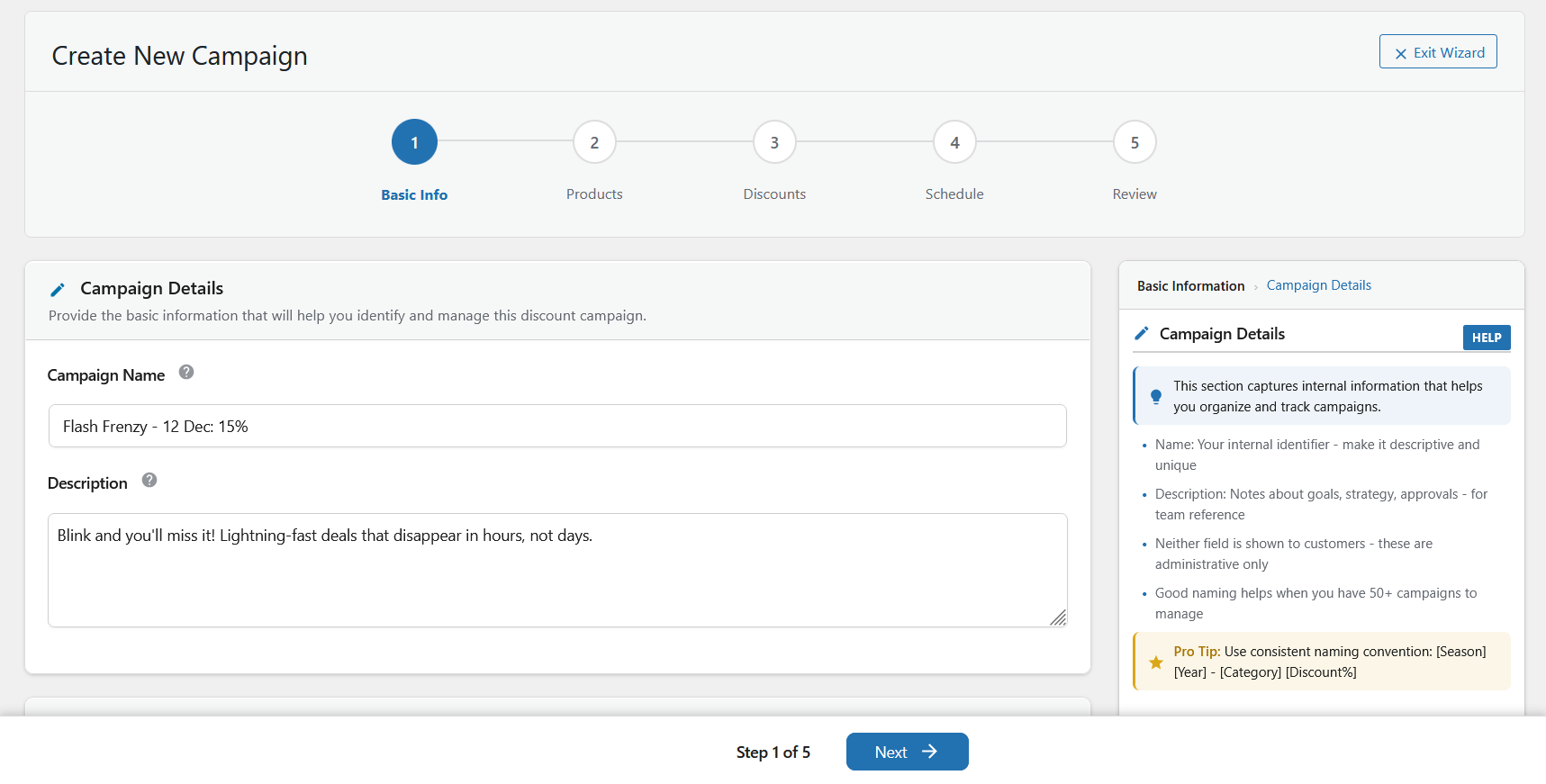
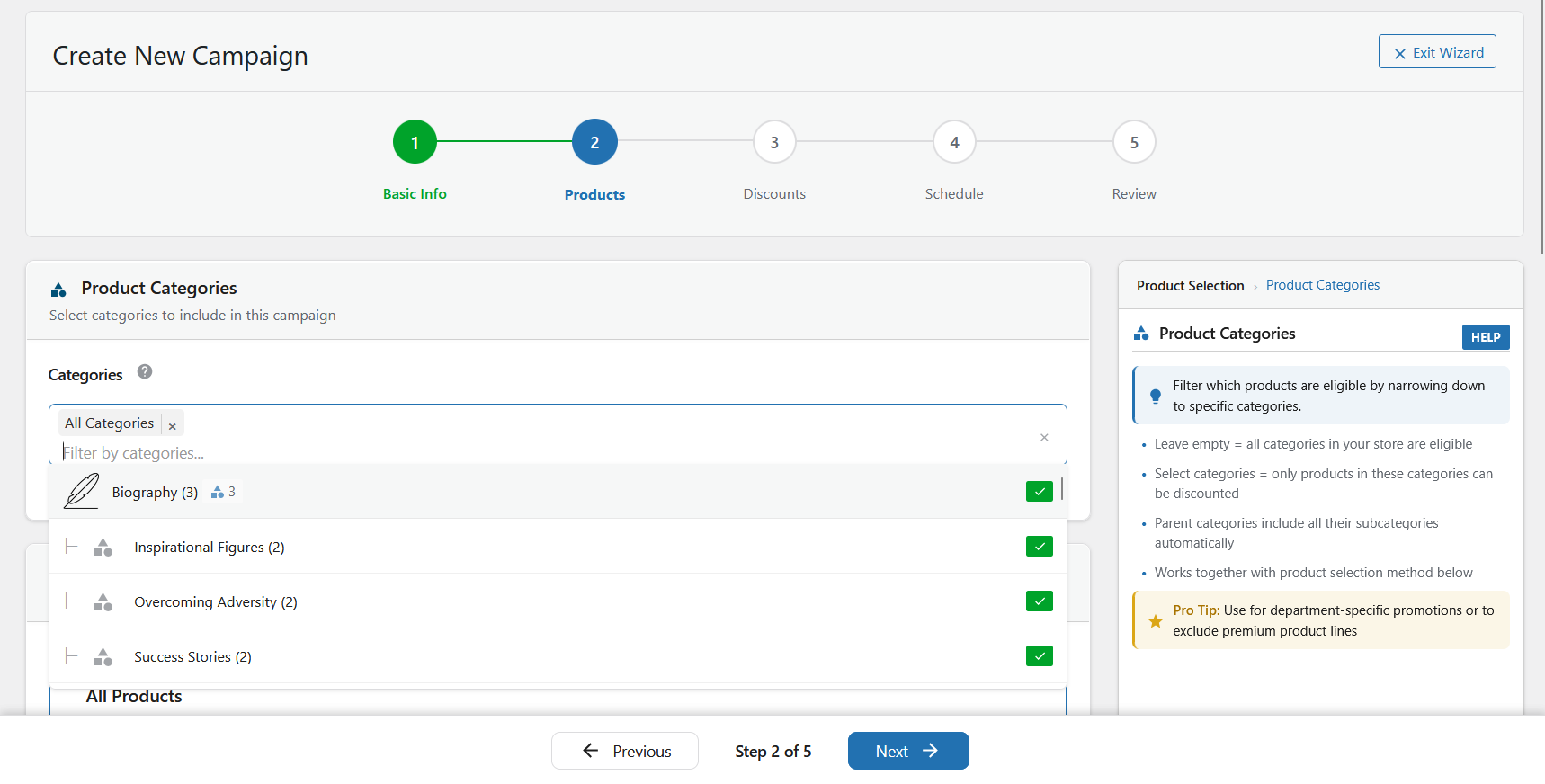
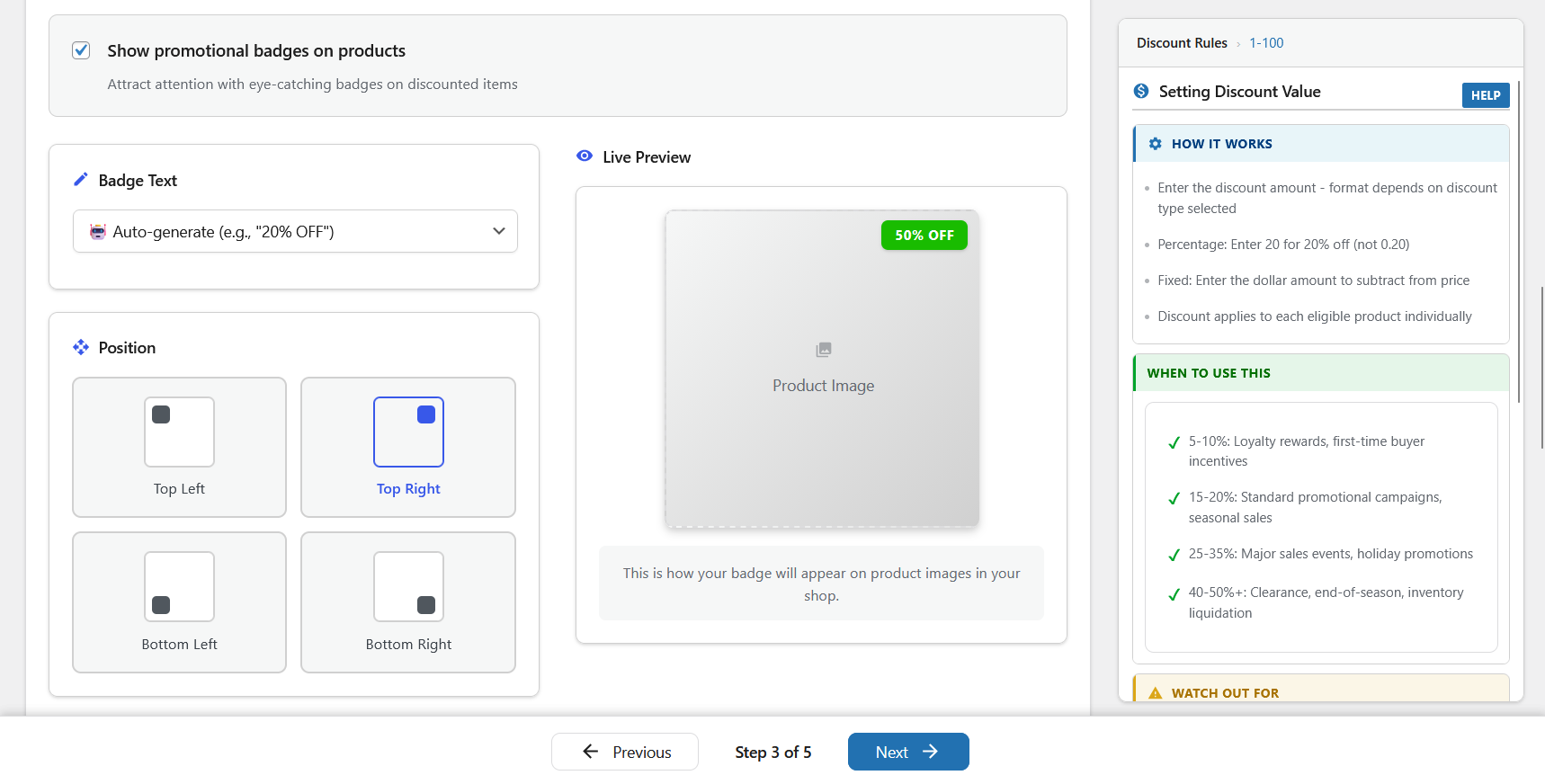
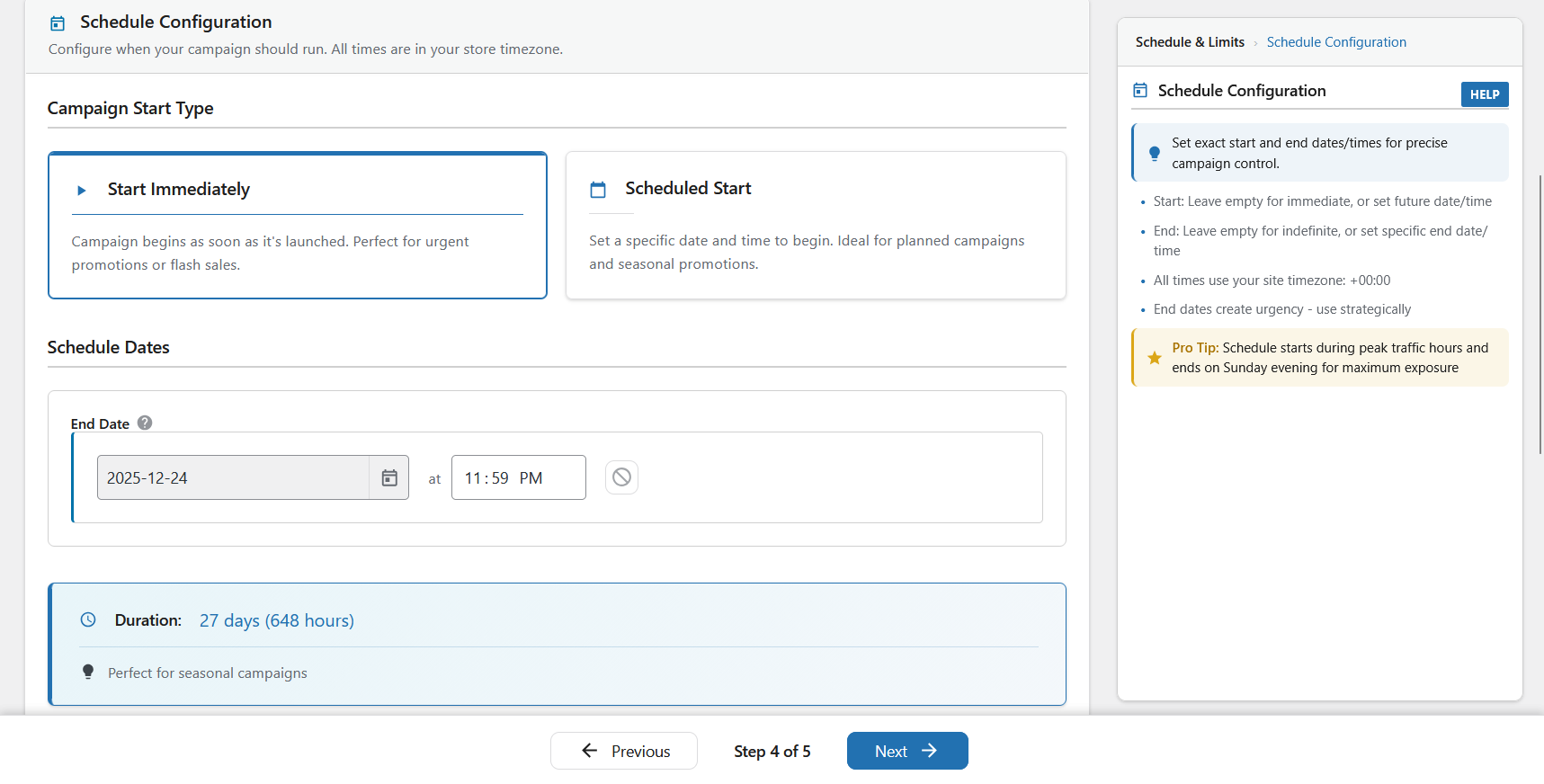
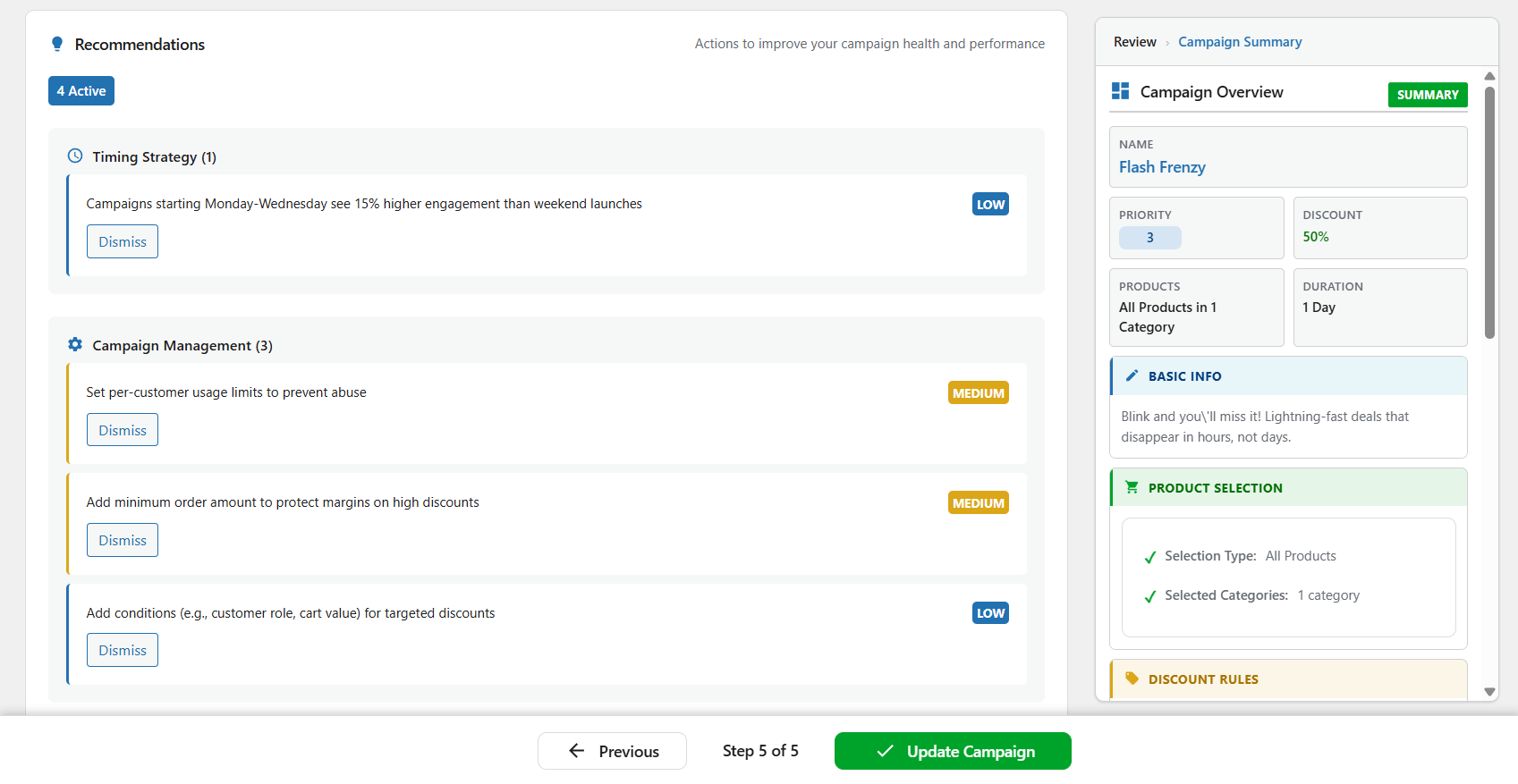
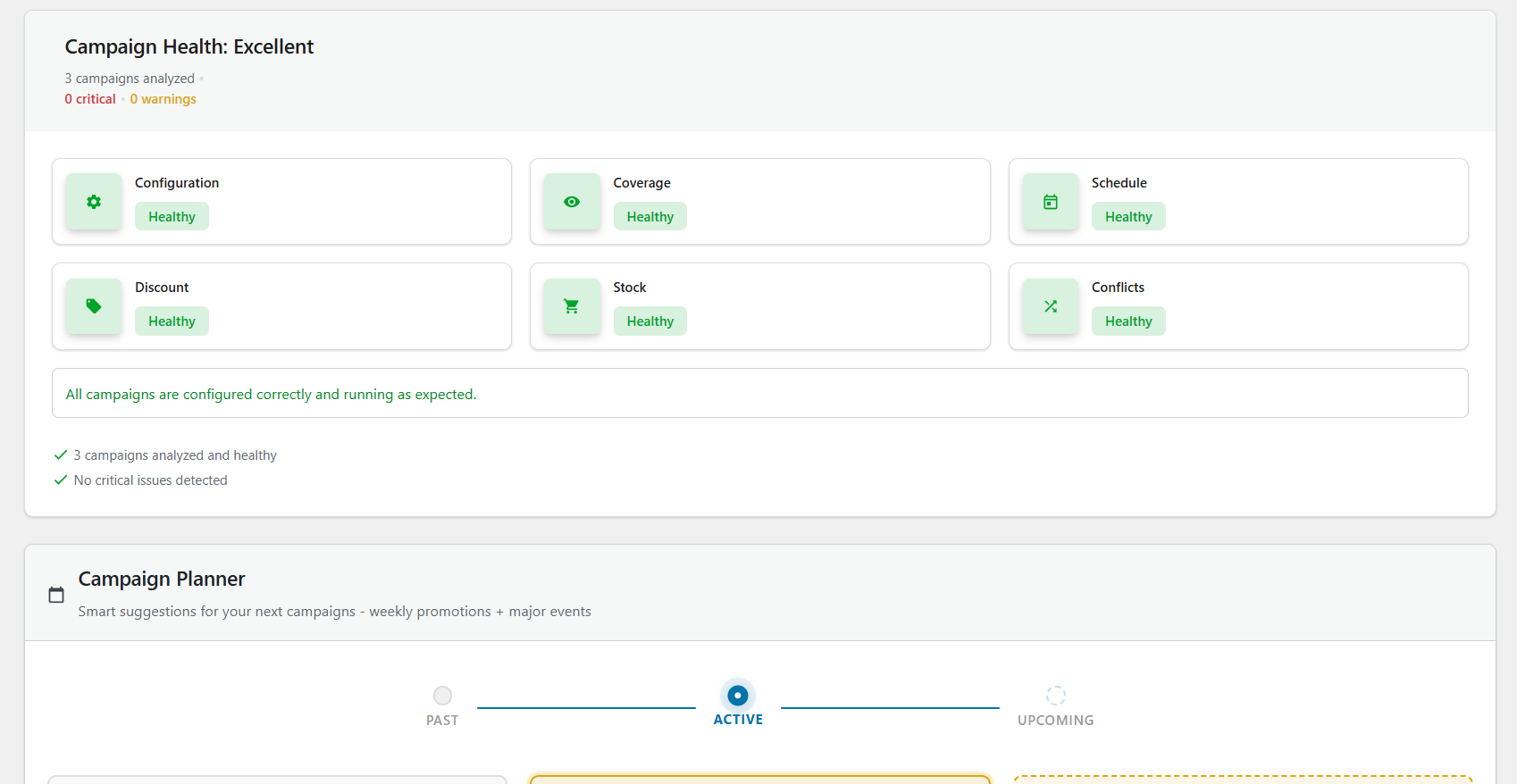
ຄຳຖາມທີ່ພົບເລື້ອຍ
ຂ້ອຍຈະຕັ້ງເວລາຂາຍໃນ WooCommerce ແບບອັດຕະໂນມັດໄດ້ແນວໃດ?
Install Smart Cycle Discounts, create a campaign using the 5-step wizard, and set your start and end dates in the Schedule step. The plugin automatically activates your sale prices at the scheduled time and removes them when the campaign ends. No manual work required – your WooCommerce sale prices update themselves on schedule. See automatic activation for the details.
ມີສ່ວນຫຼຸດ WooCommerce ປະເພດໃດແດ່ທີ່ຮອງຮັບ?
The free version supports percentage discounts, fixed amount discounts, and BOGO deals (Buy One Get One) on any WooCommerce product. The Pro version adds tiered quantity discounts (volume-based dynamic pricing), spend threshold discounts (minimum cart value offers), and bundle discounts (buy a set of products together for a deal). All discount types work with the automated scheduling system. See the discount types reference for a full breakdown.
ນີ້ແມ່ນປລັກອິນກຳນົດລາຄາແບບໄດນາມິກສຳລັບ WooCommerce ແມ່ນບໍ່?
ແມ່ນແລ້ວ. Smart Cycle Discounts ຮອງຮັບການກຳນົດລາຄາແບບໄດນາມິກຜ່ານສ່ວນຫຼຸດຫຼາຍຮູບແບບ. ເວີຊັນຟຣີລວມມີສ່ວນຫຼຸດແບບເປີເຊັນ, ແບບຈຳນວນຄົງທີ່ ແລະ BOGO. ເວີຊັນ Pro ຈະເພີ່ມການກຳນົດລາຄາຕາມລະດັບ (ຊື້ຫຼາຍ ຫຼຸດຫຼາຍ), ສ່ວນຫຼຸດຕາມຍອດຊື້ ແລະ ຂໍ້ສະເໜີແບບແພັກເກດ.
ຂ້ອຍສາມາດຕັ້ງຄ່າຂໍ້ສະເໜີ BOGO ໃນ WooCommerce ດ້ວຍປລັກອິນນີ້ໄດ້ບໍ່?
Yes. BOGO (Buy One Get One) deals are included free. You can create Buy 1 Get 1 Free, Buy 2 Get 1 at 50% off, or any custom buy/get combination with your chosen discount percentage. BOGO campaigns run on the same automated schedule as all other discount types. See the BOGO guide for setup examples.
ຂ້ອຍຈະສ້າງສ່ວນຫຼຸດຈຳນວນຫຼາຍສຳລັບ WooCommerce ໄດ້ແນວໃດ?
Use the Tiered Quantity Discounts feature (Pro). Set quantity breaks like: Buy 5+ get 10% off, Buy 10+ get 20% off, Buy 25+ get 30% off. The discount applies automatically at checkout based on the quantity in the cart. Perfect for wholesale, B2B, and volume-based WooCommerce pricing. Learn more about tiered volume pricing.
ຂ້ອຍຈະຕັ້ງເວລາຂາຍ Black Friday ແລະ Cyber Monday ແບບອັດຕະໂນມັດໄດ້ແນວໃດ?
ສ້າງແຄມເປນພ້ອມສ່ວນຫຼຸດທີ່ຕ້ອງການ, ເລືອກສິນຄ້າ ແລະ ຕັ້ງເວລາສຳລັບວັນ Black Friday. ທ່ານສາມາດຕັ້ງຄ່າລ່ວງໜ້າໄດ້ຫຼາຍອາທິດໂດຍໃຊ້ໂໝດ Draft. ແຄມເປນຈະເລີ່ມ ແລະ ຈົບໂດຍອັດຕະໂນມັດ ໂດຍທີ່ທ່ານບໍ່ຕ້ອງມາແກ້ໄຂລາຄາໃນຕອນທ່ຽງຄືນດ້ວຍຕົນເອງ.
Can I use this alongside another discount plugin?
We recommend against running two discount plugins simultaneously — they both modify WooCommerce pricing and can conflict, leading to incorrect prices or double discounts. When you install Smart Cycle Discounts, the setup wizard automatically detects 19 known discount plugins and warns you if any are active. It can deactivate conflicting plugins for you directly from the wizard, so you don’t have to hunt through your plugins list.
Smart Cycle Discounts ເຂົ້າກັນໄດ້ກັບທິມ (Theme) ຂອງຂ້ອຍບໍ່?
ແມ່ນແລ້ວ. Smart Cycle Discounts ເຮັດວຽກຮ່ວມກັບທຸກທິມ (Theme) ຂອງ WordPress ທີ່ຂຽນຕາມມາດຕະຖານ. ມັນເຊື່ອມຕໍ່ກັບລະບົບລາຄາຂາຍຂອງ WooCommerce ໂດຍກົງ ດັ່ງນັ້ນຮູບແບບການສະແດງຜົນຂອງທິມທ່ານຈະຖືກນຳໃຊ້ໂດຍອັດຕະໂນມັດ.
ຂ້ອຍສາມາດຕັ້ງເວລາແຄມເປນໄວ້ລ່ວງໜ້າໄດ້ບໍ່?
ແມ່ນແລ້ວ. ໃຊ້ຂັ້ນຕອນການຕັ້ງເວລາ (Schedule) ເພື່ອກຳນົດວັນທີ ແລະ ເວລາເລີ່ມຕົ້ນ-ສິ້ນສຸດ. ແຄມເປນຈະເປີດ ແລະ ປິດການໃຊ້ງານໂດຍອັດຕະໂນມັດຕາມຕາຕະລາງ. ທ່ານສາມາດສ້າງແຄມເປນໄວ້ລ່ວງໜ້າເປັນອາທິດ ຫຼື ເປັນເດືອນໂດຍໃຊ້ສະຖານະ Draft, ແລ້ວຕັ້ງເປັນ Scheduled ເມື່ອພ້ອມ.
ຂ້ອຍສາມາດສ້າງແຄມເປນໄດ້ຈຳນວນເທົ່າໃດ?
ບໍ່ມີການຈຳກັດຈຳນວນແຄມເປນ – ທ່ານສາມາດສ້າງ ແລະ ດຳເນີນ ແຄມເປນໄດ້ບໍ່ຈຳກັດ ທັງໃນເວີຊັນຟຣີ ແລະ Pro. ດຳເນີນໂປຣໂມຊັນພ້ອມກັນໄດ້ຫຼາຍເທົ່າທີ່ຮ້ານຄ້າຂອງທ່ານຕ້ອງການ.
ປະເພດສ່ວນຫຼຸດຕ່າງໆມີຄວາມແຕກຕ່າງກັນແນວໃດ?
ເວີຊັນຟຣີ: – Percentage: ຫຼຸດລາຄາຕາມເປີເຊັນ (ເຊັ່ນ: ຫຼຸດ 25% = ສິນຄ້າ 100,000 ກີບ ເຫຼືອ 75,000 ກີບ) – Fixed Amount: ຫຼຸດລາຄາຕາມຈຳນວນຄົງທີ່ (ເຊັ່ນ: ຫຼຸດ 10,000 ກີບ = ສິນຄ້າ 100,000 ກີບ ເຫຼືອ 90,000 ກີບ) – BOGO: ຂໍ້ສະເໜີຊື້ 1 ແຖມ 1 ພ້ອມການຕັ້ງຄ່າທີ່ຫຼາກຫຼາຍ (ເຊັ່ນ: ຊື້ 2 ແຖມ 1 ຟຣີ)
ເວີຊັນ Pro: – Tiered: ການກຳນົດລາຄາແບບໄດນາມິກຕາມຈຳນວນ (ເຊັ່ນ: ຊື້ 5 ຊິ້ນ ຫຼຸດ 10%, ຊື້ 10 ຊິ້ນ ຫຼຸດ 20%) – Spend Threshold: ສ່ວນຫຼຸດຕາມຍອດລວມໃນກະຕ່າ (ເຊັ່ນ: ຊື້ຄົບ 100,000 ກີບ ຫຼຸດ 15%) – Bundle: ຂໍ້ສະເໜີແບບແພັກເກດສິນຄ້າ (ເຊັ່ນ: ຊື້ ແຊມພູ + ຄີມນວດ + ມາກໜ້າ ຫຼຸດ 20%)
ມັນຈະເຮັດໃຫ້ເວັບໄຊຂອງຂ້ອຍຊ້າລົງບໍ່?
No. Smart Cycle Discounts does its heavy lifting in the background rather than on the frontend: it caches active-campaign data, batch-loads product terms in a single query, and loads its scripts only on admin plugin pages. Discounts apply through WooCommerce’s own price filters server-side, so there’s no frontend JavaScript adding page weight.
On a shop page with 20+ products, the active-campaign lookup is resolved once and reused across products, so the plugin keeps its per-page overhead low.
Will my discounted products show a sale badge?
Yes — on your storefront. Because discounts apply through WooCommerce’s price filters, your theme’s “Sale!” badge and strikethrough pricing appear automatically on shop, category, product, and search pages. One thing to know: campaign discounts are applied at display time, not written to each product’s stored
_sale_pricefield — so they won’t populate WooCommerce’s built-in “On Sale” shortcode/block or third-party sale filters (FacetWP, etc.) that read stored sale data.ຂ້ອຍສາມາດດຳເນີນຫຼາຍແຄມເປນສ່ວນຫຼຸດພ້ອມກັນໄດ້ບໍ່?
ແມ່ນແລ້ວ. ທ່ານສາມາດດຳເນີນແຄມເປນໄດ້ບໍ່ຈຳກັດໃນເວລາດຽວກັນ. ໃຊ້ຊ່ອງລຳດັບຄວາມສຳຄັນ (Priority 1-5, ໂດຍທີ່ 5 ສູງສຸດ) ເພື່ອຄວບຄຸມວ່າແຄມເປນໃດຈະມີຜົນກ່ອນເມື່ອມີສິນຄ້າດຽວກັນຢູ່ໃນຫຼາຍແຄມເປນ. ສິ່ງນີ້ຊ່ວຍປ້ອງກັນການຫຼຸດລາຄາທັບຊ້ອນກັນ.
“All Products”, “Specific Products”, ແລະ “Random Products” ແຕກຕ່າງກັນແນວໃດ?
- All Products – ນຳໃຊ້ສ່ວນຫຼຸດກັບສິນຄ້າທັງໝົດໃນຮ້ານ. ເໝາະສຳລັບການຫຼຸດລາຄາທັງຮ້ານ.
- Specific Products – ທ່ານເລືອກສິນຄ້າທີ່ຈະຫຼຸດລາຄາດ້ວຍຕົນເອງໂດຍໃຊ້ລະບົບຄົ້ນຫາ. ເໝາະສຳລັບໂປຣໂມຊັນທີ່ເນັ້ນສິນຄ້າສະເພາະຢ່າງ.
- Random Products – ປລັກອິນຈະສຸ່ມເລືອກສິນຄ້າຕາມຈຳນວນທີ່ກຳນົດໃນແຕ່ລະວັນ. ເໝາະສຳລັບໂປຣໂມຊັນ “ສິນຄ້າລາຄາພິເສດປະຈຳວັນ” ເພື່ອດຶງດູດລູກຄ້າໃຫ້ກັບມາເບິ່ງເວັບໄຊເລື້ອຍໆ.
ມັນໃຊ້ງານຮ່ວມກັບ WooCommerce HPOS ໄດ້ບໍ່?
ແມ່ນແລ້ວ. Smart Cycle Discounts ເຂົ້າກັນໄດ້ຢ່າງເຕັມຮູບແບບກັບ WooCommerce HPOS ແລະ ໄດ້ຮັບການທົດສອບກັບຕາຕະລາງຄຳສັ່ງຊື້ແບບກຳນົດເອງ. ມັນເຮັດວຽກໄດ້ທັງລະບົບເກັບຂໍ້ມູນແບບເກົ່າ ແລະ ລະບົບ HPOS ແບບໃໝ່.
ມັນສາມາດໃຊ້ງານຮ່ວມກັບ WooCommerce Subscriptions ໄດ້ບໍ່?
ແມ່ນແລ້ວ. ຮອງຮັບສິນຄ້າແບບສະໝັກສະມາຊິກ (Subscription) ຢ່າງເຕັມຮູບແບບ. ໃນເວີຊັນຟຣີ, ແຄມເປນສ່ວນຫຼຸດຈະຖືກນຳໃຊ້ກັບລາຄາຕໍ່ອາຍຸໂດຍອັດຕະໂນມັດ. ໜ້າສິນຄ້າຂອງທ່ານຈະສະແດງການຂີດຂ້າລາຄາເກົ່າຄືກັບສິນຄ້າທົ່ວໄປ. ເວີຊັນ Pro ຈະເພີ່ມການຄວບຄຸມຂັ້ນສູງ: ເລືອກໄດ້ວ່າຈະຫຼຸດລາຄາຕໍ່ອາຍຸ, ຄ່າທຳນຽມທຳອິດ ຫຼື ທັງສອງຢ່າງ. ທ່ານຍັງສາມາດຈຳກັດສ່ວນຫຼຸດໃຫ້ມີຜົນສະເພາະການຕໍ່ອາຍຸຈຳນວນ X ຄັ້ງທຳອິດໄດ້. ຖ້າບໍ່ໄດ້ຕິດຕັ້ງ WooCommerce Subscriptions, ການຕັ້ງຄ່ານີ້ຈະບໍ່ສະແດງຂຶ້ນມາ.
ມັນສາມາດໃຊ້ງານຮ່ວມກັບໜ້າກະຕ່າ ແລະ ໜ້າຊຳລະເງິນແບບ Block ຂອງ WooCommerce ໄດ້ບໍ່?
ແມ່ນແລ້ວ. Smart Cycle Discounts ຮອງຮັບໜ້າກະຕ່າ ແລະ ໜ້າຊຳລະເງິນແບບ Block ຂອງ WooCommerce ຢ່າງເຕັມຮູບແບບ (WooCommerce 8.3 ຂຶ້ນໄປ). ລາຄາທີ່ຫຼຸດແລ້ວຈະສະແດງຢ່າງຖືກຕ້ອງດ້ວຍການຂີດຂ້າລາຄາເກົ່າ ທັງໃນແມ່ແບບແບບດັ້ງເດີມ ແລະ ແບບ Block. ປລັກອິນຈະກວດຈັບແມ່ແບບທີ່ທ່ານໃຊ້ໂດຍອັດຕະໂນມັດ ແລະ ສະແດງຜົນຢ່າງເໝາະສົມ ໂດຍບໍ່ຕ້ອງຕັ້ງຄ່າໃດໆ.
ຂ້ອຍສາມາດສ້າງສຳເນົາແຄມເປນທີ່ມີຢູ່ແລ້ວໄດ້ບໍ່?
ແມ່ນແລ້ວ. ໃນໜ້າລາຍຊື່ແຄມເປນ, ທ່ານສາມາດເອົາເມົາສ໌ໄປຈີ້ທີ່ແຄມເປນໃດໜຶ່ງແລ້ວຄລິກ “Duplicate” ເພື່ອສ້າງສຳເນົາ. ມັນຈະຄັດລອກທຸກການຕັ້ງຄ່າ ເພື່ອໃຫ້ທ່ານນຳມາປັບແຕ່ງຕໍ່ໄດ້ງ່າຍ ເຊິ່ງເໝາະສຳລັບການເຮັດໂປຣໂມຊັນທີ່ຄ້າຍຄືກັບຄັ້ງກ່ອນ.
ລະບົບລຳດັບຄວາມສຳຄັນ (Priority) ເຮັດວຽກແນວໃດ?
ເມື່ອມີຫຼາຍແຄມເປນທີ່ມີຜົນກັບສິນຄ້າດຽວກັນ, ແຄມເປນທີ່ມີລຳດັບຄວາມສຳຄັນສູງສຸດ (5) ຈະມີຜົນກ່ອນ. ສິ່ງນີ້ຊ່ວຍໃຫ້ທ່ານດຳເນີນຫຼາຍແຄມເປນໄດ້ໂດຍບໍ່ຂັດແຍ່ງກັນ – ເຊັ່ນ: Flash sale ທີ່ສຳຄັນກວ່າ ສາມາດຂຽນທັບສ່ວນຫຼຸດຕາມລະດູການທີ່ມີລຳດັບຕ່ຳກວ່າໄດ້.
ຂ້ອຍສາມາດສົ່ງອອກຂໍ້ມູນແຄມເປນໄດ້ບໍ່?
ຄຸນສົມບັດການວິເຄາະແຄມເປນ ແລະ ການສົ່ງອອກຂໍ້ມູນມີໃຫ້ໃນ ເວີຊັນ Pro. ຜູ້ໃຊ້ສາມາດສົ່ງອອກຂໍ້ມູນປະສິດທິພາບແຄມເປນເປັນໄຟລ໌ CSV ຫຼື JSON ແລະ ຕັ້ງເວລາສົ່ງລາຍງານອັດຕະໂນມັດໄດ້.
ຈະເກີດຫຍັງຂຶ້ນເມື່ອແຄມເປນສິ້ນສຸດລົງ?
ເມື່ອແຄມເປນຮອດວັນທີ ຫຼື ເວລາສິ້ນສຸດ, ມັນຈະຢຸດເຮັດວຽກໂດຍອັດຕະໂນມັດ ແລະ ປັບລາຄາສິນຄ້າກັບມາເປັນລາຄາປົກກະຕິ. ແຄມເປນຈະຍັງຄົງຢູ່ໃນລາຍຊື່ເປັນສະຖານະ “ໝົດອາຍຸ” ເຊິ່ງທ່ານສາມາດສ້າງສຳເນົາ ຫຼື ເປີດໃຊ້ອີກຄັ້ງດ້ວຍວັນທີໃໝ່ໄດ້.
ມີວິທີທົດສອບແຄມເປນກ່ອນເປີດໃຊ້ງານແທ້ບໍ່?
ແມ່ນແລ້ວ. ໃຊ້ສະຖານະ Draft ເພື່ອສ້າງ ແລະ ຕັ້ງຄ່າແຄມເປນໂດຍບໍ່ຕ້ອງເປີດໃຊ້ງານ. ທ່ານສາມາດກວດສອບການຕັ້ງຄ່າ, ຄະແນນສຸຂະພາບ ແລະ ເບິ່ງຕົວຢ່າງສິນຄ້າທີ່ຈະໄດ້ຮັບຜົນກະທົບ. ເມື່ອພ້ອມແລ້ວ ຈຶ່ງປ່ຽນສະຖານະເປັນ Active ຫຼື Scheduled.
ມັນສາມາດໃຊ້ກັບສິນຄ້າທີ່ມີຫຼາຍຮູບແບບ (Variable Products) ໄດ້ບໍ່?
ແມ່ນແລ້ວ. Smart Cycle Discounts ຮອງຮັບສິນຄ້າທີ່ມີຫຼາຍຮູບແບບຢ່າງເຕັມຮູບແບບ. ເມື່ອນຳໃຊ້ສ່ວນຫຼຸດກັບສິນຄ້າປະເພດນີ້, ທຸກຮູບແບບຍ່ອຍຈະໄດ້ຮັບສ່ວນຫຼຸດໂດຍອັດຕະໂນມັດ ແລະ ສະແດງລາຄາຂາຍຢ່າງຖືກຕ້ອງ.
ຂ້ອຍສາມາດຍົກເວັ້ນສິນຄ້າທີ່ກຳລັງຫຼຸດລາຄາຢູ່ແລ້ວໄດ້ບໍ່?
ແມ່ນແລ້ວ. ປລັກອິນຈະໃຫ້ຄວາມສຳຄັນກັບລາຄາຂາຍທີ່ມີຢູ່ແລ້ວ. ຖ້າສິນຄ້າມີການຕັ້ງລາຄາຂາຍໄວ້ຢູ່ແລ້ວ, ທ່ານສາມາດເລືອກໃຫ້ແຄມເປນຂ້າມສິນຄ້ານັ້ນໄປ ຫຼື ໃຫ້ຂຽນທັບຕາມຄວາມຕ້ອງການຂອງທ່ານ.
ຂ້ອຍສາມາດໃຫ້ການສົ່ງຟຣີຮ່ວມກັບແຄມເປນສ່ວນຫຼຸດໄດ້ບໍ່?
ແມ່ນແລ້ວ. ທ່ານສາມາດເປີດໃຊ້ການສົ່ງຟຣີສຳລັບທຸກແຄມເປນໄດ້ດ້ວຍປຸ່ມດຽວໃນຂັ້ນຕອນການຕັ້ງຄ່າສ່ວນຫຼຸດ. ເມື່ອເປີດໃຊ້, ລູກຄ້າຈະໄດ້ຮັບການສົ່ງຟຣີເມື່ອສັ່ງຊື້ຕາມເງື່ອນໄຂ. ທ່ານສາມາດນຳໃຊ້ກັບທຸກຮູບແບບການສົ່ງ ຫຼື ເລືອກສະເພາະບາງແບບກໍໄດ້. ຄຸນສົມບັດນີ້ລວມຢູ່ໃນເວີຊັນຟຣີ.
ຂ້ອຍສາມາດສ້າງສ່ວນຫຼຸດສຳລັບລູກຄ້າຂາຍສົ່ງ ຫຼື ສະເພາະສະມາຊິກໄດ້ບໍ່?
ແມ່ນແລ້ວ. ທ່ານສາມາດໃຊ້ຄຸນສົມບັດການກຳນົດເປົ້າໝາຍຕາມບົດບາດຜູ້ໃຊ້ ເພື່ອຈຳກັດສ່ວນຫຼຸດໃຫ້ສະເພາະບາງກຸ່ມ. ເລືອກໂໝດ “Include” ເພື່ອໃຫ້ສ່ວນຫຼຸດສະເພາະບາງບົດບາດ (ເຊັ່ນ: ລູກຄ້າຂາຍສົ່ງ ຫຼື ສະມາຊິກພິເສດ) ຫຼື ໂໝດ “Exclude” ເພື່ອໃຫ້ສ່ວນຫຼຸດແກ່ທຸກຄົນຍົກເວັ້ນບາງບົດບາດ. ສິ່ງນີ້ຊ່ວຍໃຫ້ສ້າງລາຄາ B2B ຫຼື ໂປຣໂມຊັນສະເພາະສະມາຊິກໄດ້ຢ່າງງ່າຍດາຍ.
ມັນສາມາດໃຊ້ຮ່ວມກັບຄູປອງ WooCommerce ໄດ້ບໍ່?
ແມ່ນແລ້ວ. ສ່ວນຫຼຸດແຄມເປນ ແລະ ຄູປອງ WooCommerce ເຮັດວຽກແຍກກັນ. ສ່ວນຫຼຸດແຄມເປນຈະມີຜົນກັບລາຄາສິນຄ້າ (ສະແດງເປັນລາຄາຂາຍ), ໃນຂະນະທີ່ຄູປອງຈະມີຜົນໃນໜ້າຊຳລະເງິນ. ລູກຄ້າສາມາດໃຊ້ທັງສອງຢ່າງຮ່ວມກັນໄດ້ ຍົກເວັ້ນທ່ານຈະຕັ້ງຄ່າຈຳກັດໄວ້.
ຈະເກີດຫຍັງຂຶ້ນຖ້າມີສອງແຄມເປນທີ່ມີຜົນກັບສິນຄ້າດຽວກັນ?
The campaign with the higher priority wins — no double discounts, no surprises. Each campaign has a priority setting from 1 (lowest) to 5 (highest). When multiple active campaigns include the same product, only the highest-priority discount applies. Campaign Intelligence also warns you before launch if a new campaign overlaps with an existing one, so you can adjust priorities or schedules before any customer sees an unintended price.
ມັນແຕກຕ່າງຈາກຄຸນສົມບັດລາຄາຂາຍທີ່ມາກັບ WooCommerce ແນວໃດ?
ລາຄາຂາຍທີ່ຕິດມາກັບ WooCommerce ແມ່ນການຕັ້ງຄ່າແຍກແຕ່ລະສິນຄ້າ ເຊິ່ງທ່ານຕ້ອງແກ້ໄຂເທື່ອລະອັນ. ແຕ່ Smart Cycle Discounts ຊ່ວຍໃຫ້ທ່ານຈັດການສ່ວນຫຼຸດໃນລະດັບແຄມເປນ: ເລືອກສິນຄ້າຫຼາຍຮ້ອຍລາຍການພ້ອມກັນ, ຕັ້ງເວລາ ແລະ ປລັກອິນຈະຈັດການທຸກຢ່າງໃຫ້ໂດຍອັດຕະໂນມັດ. ນອກຈາກນີ້ທ່ານຍັງໄດ້ຮັບຄຸນສົມບັດຕ່າງໆເຊັ່ນ: ການຈັດລຳດັບຄວາມສຳຄັນ, ການຕິດຕາມສຸຂະພາບແຄມເປນ ແລະ ລະບົບອັດສະລິຍະທີ່ WooCommerce ບໍ່ມີໃຫ້.
ຂ້ອຍສາມາດສ້າງໂປຣໂມຊັນແບບເກີດຂຶ້ນຊ້ຳທຸກອາທິດ ຫຼື ທຸກເດືອນໄດ້ບໍ່?
Yes. Recurring campaigns are available in the free version. Choose “On a schedule” in the wizard and pick when the discount runs: certain weekdays (like every Monday & Tuesday), days of the month (including “last day”), or every day within a time window — daily happy hours and overnight windows included. Run it forever or until a date, and the preview shows you the exact next dates it will fire. Set up a “Weekend Special” once and it repeats every weekend automatically.
ມີການຈຳກັດຈຳນວນສິນຄ້າທີ່ຂ້ອຍສາມາດຫຼຸດລາຄາໄດ້ບໍ່?
ບໍ່ມີ. ທ່ານສາມາດນຳໃຊ້ສ່ວນຫຼຸດກັບສິນຄ້າທັງໝົດ ຫຼື ເລືອກສະເພາະບາງສິນຄ້າກໍໄດ້. ປລັກອິນຖືກປັບປຸງໃຫ້ມີປະສິດທິພາບສູງດ້ວຍການສອບຖາມຖານຂໍ້ມູນ ແລະ ລະບົບແຄດ ເພື່ອຮອງຮັບຮ້ານຄ້າທີ່ມີສິນຄ້າເປັນພັນໆລາຍການໂດຍບໍ່ມີບັນຫາດ້ານຄວາມໄວ.
ຂ້ອຍສາມາດຕັ້ງຄ່າຍອດສັ່ງຊື້ຂັ້ນຕ່ຳສຳລັບສ່ວນຫຼຸດໄດ້ບໍ່?
ແມ່ນແລ້ວ (ເວີຊັນ Pro). ກົດເກນການນຳໃຊ້ຊ່ວຍໃຫ້ທ່ານປັບແຕ່ງເງື່ອນໄຂການໃຫ້ສ່ວນຫຼຸດໄດ້ຢ່າງລະອຽດ. ຕັ້ງຄ່າຈຳນວນຊື້ຂັ້ນຕ່ຳ, ຍອດສັ່ງຊື້ຂັ້ນຕ່ຳ ແລະ ເລືອກຍົກເວັ້ນສິນຄ້າທີ່ກຳລັງຫຼຸດລາຄາຢູ່ແລ້ວໄດ້. ກົດເກນເຫຼົ່ານີ້ຊ່ວຍໃຫ້ທ່ານຄວບຄຸມການໃຫ້ສ່ວນຫຼຸດໄດ້ຢ່າງຊັດເຈນ.
What happens if I uninstall the plugin?
Your store goes back to normal. Deactivating the plugin automatically restores your original product prices — no leftover sale tags, no phantom discounts. If you fully delete the plugin, all campaign data, settings, and database tables are removed cleanly. You can also choose to keep your data (in Settings) if you plan to reinstall later.
ຂ້ອຍຈະຄວບຄຸມການໃຊ້ສ່ວນຫຼຸດທັບຊ້ອນກັບຄູປອງໄດ້ແນວໃດ?
ຜູ້ໃຊ້ເວີຊັນ Pro ສາມາດຕັ້ງຄ່ານະໂຍບາຍການໃຊ້ຮ່ວມກັນສຳລັບແຕ່ລະແຄມເປນ. ເລືອກໄດ້ວ່າຈະໃຫ້ສ່ວນຫຼຸດແຄມເປນໃຊ້ຮ່ວມກັບລະຫັດຄູປອງ WooCommerce ໄດ້ບໍ່ ຫຼື ຈະໃຫ້ໃຊ້ແຍກກັນ. ສິ່ງນີ້ຊ່ວຍປ້ອງກັນການຫຼຸດລາຄາທີ່ຫຼາຍເກີນໄປ ແລະ ປ້ອງກັນກຳໄລຂອງທ່ານ.
ການຣີວິວ


ຜູ້ຮ່ວມພັດທະນາ ແລະ ຜູ້ພັດທະນາ
“Smart Cycle Discounts – Scheduled, Recurring & AI-Built Pricing Campaigns for WooCommerce” ແມ່ນຊອຟແວໂອເພັນຊອດ (Open Source). ບຸກຄົນຕໍ່ໄປນີ້ໄດ້ມີສ່ວນຮ່ວມໃນການພັດທະນາປລັກອິນນີ້.
ຜູ້ຮ່ວມພັດທະນາ
“Smart Cycle Discounts – Scheduled, Recurring & AI-Built Pricing Campaigns for WooCommerce” ໄດ້ຖືກແປເປັນ 1 ພາສາທ້ອງຖິ່ນ. ຂໍຂອບໃຈ ທີມງານຜູ້ແປ ສຳລັບການປະກອບສ່ວນຂອງເຂົາເຈົ້າ.
ສົນໃຈຮ່ວມພັດທະນາບໍ່?
ເບິ່ງລະຫັດ, ກວດເບິ່ງ ຄັງເກັບ SVN, ຫຼື ຕິດຕາມ ບັນທຶກການພັດທະນາ ຜ່ານ RSS.
ບັນທຶກການປ່ຽນແປງ
2.2.33
- Improvement: Product Collection blocks now use the same badge pipeline as shop pages — modern WooCommerce Product Collection blocks are recognised directly, keeping badge appearance and tracking consistent across block and shortcode layouts without loading storefront assets on unrelated pages.
- Fix: Campaign badges now appear on WooCommerce shortcode product grids — ordinary pages containing WooCommerce product loops were not recognised as product display surfaces, so badge markup could be present while its styling, positioning and analytics assets were missing. The plugin now detects Best Sellers, Products, Product Category, Product Attribute, Recent, Sale, Top Rated, Featured, Related and single product-card shortcodes, including shortcode tags renamed through WooCommerce filters.
2.2.32
- Fix: Advanced product filters are no longer discarded when you save — every filter whose name is more than one word (Stock Status, On Sale, Product Type, Sale Price, Date Created and nine others) reached the server in a form it did not recognise and was dropped without a message, so the campaign reported success and the filter had simply vanished. Only single-word filters such as Price survived. All 23 filter types now save and re-open correctly.
- Fix: Changing a campaign’s product count now sticks — the editor recorded the new count under the wizard’s field name while the compiler read it back from the stored column, so a campaign edited from 1 to 10 products re-opened showing 1 and kept discounting one product.
- Fix: “On Sale” now describes your store’s prices, not this plugin’s discounts — the filter read each product’s price after this plugin had already discounted it, so a campaign could treat its own output as a sale and spread into products it should never have touched. It now reads the sale prices you set, and answers the same way when a campaign compiles as it does when it runs.
- Fix: Yes/No filters no longer do the opposite of what you picked — On Sale, Featured, Virtual and Downloadable stored the word you typed while matching expected 1 or 0, so a filter set to “yes” selected the products that were not. These four now offer a Yes/No choice instead of a free-text box.
- Fix: A filter value that cannot be used is reported instead of quietly rewritten — a non-numeric price was stored as 0, which matches every product in the catalog, and a date the plugin could not read was stored empty. Saving now stops and names the filter that needs attention.
- Fix: Clearing every filter, category or tag now saves — an emptied list never reached the server at all, so the previous selection stayed in place and removing the last item looked like a save that did nothing.
- Fix: Saved filters can be edited and removed again — filter rows restored when re-opening a campaign carried no row position, so changing or deleting one had no effect until the list happened to redraw on its own.
- Fix: Bulk Activate, Deactivate and Restore now work on the campaigns list — the live search claimed every submission of the shared form, so choosing a bulk action and pressing Apply ran a search instead. Move to Trash was unaffected because it submits through its confirmation step.
- Fix: A campaign that matches no products now says so — the health check measured a freshly calculated selection rather than the product pool the campaign actually runs on, so a live campaign discounting nothing could still be reported as healthy.
2.2.31
- Fix: Campaign product counts and advanced filters now remain saved even while background requests are running — wizard autosave, navigation, completion, and Campaign Intelligence could write competing copies of the same editing session, allowing an older snapshot to replace changes the server had already accepted. Step data and its completion marker now commit atomically against the latest session state.
- Fix: New campaigns keep advanced product filters too — create-mode step data now uses the same atomic persistence boundary as campaign edits, so concurrent requests cannot drop a newly added condition before the campaign is created.
- Fix: Golden Flash and other icon-based badges now match their campaign-editor preview on shop pages — the storefront safety filter removed the renderer’s curated inline SVG after the badge had been generated, leaving only the discount value. The Visual markup contract now preserves approved icon elements while continuing to reject scripts and event handlers.
- Fix: Active campaign recompilation no longer races against itself — Campaign Intelligence and campaign updates could compile the same product selection concurrently and collide on the campaign version. Compilation is now serialized per campaign, reads an authoritative fresh entity after acquiring the lock, and restarts from that entity if an external write changes the version mid-calculation.
- Fix: Explicit saves always submit the latest fields after any autosave already in progress — all saves for a wizard step now run through one ordered queue, preventing a slower earlier response from becoming the browser’s canonical saved snapshot.
2.2.30
- Fix: Campaign product counts and advanced filters now stay saved after every wizard navigation path — moving backward, returning to an earlier step, or finishing from the review screen could bypass the canonical save or replay an older browser snapshot over newer server data. Every transition now commits through one server-owned persistence path.
- Fix: Background saves can no longer hide newer unsaved edits — an older autosave response could previously replace the browser’s current step snapshot and make a later change appear saved when it was not. Explicit saves and autosaves now share one commit boundary without clearing newer dirty state.
- Fix: Weekly random rotations now honor the campaign’s “do not apply to sale items” choice across active campaigns — products already on a WooCommerce sale or currently discounted by another active automatic campaign are never back-filled into the new pool. If the eligible catalog is too small, the campaign reports the shortfall instead of silently creating overlap.
- Fix: Campaigns rotating on adjacent days use each other’s latest saved product pools — a Tuesday rotation now sees the products selected by Monday’s rotation, while simultaneous rotation workers are serialized so both cannot draw from the same stale catalog state.
- Fix: Failed rotations retry instead of quietly skipping a week — the scheduler now verifies that the new pool and rotation marker were actually persisted. Lock contention or a failed save schedules a near-term retry while leaving the previous working pool in place.
- Fix: Random campaign coverage now matches the pool used at runtime — the review screen previously checked a small random subset before applying exclusions, which could report a shortage even when eligible replacements existed elsewhere in the selected categories, tags, or advanced filters.
2.2.29
- Fix: Campaign badges now respect the campaign’s badge switch everywhere — disabling badges previously left Visual-based badges active on some storefront surfaces. Shop, product, cart, and checkout badges now share the same campaign-level gate, while panels and bars remain independent.
- Fix: Your theme’s native sale badge is no longer hidden unless the campaign badge can actually render — a missing or invalid visual assignment could previously remove the theme badge without showing a replacement, leaving sale products with no badge at all.
- Fix: Badges keep their intended position in product grids — the shop slot and image badge both tried to own absolute positioning, and hidden native sale markup could still reserve an empty 35px gap above the campaign badge. The slot now owns placement and only steps aside for a sale badge that is actually visible.
- Fix: Badge styles refresh immediately when campaign schedules or statuses change — scheduled starts, expirations, activations, and status changes now invalidate the visual-assignment cache instead of leaving stale storefront styling until the cache expired.
- Fix: Badge analytics and frontend behavior now work on pages built with the sale-products shortcode — those pages previously missed the normal WooCommerce asset path, and frontend localization used a different field-name contract from the admin tracker.
For the complete changelog of earlier versions, visit the full changelog.